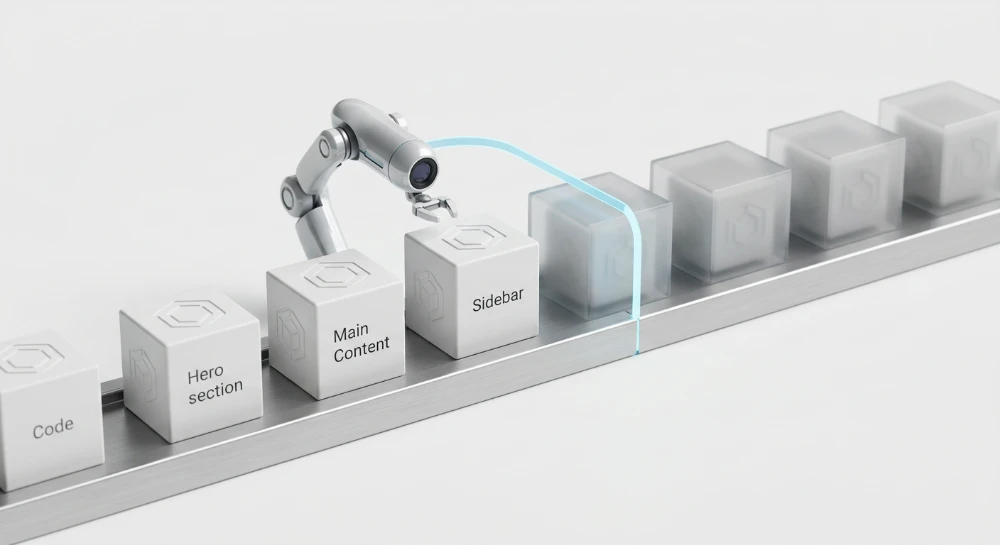
Web Components rely on the Shadow DOM to encapsulate markup, styles, and behavior, creating a structural boundary that directly impacts how Shadow DOM content affects search rendering. Unlike the Light DOM-the standard document tree present in the main HTML hierarchy-the Shadow DOM attaches isolated DOM subtrees to a host element via a shadow root. While this isolation prevents style leakage and simplifies component architecture, it separates encapsulated nodes from the primary document tree that basic HTML parsers and standard DOM inspection methods read by default.
The immediate technical challenge for search engine optimization is that initial HTTP responses and standard DOM serialization methods, such as checking page source or calling
outerHTML
, typically omit client-side Shadow DOM content. Because these encapsulated subtrees do not appear in the raw HTML payload unless explicitly serialized on the server, search engine visibility depends on whether a crawler executes JavaScript, pierces the shadow boundary, and flattens the Light DOM and Shadow DOM into a single composed tree.
Preventing indexing and link-discovery gaps requires aligning component architecture with how search rendering engines actually process encapsulated trees. Developers and technical SEO specialists must evaluate how open versus closed shadow roots behave during rendering, how imperative and declarative instantiation methods affect initial HTML payloads, and where to place semantic text, links, and metadata across the shadow boundary. Implementing slot projection patterns and verifying the flattened DOM output ensures that component encapsulation does not hide page signals from crawlers.
How search engine rendering engines process shadow DOM
Whether a bot can extract content from Web Components depends on whether it executes a full browser rendering pipeline or parses only the initial HTTP response. Search and discovery bots generally fall into two operational categories:
- Rendering crawlers: Systems such as Google's Web Rendering Service (WRS), which runs on a headless Chromium engine, execute JavaScript, register custom elements, and construct a rendered DOM tree before extracting indexable text and links.
- Non-rendering crawlers: Many social media preview scrapers, AI data-collection bots, and secondary search engine crawlers do not execute JavaScript. These parsers read only the raw HTML returned in the initial HTTP payload. If a component relies on client-side script execution to attach a shadow root and populate its internal markup, non-rendering crawlers see only the host element and whatever Light DOM nodes exist in the raw source.
DOM flattening in google's web rendering service
According to Google's search documentation, WRS handles Web Components by flattening the Light DOM and Shadow DOM into a single composed tree after JavaScript execution completes. During this step, the rendering engine resolves custom element definitions, initializes their shadow roots, and evaluates any
<slot>
elements inside the shadow tree.
When WRS encounters a
<slot>
element, it replaces the slot in the composed tree with the corresponding Light DOM nodes assigned to that slot. If a shadow root contains no Light DOM children for a given slot, WRS renders the fallback content placed inside the
<slot>
tags instead. Once the tree is flattened, Googlebot parses the composed HTML output to extract visible text and discover links.
<!-- 1. Initial Light DOM and Shadow Root (Conceptual View) -->
<product-card>
  < #shadow-root (open) >
    <div>
      <h2><slot name="title">Default Product</slot></h2>
      <div><slot name="description"></slot></div>
    </div>
  </ #shadow-root >
  <span slot="title">Mechanical Keyboard</span>
  <p slot="description">Hot-swappable switches with aluminum frame.</p>
</product-card>

<!-- 2. Flattened Composed Tree Processed by WRS -->
<product-card>
  <div>
    <h2>
      <span slot="title">Mechanical Keyboard</span>
    </h2>
    <div>
      <p slot="description">Hot-swappable switches with aluminum frame.</p>
    </div>
  </div>
</product-card>
Open vs. closed shadow roots
When attaching a shadow root via JavaScript or declarative markup, the encapsulation mode determines whether external scripts and rendering tools can inspect the subtree:
| Encapsulation Mode | Instantiation Syntax | Programmatic Access | Crawler and Tool Behavior |
|---|---|---|---|
| Open Shadow Root |
element.attachShadow({ mode: 'open' })
|
element.shadowRoot
returns the
ShadowRoot
object
|
Accessible to rendering crawlers, DOM traversal scripts, and automated testing engines for tree flattening. |
| Closed Shadow Root |
element.attachShadow({ mode: 'closed' })
|
element.shadowRoot
returns
null
|
Blocks external script inspection; can prevent crawlers, custom serialization scripts, and auditing tools from extracting internal nodes. |
For public-facing pages that need to be crawled and audited, components should use
mode: 'open'
. While a browser's internal layout engine still paints closed shadow roots for visual display, returning
null
on the
shadowRoot
property blocks standard DOM traversal APIs and can prevent rendering pipelines from serializing the internal subtree.
The unslotted light DOM failure mode
A common rendering issue occurs when a host element contains Light DOM children, attaches a shadow root, and omits a matching
<slot>
element for those children. Once a shadow root is attached to a host element, the browser replaces the host's default rendering with the contents of the shadow root.
Any Light DOM node inside that host that is not assigned to a named slot (via a matching
slot="name"
attribute) or caught by an unnamed default
<slot>
is excluded from the flattened composed tree. This creates a discrepancy between crawler types:
<custom-accordion>
  < #shadow-root (open) >
    <section>
      <slot name="header"></slot>
      <!-- Missing default <slot> or <slot name="body"> -->
    </section>
  </ #shadow-root >
  <h3 slot="header">Shipping Policy</h3>
  <p>Orders ship within two business days.</p>
</custom-accordion>
In the example above, the paragraph element has no
slot
attribute, and the shadow root contains no unnamed default
<slot>
to receive it. A non-rendering parser reading only the raw HTML response would see the paragraph text, because it ignores the shadow tree entirely. However, a rendering crawler like Googlebot flattens the DOM according to the shadow root specification. Because the paragraph is unslotted, WRS omits it from the composed tree, meaning the rendered output used for indexing will not contain that text.
Run a deep technical crawl to identify 4xx errors, missing meta tags, and indexation blockers.
Imperative vs. declarative shadow DOM in the rendering lifecycle
How a shadow tree is instantiated determines when its encapsulated markup becomes available in the rendering lifecycle. Web Components can attach shadow roots either imperatively through client-side JavaScript or declaratively through server-rendered HTML markup.
Imperative shadow DOM and Client-Side rendering
Imperative Shadow DOM is created in the browser by calling the JavaScript method
element.attachShadow({ mode: 'open' })
(typically inside a custom element's
constructor
or
connectedCallback
). Because this method requires script execution, imperative shadow roots rely exclusively on Client-Side Rendering (CSR).
<!-- Initial HTTP Response -->
<product-card data-sku="9482"></product-card>

<script>
  class ProductCard extends HTMLElement {
    connectedCallback() {
      const shadow = this.attachShadow({ mode: 'open' });
      shadow.innerHTML = `
        <h2>Modular Mechanical Keyboard</h2>
        <a href="/products/keyboard-9482">View specifications</a>
      `;
    }
  }
  customElements.define('product-card', ProductCard);
</script>
When a component builds its internal DOM tree imperatively, the initial HTTP response contains only an empty custom element tag or unformatted Light DOM children. This introduces two specific constraints during crawling:
- Non-rendering crawlers that only inspect the raw HTTP response cannot access any text or links generated inside the shadow root, because those nodes do not exist until JavaScript executes.
-
Rendering crawlers must download, parse, and execute the component scripts before the shadow tree can be constructed and flattened. If a script bundle is blocked by
robots.txt, fails due to a network timeout, or throws an unhandled runtime exception prior to callingattachShadow(), the shadow root is never attached and the component remains empty in the rendered DOM.
Declarative shadow DOM and Server-Side rendering
Declarative Shadow DOM (DSD) removes the strict dependency on client-side JavaScript to create a shadow boundary. It allows Server-Side Rendering (SSR) or static site generation (SSG) pipelines to serialize the shadow tree directly into the initial HTML payload using a
<template>
element with the
shadowrootmode
attribute:
<!-- Initial HTTP Response with Declarative Shadow DOM -->
<product-card>
  <template shadowrootmode="open">
    <style>
      .wrapper { border: 1px solid #ccc; }
    </style>
    <div class="wrapper">
      <slot name="title"></slot>
      <slot name="cta"></slot>
    </div>
  </template>
  <h2 slot="title">Modular Mechanical Keyboard</h2>
  <a slot="cta" href="/products/keyboard-9482">View specifications</a>
</product-card>
Note that earlier draft implementations used the non-standard
shadowroot="open"
attribute. The standardized HTML specification uses
shadowrootmode="open"
(or
"closed"
), which is the syntax supported by modern Chromium-based rendering engines.
When an HTML parser that supports Declarative Shadow DOM encounters
<template shadowrootmode="open">
while streaming the document, it immediately removes the
<template>
wrapper, attaches an open shadow root to the parent host element, and populates it with the template's contents. This attachment happens during initial HTML parsing before client-side JavaScript runs.
The practical Trade-Off for Non-Rendering parsers
While Declarative Shadow DOM places the component markup into the initial HTTP response and prevents layout shifts before JavaScript hydration, it does not guarantee that every non-rendering bot will extract content placed inside the
<template>
tag.
| Rendering Method | Initial HTML Payload | Rendering Crawler Behavior | Non-Rendering Parser Behavior |
|---|---|---|---|
Imperative Shadow DOM (
attachShadow
)
|
Custom element host and any Light DOM children only; shadow markup resides in JS files. | Executes JS, attaches the shadow root, and flattens the composed tree. | Sees only Light DOM children; misses all shadow tree nodes. |
Declarative Shadow DOM (
shadowrootmode="open"
)
|
Custom element host, Light DOM children, and serialized shadow markup inside a
<template>
tag.
|
Attaches the shadow root during HTML parsing and flattens the composed tree before JS runs. |
Sees Light DOM children; may ignore nodes inside
<template>
depending on parser rules.
|
In the standard HTML specification, a regular
<template>
element holds inert document fragments that are not rendered. Many lightweight HTML parsers, link extractors, and non-rendering crawlers do not implement the HTML parser's declarative shadow root attachment algorithm. Instead, they treat
<template shadowrootmode="open">
as a standard inert
<template>
element and skip its inner contents during text and link extraction.
Consequently, Declarative Shadow DOM should not be treated as a full substitute for Light DOM content when supporting non-rendering bots. Even when using DSD for server-side rendering, placing primary text and links in the Light DOM and projecting them through
<slot>
elements ensures that both basic HTML parsers and full rendering engines can read the content.
How shadow DOM affects links, content, and document signals
When a rendering engine flattens the DOM, not all HTML elements inside a shadow tree are treated equally by search engines. Content nodes and interactive elements merge into the rendered page body, while document-level directives and metadata remain governed by the outer Light DOM document structure.
Anchor tags and link discovery
Rendering crawlers such as Googlebot extract outgoing links by inspecting the flattened DOM tree after JavaScript execution. If an open shadow root contains a standard HTML anchor element with a valid destination-such as
<a href="/products/item-1">
-the rendering engine resolves and extracts the URL just as it would from the Light DOM.
Link discovery fails in Web Components primarily when developers replace native anchor tags with custom routing patterns or incomplete wrapper elements:
-
<custom-link to="/products/item-1">that relies on an internalonclickevent listener orwindow.locationpush without ever rendering a child<a href="...">tag inside its shadow root. -
Anchor tags inside a shadow root that use empty, hash-only, or pseudo-protocol attributes (
href="#"orhref="javascript:void(0)") while delegating navigation to JavaScript click handlers. -
Custom anchor wrappers where the destination URL is passed as a custom property or attribute on the host element, but the component only populates the inner
<a>tag'shrefattribute on user hover or click rather than during initial component rendering.
Even when a custom link component properly renders a standard
<a href="...">
inside an imperative shadow root, non-rendering crawlers will not see that link in the initial HTTP response. For primary navigation links that need to be discovered by both rendering and non-rendering crawlers, the native
<a href="...">
element should reside in the Light DOM and project into the component via a
<slot>
.
Text content and semantic heading hierarchy
Once a rendering crawler resolves custom elements and replaces
<slot>
tags with their assigned nodes, the text from both the Light DOM and open Shadow DOM merges into a single reading order. Search engines evaluate this composed output to understand the page's topical content and semantic structure.
Because the composed tree combines both DOM contexts, heading elements (
<h1>
through
<h6>
) placed inside shadow roots become part of the overall document outline alongside headings in the Light DOM. Component isolation in CSS does not isolate semantic meaning in the flattened HTML. A common structural issue occurs when reusable UI components-such as modal dialogs, sidebar widgets, or product cards-hardcode an
<h1>
or
<h2>
inside their shadow templates. When multiple instances of that component render on a single page, the flattened DOM ends up with fragmented or repetitive top-level headings.
To keep the composed heading hierarchy logical, reusable components should either accept heading elements through Light DOM slots or expose a configurable heading-level attribute (such as
heading-level="3"
) so the internal shadow template renders the appropriate tag for its position in the document.
Document metadata and head directives
While body text and links are extracted from the flattened tree, document-level metadata and crawler directives belong strictly in the main document's
<head>
in the Light DOM. Search engines expect document signals to reside at the top-level document scope, including:
-
<title> -
<meta name="description"> -
<meta name="robots"> -
<link rel="canonical"> -
<link rel="alternate" hreflang="...">
Placing these tags inside a Web Component's shadow root does not reliably register them as document-level instructions. A shadow root is a document fragment attached to an element within the
<body>
, not a document head. Even after DOM flattening, any
<meta>
or
<link rel="canonical">
tags rendered inside a shadow tree appear inside the flattened
<body>
markup, where search engines ignore them for indexing and canonicalization purposes.
If a single-page application or view-level Web Component needs to update the page title, meta description, or canonical URL during client-side navigation, the component's lifecycle script must explicitly mutate the main document's head via
document.head.querySelector()
or
document.title
rather than rendering those tags inside its own shadow tree.
Structured data and JSON-LD placement
Structured data formatted as JSON-LD (
<script type="application/ld+json">
) should also be injected into the Light DOM-either in the main
<head>
or the Light DOM
<body>
-rather than encapsulated inside a shadow root.
Although a rendering engine that flattens the DOM can technically see a
<script>
tag inside an open shadow root after JavaScript execution, encapsulating structured data creates two practical failure modes:
-
Non-rendering crawlers, social preview parsers, and lightweight schema validators that only parse the initial Light DOM HTML will miss JSON-LD blocks generated inside client-side shadow trees or nested inside declarative
<template>tags. - When a page renders multiple instances of a component (for example, a custom review or product card component that outputs its own JSON-LD inside its shadow root), the page can inadvertently emit duplicate, conflicting, or unlinked schema entities instead of a single consolidated graph.
If component data is required to build structured data, the component or parent application should serialize the JSON-LD script block and append it directly to the Light DOM
document.head
(or render it in the initial server-side Light DOM payload) so all parsers can extract it consistently.
| Element Type | Behavior Inside Open Shadow DOM | Recommended Placement |
|---|---|---|
Standard Links (
<a href="...">
)
|
Extracted by rendering crawlers after DOM flattening; missed by non-rendering bots if imperative. |
Light DOM projected via
<slot>
for primary navigation; open Shadow DOM acceptable for secondary UI links if using valid
href
attributes.
|
Body Text and Headings (
<p>
,
<h1>
-
<h6>
)
|
Merged into the composed document outline and indexed as page content after rendering. |
Light DOM via
<slot>
for primary page copy and headings; Shadow DOM reserved for UI labels and structural wrappers.
|
Document Metadata (
<title>
,
<meta>
,
<link rel="canonical">
)
|
Rendered inside the flattened body tree; ignored by crawlers as document-level head signals. |
Strictly in the main Light DOM
<head>
; update via
document.head
APIs if triggered by a component.
|
Structured Data (
<script type="application/ld+json">
)
|
Visible only after rendering and flattening; skipped by non-rendering schema extractors. |
Main Light DOM
<head>
or Light DOM
<body>
outside of shadow roots.
|
SEO structure and reciprocal link analyzer
Detect orphan pages, deep click depths, and toxic reciprocal links built by careless agencies.
Component architecture patterns for crawler accessibility
Designing Web Components-whether built with vanilla Custom Elements, Lit, or Stencil-requires a clear architectural boundary between content and presentation. The primary decision rule for crawler-accessible components is to keep indexable text, primary navigation links, and semantic document structure in the Light DOM, while restricting the Shadow DOM to styling, layout wrappers, and interactive UI controls.
When a component fetches or generates its own text and links internally via JavaScript and renders them directly inside its shadow root, that content is absent from the initial HTML response in client-rendered setups. Separating data and semantic markup from the component's internal shadow template avoids this dependency.
The slot projection pattern
Slot projection is the standard engineering pattern for maintaining Light DOM visibility while preserving Shadow DOM style encapsulation. Instead of passing content into a custom element via JavaScript properties or attributes (such as
<product-card title="Running Shoes" url="/shoes">
), place standard semantic HTML tags directly inside the custom element as Light DOM children and project them into the shadow tree using
<slot>
elements.
In the server-delivered HTML document, the component host contains the semantic elements and assignees for named slots:
<product-card>
  <h2 slot="title">Trail Running Shoes</h2>
  <p slot="description">Lightweight cushioning for uneven terrain.</p>
  <a slot="cta" href="/products/trail-running-shoes">View Specifications</a>
</product-card>
Inside the component definition, the Shadow DOM provides the structural containers, CSS grid or flexbox layout, and decorative elements, using matching
<slot name="...">
placeholders to receive the Light DOM nodes:
<div class="card-container">
  <header class="card-header">
    <slot name="title"></slot>
  </header>
  <div class="card-body">
    <slot name="description"></slot>
  </div>
  <footer class="card-footer">
    <slot name="cta"></slot>
  </footer>
</div>
This architecture accommodates both major crawler categories simultaneously:
-
Non-rendering crawlers ignore the custom
<product-card>tag and its unexecuted JavaScript, parsing the raw HTML payload to extract the<h2>,<p>, and<a href>elements directly from the Light DOM. - Rendering crawlers execute the component script, attach the shadow root, and project the Light DOM nodes into their assigned slots, producing the complete visual layout and flattened DOM tree.
When implementing named slots, verify that every indexable Light DOM child has a corresponding
<slot>
in the shadow template, or include an unnamed default
<slot></slot>
to catch unassigned nodes. If a shadow root is attached to a host element, any Light DOM child that does not match an available slot is excluded from the flattened tree during rendering.
Decision criteria for component boundaries
Use the following architectural rules when deciding whether a node belongs in the Light DOM or inside the Shadow DOM template:
| Component Element | DOM Placement | Implementation Pattern |
|---|---|---|
| Primary headings, body copy, and product details | Light DOM |
Render as semantic HTML children inside the custom element tag and project via default or named
<slot>
elements.
|
| Primary navigation and internal cross-links | Light DOM |
Pass standard
<a href="...">
elements into the component via slots rather than generating links from JSON arrays inside the shadow root.
|
| Interactive UI chrome (close buttons, carousels, toggles, decorative icons) | Shadow DOM | Encapsulate directly inside the component's shadow root template so utility labels do not pollute the raw HTML document outline. |
| Layout grids, scoped CSS, and visual wrappers | Shadow DOM |
Define inside the shadow root using
<style>
or constructable stylesheets (
adoptedStyleSheets
) wrapped around
<slot>
tags.
|
Combining slot projection with Server-Side rendering
While placing content in the Light DOM ensures raw HTML crawlability, relying purely on client-side JavaScript to attach the Shadow DOM can cause a Flash of Unstyled Content (FOUC) and Cumulative Layout Shift (CLS) as the unstyled Light DOM nodes suddenly snap into their shadow layout once the script loads.
Combining the Slot Projection pattern with Declarative Shadow DOM resolves this rendering delay without sacrificing raw HTML accessibility. Server-side rendering tools for Web Components-such as
@lit-labs/ssr
for Lit or Stencil's Hydration/SSR compiler-emit both the `
` wrapper (containing the scoped CSS and `
How to test and verify rendered shadow DOM output
Auditing pages built with Web Components requires tools that inspect the composed DOM tree rather than standard DOM serialization. A common diagnostic mistake is relying on the browser's View Page Source feature, copying `document.documentElement.outerHTML` from the console, or using basic SEO browser extensions that read `document.body.innerHTML`. Standard DOM serialization methods stop at the shadow boundary and output only the Light DOM. When a component relies on imperative Shadow DOM, these methods omit the shadow tree entirely, producing false negatives during manual audits even when rendering crawlers can access the content.
To verify what rendering engines and search crawlers actually extract from a page using Shadow DOM, follow a four-step diagnostic sequence across local browser tools, Google's testing environments, console traversal scripts, and automated testing frameworks.
1. Inspecting shadow roots and slot assignments in chrome DevTools
The Chrome DevTools Elements panel displays both the Light DOM and attached shadow trees in real time, allowing direct verification of encapsulation modes and slot projection.
- Open Chrome DevTools, navigate to the Settings panel (Preferences), and ensure the option to show user agent Shadow DOM is enabled if inspecting native browser elements alongside custom elements.
- Locate the custom element host tag in the Elements tree and expand it to view the `#shadow-root` container right below the opening tag.
- Verify that the label reads `#shadow-root (open)`. If it reads `#shadow-root (closed)`, external scripts and testing tools cannot access `element.shadowRoot`, which indicates an architectural risk for crawler extraction.
-
Expand the `
` elements inside the shadow root to verify slot assignment. Properly projected Light DOM nodes appear inside the ` ` tag marked with a `↳` reveal icon (such as `↳ #text` or `↳ `), which links directly back to the source node in the Light DOM. -
Check whether any Light DOM child nodes remain under the custom element host without a corresponding `↳` reference inside a `
`. Unslotted Light DOM nodes are excluded when the browser flattens the composed tree and will not be visible in the rendered page output.
2. Validating flattened output in Google search console and rich results test
While Chrome DevTools shows the live structure in a local browser, Google's testing tools confirm how the Web Rendering Service (WRS) flattens the page into a single HTML document for indexing.
Run a live test using the URL Inspection Tool in Google Search Console (for verified properties) or the Rich Results Test (for any publicly accessible URL or raw code snippet). After the test completes, open the View Tested Page panel and inspect the Rendered HTML tab.
When Google's WRS processes a page with open Shadow DOM, the rendered HTML output in these tools does not show separate `#shadow-root` boundaries. Instead, WRS serializes the flattened, composed DOM tree-replacing `
3. Recursive DOM traversal in the browser console
Standard DOM queries such as `document.querySelectorAll('a')` only return elements in the outer Light DOM, ignoring any links encapsulated inside shadow roots. To audit all links or text nodes across an entire page directly in the browser console without manually expanding every component, execute a recursive function that traverses both standard child nodes, `node.shadowRoot`, and assigned `
function extractComposedLinks(root = document.body, links = []) {
  const elements = root.querySelectorAll('*');

  for (const el of elements) {
    if (el.tagName === 'A' && el.href) {
      links.push({
        text: el.innerText.trim(),
        href: el.href,
        inShadow: root instanceof ShadowRoot
      });
    }
    if (el.shadowRoot) {
      extractComposedLinks(el.shadowRoot, links);
    }
  }
  return links;
}

console.table(extractComposedLinks());
To verify how text reads in the exact flattened order when mixing Shadow DOM templates and slotted Light DOM children, a recursive tree walker can check for `HTMLSlotElement` instances and call `slot.assignedNodes({ flatten: true })` to read the projected nodes in place of the `
function getFlattenedText(node) {
  if (node.nodeType === Node.TEXT_NODE) {
    return node.textContent;
  }
  if (node.nodeType !== Node.ELEMENT_NODE) {
    return '';
  }
  if (node.tagName === 'SLOT') {
    const assigned = node.assignedNodes({ flatten: true });
    return assigned.map(getFlattenedText).join(' ');
  }

  const children = node.shadowRoot ? node.shadowRoot.childNodes : node.childNodes;
  return Array.from(children).map(getFlattenedText).join(' ');
}

console.log(getFlattenedText(document.body).replace(/\s+/g, ' ').trim());
Running `getFlattenedText(document.body)` outputs the composed text stream, exposing whether unslotted Light DOM content was accidentally dropped when the component attached its shadow root.
4. Automated regression testing with Shadow-Piercing locators
For continuous integration (CI) pipelines, manual inspection cannot prevent front-end deployments from accidentally breaking slot assignments or encapsulating navigation links inside closed shadow roots. Modern browser automation frameworks such as Playwright pierce open shadow roots by default in their CSS and role-based locator engines.
In Playwright, a standard locator like `page.locator('a[href="/products/widget"]')` or `page.getByRole('heading', { level: 1 })` automatically resolves matching elements whether they reside in the Light DOM or inside nested open shadow roots. However, if a component uses `mode: 'closed'` or fails to hydrate, Playwright's default locators will fail to find the internal elements-mirroring the behavior of rendering crawlers.
import { test, expect } from '@playwright/test';

test('verifies critical links and headings are accessible in the composed DOM', async ({ page }) => {
  await page.goto('https://example.com/category');

  // Locates the H1 whether in Light DOM, slotted, or inside an open Shadow Root
  const mainHeading = page.getByRole('heading', { level: 1 });
  await expect(mainHeading).toBeVisible();
  await expect(mainHeading).toContainText('Enterprise Components');

  // Verifies that custom link components render native, crawlable <a href> elements
  const productLinks = page.locator('product-card a[href]');
  expect(await productLinks.count()).toBeGreaterThan(0);
});
When writing SEO regression tests for Web Components, combine two assertions: check the raw HTTP response (prior to JavaScript execution) to ensure primary slotted text and links exist in the initial Light DOM payload for non-rendering crawlers, and use shadow-piercing browser assertions after network idle to confirm that client-side hydration did not overwrite or drop the slotted nodes in the final composed tree.