Making infinite scroll content crawlable requires bridging a fundamental gap between how users browse and how search engines discover pages. In a client-side infinite scroll interface, the browser fetches and appends new items dynamically as a user scrolls down the viewport. Search engine crawlers, however, generally do not simulate scroll events or interact with page triggers to load additional data. Instead, they rely on resolvable URLs and standard HTML anchor links present in the initial or rendered document to discover content beyond the first batch of items.
When a product catalog, article feed, or directory relies solely on JavaScript scroll listeners without underlying pagination URLs, items loaded after the initial view may remain invisible to crawlers. Unless those deeper items are linked through other internal navigation paths or XML sitemaps, they risk becoming orphaned from the site's internal link graph, which can limit their crawl coverage and indexing.
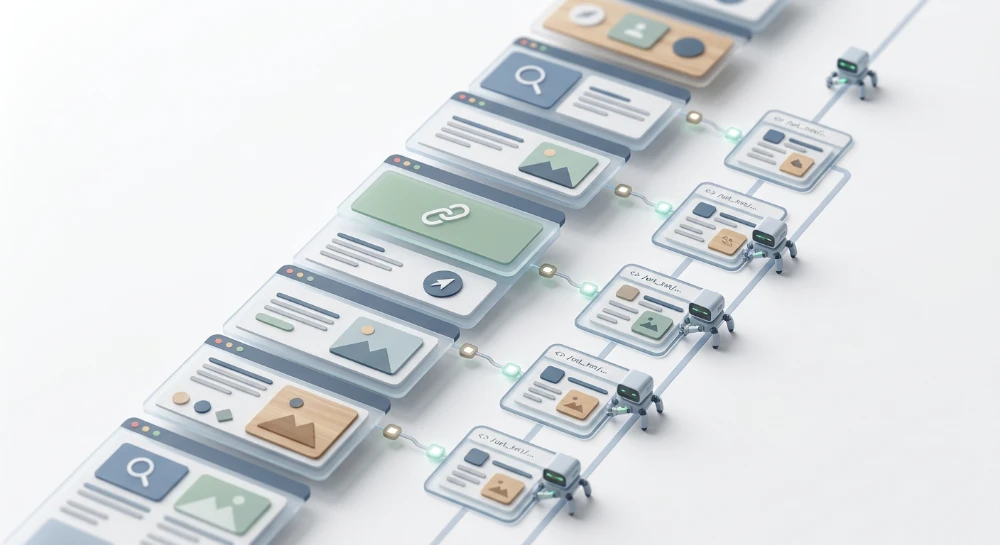
Resolving this conflict involves progressive enhancement: backing the continuous visual feed with a discrete, URL-based pagination architecture. By dividing the content stream into individually addressable component pages, exposing those URLs through crawlable links in the DOM, and updating the browser history state as the user scrolls, developers can preserve a seamless scrolling experience without blocking search engine discovery.
How search engine crawlers process infinite scroll interfaces
Standard infinite scroll implementations fail during search engine crawling because they bind content loading to user interaction events that automated bots do not perform. In a typical client-side setup, the application attaches an event listener to the browser window-such as a
scroll
event handler or an
IntersectionObserver
monitoring a sentinel element at the bottom of the list. When a human user reaches that threshold, the script executes an asynchronous network request (via
fetch
or
XMLHttpRequest
) to retrieve the next batch of items and appends them to the Document Object Model (DOM). Because search crawlers do not browse pages like human users, these asynchronous triggers frequently remain unexecuted.
Documented googlebot rendering mechanics
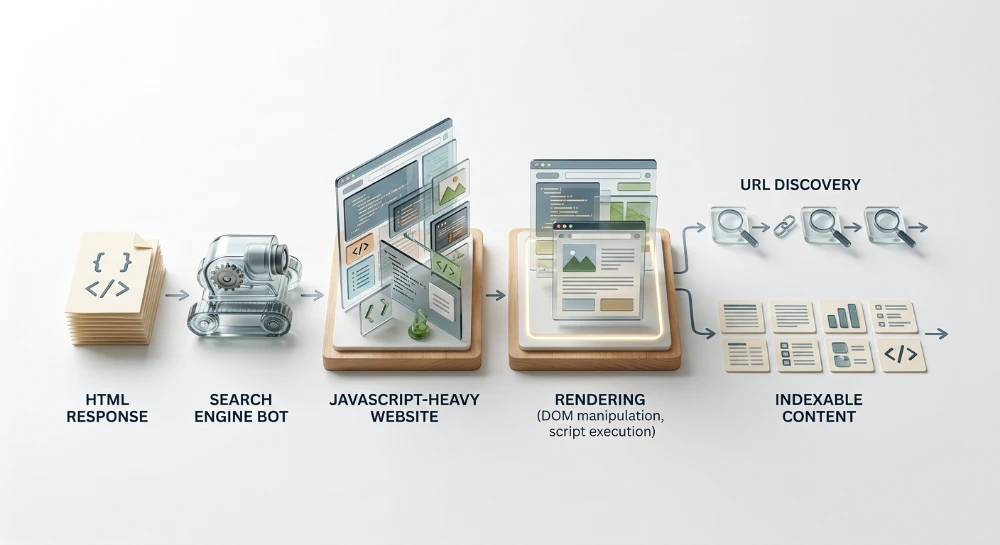
Googlebot processes web pages in two primary stages: crawling the initial HTML response and queuing the page for rendering via a headless Chromium instance (the Web Rendering Service). According to Google's documentation, this rendering engine is stateless and does not simulate arbitrary user interactions:
-
It does not actively scroll down the page or fire continuous
window.scrollevents to trigger scroll-depth listeners. - It does not click interactive elements, such as "Load More" buttons, tabs, or accordions, to reveal additional DOM nodes.
Instead of scrolling, Googlebot renders the page using a fixed, tall virtual viewport. This expanded viewport height offers a specific mechanical nuance: if an infinite scroll script uses an
IntersectionObserver
to load the next batch of content as soon as a bottom sentinel element enters the visible viewport, the tall initial viewport may immediately intersect that sentinel during the first render pass. Consequently, Googlebot might trigger and capture one additional batch of asynchronously loaded items. However, once the rendered content exceeds that fixed viewport height, no further intersection or scroll events occur, and the remaining items in the dataset are never requested.
Non-Rendering bots and raw HTML parsers
The visibility problem is more severe for crawlers that do not execute JavaScript. While Googlebot and a limited number of other major search engine crawlers render client-side scripts, many other automated agents-including specialized search bots, social media preview scrapers, and various AI data-collection crawlers-only parse the raw initial HTML returned by the server.
If a feed relies entirely on client-side JavaScript to fetch even the first batch of items after the initial page load, non-rendering crawlers receive an empty container shell. Even when the first batch of items is server-side rendered (SSR) in the initial HTML payload, any subsequent items gated behind client-side scroll listeners remain inaccessible to bots that do not run a headless browser.
| Crawler Category | JavaScript Execution | Viewport and Interaction Behavior | Typical Visibility in Pure Infinite Scroll |
|---|---|---|---|
| Rendering Search Crawlers (e.g., Googlebot) | Executes JavaScript via headless browser | Renders with a tall, fixed viewport; does not scroll or click | Initial items plus any batch automatically triggered by the expanded initial viewport height |
| Non-Rendering Search and AI Crawlers | None; parses raw HTTP response only | No viewport; extracts text and links directly from initial HTML source | Only items present in the server-rendered HTML payload; zero visibility into client-fetched batches |
Asynchronous fetching and link graph isolation
During both raw HTML parsing and post-render DOM inspection, search engines discover new URLs primarily by extracting HTML anchor tags containing resolvable
href
attributes. When items beyond the initial load are fetched asynchronously via AJAX or Fetch API calls only after a scroll threshold or button click is met, those network requests are never initiated during the crawl session.
Because the requests do not fire, the HTML markup for those deeper items is never injected into the rendered DOM snapshot. Any links pointing to individual product pages, articles, or user profiles within those unrendered batches are invisible to the crawler. Unless those deeper item URLs are linked from other crawlable sections of the site-such as category sub-navigation, related-item modules, or XML sitemaps-they become isolated from the internal link graph. Relying solely on XML sitemaps to compensate for an uncrawlable feed is a weak fallback, as search engines use internal link structure to understand site hierarchy and prioritize crawl scheduling.
Run a deep technical crawl to identify 4xx errors, missing meta tags, and indexation blockers.
Choosing the right pattern: Infinite scroll, load more, or hybrid pagination
Selecting a content-loading pattern requires balancing user browsing intent against engineering constraints and search discoverability requirements. Continuous scrolling works well when users are passively consuming a feed without looking for a specific item. However, when users need to compare options, return to a specific position, or reach links at the bottom of the page, pure infinite scroll creates significant usability and technical challenges.
| Pattern | Primary User Intent | Common Site Types | Search Discoverability | UX and Performance Trade-offs |
|---|---|---|---|---|
| Traditional Numbered Pagination | Goal-oriented search, item comparison, returning to a known location | E-commerce categories, B2B directories, forums, documentation archives | High by default; relies on standard HTML anchor links and distinct URLs | Requires full or partial page transitions; provides stable scroll positions, accessible footers, and predictable DOM size |
| Pure Infinite Scroll | Passive discovery, continuous browsing, entertainment | Social media feeds, image galleries, news streams with ephemeral content | None beyond the initial viewport; deeper items lack addressable URLs and crawlable links | Causes inaccessible footers, loss of scroll position on back-button navigation, and progressive DOM bloat |
| Load More Button (JS-Only) | Controlled browsing where users decide when to expand the list | Product grids, article lists, review sections | None beyond the initial load if triggered solely by client-side event listeners | Solves the inaccessible footer problem; still risks DOM bloat and lost scroll state if URLs are not updated |
| Hybrid Pagination (Scroll + Paginated URLs / Manual Trigger) | Mixed exploration and item evaluation | Large e-commerce catalogs, publisher archives, real estate listings | High when backed by crawlable anchor links and resolvable component URLs | Combines low-friction browsing with bookmarkable states; requires higher frontend engineering effort |
UX and frontend performance Trade-Offs
Beyond crawler accessibility, replacing discrete pages with a continuous stream introduces three operational problems for users and browsers:
- Footer Inaccessibility: When reaching the bottom of the viewport immediately triggers a network request and appends new items, the page footer is continuously pushed down. Users cannot click footer links for customer support, legal policies, or secondary site navigation before the layout shifts.
- Loss of Bookmarkable State and Back-Button Friction: In a standard infinite scroll setup where the URL remains static, clicking an item to view its detail page and then pressing the browser's back button usually returns the user to the top of the initial load. Unless the application manually tracks scroll coordinates in session storage and re-fetches all prior batches, the user loses their place in the feed.
- DOM Node Bloat and Memory Consumption: Every batch appended to the document increases the total number of DOM nodes, event listeners, and decoded images held in browser memory. On long sessions-especially on mobile devices with constrained RAM-an expanding DOM tree degrades rendering performance, causes main-thread lag during scrolling, and can eventually crash the browser tab.
The technical reality of load more buttons
A common misconception in frontend planning is that replacing automatic scroll triggers with a manual "Load More" button solves search discoverability. From a user experience standpoint, a button resolves the footer problem by halting automatic expansion, allowing users to reach the bottom of the page. From a crawler standpoint, however, a button controlled solely by a JavaScript event listener is identical to a scroll threshold.
When a control is implemented as a
<button onClick="fetchMore()">
or a non-link element bound to an event handler, search crawlers will not activate it. For a "Load More" pattern-or any hybrid pattern-to expose deeper items to search engines, the interactive trigger must be progressively enhanced around a standard HTML anchor element (
<a href="...">
) that points to a resolvable, server-rendered paginated URL. When a human clicks the element, JavaScript can intercept the click event using
event.preventDefault()
to fetch and append the next batch smoothly in the background, while crawlers simply extract and follow the underlying
href
attribute.
Decision criteria for hybrid architectures
When continuous browsing is desired for user engagement, a hybrid architecture is usually the safest implementation for search-driven pages such as e-commerce categories or article directories. Two primary hybrid structures are used in production:
- Infinite Scroll with Underlying Component URLs: The interface automatically loads new batches on scroll, but the markup includes crawlable pagination links in the DOM, and the browser URL updates dynamically as the user crosses batch boundaries.
- Scroll-Then-Click (Chunked Infinite Scroll): The interface automatically appends a set number of batches (for example, two or three scroll increments) and then pauses, presenting an anchor-backed "View More" button. This caps accidental DOM growth, restores access to the footer, and provides a natural breakpoint for state management.
Choose traditional numbered pagination when engineering resources are limited, when the catalog is highly structured for specification comparison, or when maintaining complex client-side scroll restoration is impractical. Choose a hybrid pattern only when the development team can support both the client-side state updates and the server-side routing required to render individual paginated URLs independently.
Architecting URL-Based pagination for infinite scroll
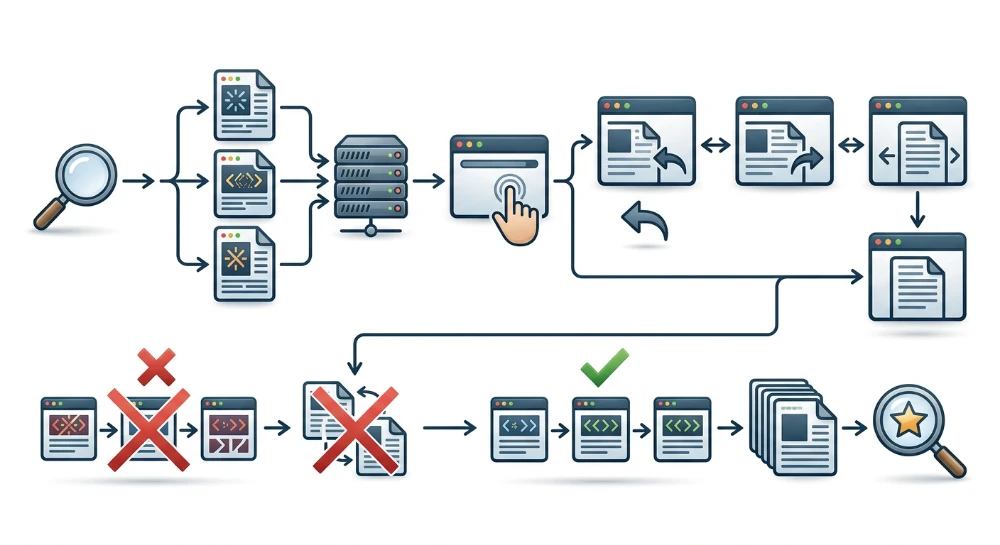
Building a crawl-safe infinite scroll interface relies on progressive enhancement. The underlying architecture must function as a standard, multi-page paginated series first, with JavaScript layered on top to intercept navigation, fetch adjacent batches asynchronously, and stitch them into a continuous visual feed.
1. Divide the feed into discrete component URLs
Partition the dataset into fixed-size chunks, assigning each chunk a unique, server-resolvable URL. Standard URL patterns use either query parameters or path segments:
-
Query parameter syntax:
/category/running-shoes?page=2 -
Path segment syntax:
/category/running-shoes/page/2/
Do not use URL fragments (such as
#page=2
or
#!/page/2
) to represent paginated states. Under standard HTTP specifications, browsers do not send the fragment identifier to the server, and search crawlers generally treat fragment variations as anchors within the same base document rather than separate URLs to be queued and indexed independently.
2. Return Non-Overlapping item slices per URL
Each component URL must resolve directly on the server (or via pre-rendered HTML) and return only the items assigned to that specific page. If
?page=1
displays items 1 through 24, a direct HTTP request to
?page=2
must return only items 25 through 48.
Avoid configuring component URLs so that requesting
?page=2
renders items 1 through 48 simultaneously. Duplicating earlier batches across deeper component URLs bloats HTML payload size and repeats identical item links across the series. Similarly, ensure that the sorting order is deterministic (for example, sorting by a stable product ID as a secondary tie-breaker after price or date) so that items do not shift between pages as different component URLs are requested at different times.
When a user accesses a deeper component URL directly-such as clicking a shared link to
?page=3
-the application should load the batch for page 3 immediately in the main viewport. To preserve full navigation, the interface can either provide a "Load Previous" trigger above the feed or dynamically prepend batch 2 if the user scrolls upward.
3. Expose crawl paths with standard HTML anchor tags
Crawlers discover the paginated series by extracting links from the DOM. Every component page must include standard HTML anchor tags with
href
attributes pointing to adjacent pages in the sequence. These links must be present in the initial server-rendered HTML or injected immediately upon initial render without requiring scroll or click events.
<nav aria-label="Pagination">
  <a href="/category/shoes?page=1">Previous</a>
  <a href="/category/shoes?page=2" aria-current="page">2</a>
  <a href="/category/shoes?page=3">Next</a>
</nav>
In a progressive enhancement setup, the client-side script can visually hide the traditional pagination bar while keeping the
<a href>
elements in the DOM, or convert the "Next" link into a visible "Load More" fallback button. What matters for link extraction is that the
<a>
element and its resolved
href
attribute remain present in the rendered DOM tree.
4. Synchronize scroll state using the HTML5 history API
As the user scrolls through the continuous feed and crosses the boundary from one item batch to another, the browser address bar must update to reflect the currently visible component URL. This ensures that if a user copies the URL, refreshes the tab, or clicks through to an item detail page and then presses the browser's Back button, they return to the corresponding segment of the feed rather than resetting to page 1.
Use an
IntersectionObserver
to monitor sentinel elements or container wrappers representing each loaded batch, and pair it with the HTML5 History API:
const observer = new IntersectionObserver((entries) => {
  entries.forEach((entry) => {
    if (entry.isIntersecting) {
      const pageUrl = entry.target.getAttribute('data-page-url');
      if (window.location.href !== pageUrl) {
        window.history.replaceState({ pageUrl }, '', pageUrl);
      }
    }
  });
}, { threshold: 0.5 });

document.querySelectorAll('.batch-container').forEach((batch) => {
  observer.observe(batch);
});
Choosing between
history.replaceState()
and
history.pushState()
depends on how the site handles browser back-navigation:
-
history.replaceState()overwrites the current session history entry as the user scrolls both down and up. This is generally preferred for continuous scrolling because a single click of the browser's Back button returns the user to the previous page they visited before entering the feed, rather than forcing them to step backward through every scroll batch they passed. -
history.pushState()adds a new entry to the browser's session history stack for each batch boundary crossed. This is better suited for manual "Load More" clicks where the user performs a deliberate navigation action and may expect the Back button to undo the last expansion.
Notice that the observer logic must work bidirectionally: if a user scrolls down to
?page=4
and then scrolls back up into the items belonging to
?page=2
, the URL in the address bar must revert to
?page=2
so the address bar always matches the active viewport content.
Bulk Google and Yandex index checker
Verify agency reports and track live SERP status in Google and Yandex to protect your SEO ROI.
Canonicalization, indexing directives, and Edge-Case failure modes
Generating resolvable component URLs only solves half of the discoverability problem. If the HTTP headers or document-level meta tags on those URLs send conflicting signals, search engines may ignore the paginated series and fail to extract the links pointing to individual item pages.
Self-Referencing canonicals and robots directives
Each paginated component URL should function as a standalone, indexable document with a self-referencing
rel="canonical"
tag and an
index, follow
robots directive. Because each page in the series displays a distinct set of items, its canonical URL must match its own address:
<!-- On https://example.com/category?page=2 -->
<link rel="canonical" href="https://example.com/category?page=2">
<meta name="robots" content="index, follow">
A common implementation error is setting the canonical tag on every paginated state (
?page=2
,
?page=3
) to point back to the root feed URL (
https://example.com/category
). While developers sometimes configure this to prevent paginated views from appearing in search results, it creates a major crawlability failure mode. Canonicalizing component pages to page 1 tells search engines that the subsequent pages are duplicates of the first view. When search engines accept that canonical signal, they typically reduce crawling of the non-canonical URLs and may stop processing the outgoing product or article links contained exclusively on those deeper pages.
Applying
noindex, follow
to component pages carries a similar long-term risk. Google has documented that when a page remains marked
noindex
over an extended period, Googlebot eventually stops following the links on that page as well. Unless a separate crawl path (such as comprehensive HTML category trees or frequently updated XML sitemaps) exposes every item, paginated component pages should remain indexable.
Regarding pagination relationship attributes: Google has documented that it no longer uses
rel="next"
and
rel="prev"
link elements as an indexing signal. Leaving existing markup in place does not cause errors, and other search engines or assistive technologies may still reference it, but it does not substitute for standard
<a href>
links in the document body and self-referencing canonical tags.
| Pagination Signal Configuration | Expected Crawler Interpretation | Impact on Deeper Item Discovery |
|---|---|---|
Self-referencing canonical +
index, follow
|
Treats each component URL as a unique page in the series. | Crawlers queue component URLs and extract links to individual items. |
| Canonical pointing to Page 1 | Treats component pages as duplicates of the initial view. | Crawlers may drop component URLs from the index and ignore links unique to those chunks. |
noindex, follow
on Page 2+
|
Excludes component pages from search results; initially follows links. |
Over time, crawlers may stop recrawling the
noindex
pages and stop treating their outgoing links as active discovery paths.
|
Edge case 1: Out-of-Bounds pagination and soft 404s
Infinite scroll APIs and URL routers frequently fail to validate the upper boundary of a dataset. If a category contains 10 pages of items, requesting
?page=11
or
?page=999
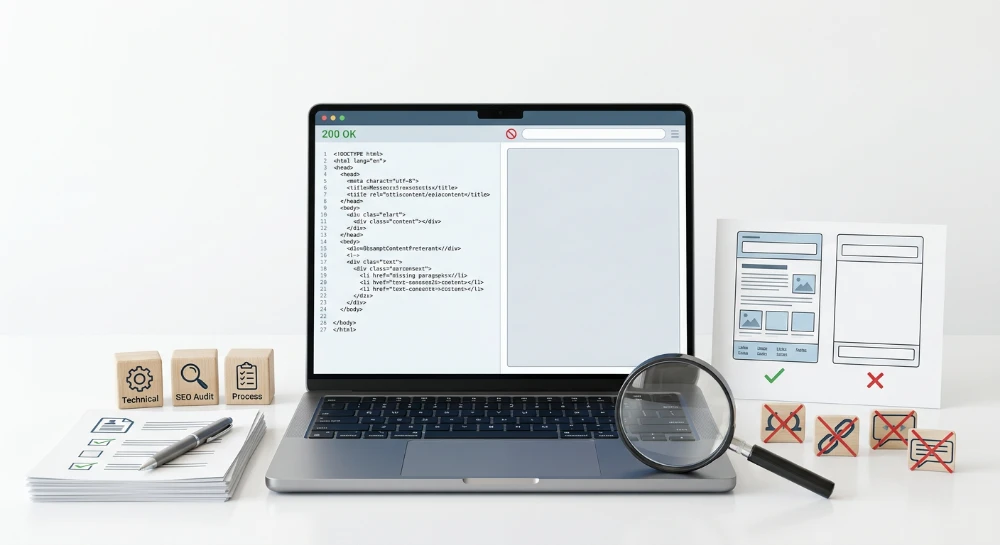
should not return an HTTP
200 OK
status with an empty item container or a generic "No products found" message. Search engines classify empty pages that return a
200 OK
status as soft 404 errors, and poorly configured pagination templates that always increment the "Next" link by one (
current_page + 1
) can generate an infinite crawl trap of empty URLs.
Configure the server or application router to handle out-of-range requests explicitly:
-
Return an HTTP
404 Not Found(or410 Gone) status code when a requested page number exceeds the total available pages and returns zero items. -
Alternatively, redirect out-of-bounds requests to the root category URL or the final valid page in the series, though returning a
404is generally cleaner for diagnostic tracking in server logs. - Ensure the template logic omits the "Next" pagination link on the final valid page of the series so crawlers do not request non-existent chunks.
Edge case 2: DOM virtualization and windowing
On feeds containing hundreds or thousands of items, frontend developers often pair infinite scroll with DOM virtualization (also called windowing) using libraries such as
react-window
or
react-virtualized
. Virtualization improves browser memory usage and frame rates by rendering only the DOM nodes currently visible inside the user's viewport, unmounting items above and below the scroll position as the user moves through the list.
While effective for client performance, aggressive DOM virtualization can break link discovery during search engine rendering. If a crawler renders a page and virtualization logic unmounts nodes outside a restricted viewport container before or during the rendering snapshot, any item links removed from the live DOM will be missing from the rendered HTML that the search engine parses.
To prevent virtualization from hiding links from crawlers:
-
Rely on server-rendered or static HTML pagination links (
?page=2,?page=3) placed outside the virtualized scroll container so the crawl path to subsequent batches remains intact regardless of viewport calculations. -
When a crawler or user requests a specific component URL directly (for example,
/articles?page=3), render the full set of items for that discrete batch (such as 20 or 40 items) directly into the initial HTML response, initializing client-side virtualization only after the user begins scrolling across multiple batches.
Auditing and verifying infinite scroll discoverability
Validating an infinite scroll implementation requires testing how the application behaves without user interaction, how it responds to direct HTTP requests, and how search engine crawlers process its rendered output. A structured audit verifies each layer of the architecture in sequence.
1. Test baseline navigation with JavaScript disabled
Disabling JavaScript in the browser tests whether the progressive enhancement fallback works for non-rendering crawlers and baseline HTML parsers.
- Open the infinite scroll root page in a desktop browser and disable JavaScript via browser settings or Developer Tools.
- Reload the page and verify that the initial batch of items renders in the viewport.
-
Locate the pagination controls and click the link to the next page (for example,
?page=2or/page/2/). - Confirm that the browser navigates to the new URL and loads the second batch of items without requiring client-side script execution.
If the page renders a blank container or lacks clickable pagination links when JavaScript is disabled, crawlers that do not execute JavaScript cannot discover items beyond the initial server response, and rendering crawlers become entirely dependent on flawless client-side execution.
2. Compare raw page source and the rendered DOM
Re-enable JavaScript and reload the root URL without scrolling. Compare the initial server response against the live Document Object Model (DOM) to see when and how links are injected.
-
View the raw HTML source (
view-source:) and search for the item URLs and the next-page pagination link. Presence in the raw source confirms server-side or static rendering. -
Open the browser Developer Tools Elements panel to inspect the rendered DOM before any scroll event occurs. Search for standard anchor tags containing
hrefattributes pointing to both the displayed items and the subsequent component URLs. -
Verify that the pagination link is a real HTML anchor element with a resolvable URL rather than a
buttonelement, adivwith an event listener, or an anchor tag usinghref="#"orjavascript:void(0).
If pagination links only appear in the Elements panel after scrolling toward the bottom of the page, crawlers that do not trigger scroll events will not see them.
3. Request component URLs directly in a clean session
Open a new incognito or private browser window with Developer Tools open to the Network panel, and request a deeper component URL directly (such as
/category?page=2
).
| Verification Target | Expected Result | Common Failure Mode |
|---|---|---|
| HTTP Status Code |
200 OK
in the Network panel for the document request.
|
301
or
302
redirect back to the root URL.
|
| Item Payload | Displays only the specific slice of items assigned to page 2. | Loads page 1 items first, or duplicates items from page 1. |
| Canonical Tag |
Contains a self-referencing
rel="canonical"
matching the requested component URL.
|
Canonical tag points back to the root URL (page 1). |
| Robots Directives |
Allows indexing and link following (
index, follow
or absence of restrictive directives).
|
Includes a
noindex
directive via meta tag or HTTP header.
|
| Sequential Links | Includes crawlable anchor links to adjacent component pages (such as page 1 and page 3). | Pagination markup disappears when loading a component URL directly. |
4. Verify Out-of-Bounds parameter handling
Modify the URL in the address bar to request a page number well beyond the existing inventory (for example,
?page=9999
). Inspect the main document request in the Network panel:
-
Confirm the server returns a
404 Not Foundor410 GoneHTTP status code, or redirects to a valid canonical destination where appropriate. -
If the server returns a
200 OKstatus code alongside an empty item container or a "No products found" message, flag the template for soft 404 remediation.
5. Inspect rendered HTML in Google search console
Local browser checks simulate crawler conditions, but Google Search Console's URL Inspection Tool confirms how Google's rendering service processes the page.
-
Run a live test on both the root URL and a paginated component URL (such as
?page=2). - Open the rendered HTML view for the tested page and search for the exact URLs of the individual items assigned to that batch.
-
Search the rendered HTML for the anchor tag pointing to the next paginated URL (such as
?page=3). - Check the page resources and console output views for blocked scripts, failed API fetches, or unhandled JavaScript exceptions that could prevent client-side rendering from completing before the rendering snapshot is taken.
6. Cross-Reference server log files and XML sitemaps
After verifying the page templates, confirm that search engine bots are actually discovering the architecture in production by comparing server access logs against the site's inventory and XML sitemaps.
-
Filter server access logs by verified search engine user agents to check whether bots are requesting paginated component URLs (
?page=2,?page=3). If bots frequently request page 1 but never request page 2+, the pagination links are likely missing from the rendered HTML, blocked byrobots.txt, or marked withrel="nofollow". - Compare the list of individual item URLs listed in your XML sitemaps against server log records and Search Console indexing data. While XML sitemaps provide a direct discovery path for item pages, relying solely on sitemaps without functional pagination leaves deeper items without internal link paths from category or feed pages.
- If item pages situated deep in the feed receive crawler requests only immediately after sitemap updates and rarely through sequential category crawling, re-audit the component pages for DOM virtualization unmounting, client-side rendering timeouts, or canonical mismatches.