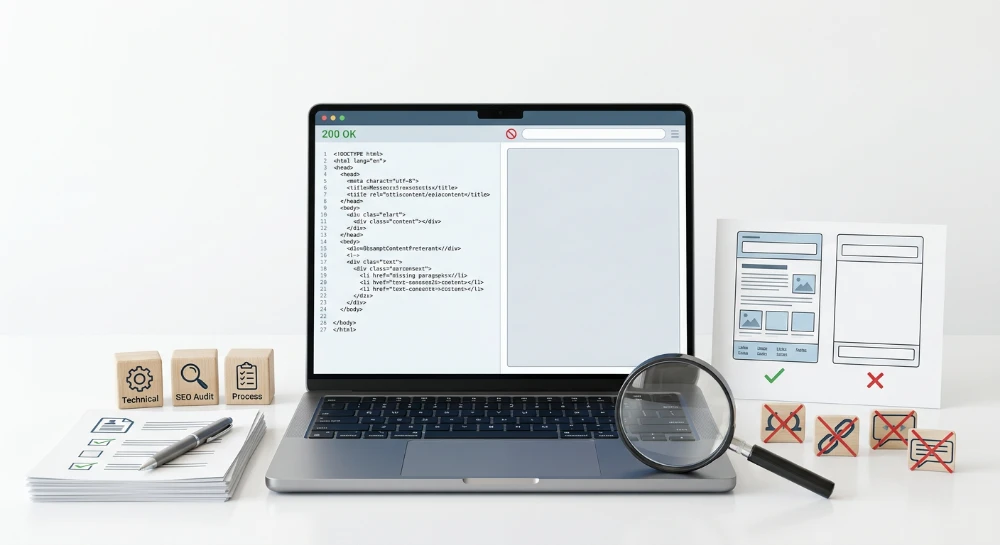
An internal broken link occurs when a hyperlink on your website points to another URL on the same domain that returns a 4xx client error, such as a 404 Not Found or a 410 Gone. Resolving these errors requires a specific operational workflow: identifying the dead destination URLs and tracing them back to the exact source pages (the inlinks) where the broken hyperlinks live. Because webmasters control both the source and the destination of an internal link, the most precise fix is to update the reference directly in the HTML rather than relying on server-side redirects to bridge the gap.
Regularly auditing and repairing internal 4xx errors maintains seamless site navigation and preserves content accessibility for users. For search engine crawlers, updating broken links to point directly to live pages can help improve crawl efficiency by preventing bots from repeatedly requesting dead endpoints. Effectively clearing these errors involves surfacing the broken URLs, mapping them to their origin pages, and determining whether the hyperlink should be updated, replaced, or completely removed from the site's body content, navigation menus, or resource templates.
Common 4xx status codes and how they occur
The 4xx class of HTTP status codes indicates a client-side error, meaning the server received the request but could not fulfill it because the target resource is missing, invalid, or restricted. When auditing internal broken links, webmasters typically encounter three specific status codes.
404 Not found
A 404 status code occurs when the server cannot locate the requested URL. This is the most common internal broken link error. It acts as a generic response indicating the page does not currently exist at that specific path, though it does not specify whether the absence is temporary or permanent.
410 Gone
A 410 status code is an explicit signal that the requested resource has been permanently removed and will not return. Webmasters use this code intentionally to instruct search engine crawlers to drop a page from the index faster than they would with a standard 404. If an internal link points to a 410 URL, it is a definitive dead end that requires updating or removal.
403 Forbidden
A 403 status code means the server understands the request but refuses to authorize it. In the context of internal linking, a 403 often results from misconfigured server permissions, aggressive Web Application Firewall (WAF) rules blocking specific crawler user agents, or links pointing to restricted administrative directories that standard users cannot access.
Common root causes of internal 4xx errors
Internal broken links rarely happen in isolation. They are usually the byproduct of routine website maintenance, content updates, or technical restructuring. Typical root causes include:
- Deleted Content: Removing outdated blog posts, discontinued product pages, or expired event listings without removing the internal links pointing to them.
- Site Migrations: Moving to a new Content Management System (CMS) or changing domain names where legacy URLs are not correctly mapped and redirected in the new site architecture.
- Permalink Structure Changes: Altering URL slug conventions, such as removing dates from blog post URLs or changing category paths, which orphans any hardcoded links using the old format.
- Malformed URLs and Typos: Errors introduced during manual link creation. A frequent example is confusing relative and absolute paths. If an href attribute is missing the protocol (for example, href="www.example.com" instead of href="https://www.example.com"), the browser interprets it as a relative path, resulting in a broken request appended to the current directory, such as https://example.com/www.example.com.
Strict 4xx errors vs. soft 404s
When diagnosing broken links, it is necessary to distinguish between a strict server-level 4xx error and a soft 404. A strict 4xx error is communicated directly via the HTTP header before the page renders, providing a clear technical signal to browsers and crawlers that the link is dead.
A soft 404 occurs when a missing or invalid URL returns a standard 200 OK success status code, but the visible page content implies an error. Examples include custom "page not found" templates that fail to send a 404 HTTP header, pages with entirely blank content, or automated redirects that send users from a deleted specific page to a broad, unrelated homepage. Search engines evaluate the content, recognize the mismatch, and treat the URL as a dead page regardless of the 200 status code. Identifying soft 404s requires crawler configurations that evaluate page content and search engine console reports, as standard server log analysis will only show successful 200 OK requests.
Run a deep technical crawl to identify 4xx errors, missing meta tags, and indexation blockers.
Detecting broken internal links with SEO crawlers
Desktop and cloud-based SEO crawlers simulate how search engine bots navigate a website. By systematically following every href attribute from a starting URL, these tools identify broken internal links at scale. Tools such as Screaming Frog SEO Spider, Sitebulb, or Lumar are commonly used to automate this diagnostic process and surface exact failure points.
Configuring the crawl parameters
Before initiating a crawl, verify the tool's configuration settings to ensure it captures all relevant internal links. The crawler must be set to parse HTML and follow internal links across the domain. If the website relies on client-side rendering for its navigation or content blocks, JavaScript rendering must be enabled in the crawler settings; otherwise, the tool will fail to discover links injected dynamically by scripts in the browser.
For particularly large websites, it may be necessary to adjust the crawler limits. Excluding specific parameters that generate infinite URL variations, such as calendar filters or complex faceted navigation, helps conserve system memory and keeps the crawl focused on structural internal links.
Filtering for 4xx client errors
Once the crawl finishes, the next step is isolating the dead links from the successful 200 OK requests and redirects. Navigate to the crawler's response codes or internal URLs report. Apply a filter specifically for client errors, typically labeled as "Client Error (4xx)".
Applying this filter isolates the exact URLs that returned failure statuses during the crawl. The resulting view displays the broken destination URLs. It is common to see a single broken destination URL appear hundreds of times in this view if it is linked from a sitewide element, such as a footer or a primary navigation menu.
Exporting the broken link data
To move from detection to resolution, export the filtered list. Most SEO crawlers provide a bulk export function specifically for client errors, often labeled as an "Inlinks" or "All Outlinks" export, depending on the tool.
A standard list of just the broken URLs is insufficient for making repairs. Ensure the selected export format contains the following data points for the subsequent analysis workflow:
- The broken destination URL that returned the 4xx status code.
- The source URL, which is the exact live page containing the broken link.
- The anchor text or image alt attribute used for the link.
- The link type, indicating whether the link is standard HTML, an image link, or a JavaScript-triggered element.
Saving this data as a spreadsheet provides the necessary mapping to locate the exact placement of the broken links during the repair phase.
Identifying dead pages via Google search console and server logs
While SEO crawlers provide a real-time snapshot of internal broken links, Google Search Console (GSC) reveals the dead pages Googlebot has actively encountered. To view these URLs, navigate to the Page Indexing report and examine the "Not found (404)" and "Soft 404" reasons. This lists the specific destination URLs that returned a failure status when Google attempted to crawl them.
To investigate where Google discovered a specific dead page, select a URL from the report and open it in the URL Inspection tool. Expand the "Discovery" section of the inspection results to view the "Referring page" field. This field displays a source URL that contained a link to the broken destination URL.
Relying exclusively on the GSC referring page data presents certain limitations when debugging internal links. The referring page field can display external websites pointing to the domain rather than internal source pages. Additionally, GSC often retains legacy data. The listed referring page may be a URL that has already been deleted, or a live page where the broken link was removed subsequent to Google's last crawl. Consequently, the referring page shown in GSC serves as a diagnostic clue rather than a definitive map of the current site architecture.
Secondary detection via server log files
Server log files offer a raw, unfiltered record of every request processed by the web server, making them a useful secondary method for identifying broken internal pathways. When search engine bots or human visitors request a missing page, the server logs the exact URI requested, the user agent, and the resulting 4xx HTTP status code.
To trace these error requests back to internal sources, filter the log data for 4xx status codes and check the HTTP Referer header for each entry. The referer header indicates the URL the client was visiting when the request was initiated. If the referer is a live URL on the same domain, it confirms that a bot or user actively followed an internal broken link. Analyzing log files can surface dead links triggered by client-side scripts, conditional rendering, or localized navigation elements that standard crawlers might occasionally bypass.
SEO structure and reciprocal link analyzer
Detect orphan pages, deep click depths, and toxic reciprocal links built by careless agencies.
Tracing broken destination URLs back to source pages
Identifying a 4xx destination URL is the first part of the diagnostic process. To resolve the error, the exact location of the broken link must be mapped back to its source. This requires analyzing the internal pages that point to the dead URL, commonly referred to as inlinks or referring pages.
Most SEO crawling tools feature a dedicated inlinks or source pages report. When a specific 4xx URL is selected from the crawl results, this report populates with every internal page that contains a link to that missing destination. Reviewing this data provides the context needed to locate the link within the source page's structure.
The inlinks report provides several data points that streamline the locating process:
- Source URL: The live internal page where the broken link resides.
- Anchor Text: The clickable text or image alt attribute associated with the link, which helps narrow down its physical location on the rendered page.
- Link Path or Type: The specific HTML attribute or element containing the URL, indicating whether the link is a standard anchor element, an image source, a canonical tag, or a script-based directive.
Determining the link's structural location
Once the source URLs are identified, the next step is determining whether the broken link is an isolated editorial placement or part of a broader structural element. The total volume of inlinks pointing to the 4xx URL often provides an immediate diagnostic clue.
Main body content links are typically embedded within standard paragraphs, lists, or tables. These are often isolated to a single source URL or a small handful of related pages. Because they are unique to the page content, they can usually be located by searching the rendered page or the content management system editor for the specific anchor text identified in the crawl report.
Sitewide navigation links appear across multiple pages, residing in headers, footers, or primary menus. If a broken destination URL shows hundreds or thousands of inlinks, particularly if the number closely matches the total page count of the site or a specific directory, the link is likely part of a global navigation element. In these cases, the link must be traced back to the centralized menu configuration rather than an individual page editor.
Hardcoded internal links present a different pattern. A link might be embedded directly into a page template, a resource file, or a sidebar widget rather than the main content area. If the anchor text cannot be found within the standard text editor or the primary navigation menus, the link may be hardcoded into the site architecture. Identifying these links often requires inspecting the page source code or reviewing the active theme files to locate the exact line generating the broken reference.
Methods for repairing or removing internal 4xx links
Resolving an internal broken link requires evaluating the current state of the destination content. The appropriate fix depends on whether the target page was moved, intentionally deleted, or removed by mistake. Applying the correct solution ensures that site architecture remains logical and crawl paths operate efficiently.
Restoring accidentally deleted content
If a destination URL returns a 404 Not Found due to an accidental deletion, a botched content management system update, or an unintended permalink alteration, the most efficient resolution is often restoring the page to its original URL. Reinstating the missing content so that it returns a 200 OK status immediately resolves all internal links pointing to that location. This approach requires no manual edits to the referring source pages.
Updating the source hyperlink
When the original destination content has been relocated to a new URL, consolidated into a different page, or replaced by an updated version, the internal link must be updated. This requires accessing the source page or template and modifying the hyperlink to point directly to the new, live URL. Directing the link to the active destination ensures that search engine crawlers and users reach the content without encountering intermediate errors.
Removing the dead link
If the destination page was permanently retired and there is no relevant replacement content, the link should be removed from the source page. This fix involves deleting the hyperlink structure while retaining the anchor text as standard paragraph text, or rewriting the surrounding sentence if the context relies heavily on the presence of the link. Removing the reference entirely cleans up the page and stops search engine bots from repeatedly requesting a dead URL.
The role of 301 redirects versus direct link updates
A common configuration error involves using server-side redirects as a substitute for updating internal links. Implementing a 301 redirect on a broken URL to point to a new location is a necessary practice for handling external referrers. A 301 redirect preserves external link signals and captures traffic from user bookmarks or legacy search engine results that still point to the old URL.
However, an internal link should never intentionally point to a redirect. Relying on a 301 redirect to bridge a broken internal link creates a redirect hop. When a crawler or browser follows the outdated link, it must request the old URL, receive the redirect instruction, and then initiate a second request for the final destination. Best practice for internal linking requires physically updating the source URLs within the site structure to point to the final 200 OK destination. Bypassing the redirect eliminates the unnecessary server request, reduces latency, and improves overall crawl efficiency.