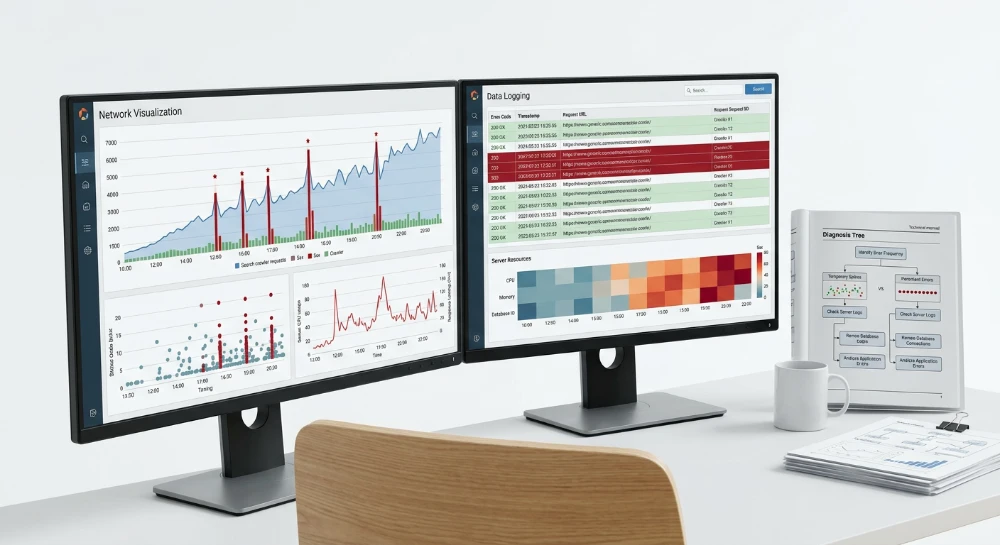
Auditing HTTP status codes across a website requires moving beyond checking for isolated broken links to systematically evaluating how a server handles every requested URL. For large websites, the sheer volume of raw data generated during a crawl or extracted from log files can quickly become overwhelming, making it necessary to implement a structured auditing workflow.
The core of this process lies in translating raw HTTP responses into prioritized technical fixes. This involves categorizing the data into distinct response classes: verifying 2xx successes, mapping 3xx redirection paths to eliminate inefficiencies, resolving 4xx client errors that create dead ends, and addressing 5xx server errors that degrade crawl reliability.
A systematic audit evaluates comprehensive URL lists to separate intentional architectural choices from structural failures. By isolating these different status classes and filtering out temporary network anomalies, technical teams can pinpoint redirect chains, missing resources, and server bottlenecks, transforming a massive dataset into an actionable sequence of developer tasks.
Data collection: Crawlers, log files, and URL lists
A systematic status code audit requires assembling a complete inventory of URLs to evaluate. Relying on a single extraction method often results in incomplete datasets, as different tools reveal distinct segments of a website.
Evaluating data sources: Crawlers and log files
Desktop crawlers execute from a local machine, utilizing local hardware memory and network bandwidth. They process small to medium-sized URL lists efficiently. However, auditing large enterprise domains locally can exhaust system resources or trigger server-side rate limiting against the workstation's IP address.
Cloud crawlers distribute the extraction workload across remote servers. They are engineered to parse millions of URLs, handle JavaScript rendering at scale, and utilize configurable crawl rates or distinct IP ranges to manage server impact. Cloud infrastructure handles bulk discovery where local hardware becomes a bottleneck.
Server log files provide a historical record of requests processed by the server. While crawlers simulate user behavior by following internal links, log files show actual request activity from search engine bots and human visitors. Extracting URLs from log files reveals pages disconnected from the current site architecture. This includes legacy URLs, discontinued product pages, and outdated campaign links. Log file extraction identifies unlinked orphaned pages that a standard crawler operating in discovery mode cannot reach.
Combining discovery and known inventories
To compile a comprehensive master list for a bulk status check, technical teams merge organic crawl discovery data with known URL inventories. A crawler set to discovery mode finds URLs by following internal links from specified entry points. This output must be combined with static URL lists, which are then processed through a list-mode crawl.
Static URL inventories should be sourced from multiple systems:
- XML sitemaps and sitemap index files
- Content management system database exports
- Search engine indexing and coverage reports
- Web analytics platforms detailing historical landing page traffic
- Backlink data exports containing externally linked URLs
Consolidating these sources into a single, deduplicated list forms the exact scope of the audit. Forcing a crawler to verify the status of both organically discovered links and historical static lists exposes structural discrepancies. It ensures that every active, historical, and unlinked URL is documented and tested during the subsequent HTTP response evaluation.
Run a deep technical crawl to identify 4xx errors, missing meta tags, and indexation blockers.
Auditing 2xx responses: Verifying success and catching soft 404s
A 200 OK HTTP status indicates that the server successfully processed the request and transmitted a document back to the client. In a bulk URL audit, the vast majority of active URLs should return this code. However, while a 2xx response confirms technical delivery, it does not guarantee content integrity.
The primary anomaly to identify within a 2xx audit is the soft 404. A soft 404 occurs when a server returns a 200 OK status for a URL that actually displays an error message, an empty page, or a "not found" state. Because the HTTP header signals success, search engine bots process the URL as a valid page. This forces crawlers to evaluate non-existent content and can result in error pages entering the search index.
Detecting soft 404s at scale requires cross-referencing the 2xx status code with on-page attributes collected during the crawl. Evaluating the HTTP response in isolation will miss these structural mismatches.
Identifying soft errors using page attributes
Standard crawl data provides immediate signals for filtering out hidden errors from legitimate 2xx successes. By analyzing the structural metadata of every 200 OK response, specific failure patterns emerge.
- Page Title Patterns: The title element is often the most direct indicator of a soft error. Filter the crawl export for 200 OK responses where the title contains strings such as "Not Found", "Error", "Page Unavailable", or "0 Results".
- Word Count Anomalies: Every website has a baseline word count generated by global navigation, sidebars, and footer templates. When a 200 OK URL returns a word count at or slightly below this baseline, it frequently indicates an empty content container. Sorting 200 OK pages by lowest word count helps isolate broken templates.
- Document Size: Similar to word count, the byte size of the HTML file can highlight empty pages. A cluster of 200 OK URLs with an identical, unusually low byte size typically represents a standardized error template that is failing to return a proper 4xx HTTP status.
Using custom extraction for template signatures
Application-driven websites, such as e-commerce platforms or large directories, often generate dynamic soft 404s that bypass basic title or word count filters. Examples include expired product listings, discontinued inventory, or category filters that yield zero matches but still load the full page layout.
To audit these at scale, configure the crawler to execute custom extraction using XPath or CSS selectors during the list-mode crawl. This method captures specific text strings or HTML elements associated with empty states while the crawler records the HTTP status.
Useful template signatures to extract include:
-
Specific error classes, such as a div with the class
error-noticeorempty-search-results. - Out-of-stock or discontinued messaging on legacy product templates.
- Database query failure messages rendered within the main content block.
Once the audit cross-references a 200 OK status with these extracted signatures, the resulting list dictates the remediation steps. Developers must update the server or application logic to align the HTTP header with the content state. URLs that are permanently empty or removed require an update to return a 404 Not Found or a 410 Gone status. If an exact equivalent exists for the missing content, the URL should instead return a 301 redirect.
Evaluating 3xx redirections: Chains, loops, and final destinations
A 3xx HTTP status code indicates that a client or crawler must take additional action to fulfill a request. In a bulk URL audit, 3xx responses require secondary validation because they act as routing instructions rather than terminal states. The audit workflow must track the entire sequence of hops to determine if the redirect is implemented efficiently and if the final page resolves successfully.
Distinguishing permanent and temporary redirects
The first step in evaluating a 3xx response is identifying the specific status code. A 301 Moved Permanently tells search engine crawlers that a URL has relocated indefinitely, which instructs them to associate indexing signals with the new destination. In contrast, 302 Found and 307 Temporary Redirect codes indicate a short-term relocation. Crawlers typically keep the original URL in the index when encountering temporary redirects.
During an audit, isolate the 302 and 307 redirects to verify their operational intent. Legitimate use cases for temporary redirects include active promotional campaigns, seasonal inventory swaps, user authentication routing, or geographic localization. If a temporary redirect is applied to a permanent site migration or a discontinued product URL, developers should update the server configuration to return a 301 redirect to ensure proper signal consolidation.
Analyzing location headers for chains and loops
Every 3xx response includes a
Location
header specifying the target URL. When auditing at scale, parsing this header is necessary to map the redirection path. Layered or poorly managed redirection rules often create complex routing sequences that degrade crawl efficiency and increase latency for users.
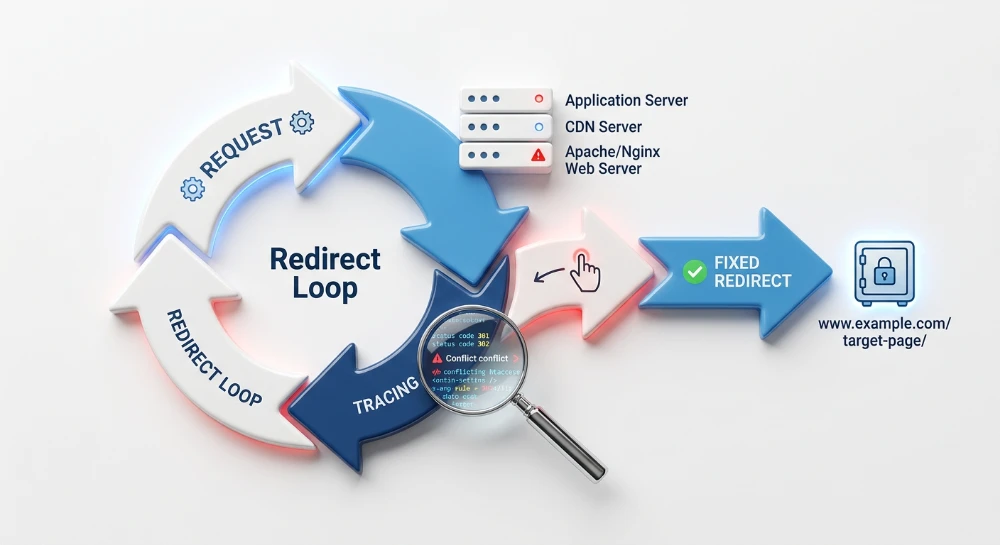
A redirect chain occurs when a URL redirects to a second URL, which then redirects again before reaching the final destination. A common example is a legacy URL redirecting from HTTP to HTTPS, which then redirects a second time to append a trailing slash. To resolve chains, update the initial URL's redirect rule to point directly to the final destination URL in a single hop.
A redirect loop happens when a sequence of
Location
headers eventually points back to a URL earlier in the chain. This cyclic routing prevents the destination from ever loading, causing browsers to return a too-many-redirects error and search engine crawlers to abandon the request entirely. Loops frequently occur due to conflicting server configuration files, such as a global trailing slash rule conflicting with a specific application-level route.
Validating the final destination status
Evaluating the hops within a redirect sequence provides incomplete data without confirming the terminal URL. A technically valid 301 redirect is ineffective if it directs crawlers to a broken or missing page.
When configuring an SEO crawler for a status code audit, enable the setting to follow redirects automatically. This allows the crawler to record the initial 3xx status, document the intermediary hops, and log the HTTP status of the final URL. Filter the resulting report to identify any redirect sequence that terminates in a 4xx client error or a 5xx server error.
Common destination failures include redirecting outdated product URLs to a discontinued category page that now returns a 404, or routing traffic to an unconfigured endpoint that triggers a 500 Internal Server Error. These terminal errors dictate the necessary fix: update the redirect rule to target a relevant URL returning a 200 OK, or remove the redirection entirely and configure the original URL to return a standard 404 Not Found or 410 Gone status.
SEO structure and reciprocal link analyzer
Detect orphan pages, deep click depths, and toxic reciprocal links built by careless agencies.
Triaging 4xx client errors and crawl blocks
The 4xx class of HTTP status codes indicates an error on the client side, meaning the request was invalid, unauthorized, or pointed to a non-existent resource. During a bulk URL audit, these responses generally fall into two separate categories: legitimate reports of missing content and crawl blockages caused by security configurations. Separating these categories is necessary to distinguish between site structure issues that require content updates and network restrictions that require adjustments to the auditing tool.
Distinguishing missing content: 404 Not found vs. 410 gone
The 404 Not Found status is a generic response indicating the server cannot locate the requested URL. High volumes of 404 errors during a site crawl typically point to broken internal links navigating to deleted pages, or typos in the site's template files. To resolve these, identify the source pages linking to the 404 URL and update the anchor tags to point to live content, or remove the links entirely. If the 404 URL previously held valuable content and receives external traffic, mapping it to a 301 redirect to an equivalent page is standard practice.
The 410 Gone status provides a more specific signal: it explicitly states that the resource has been intentionally and permanently removed, with no forwarding address. Search engine crawlers process a 410 more decisively than a 404, often dropping the URL from the index faster because the intentional removal is clear. When auditing, if a set of URLs represents discontinued products or deleted categories that will not return, configuring a 410 status is a technically precise way to communicate that state. Regardless of whether a 404 or 410 is used, any internal links pointing to these dead URLs still require removal to prevent wasted crawl requests.
Identifying access restrictions: 403 Forbidden
A 403 Forbidden status indicates that the server understands the request but refuses to authorize it. In a bulk SEO audit, a widespread pattern of 403 responses rarely means the actual HTML pages are missing. Instead, it signifies that the crawler has been blocked.
These blockages are frequently triggered by Web Application Firewalls (WAFs), bot-protection services, or server-level rules designed to prevent automated scraping. A common diagnostic step is to extract a URL reporting a 403 from the audit list and open it manually in a standard web browser. If the page loads normally for a human user but returns a 403 for the crawler, the auditing tool is being filtered based on its user-agent string, IP address, or request behavior.
Managing rate limits: 429 Too many requests
The 429 Too Many Requests status occurs when a client sends too many requests in a given amount of time. Servers and firewalls use rate limiting to maintain stability and prevent denial-of-service conditions. When auditing large URL lists with high-speed cloud or desktop crawlers, it is common to trigger these limits.
A crawl encountering rate limits often displays a distinct pattern: the initial batch of URLs returns expected 2xx or 3xx codes, followed by a sudden and persistent string of 429 errors for all subsequent requests once the threshold is breached. If this occurs, the status codes recorded after the threshold are false positives and do not reflect the actual state of the URLs.
Adjusting crawl configurations for accurate data
To resolve false 4xx errors caused by blocks or rate limits, the crawl parameters must be adjusted to align with the server's security rules.
-
For 429 Rate Limits:
Reduce the crawler's speed. Lower the maximum requests per second (RPS) or decrease the number of concurrent threads. If the server provides a
Retry-AfterHTTP header in its 429 response, configure the crawler to respect this delay before resuming requests. - For 403 User-Agent Blocks: Modify the crawler's identification. Changing the user-agent string from the tool's default identifier to a standard browser string (such as Chrome or Safari) or a search engine crawler string (such as Googlebot) can sometimes bypass basic filters.
- For IP and WAF Restrictions: When auditing strict environments, spoofing a user-agent is often insufficient. Coordinate with the server administrator or DevOps team to temporarily whitelist the IP address of the crawling machine. Alternatively, configure the crawler to send a custom HTTP header that the firewall is programmed to recognize and allow through the security layers for the duration of the audit.
Once the correct configuration is established, discard the blocked data and restart the crawl to capture the true HTTP status codes of the target URLs.
Analyzing 5xx server errors and crawl efficiency
When a bulk crawl returns 5xx status codes, the issue lies at the server infrastructure level rather than the client request. These errors indicate that the server is aware it has erred or is incapable of performing the request, requiring backend troubleshooting to resolve.
-
500 Internal Server Error: A generic catch-all for unexpected conditions preventing the server from fulfilling the request. In a bulk audit, these often point to backend application faults, database connection failures, or misconfigured server scripts affecting specific templates. -
502 Bad Gateway: Occurs when a server acting as a gateway or proxy receives an invalid response from an inbound server. This is common in architectures utilizing reverse proxies, content delivery networks, or load balancers. -
503 Service Unavailable: Indicates the server is currently unable to handle the request due to temporary overloading or scheduled maintenance. -
504 Gateway Timeout: Happens when a gateway or proxy server does not receive a timely response from the upstream server, often pointing to slow database queries or backend resource exhaustion.
The impact of 5xx errors on crawl efficiency
Search engine crawlers interpret a high volume of 5xx errors as a signal that the host server is unable to handle the current request load. In response, crawlers trigger an automated back-off mechanism, significantly reducing their request rate to avoid causing further server instability. This reduction severely degrades overall crawl efficiency.
When the crawl rate drops due to server errors, search engines take longer to discover new content, process updates to existing pages, and recognize fixed technical issues across the rest of the domain. If 5xx errors persist over consecutive days, search engines may temporarily drop the affected URLs from the index under the assumption that the content is no longer reliably available.
Managing planned downtime with 503 and Retry-After
While unforeseen 5xx errors are detrimental to crawl efficiency, the 503 status code serves a specific, protective administrative purpose. When planning server maintenance, migrating databases, or intentionally pausing service, administrators should configure the server to return a 503 status rather than allowing the application to fail and return 500 errors. A 503 status explicitly communicates to search engines that the downtime is temporary and that they should preserve the current indexed state of the affected URLs.
To make a 503 response fully actionable for crawlers, it must be paired with a
Retry-After
HTTP header. This header instructs the crawler on exactly when it is safe to resume requests. During a bulk audit of a staging environment or during a live maintenance window, the crawling tool must be configured to extract the
Retry-After
header to verify that the implementation follows recognized HTTP standards.
The header must use one of two valid formats:
- A delay expressed as an integer in seconds, indicating how long the crawler should wait before making another request.
- A standardized HTTP-date string indicating the exact time the service is expected to resume.
If the audit reveals 503 responses without this header, or if the header contains malformed date strings, crawlers may ignore the directive. Without a valid
Retry-After
header, crawlers will apply their default retry logic, which can lead to premature recrawling attempts and trigger the same automated crawl rate reductions caused by uncontrolled server errors.
Detect stealthy removals, nofollow tag injections, and altered anchors instantly.
Managing false positives and network failures
A bulk URL audit inevitably encounters failures that occur before an HTTP response is ever generated. These network-level failures prevent the crawler from establishing a connection or receiving data, meaning no actual HTTP status code is returned by the server. However, crawling tools often group these network exceptions under placeholder codes, such as 0 or -1, or bundle them loosely with 5xx server errors in their reporting interfaces. Failing to distinguish between a network failure and a true HTTP error creates false positives that misdirect developers during the remediation process.
Network-level failures generally fall into three categories, each requiring a different diagnostic approach:
- DNS Resolution Failures: The crawler cannot translate the hostname into an IP address. This occurs due to misconfigured nameservers, temporary DNS outages, or invalid local network configurations on the machine running the crawl.
- Connection Refused: The domain resolves to an IP address, but the destination server or firewall actively rejects the TCP connection on port 80 or 443. This frequently happens if server-level security rules block the crawler's IP address entirely, dropping the connection before an HTTP 403 Forbidden status can be issued.
- Crawler Timeouts: The connection is established, but the server fails to return the HTTP headers within the crawler's configured time limit. This is often a byproduct of the crawl itself, where high concurrency overloads the server resources, causing requests to hang until the crawling software aborts them.
If these network exceptions are exported and handed to an engineering team as 500 Internal Server Errors, developers will waste time searching application logs for errors that never reached the application layer. To prevent this, network anomalies require a specific isolation and re-testing workflow.
First, filter the initial crawl export to isolate URLs logging timeout, connection, or DNS errors. Keep this list entirely separate from the verified 4xx and 5xx HTTP responses.
Second, adjust the crawl configuration before attempting a re-test. Lower the number of concurrent connections to reduce the load on the target server. Simultaneously, increase the timeout threshold in the crawling software, for example, adjusting it from 10 seconds to 30 seconds to accommodate slower server response times.
Third, run a targeted re-crawl exclusively on the isolated URL list using the adjusted settings. If the URLs return a 200 OK during the re-test, the initial failures were false positives caused by local network congestion or aggressive crawl rates. These URLs can be safely marked as successful.
For URLs that consistently fail with connection refused or timeout errors across multiple attempts, verify a small sample manually. Using a command-line tool like
curl -I
allows you to inspect the network connection outside the context of the crawling software. If the command line also fails to connect or time out, the issue exists at the infrastructure or firewall level. These confirmed network failures should be reported to systems administrators with their specific network error conditions, rather than being classified as HTTP status code issues.
Categorization and prioritization workflow
After resolving network false positives and collecting accurate status codes, the next step is managing the raw volume of data. A flat export of thousands of varied HTTP responses provides little direction for engineering teams. Triage requires categorizing the URLs by asset type and business context before assigning technical tasks.
Begin by segmenting the audited URL list by content type, separating HTML documents from resource files such as CSS, JavaScript, and images. Structural SEO depends primarily on HTML documents. A broken internal link to an HTML page disrupts crawler navigation and site hierarchy, requiring immediate correction. Conversely, a 404 response on a legacy stylesheet or a 301 redirect on a background image affects rendering and user experience, but it operates as a secondary technical priority. Filter the crawl data by MIME type or file extension to isolate HTML pages for the first phase of remediation.
Once HTML URLs are isolated, prioritize them by their specific value and context. Not all 404 or 5xx errors carry the same operational impact. Focus first on URLs that possess historical authority, generate current organic traffic, or belong to core site architecture.
Site migration inventories require the highest priority. When auditing a migration mapping file, a 404 or a broken redirect chain indicates a failure to associate the legacy URL with its new destination. Isolate migration inventories from standard crawl data and prioritize resolving their status codes to ensure historical signals transfer correctly to the new architecture.
To transition from auditing to execution, translate the categorized data into a structured CSV export designed for developer handover. Raw crawl exports often contain technical metrics that obscure the necessary actions. Create a streamlined file containing the source URL, the target URL, the verified HTTP status code, and a clear action status using a PASS, WARN, or FAIL classification.
- PASS: URLs operating exactly as intended. This includes verified 200 OK responses with no soft-error symptoms, and deliberate 301 redirects that successfully resolve to a 200 OK destination without chaining.
- WARN: URLs that require review but do not break site architecture. Examples include internal 301 redirects that function correctly but should be updated in the source HTML, 302 temporary redirects that require confirmation of their temporary status, or 404 errors on low-value legacy pages that lack inbound links.
- FAIL: High-priority defects requiring immediate intervention. This classification includes 5xx server errors on core inventory, 404 responses in active site migration maps, infinite redirect loops, and broken internal links to structural HTML pages.
Alongside the classification column, include a plain-text recommended action. Instead of handing over a row that merely reads "404 Not Found", supply a specific instruction such as "Implement 301 redirect to /new-category/" or "Restore missing template file". This structure reduces friction, removes ambiguity, and provides engineering teams with an executable punch list.