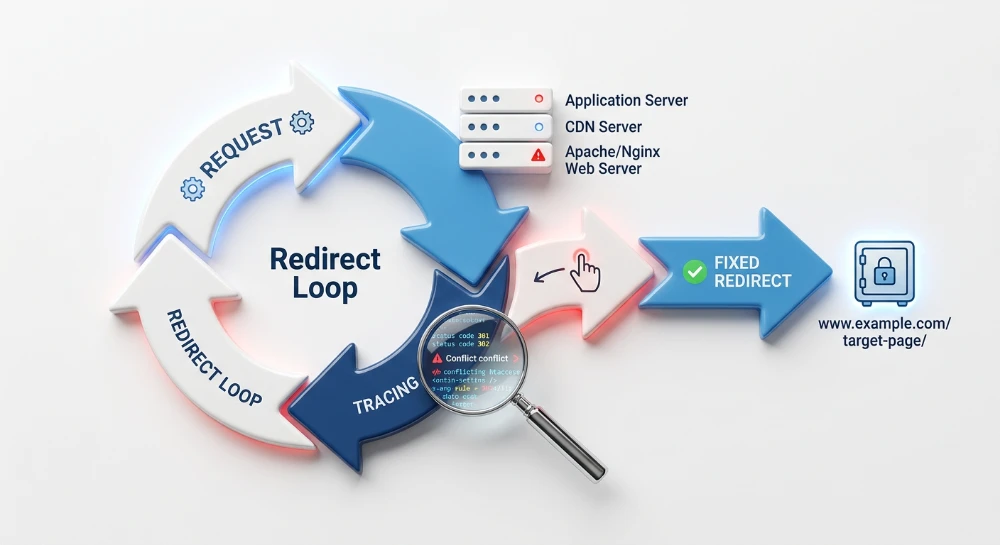
A redirect loop occurs when two or more routing rules conflict, trapping a browser or search engine crawler in an infinite cycle of HTTP requests. Instead of loading the destination page, the client eventually aborts the connection and displays an ERR_TOO_MANY_REDIRECTS error, rendering the content completely inaccessible.
Because this error blocks user access and prevents crawlers from evaluating the URL, resolving it requires isolating the exact sequence of hops. The core troubleshooting process relies on tracing the raw HTTP request headers to identify which specific endpoints are forcing the client back to a previous step in the chain.
Finding the root cause often requires looking beyond a single configuration file. These loops typically stem from opposing instructions operating across different layers of the technology stack. Permanently clearing the error means auditing and reconciling the routing rules across the application itself, the web server configuration, and any edge networks or Content Delivery Networks (CDNs) handling the traffic.
Understanding the mechanics of a redirect loop
When a client requests a URL, the server evaluates its active routing instructions. If a redirect rule matches the requested path, the server interrupts the standard process of delivering page content. Instead, it responds with a 3xx HTTP status code, typically a 301 Moved Permanently or 302 Found, and includes a
Location
header in the response.
The
Location
header dictates the exact destination the client must request next. Upon receiving this response, a browser or search engine crawler automatically initiates a new HTTP request to the URL specified in that header.
An infinite cycle forms when this destination URL triggers a second, opposing routing rule. The server or application processes the subsequent request and issues another 3xx status code, this time with a
Location
header pointing back to the initial URL. The client follows the new instruction, triggering the first rule again. This creates a perpetual sequence of requests and responses that only ends when the client reaches its hardcoded maximum redirect limit and terminates the connection.
Common routing conflict pairs
Loops rarely stem from a single rule pointing to itself. They typically manifest when two independent routing mechanisms enforce mutually exclusive conditions on the same request path. These conflicts frequently arise around protocols, subdomains, and URL syntax.
- HTTP versus HTTPS enforcement: A server configuration or edge network rule upgrades all incoming requests to HTTPS, but the core application or CMS is configured with an HTTP base URL. The application receives the secure request and immediately issues a redirect back to the unencrypted protocol, while the server continues pushing it back to HTTPS.
- WWW versus Non-WWW canonicalization: A domain-level rewrite rule redirects all naked domain traffic to the www version. Simultaneously, a site-wide application setting dictates that the site should operate without the www prefix, issuing an overriding redirect that strips the prefix away.
- Trailing slash mismatch: A global SEO rewrite rule is deployed to remove trailing slashes from all URLs for consistency. However, a specific server directory configuration requires a trailing slash to accurately resolve the underlying file path, continuously adding the slash back to the URL.
Run a deep technical crawl to identify 4xx errors, missing meta tags, and indexation blockers.
How to trace and isolate the request sequence
Resolving a redirect loop requires identifying the exact sequence of URLs involved. Because web browsers halt the connection after reaching their redirect limit and display a generic error page, troubleshooting requires tools that reveal the individual HTTP hops and the specific Location headers returned by the server.
Using cURL to view raw headers
The command-line utility cURL provides a direct way to diagnose routing behavior without interference from browser caching or rendering engines. Running cURL with specific flags exposes the raw HTTP response headers.
Use the -I flag to fetch only the headers, and the -L flag to instruct the tool to follow all redirects automatically.
curl -I -L https://example.com/path/The resulting terminal output displays a sequence of HTTP responses. The sequence will show an initial 301 or 302 status code and a Location header pointing to a new destination. This is immediately followed by a subsequent 3xx response pointing back to the original URL or a third variant. Identifying the exact string differences in these Location headers isolates the conflicting rules.
Inspecting the browser network tab
The Network tab within browser Developer Tools provides a visual log of the request sequence. When loading the affected URL, the Network log records each redirect hop as an individual HTTP request.
When using a browser to trace redirects, bypassing the local cache is necessary. Web browsers aggressively cache 301 Permanent Redirect responses. If a historical redirect is stored in the cache, the browser executes the routing locally without querying the server. This behavior masks the live server configuration and can replicate a loop that no longer exists on the backend.
To prevent cached responses from obscuring the trace, enable the disable cache option within the Network tab while the Developer Tools panel remains open, or conduct the test in a new incognito or private browsing session. Clicking the individual 3xx requests in the log reveals the Response Headers panel, where the exact Location value for each hop is recorded.
Identifying loops at scale
Manual tracing isolates the mechanics of a single loop, but site crawler tools are necessary to locate looping URLs across an entire domain. Configuring a crawler to follow redirects and evaluate internal links systematically maps the full extent of the routing issue.
Crawlers flag URLs that exceed a defined redirect threshold, compiling them into redirect chain or redirect loop reports. Exporting this data identifies whether the loop affects an isolated page, an entire directory template, or the global domain, establishing the scope of the routing conflict.
Fixing CDN and proxy SSL conflicts
When a Content Delivery Network (CDN) or reverse proxy sits between the client and the origin server, it introduces an additional layer of routing logic. A mismatch between how the proxy manages SSL termination and how the origin server enforces secure connections frequently causes infinite redirects.
The flexible SSL loop mechanism
The most common edge-network conflict occurs when a CDN is configured to use a "Flexible" SSL mode, a pattern frequently seen in default Cloudflare deployments. In this configuration, the client connects securely to the CDN over HTTPS, but the CDN communicates with the origin server over unencrypted HTTP.
When the origin server receives the HTTP request from the proxy, its internal security rules trigger a 301 redirect to enforce HTTPS. The server issues the redirect to the secure version of the URL and sends it back through the CDN to the client. The client follows the redirect by requesting the HTTPS URL again. The CDN intercepts this secure request, translates it to an HTTP connection for the origin, and the origin server issues another HTTPS redirect, establishing an infinite loop.
Aligning CDN encryption settings
The most direct way to resolve this conflict is to align the proxy's connection method with the origin server's security requirements. If the origin server hosts an active SSL certificate, update the CDN's encryption settings from a flexible or partial mode to "Full" or "Full (Strict)".
Changing this setting instructs the edge network to use HTTPS when fetching content from the origin. Because the origin server receives a secure request directly from the proxy, its HTTPS enforcement rules are satisfied. The server bypasses the redirect rule and returns a standard HTTP response.
Configuring the origin to read proxy headers
In environments where the internal connection between the edge proxy and the origin server must remain unencrypted HTTP, the origin server's redirect logic must be updated to recognize proxy headers.
When a CDN handles a secure client connection, it appends the
HTTP_X_FORWARDED_PROTO
header to the payload it forwards to the origin server. This header explicitly defines the protocol the client used to connect to the edge network.
To prevent the redirect loop, the origin server's rewrite rules must evaluate this header before issuing an upgrade redirect. If the rule detects that
HTTP_X_FORWARDED_PROTO
is set to HTTPS, it confirms the initial client connection is already secure. The server can then safely bypass the local HTTPS enforcement rule, serving the requested content without returning a redirect to the proxy.
SEO structure and reciprocal link analyzer
Detect orphan pages, deep click depths, and toxic reciprocal links built by careless agencies.
Resolving Server-Level configuration conflicts
When redirect loops originate at the web server layer, they are typically caused by contradictory routing instructions within the server configuration files. These conflicts occur when a URL matches multiple rewrite rules that mandate opposite outcomes, causing the server to bounce the request back and forth between two states.
Identifying opposing global rules
A common server-level loop involves trailing slash enforcement. Many web servers are configured with a global rule that standardizes URLs by either adding or removing a trailing slash. A loop forms if a subsequent rule or a subdirectory configuration attempts to enforce the exact opposite behavior.
For example, a root configuration file might contain a rule designed to strip trailing slashes from all incoming requests. However, if a specific directory hosts a separate application or content management system that relies on trailing slashes for its own internal routing, that directory will immediately append the slash and return a redirect. The server strips the slash, the application adds it back, and an infinite loop begins.
To fix this, the global server rule must be updated with an exception condition that skips the rewrite process for the specific application directory, allowing the subdirectory logic to function independently without interference.
Evaluating Apache configuration files
In Apache environments, redirect loops are usually found within the
.htaccess
file or the main virtual host configuration. These routing behaviors are controlled by the
mod_rewrite
module, using
RewriteCond
and
RewriteRule
directives.
Because Apache processes rewrite rules sequentially from top to bottom, the order of these directives is critical. A loop can occur if a catch-all redirect is placed before a more specific exclusion rule, or if rules cascade unintentionally. Additionally, because Apache allows
.htaccess
files to be placed in multiple directories, a rule in a subdirectory
.htaccess
file can directly conflict with a rule in the root directory.
When diagnosing an Apache loop, review the configuration for the following patterns:
-
Opposing
RewriteRuledirectives that target the same URL structure. -
Missing execution flags, specifically the
[L]flag, which instructs Apache to stop processing additional rules once a match is made. Without this flag, the server may apply a subsequent, conflicting rule to the already rewritten URL. - Conflicts between WWW and non-WWW enforcement rules located in different sections of the file.
Isolate the issue by temporarily commenting out rewrite blocks using the hash symbol, then testing the URL with a command-line tool. Once the offending rule pair is found, combine them into a single, unambiguous conditional block.
Evaluating Nginx configuration files
Nginx handles URL routing differently, processing instructions based on specific
server
and
location
blocks within the
nginx.conf
file. In Nginx, loops often emerge from a clash between a global
return
directive and a specific
rewrite
directive.
A typical Nginx configuration conflict occurs when a
server
block contains a global redirect forcing all traffic to a specific subdomain, while an exact-match
location
block inside that same configuration redirects a specific URL path back to the original subdomain. If the
location
block is processed, it sends the client to the alternative domain. The client then requests the new URL, triggering the global
server
block rule, which redirects the client right back.
To resolve an Nginx loop, analyze the sequence of location blocks. Nginx prioritizes exact matches over regular expressions. Ensure that your
return 301
directives do not overlap with regular expression rewrite rules. If an exception is needed for a specific path, place that logic inside a discrete
location
block with its own explicit return instructions, ensuring it does not inherit contradictory global directives.
Correcting CMS misconfigurations and application loops
Even when edge network and web server configurations are completely aligned, redirect loops can still emerge from the application layer. Content management systems run their own internal routing logic, which processes URLs after the server hands over the request. If the application's internal settings contradict each other, or if third-party extensions enforce competing rules, the CMS will continuously bounce the client between URLs.
Resolving WordPress core URL mismatches
In WordPress, one of the most common causes of an application-level loop is a mismatch between the core address settings. WordPress relies on two specific values to govern its URLs: the WordPress Address and the Site Address. If these values use different protocols (HTTP versus HTTPS) or different subdomains (WWW versus non-WWW), the CMS will attempt to redirect traffic to the preferred URL, while other parts of the application or server might immediately redirect it back.
To diagnose and fix this mismatch, inspect the database directly or hardcode the correct values into the configuration file. Hardcoding these values in the
wp-config.php
file overrides the database settings and stops the loop:
define('WP_HOME', 'https://example.com');
define('WP_SITEURL', 'https://example.com');
If you prefer to correct the root data, access the database using a management tool and locate the
wp_options
table. Check the
option_value
for the rows where
option_name
is
siteurl
and
home
. Update both rows to ensure they match exactly, including the protocol and the lack of a trailing slash.
Managing conflicting redirection plugins
Content management systems frequently rely on third-party plugins to manage URL aliases, handle URL migrations, or enforce HTTPS. Installing multiple plugins that handle routing-such as a dedicated redirection manager alongside a comprehensive SEO suite-often leads to overlapping instructions.
A loop occurs if one plugin redirects a path to a new destination, while another plugin redirects that destination back to the original path. Additionally, a plugin might contain a rule that opposes the CMS's native canonicalization behavior.
To isolate a plugin conflict:
- Deactivate all routing and SEO plugins to see if the loop stops.
- Reactivate them one at a time, testing the affected URL after each activation.
- Once the problematic plugin is identified, review its active rule list to find the specific instruction causing the cycle.
- Delete or modify the conflicting rule, or consolidate all routing instructions into a single plugin to prevent future overlaps.
Troubleshooting login and session loops
Redirect loops can specifically target administrative areas or login pages while leaving the public-facing website functional. In WordPress, a loop on the
/wp-login.php
or
/wp-admin
paths is usually tied to browser cookies and session management.
Authentication processes rely on cookies to verify the session state and the domain. If the domain recorded in the cookie does not exactly match the domain processing the request, the CMS rejects the authentication attempt and redirects the user back to the login screen, triggering an endless cycle.
To break a session loop, first clear the browser cookies to remove any stale authentication data. If the loop persists, the problem often stems from the application failing to detect the correct protocol when operating behind a reverse proxy or load balancer. The proxy might handle the HTTPS connection and pass the request to the application via HTTP. If the application requires a secure administrative connection but detects an HTTP request, it redirects the user to the HTTPS login URL, which the proxy again passes as HTTP.
In WordPress, this specific reverse-proxy login loop can be resolved by instructing the application to recognize the forwarded protocol. Adding the following logic to the top of the
wp-config.php
file forces the CMS to acknowledge the secure connection passed by the proxy:
if (isset($_SERVER['HTTP_X_FORWARDED_PROTO']) && $_SERVER['HTTP_X_FORWARDED_PROTO'] === 'https') {
    $_SERVER['HTTPS'] = 'on';
}Detect stealthy removals, nofollow tag injections, and altered anchors instantly.
Validating the fix and operational impact
Once configuration changes are applied, the verification process requires bypassing any stored responses. Edge networks, reverse proxies, and server-side caching systems frequently cache 301 and 302 HTTP status codes. If these caches are not purged, diagnostic tools may continue to report a redirect loop even after the underlying configuration is corrected. Clear the cache at the CDN layer first, followed by any application-level plugins or server-side caching mechanisms.
After purging the caches, re-run the trace to confirm the routing behavior. Execute the request using the same parameters used during the initial diagnosis:
curl -I -L https://example.com/affected-path/A successful fix yields a request sequence that terminates cleanly. If the URL is meant to load directly without redirection, the output will display a single 200 OK status code. If an intended redirect was previously caught in a loop, the output will show the expected 301 or 302 redirect, followed immediately by a 200 OK at the final destination. When using the Network tab in Browser Developer Tools for this final check, ensure the option to disable the cache remains active to force a fresh request to the server.
Resolving a redirect loop fundamentally changes the operational status of the affected URLs from inaccessible to discoverable. When a loop is active, web browsers abort the connection and display an error, completely blocking users from accessing the content. Search engine crawlers similarly abandon the request after hitting their internal hop limit. This prevents the destination URL from being crawled, evaluated, or indexed.
Correcting the routing conflict removes this structural roadblock. This restores user access and allows search engines to process the specific URLs involved. While removing technical barriers is a requirement for indexability, resolving a redirect loop simply returns the affected pages to a normal, functioning baseline. It restores the discoverability of those isolated URLs without guaranteeing site-wide ranking improvements or altering the evaluation of unrelated content.