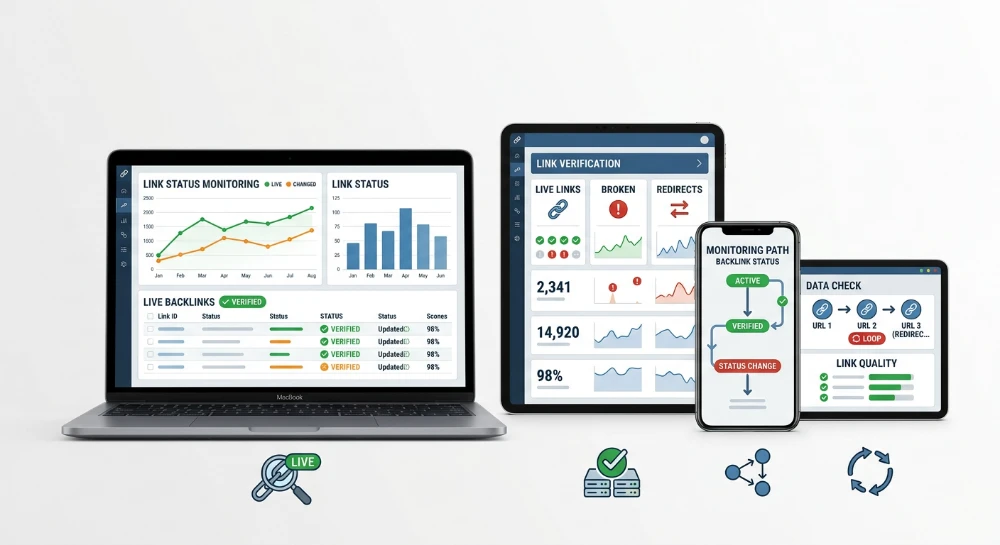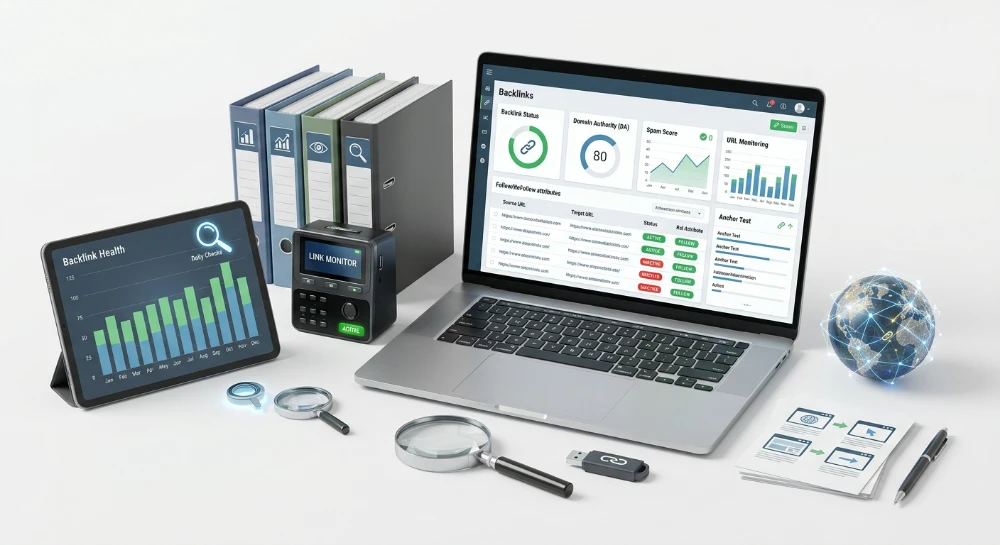
Semrush alternatives for live verification and backlink monitoring have become a practical necessity for teams that discover a purchased or earned link only after it has already been removed, redirected, or quietly switched to rel="nofollow". Semrush's backlink audit module builds its dataset from periodic crawls of its own link index, which means a donor page can lose a placement, add a rel="sponsored" tag, or get folded into a 301 chain days or weeks before that change surfaces on the dashboard. For a link builder tracking twenty guest posts across separate publishers, that lag is the gap where paid placements silently die without anyone noticing.
The technical distinction matters more than it looks. A backlink audit answers one question: what does the link profile look like right now, based on the last crawl. Live verification answers a different question: has anything changed on a specific donor URL since the link was first confirmed. Those are not the same product category, even though both get marketed under the umbrella of backlink tools.
Database size and historical index depth, the metrics most SEO suites compete on, are irrelevant to this problem. A tool can hold ten billion links in its index and still miss the moment a webmaster adds rel="ugc" to a paid link or 302-redirects the whole page to a different domain. What matters instead is re-check frequency, attribute-change detection, redirect tracking, HTTP status monitoring, and whether the linking page remains indexed by Google at all.
The following sections define the exact checks that qualify as live verification, then walk through tools built specifically for that job rather than for general rank tracking or site audits. The closing section maps those tools against budget models, since subscription-based monitoring and pay-per-check verification suit different volumes of tracked links and different risk profiles.
What continuous backlink monitoring actually requires
A tool earns the label "monitoring platform" only when it re-checks links it has already found. That sounds obvious, but most backlink databases skip this step entirely. They crawl once, store the result, and wait for the next scheduled recrawl of their entire index - which might touch a given donor page again in weeks. A credible alternative has to treat every confirmed backlink as an open case file that gets revisited, not a closed record filed away after discovery.
Seven distinct checks separate a monitoring system from a static database. Each one catches a different failure mode, and a tool missing even two or three of them will leave blind spots exactly where paid or earned links are most vulnerable.
- Recurring re-verification: the same URL gets fetched again on a schedule, not just once at discovery. Without this, every other check on this list is meaningless - you cannot detect a change if you never look twice.
- Link rot detection: the donor page still exists, but the link itself has been deleted, or the whole page has been removed or replaced with different content. This is the most common way paid placements die quietly.
- Follow-status tracking: a link that was dofollow at acquisition can have rel="nofollow", rel="sponsored", or rel="ugc" quietly added later, usually after a manual review on the publisher's side or an automated CMS plugin update. The link stays visible on the page. The equity it was supposed to pass does not.
- Redirect tracking: the linking page itself gets 301 or 302-redirected to a different URL, or dropped into a redirect chain. The backlink technically still exists somewhere in that chain, but its value and relevance to the original target page is no longer guaranteed.
- HTTP status monitoring: the donor page starts returning a 404 or a 5xx server error. This is distinct from a redirect - the page is simply gone or the server is broken, and the link with it.
- Indexation checks: confirming the linking page is still present in Google's index. A page can return a healthy 200 status and still have been dropped from the index after a penalty, a noindex tag, or a robots.txt exclusion added after the link went live. A link on a de-indexed page carries little to no ranking value, even if it loads fine in a browser.
- Notification mechanisms: email alerts or a dashboard that surfaces these changes as they're detected, rather than requiring someone to manually re-pull a report and compare it against last month's export.
None of these checks work in isolation. A tool that only flags 404s but ignores attribute changes will miss the more common and more damaging failure: a link that stays live, stays indexed, and still stops passing value because someone added rel="sponsored" after the invoice was paid. A tool that tracks follow-status but skips redirect chains will miss placements that got moved to a low-relevance page under a 301 nobody noticed.
This is the functional definition of live verification: a system that treats a confirmed backlink as a variable, not a constant, and checks it against all seven conditions above on a recurring basis. A static backlink audit answers "what did the crawler see last time". A historical backlink database answers "what has this domain ever linked to". Neither one answers the question that actually matters for someone paying for placements or managing outreach at scale: is this specific link, right now, still doing the job it was built to do.
The competitor reviews that follow are evaluated against this exact list. Some tools cover link-loss alerts well but say nothing documented about attribute-change detection. Others handle redirect and status monitoring but leave indexation unaddressed. Matching a tool's actual documented feature set against these seven requirements - rather than against marketing copy about database size - is the only way to know whether it solves the problem or just repackages a bigger crawl.
Ahrefs alerts for tracking new and lost backlinks
Ahrefs approaches link monitoring through a notification layer called Alerts, built specifically to flag new and lost backlinks for a domain a user is tracking. Set it up against a client site, a money page, or a domain receiving purchased placements, and the system surfaces changes as they get picked up by the crawler. That is the core mechanic worth evaluating here: not a scoring dashboard, not a health index, just a feed of link gains and link losses tied to the domain being watched.
Site Explorer is where the deeper diagnostic work happens once an alert fires. Each backlink listed there carries a follow or nofollow status, along with the HTTP status code of the page hosting the link. A webmaster who bought a placement expecting a dofollow anchor can pull up that same URL in Site Explorer weeks later and check whether the attribute has quietly flipped, or whether the donor page now throws a 404 or sits behind a redirect. This is a manual pull, not a push notification about attribute changes specifically - the Alerts feature tells you a link appeared or disappeared, and Site Explorer is where you go to inspect the condition of the links still standing.
That distinction matters for anyone trying to map Ahrefs against the seven-point verification standard covered earlier. Alerts covers link-loss detection well: a placement getting removed from a donor page will register as a lost backlink once the crawler revisits and confirms it is gone. What Alerts does not do, based on its documented function, is notify a user the moment a rel="nofollow" or rel="sponsored" attribute gets added to a link that remains physically present on the page. The link is still there. Nothing was lost. So no alert fires - the change only becomes visible when someone manually re-checks that specific URL row in Site Explorer.
Redirect and status handling works on a similar logic. If a donor page starts returning a 5xx error or gets 301-redirected somewhere else, Site Explorer's HTTP status column will reflect that once the crawler has revisited and logged the new state. Catching it, though, means a user is actively browsing the backlink list and reading status columns, not passively waiting for a push notification tied to a status-code change.
Refreshing this data depends entirely on Ahrefs' own web crawler re-visiting the pages it has already indexed as backlink sources. There is no documented guarantee attached to how often a specific donor URL gets re-crawled, and no published re-check interval a user can rely on for time-sensitive verification. For an SEO specialist managing a handful of high-value client links, this workflow is workable: check Alerts for the gain/loss signal, then drop into Site Explorer periodically to audit follow-status and HTTP codes on the links still reported as live. For someone auditing a large batch of paid placements and needing confirmation that attribute changes or redirect manipulation happened on a specific date, the workflow becomes a manual review task rather than an automated flag.
- Alerts notifies on new and lost backlinks for a tracked domain.
- Site Explorer lists follow/nofollow status per backlink row.
- Site Explorer lists the HTTP status of the linking page per row.
- Refreshing this data depends on Ahrefs' crawler re-visiting the donor page.
- No documented push notification exists specifically for attribute changes (nofollow, sponsored, ugc) on links that remain present.
None of this makes Alerts unusable as a monitoring layer. It makes it a link-loss detector first, with a manual-inspection layer bolted on for everything else a buyer might care about - attribute drift, redirect chains, indexation status. Anyone relying on it for verification work needs to build a recurring habit of pulling the backlink list and reading the status columns themselves, rather than trusting the notification feed to catch every form of silent degradation.
SE ranking backlink monitor for link status alerts
SE Ranking approaches the same problem from a narrower angle than a full backlink index. Instead of asking a user to dig through a database, the Backlink Monitor module tracks a defined list of links a user has added and reports on what happens to that specific list over time. It is built as a tracking layer, not a discovery engine.
The documented output centers on three events. A tracked backlink can be lost, a donor page can have its link removed, or the overall referring domain count for the monitored site can shift up or down. Each of these gets logged and surfaced through a dashboard that keeps historical link status records, so a user can look back and see when a given link was last confirmed present versus when it disappeared from the donor page.
That historical record is the part worth underlining for anyone doing vendor audits. A status change without a timestamp is close to useless for a dispute. A status change with a dated history entry is evidence.
- Backlink Monitor tracks a user-defined list of backlinks, not a full crawled index.
- It flags when a tracked backlink is lost or when a donor page removes the link.
- It reports changes in overall referring domain counts for the monitored domain.
- The dashboard keeps historical records of link status over time.
- Domain metrics for donor pages are pulled from SE Ranking's own metrics rather than a separate database lookup.
The donor-page metrics angle matters for prioritization. When a batch of links is being tracked, not every loss carries the same weight - a dropped link from a high-authority domain is a bigger problem than one from a marginal page. Pairing loss/removal alerts with SE Ranking's own domain metrics gives a user context on which lost link deserves an urgent follow-up with the vendor or publisher, and which one is low-stakes.
What the documented function does not claim is worth stating plainly, since it shapes how a buyer should actually use the tool. There is no confirmed redirect-chain detection built into this module, and no documented alert for nofollow-attribute injection on a link that stays live. The monitoring output, as described, is link status and referring domain change - not a full audit of HTTP paths or rel-attribute drift. A user auditing paid placements for silent nofollow tagging or 301 manipulation would still need a separate inspection step beyond what Backlink Monitor reports.
That scope limitation is not a flaw so much as a design choice. A tool built around tracking a defined list of links, flagging loss and removal, and logging referring domain shifts does one job cleanly: it tells a user when a link is gone. Anything beyond presence-or-absence - attribute drift, redirect manipulation, indexation status - falls outside what the module is documented to report, and needs to be checked through other means.
Linkody for daily backlink monitoring and loss alerts
Linkody positions itself narrowly. It is not a keyword-rank tracker with a backlink tab bolted on, nor a technical audit crawler that happens to log referring domains. The product exists to do one job: watch a defined list of backlinks and tell a user the moment something on that list changes state. That narrowness is the point - a tool built around a single workflow tends to run that workflow more predictably than a suite trying to cover ten different SEO tasks at once.
The core workflow starts with import. A user brings in a backlink list - either links already earned or links purchased through outreach and placements - and Linkody sets those URLs up for scheduled re-checks. This is the same conceptual step covered earlier as recurring re-verification: the tool does not just crawl once and file the result away, it keeps returning to the same list of donor pages to confirm the link is still there.
When a re-check finds a change, Linkody triggers an email alert. Two events matter here, and they are opposite sides of the same coin:
- A tracked link disappears from a donor page - flagged as lost.
- A new backlink is discovered pointing to the monitored domain - flagged as gained.
That gained-link alert is worth pausing on. Most monitoring discussions focus on loss detection, since that's the fraud-and-decay scenario buyers worry about. But a tool that also surfaces newly discovered backlinks gives a fuller picture of link profile movement - useful for noticing unexpected mentions or unlinked citations that turned into links, not just for catching failures.
Disavow file generation
Linkody includes a documented disavow feature: flagging harmful links within the tracked profile and generating a disavow file in the format Google expects for its disavow tool. This matters for a different risk category than link loss - it's about links that are still live but damaging, the kind a webmaster wants removed from Google's consideration entirely rather than just monitored. Pairing ongoing tracking with a built-in disavow export saves the step of manually compiling a list from scratch when a toxic pattern shows up in the monitored set.
White-Label reporting for agencies
Agencies managing link profiles for multiple clients get a white-label reporting option. Instead of a Linkody-branded dashboard being handed to a client, the reporting layer can be presented under the agency's own branding - a standard requirement for any agency-facing monitoring tool, since clients expect deliverables that look like they came from the agency, not from a third-party vendor they've never heard of.
This also changes how monitoring gets communicated internally. An account manager doesn't need to explain what "Linkody" is to a client every month - the loss/gain alerts and status dashboard just become part of the agency's own reporting cadence.
Third-Party domain metrics for context
Linkody integrates with third-party domain metrics to give donor pages context beyond a bare URL. Knowing a link was lost is only half the picture - knowing whether that link sat on a domain with real authority or a marginal one determines how urgently it needs chasing. Folding external domain metrics into the monitoring dashboard means a user doesn't have to run a separate lookup every time a loss alert fires; the context arrives alongside the alert itself.
Scoped this way, Linkody does not claim to be a full-suite alternative to Semrush. It does not compete on backlink database depth or historical index size. What it offers is a tight loop: import a list, get scheduled re-checks, receive an alert the moment a link is lost or a new one appears, flag harmful links into a disavow file, and hand a client a branded report - with donor-page metrics folded in for context at every step.
Monitor backlinks for ongoing link tracking and disavow management
Monitor Backlinks approaches the problem from a narrower angle than a full backlink database. The tool is built around a defined list of links tied to a client or site, checked over time, with the primary output being a flag the moment one of those links disappears. That framing matters: it is not trying to help a user discover new link opportunities across the web, it is trying to keep a running tally of the links already secured and confirm they are still standing.
The core mechanism is straightforward. A user loads a backlink list into the platform, and Monitor Backlinks re-checks link presence against that list, sending an email alert when a tracked link is lost. There's no ambiguity to interpret here - a link either resolves as present or it doesn't, and the alert exists to remove the need for a person to manually revisit every donor page on a recurring basis.
Dashboard as the single source of truth
All tracked links surface in a dashboard that lists current status at a glance. For an agency juggling link profiles across multiple client accounts, this matters more than it sounds - nobody wants to dig through a spreadsheet or old email thread to answer the question "is this link still live?" The dashboard is meant to answer that instantly, without requiring a fresh manual check.
This is where the tool's positioning becomes clear. It isn't marketed as a replacement for a backlink index the size of Semrush's or Ahrefs'. It's a tracking layer sitting on top of links already acquired, whether through outreach, guest posts, or paid placements - link presence and loss are the load-bearing metrics, not link discovery volume.
Disavow list workflow
Monitor Backlinks includes a built-in disavow list workflow for preparing a Google disavow file. Rather than manually formatting a plain-text file by hand - a fussy, error-prone task most webmasters have done at least once with a spreadsheet open in one window and Google's disavow tool documentation in another - the workflow inside the platform handles the file preparation directly from the tracked link data.
That matters for anyone dealing with a toxic link cleanup after a manual action or a suspected algorithmic link penalty. Instead of switching tools to build the disavow submission, the same interface that flags a lost link can also be used to mark a harmful one for exclusion, keeping the whole remediation process in a single place rather than scattered across a spreadsheet, a text editor, and Search Console.
Keyword rankings alongside link status
Monitor Backlinks tracks keyword rankings alongside backlink status, which changes what the tool is actually useful for. A lost backlink rarely happens in isolation from ranking movement - when a high-value donor page drops a link, the natural next question is whether a tracked keyword slipped around the same time. Having both data sets inside one dashboard means that correlation doesn't require exporting two reports and lining them up manually.
For agencies, this pairing is the practical selling point. A single login covers link health and ranking movement for a client account, which simplifies the reporting story: instead of stitching together output from a backlink checker and a separate rank tracker, the account manager pulls from one dashboard that already has both threads running side by side.
Summarized against the documented feature set, Monitor Backlinks centers on three functions:
- Email alerts triggered when a tracked backlink is lost
- A dashboard presenting the current status of every link on the tracked list
- A built-in workflow for building a Google disavow file from flagged links
- Keyword rank tracking running in parallel with backlink status, positioning it as a combined monitoring and reporting tool for agency use
What the tool does not claim, based on its documented functionality, is redirect-chain analysis, nofollow or sponsored-attribute change logging, or a stated check-frequency guarantee. Anyone evaluating it against that specific checklist should treat presence/loss tracking, disavow file preparation, and combined rank-and-link reporting as the confirmed scope, rather than assuming the deeper attribute-level verification found in more specialized monitoring modules.
CognitiveSEO backlink explorer for unnatural link and status tracking
CognitiveSEO approaches monitoring from a slightly different angle than the alert-and-dashboard model covered above. Backlink Explorer tracks new and lost links for a monitored domain and surfaces those changes through reporting, so the core status-tracking function overlaps with competitors already discussed. What separates it is the emphasis on unnatural link pattern detection, positioned as an ongoing health check rather than a one-off scan run before a disavow submission.
That distinction matters for a specific failure mode: a backlink profile can look stable on a simple presence/loss report while quietly drifting toward a pattern that reads as manipulative to a manual reviewer or an automated link-scheme detector. Losing a link is one kind of problem. Accumulating a cluster of low-quality, spammy-looking links pointing at a domain is a different kind of problem, and it is the one that triggers manual actions rather than just lost equity.
Two tracking layers, one dashboard
Backlink Explorer's documented function splits into two layers that a webmaster or agency account manager would use for different reasons.
- Status change tracking: flags when a link is newly acquired or when a previously indexed link disappears from the monitored profile, reported through the tool's interface rather than requiring a manual re-crawl comparison.
- Unnatural link flagging: identifies links that fit patterns associated with link schemes, giving a webmaster visibility into which portion of the profile carries penalty risk, separate from links that are simply lost or broken.
The practical use case for the second layer is risk triage, not link-rot cleanup. A site owner running a link building campaign, or one that inherited a link profile from a previous agency, needs a way to separate "this link fell off" from "this link is actively dangerous to the domain's standing". CognitiveSEO's flagging function addresses the second question directly.
Where the documented scope ends
Nothing in the tool's documented feature set claims nofollow-attribute change alerts, redirect-chain tracking, or a stated check cadence for how often the monitored profile gets re-crawled. Anyone comparing it against a checklist built around attribute-level verification or redirect manipulation should treat those items as unconfirmed rather than assume parity with tools built specifically around that granularity.
What is confirmed is narrower and, for a specific audience, more useful: continuous visibility into gained and lost links, paired with a filter for unnatural patterns that a static one-time audit would not resurface on a recurring basis. For a webmaster whose main exposure is a link scheme penalty rather than silent attribute tampering, that combination is the relevant one. For a buyer trying to verify vendor-delivered placements at the HTTP and indexation level, it is not the right lens, and the gap should be filled with a tool built for that specific verification depth.
SEO PowerSuite SEO SpyGlass for scheduled backlink checks
SEO SpyGlass takes a different architectural path than every tool covered so far. It ships as part of the SEO PowerSuite desktop suite, meaning the backlink checks run on a machine the user controls rather than on a vendor's cloud servers. That distinction matters more than it sounds. A hosted dashboard runs its re-checks on the provider's schedule, on infrastructure the user never sees. A desktop-installed tool runs on the user's own schedule, on the user's own machine, which shifts the responsibility for uptime and execution onto the person running the software.
The core workflow follows a pattern familiar to anyone who has used a link-tracking module before: import or build the backlink list, run scheduled checks against those links, and generate an alert or report when a tracked link's status changes. Where SpyGlass differs is the mechanism behind that middle step.
How the backlink list gets built
Before any scheduled check can run, SpyGlass needs a defined set of URLs to track. Users can import a list directly, or build one inside the tool itself. Once that baseline list exists, it becomes the reference point against which every future check gets compared. Without that reference list, there is nothing to detect change against, and this is the same structural requirement every monitoring tool in this comparison depends on, regardless of whether it lives in a browser tab or an installed application window.
What a status change actually triggers
Once the list is in place and a schedule is running, SpyGlass re-checks each tracked backlink and compares the result against the last known state. Two outcomes drive the documented alerting behavior:
- A tracked link is removed from the donor page entirely, meaning the page still exists but no longer contains the link back to the target domain.
- The donor page itself becomes unreachable, which the tool surfaces as a status change requiring attention.
When either condition is detected, SpyGlass generates an alert or a report reflecting the new status. That is the extent of the documented mechanism: status changed, report generated. No claim exists in the documented feature set for detecting a shift from dofollow to nofollow, sponsored, or ugc attribution on a link that remains physically present on the page. No claim exists for tracing a donor page through a redirect chain to see where it now points. Those are exactly the kinds of silent changes that a backlink can undergo while still technically remaining "live" from a crawler's perspective, and if a buyer's main concern is catching that specific category of manipulation, SpyGlass's documented scope does not cover it.
The desktop factor and what it changes for monitoring cadence
Running scheduled checks from an installed application, rather than through a vendor's cloud infrastructure, changes the operational profile of the monitoring itself. A cloud-hosted competitor runs its re-crawls on servers that stay online independent of the user's own computer. A desktop tool depends on the machine it sits on being available and running when the schedule fires. This is a structural difference in how the checks get executed, not a claim about how often SpyGlass checks a given link; no specific scan interval is documented here, and none should be assumed.
For a webmaster or agency already comfortable managing a desktop SEO stack, this model offers direct control over when checks run and where the resulting data lives. For a team that wants a monitoring dashboard accessible from any browser without maintaining a dedicated machine, the desktop dependency is a real constraint, not a minor detail.
Where SpyGlass fits against the live verification checklist
Measured against the seven-point requirement for live verification, laid out earlier in this piece, SEO SpyGlass covers link-removal detection and unreachable-page detection through its scheduled re-check and alerting workflow. It does not document coverage for nofollow-attribute change tracking, redirect-chain analysis, or indexation confirmation. A team relying on SpyGlass for backlink monitoring should treat it as a tool built for catching dropped or dead placements on a schedule the user manages, not as a tool that confirms whether a surviving link has been quietly stripped of its ranking value through an attribute change or a redirect substitution.
LinkResearchTools link alerts for enterprise backlink monitoring
LinkResearchTools positions itself differently from the desktop-scheduled model just covered. LRT builds its monitoring function around a defined backlink portfolio that the user sets up once, then tracks over time for additions and losses. The core alerting logic is straightforward: a link that existed in the tracked set disappears, LRT flags it; a new link enters the tracked domain's profile, LRT surfaces that too. This is portfolio-based tracking, not a database-wide crawl refresh.
What separates LRT from a simple loss-alert tool is what happens after the alert fires. Every tracked link carries LRT's own quality scoring, specifically LRT Power and Trust, attached to the donor page. When a link drops out of the portfolio, the alert does not arrive as a flat notification. It arrives with context: how much Power and Trust that specific placement was contributing before it vanished.
Why quality scoring changes how loss alerts get read
A link-loss notification without quality context forces a manual triage step. Which of the ten links lost this week actually mattered? LRT answers that question at the point of alert by pairing the loss event with the Power and Trust figures already recorded for that donor page. A high-scoring placement disappearing gets treated with different urgency than a low-scoring one, and the user does not need to cross-reference a separate metrics dashboard to make that call.
This matters most for teams managing large link portfolios where dozens of placements might shift status in a given cycle. Sorting losses by contributed link quality, rather than treating every dropped link as equally urgent, is the practical value of bundling monitoring with a proprietary scoring layer instead of running the two functions as separate tools.
White-Label reporting for Agency-Managed portfolios
LRT includes white-label reporting, a feature aimed squarely at agencies rather than single-site operators. An agency running backlink monitoring for multiple clients can generate reports under its own branding rather than surfacing the LRT interface directly to the client. This is a workflow accommodation for how agencies typically operate: the monitoring engine does the tracking work in the background, and the client-facing deliverable carries the agency's identity, not the vendor's.
For an agency juggling several client backlink profiles simultaneously, this removes a manual step that would otherwise involve pulling raw data out of a dashboard and reformatting it for delivery. The report format itself is not documented in granular detail here, so the practical takeaway is limited to the fact that white-label output exists as an option and that it is built for multi-client management rather than single-domain use.
Where LRT fits against the live verification checklist
Measured against the seven-point live verification framework established earlier, LRT's documented functionality covers link-loss detection and link-gain detection through its portfolio-tracking alerts, plus a quality-context layer through Power and Trust scoring that helps prioritize which losses to act on first. It does not document coverage for nofollow-attribute change tracking or redirect-chain analysis, and no specific check interval is documented for how often the portfolio gets re-verified.
A team evaluating LRT for backlink monitoring should treat it as a portfolio-alert system with built-in quality prioritization and agency-ready reporting, not as a tool confirming whether a surviving link has been silently downgraded through an attribute change or rerouted through a redirect substitution. Those gaps are the same blind spot found in several of the tools already reviewed, and they define the boundary of what portfolio-based alerting, even when paired with proprietary scoring, actually verifies.
SeLinkPro automated backlink monitor and live index verification
SeLinkPro approaches backlink monitoring from a different angle than the dashboard-and-alert model covered in the previous tools. Instead of a single alert feed, it splits verification into three distinct engines, each targeting a specific failure mode that a link buyer or in-house SEO team runs into after a placement goes live. Where the tools reviewed above notify on link presence or absence, SeLinkPro's modules dig into the mechanics of how a link can be quietly neutralized while technically remaining on the page.
Automated backlink monitor tool
This module runs as a tracking engine that continuously polls vendor and donor pages, not to confirm a link still exists, but to catch the subtler ways a link gets degraded without being removed. The scope of what it checks is broad enough to cover most of the manipulation tactics that a static one-time audit would miss entirely.
- Link rot detection across donor pages, flagging when a link disappears from the page content itself.
- Stealthy injection of rel="nofollow", rel="sponsored", or rel="ugc" attributes on links that were originally delivered as dofollow.
- Logging of altered or hijacked anchor text, catching cases where a vendor swaps the agreed anchor for something else after the invoice is paid.
- Sudden outbound-link spikes on the donor page, a signal that the page has turned into a toxic link farm or has been resold to multiple buyers at once.
- Hidden crawler blocks, including injected noindex tags, robots.txt exclusions added after placement, and hidden canonical tags that quietly redirect indexing signals away from the donor page.
- Full HTTP-path tracking that follows the entire redirect sequence, catching malicious 301 chains and 404 dead ends that a simple status-code check would miss if it only looked at the final destination.
Every check feeds into a historical audit ledger that stores snapshots of the donor page over time. That ledger is the piece that turns a monitoring alert into evidence. A screenshot showing a nofollow attribute injected three weeks after payment, timestamped and archived, is a very different negotiating position than a verbal claim that "the link looks different now".
Bulk Google and Yandex backlink index checker
A link can pass every attribute and status check and still deliver zero value if the donor page itself is not indexed. This module runs live SERP interrogations against both Google and Yandex to confirm whether a vendor-delivered link is actually sitting on a page the search engines have indexed, rather than relying on a stored database record that may be stale. The check extends to JavaScript-rendered content, which matters for donor pages built on frameworks where the link is injected client-side and might never get indexed if the rendering step fails.
For anyone auditing a batch of purchased placements, this module exports failed-URL reports isolating exactly which donor pages are not indexed. Those reports are built for vendor disputes: a buyer can hand a vendor a concrete list of unindexed URLs rather than a general complaint about link quality.
Bulk indexation checks under this module are priced at $0.004 per URL, billed through SeLinkPro's pay-as-you-go structure, which requires a $5.00 minimum deposit and carries no monthly subscription commitment.
Semantic backlink analyzer and content hijack radar
This module addresses a manipulation tactic that none of the link-loss or attribute-tracking tools above are built to catch: contextual hijacking. A donor page can keep the link fully intact, dofollow, indexed, and reachable, while the surrounding content quietly changes in ways that damage the link's relevance or subject it to reputational risk.
The mechanism works by fingerprinting the donor page's content at the moment of acquisition, then re-scanning that same page on defined intervals of 7, 14, or 30 days. The comparison strips out menus and footers so the analysis focuses on the article text itself, and it flags cases where unrelated links have been appended near the original placement. A common version of this is a webmaster inserting casino or pharma links next to a previously clean, authoritative article after the original buyer's payment has already cleared.
The scan output feeds the same historical audit log used by the monitor tool, so a buyer disputing a hijacked placement has a dated record of what the page looked like on acquisition versus what it looks like now.
How these three modules divide the verification problem
Each module answers a narrow question rather than trying to be a single all-purpose alert feed. Lining them up against what they actually check makes the division clear.
| Module | Primary Question Answered | Output Format |
|---|---|---|
| Automated backlink monitor | Has the link, its attribute, or its anchor been silently altered | Historical audit ledger with donor-page snapshots |
| Bulk Google and Yandex index checker | Is the donor page actually indexed right now | CSV report of failed URLs for vendor disputes |
| Semantic backlink analyzer and content hijack radar | Has unrelated or toxic content been appended near the link | CSV export with relevance scores and fingerprint comparison |
None of these three modules require a recurring subscription to operate. Billing runs on the pay-as-you-go model described above, with a $5.00 minimum deposit funding usage across the account. Only the bulk indexation check module has a documented per-unit rate in the source pricing data; the monitor tool and the content hijack radar are described functionally without a disclosed per-check price point here.
Where SeLinkPro fits against the live verification checklist
Against the seven-point framework used throughout this review, SeLinkPro's documented modules cover link-loss detection, nofollow/sponsored/ugc attribute-change tracking, anchor-text alteration logging, redirect-chain and 404 dead-end tracking through the full HTTP-path check, and indexation verification through the bulk Google and Yandex checker. It also covers a check outside the original seven-point list entirely: contextual content hijacking around an otherwise intact link, which none of the previously reviewed tools document.
That coverage comes at the cost of a unified single-dashboard alert feed of the kind Ahrefs, SE Ranking, or Linkody present. SeLinkPro's three modules operate as separate audit tools rather than one alert stream, and the reader is expected to run indexation checks and content-hijack scans as distinct actions tied to their own billing. For a buyer auditing a large batch of purchased links for vendor fraud, that separation is a reasonable trade against paying for a monthly seat.
Choosing a backlink monitoring tool: Matching coverage to budget model
Picking a tool from the nine reviewed above is not a matter of finding the "best" one. It is a matter of matching two variables: what you actually need to verify, and how you want to pay for that verification. Get either variable wrong and the tool either fails to catch the problem you bought it to catch, or it drains a budget line for coverage you never use.
Verification need as the first filter
The seven-point checklist from earlier in this review breaks into four practical tiers of need, and not every tool covers every tier. Sorting the reviewed tools by what they actually verify makes the gap between "monitoring" and "live verification" visible.
- Link-loss alerts only: Ahrefs Alerts, SE Ranking Backlink Monitor, Linkody, Monitor Backlinks, and cognitiveSEO Backlink Explorer all cover this baseline, notifying on new and lost links through a dashboard or email trigger.
- Follow-status and attribute-change tracking: Ahrefs Site Explorer surfaces follow/nofollow status per listed backlink; SeLinkPro's automated backlink monitor tool documents active detection of stealthy rel="nofollow", rel="sponsored", or rel="ugc" injection and anchor-text alteration.
- Redirect and HTTP-path verification: Ahrefs shows HTTP status per linking page; SeLinkPro documents full HTTP-path tracking to catch 301 chains and 404 dead ends specifically.
- Indexation verification: SeLinkPro's bulk Google and Yandex backlink index checker is the only reviewed module in this article performing live SERP interrogation against vendor-delivered URLs at scale.
- Content-hijack detection: SeLinkPro's semantic backlink analyzer and content hijack radar is the only documented module covering this check across the tools reviewed here.
A reader who only needs to know whether a link still exists on the page does not need to pay for indexation or content-hijack modules. A reader disputing a vendor invoice over ghost links, however, needs exactly those two tiers, and the flat-subscription tools in this review do not document that functionality.
Billing model as the second filter
Ahrefs, SE Ranking, Linkody, Monitor Backlinks, cognitiveSEO, SEO PowerSuite, and LinkResearchTools all operate on flat subscription billing: a recurring seat cost that covers ongoing access to whatever tracked-link list the plan allows, regardless of how many checks run in a given month. SeLinkPro's monitoring and verification modules operate differently, billed pay-as-you-go against account deposit rather than a monthly commitment.
That distinction changes the math depending on volume and duration. A subscription is cost-efficient when the same small set of links needs continuous, indefinite tracking. A per-unit model is cost-efficient when the checking is episodic, batch-based, or tied to a one-time audit rather than an ongoing retainer.
Matching use case to model
An agency managing a handful of high-value client backlinks over a long engagement window has a clear fit with the subscription tools. The value is in the standing dashboard: alerts fire automatically, historical status records accumulate, and reporting stays available without re-triggering a scan each time. Linkody's white-label reporting and disavow file generation, or LinkResearchTools' white-label reporting paired with Power and Trust score context, serve that retainer-style workflow well, since the agency is paying for continuity of monitoring across many months, not for a single check event.
A buyer who just purchased a batch of fifty, five hundred, or five thousand links from a vendor and needs to confirm those links are real, indexed, and not quietly hijacked with unrelated content sits in a different situation entirely. Paying for a monthly seat to run what is functionally a one-time forensic audit is a poor budget match. Here, SeLinkPro's bulk indexation checker at $0.004 per URL and the content hijack radar's fingerprint-and-rescan approach address the specific fraud-detection need without requiring a recurring commitment, since the $5.00 minimum deposit funds usage rather than locking in a subscription term.
Mixed cases exist too. A site owner running a long-term link-building campaign might use a subscription tool for the general loss-alert layer across the whole link portfolio, then run periodic per-unit indexation checks against newly acquired links before folding them into that portfolio. Neither model is disqualifying on its own; the disqualifying move is buying continuous-alert infrastructure for a one-time audit, or buying single-check tooling when the actual need is months of unattended tracking.
Budget checklist before committing
Before allocating budget to any monitoring tool, run through the following questions and match the answers against the tiers and billing models above.
- What check frequency does the use case actually require: continuous polling of a small link set, or a single verification pass against a large batch?
- How sensitive is the situation to attribute changes specifically: does a silent shift from dofollow to rel="nofollow", rel="sponsored", or rel="ugc" materially affect the value being tracked, or is simple link presence enough?
- How deep does redirect and index verification need to go: is HTTP-path tracking through 301 chains and 404 dead ends required, or is confirming the link still renders on the page sufficient?
- What reporting format does the outcome require: a recurring dashboard for internal or client-facing status updates, or an exportable CSV of failed URLs suitable for a vendor dispute or refund claim?
Answering these four questions honestly, before subscribing to anything or funding a deposit, prevents the two most common budget mistakes in this category: paying monthly for alert infrastructure that never gets used past the first audit, or running a one-time check tool against a link portfolio that actually needed months of continuous alerting.