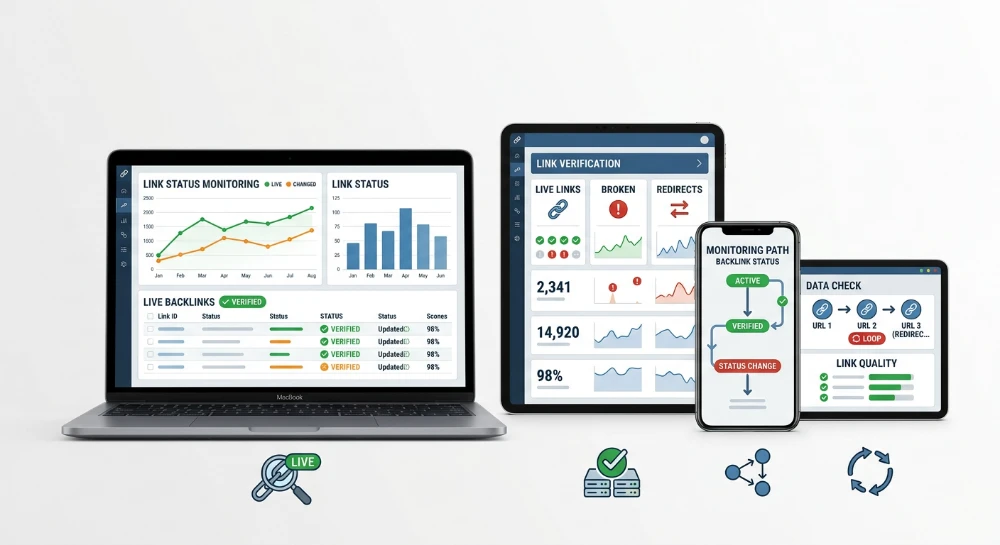
Strategies that track redirects and status changes of acquired backlinks exist because a link placed today rarely stays in the exact state it was in at acquisition. A backlink secured through outreach, a guest post, or a paid placement is not a static asset. The referring page can be edited, the link attribute can be quietly switched, or the whole page can vanish from an index within weeks. Link equity transfer depends entirely on conditions that a webmaster or vendor controls after the deal is closed, not before it.
Decay happens in several distinct forms, and each one breaks the link's value differently. A link gets removed outright. Its rel attribute flips from dofollow to nofollow, sponsored, or ugc, changing how a search engine treats the reference for ranking purposes. The referring URL gets redirected to a different destination through a 301 or 302, or it disappears from Google's index entirely through a noindex tag or a robots.txt block added after publication. Content surrounding the anchor text gets rewritten, shifting the topical context the link was originally placed in. None of these changes trigger a notification from the vendor. Most go undetected for months.
The central technical distinction that separates a working monitoring process from a superficial one is the difference between checking that a link still exists and checking whether it still transfers value. A link can remain visibly present on a page, clickable and intact, while returning zero equity because a redirect chain terminates on an unrelated domain, or because a canonical tag on the referring page points elsewhere, or because the page itself has dropped out of the index. Presence is a surface-level check. Value transfer requires inspecting HTTP response codes, the Location header, indexation status, and attribute markup directly, not trusting what renders in a browser tab.
What follows is organized as an operations guide, not a comparison of monitoring platforms. The coverage moves from defining the full taxonomy of status changes, through the mechanics of redirect chains and hijacked targets, into a manual audit process built on Google Search Console and spreadsheets for smaller link portfolios. From there it addresses where manual sampling breaks down at scale, what automated continuous tracking checks that manual review typically misses, and how a detected issue gets converted into a reclamation request or a disavow file entry rather than sitting unactioned in a spreadsheet.
Backlink status changes explained: HTTP codes, attributes, and deindexing
A monitoring checklist is only as good as the taxonomy behind it. Five categories of change can happen to an acquired link, and each one requires a different detection method. Treating them as a single "is the link okay" check is exactly why so many status changes slip through unnoticed for months.
HTTP status codes on the referring page and the target URL
Every acquired link has two URLs that matter: the page hosting the link, and the page it points to. Both need independent status checks, because a healthy referring page can point to a broken target, and a broken referring page can still technically contain a live link that nobody will ever crawl.
A 200 response on both ends is the baseline. Anything outside that range signals a problem requiring a different response:
- 4xx codes, particularly 404, mean the page is gone. This is outright link loss. The referring page or the target no longer resolves, and any equity that was flowing through it stops immediately.
- 5xx codes point to a server-side failure on the vendor's hosting, not a content decision. These can be temporary, so a single 5xx reading should trigger a re-check before it gets logged as a loss.
- 3xx codes are not failures by themselves, but they are a trigger. A 3xx means the URL now redirects somewhere, and that destination has to be inspected before assuming the link still carries value.
The distinction between a 4xx and a 5xx matters operationally. A 404 usually means someone deleted the page or the article got pruned during a site cleanup. A 5xx often means the server is misconfigured, overloaded, or temporarily down. Confusing the two leads to wasted reclamation emails sent for issues that resolve themselves within hours.
Attribute changes: When dofollow quietly becomes something else
A link attribute change is invisible in a browser and invisible to a casual glance at the page source unless the raw HTML is actually pulled and checked. A link acquired as dofollow can be edited later to carry rel="nofollow", rel="sponsored", or rel="ugc", and each of these tells search engines to treat the link differently for ranking signal purposes.
None of these edits change how the link looks to a site visitor. The anchor text stays blue, the click still works, the page still loads. Only the markup changes. This is precisely why attribute drift is one of the most common and most underreported forms of backlink decay: nothing about the user-facing page gives any indication that the link's classification changed.
Vendors who sell links sometimes make this swap deliberately after payment clears, either to reduce the "risk" they perceive in an outbound link, or because a CMS plugin update reset default link behavior across the whole site. Either way, the practical effect is the same: a link paid for and tracked as one signal type is now functioning as a different one, and the only way to catch it is a direct comparison against the attribute recorded at acquisition.
Indexation-Based status changes
A link only counts if the page containing it is actually in the index. A referring page can be switched to noindex, dropped from the index entirely after a site restructuring, or blocked from crawling through a robots.txt update, and in every one of these cases the outbound link stops being counted even though it is still sitting in the HTML.
Fetch errors and crawlability issues sit in the same category. If a crawler can't reach the referring page, whatever link equity that page might otherwise pass never gets evaluated. This differs from a straightforward 404: the page itself may return 200 to a browser, but crawlability problems, such as a misconfigured redirect rule or a server blocking specific user agents, still prevent the link from functioning as intended.
Indexation status is a separate axis from HTTP status. A page can return 200, carry a fully intact dofollow link, and still contribute nothing if Google has deindexed it. This is the category manual browser checks miss most often, because everything looks fine from the front end.
Presence changes: Lost links versus Broken-But-Present links
Presence tracking answers one binary question: is the link still on the page? A lost link alert fires when the anchor and href have been physically removed from the page's markup, whether through a content edit, a site redesign, or a deliberate takedown. A link that has been fully removed is different from a link that is still sitting in the HTML but technically non-functional due to one of the status changes above.
The distinction matters for how the issue gets escalated later. A fully lost link usually means the content was edited and the link no longer exists at all, which is a different conversation with a vendor than a link that is present, intact, and simply pointing through a broken redirect or carrying an unexpected attribute. New link alerts serve the inverse function, flagging when a monitored domain picks up an additional link that wasn't part of the original placement, which is useful for confirming guest post syndication or scraped republication but doesn't affect the health of the original acquired link.
Content and anchor tampering
The anchor text itself can be edited after the link goes live. A webmaster might swap an exact-match anchor for a generic one, or vice versa, changing how the link is interpreted contextually even though the destination URL stays the same. This is a quieter form of tampering than a full redirect hijack, but it still alters the signal being sent.
Semantic decay is subtler still. The link and anchor text can remain completely untouched while the paragraph, section, or surrounding article gets rewritten around it. If a link was placed in a paragraph about industry-specific software and that paragraph later gets replaced with unrelated content, the topical relevance the link originally carried has degraded even though nothing about the link markup itself changed. Detecting this requires comparing the text environment around the anchor over time, not just checking that the href attribute still resolves.
Presence versus value: The core practical distinction
Tracking presence answers whether a link is still there. Tracking value answers whether that link is still doing anything. A link can pass a presence check and fail every value check at once: still on the page, still clickable, still showing the original anchor text, while sitting on a noindexed page, carrying a freshly injected nofollow attribute, and redirecting through an unrelated domain. A monitoring checklist built only around presence will report this link as healthy indefinitely.
This is why a working audit process has to check status codes, attributes, indexation, and content context as four separate, ongoing verifications rather than a single yes/no pass.
Why first seen and last seen timestamps matter
A single snapshot tells you the current state of a link. It tells you nothing about the trend. Recording a first seen timestamp at the moment of acquisition, and updating a last seen timestamp at every subsequent check, turns a series of isolated readings into a historical record that shows exactly when a change occurred, not just that it exists now.
This matters directly for reclamation and dispute conversations. A vendor is far more likely to correct or restore a link when presented with documented before and after states tied to specific dates, rather than a generic complaint that "the link looks broken now". Without timestamped history, there is no way to prove the link was ever dofollow, ever indexed, or ever pointed to the correct target in the first place.
Diagnosing redirect chains, loops, and hijacked backlink targets
A link can survive every presence check and still be worthless because the redirect sitting behind it has been altered. This is the layer most manual audits skip, because a browser hides the mechanics. The address bar shows a clean final URL, the page loads, everything looks fine. What actually happened between the click and the render - how many hops occurred, which status codes fired, whether a canonical tag quietly rerouted the signal - stays invisible unless someone inspects the raw HTTP exchange.
Redirect status codes and what they actually signal
Not all redirects carry the same weight for link equity transfer. The code returned by the server tells search engines whether a move is permanent or temporary, and that distinction changes how much of the original link's value is expected to pass through.
| Status Code | Common Label | Permanence Signal | Equity Transfer Behavior |
|---|---|---|---|
| 301 | Moved Permanently | Permanent | Treated as the strongest signal for consolidating value at the new target |
| 302 | Found (Temporary) | Temporary | Historically ambiguous; search engines may keep indexing the original URL rather than fully passing equity |
| 307 | Temporary Redirect | Temporary, method-preserving | Same intent as 302 but strict about preserving the original request method |
| 308 | Permanent Redirect | Permanent, method-preserving | Functions like 301 but guarantees the request method stays unchanged |
A vendor page that legitimately moved content should return 301 or 308. Seeing 302 or 307 on a link that was supposed to be a permanent placement is a warning sign on its own, even before checking where it actually points. A temporary code left in place for months usually means either a rushed implementation or a deliberate attempt to keep flexibility to change the target later without anyone noticing a "permanent" commitment was broken.
Redirect chains and loops
A redirect chain happens when the first URL redirects to a second, which redirects to a third, before finally landing on a rendering page. Each additional hop adds latency, and each hop is a point where equity transfer can degrade or stop entirely if a crawler gives up before reaching the final destination. Three or four hops is no longer rare on donor sites that have changed hosting providers, migrated to a new content management system, or been resold multiple times.
A redirect loop is the failure state of a chain: URL A points to B, B points back to A, and the sequence never resolves. Loops return errors instead of content, and any link feeding into one is functionally dead, regardless of how healthy the anchor text looks on the referring page.
Soft 404s disguised as live pages
A soft 404 returns a 200 status code while displaying "page not found", "content removed", or a generic error message. Because the status code reads as healthy, simple status-code-only monitoring will mark the link as fine. The problem only surfaces when the actual rendered content is checked against what originally justified the placement. A donor page that quietly turned into a soft 404 has lost its content context entirely, even though every automated status check keeps reporting 200.
Malicious or negligent target swaps
Redirect manipulation is not always accidental. Several patterns show up repeatedly on donor pages tied to acquired backlinks:
- Injected redirects added after acquisition that reroute the referring page to an unrelated domain, effectively hijacking the placement without removing the visible link.
- Protocol changes from http to https, or a domain swap during a rebrand, that break the original redirect mapping if not handled with a matching permanent redirect.
- Vendor-side hijacks where the entire linking page gets redirected to a different site, sometimes for resale purposes, leaving the buyer with a link that technically exists but resolves somewhere they never approved.
None of these require a visible change to the page itself. The anchor text can stay identical. The link can still be clickable. Only the header response reveals that the destination has been swapped.
Canonical tags as a silent equity drain
A canonical tag pointing away from the referring page can neutralize a link's value without triggering any redirect at all. The page returns 200, the content looks untouched, but the canonical declares a different URL as the authoritative version. Search engines are expected to consolidate signals toward the canonical target, which means the acquired link's equity may end up crediting a page the buyer never negotiated for.
A canonical combined with a 301 on the same URL - sometimes called a pseudo canonical setup - compounds the effect: the redirect moves the crawl path, and the canonical reinforces where the signal should settle, often toward a target that has nothing to do with the original placement. Checking the canonical tag independently of the redirect status is a separate verification step that a status-code-only audit will not catch.
Client-Side versus Server-Side redirect mechanisms
Server-side redirects, configured through PHP, .htaccess, or NGINX rules, are issued directly in the HTTP response headers before any page content loads. A standard header check catches them immediately.
Client-side redirects behave differently. A meta refresh tag or a JavaScript redirect only fires after the browser has already downloaded and started rendering the page. A basic HTTP request tool sees the original page return 200 and stops there, missing the fact that a script or a meta tag is about to send the visitor somewhere else entirely. This is exactly why client-side redirects are harder to detect with simple status-code checks: the redirect logic lives inside the rendered document, not inside the header exchange, and it requires actually executing or parsing the page content rather than just reading the response code.
Tracing the real redirect path
Trusting the browser's final rendered URL is unreliable for diagnostic purposes, because the browser silently follows every hop and only displays the end result. Diagnosing the actual path requires inspecting the full header response at each step, reading the Location header returned at every hop rather than accepting the destination the browser lands on.
A proper trace records the status code, the Location header value, and the response time at each hop in the chain, from the original acquired URL down to the final rendering page. This sequence exposes chains, flags loops before they time out, and shows exactly where a canonical tag or a client-side script intervenes outside the visible header exchange. Without this hop-by-hop view, a compromised redirect path is functionally invisible until organic traffic or rankings tied to that link start dropping for reasons that look unrelated to link building at all.
Manual backlink auditing with Google search console and spreadsheets
Before spending money on any monitoring layer, a manual baseline is the correct starting point for anyone acquiring fewer than fifty links a month. The workflow costs nothing beyond time, and it forces a discipline that many link builders skip entirely: recording the exact state of a link at the moment it goes live, so that any later change has something to be compared against.
Building the master spreadsheet
Every acquired link needs a baseline record captured the day it is published, not weeks later. Waiting to log a link means the anchor, the attribute, or even the target URL may have already shifted before a single data point exists. A functional master spreadsheet should treat each row as a legal record of what was promised versus what was delivered, with the following columns as the minimum viable set:
- Referring page URL, copied exactly as indexed, including protocol and trailing slash consistency.
- Target URL, the specific page the link is supposed to point to.
- Anchor text, recorded verbatim, including capitalization and surrounding punctuation.
- Follow attribute, noting whether the link was delivered as dofollow, nofollow, sponsored, or ugc.
- Date acquired, used later to calculate how long a link survived before any change occurred.
- HTTP status at acquisition, almost always 200, but worth recording to catch cases where a vendor delivers a broken link on day one.
This baseline is the entire foundation of manual auditing. Without it, a status change discovered later has no reference point, and there is no way to prove to a vendor what was originally agreed upon.
Using Google search console index coverage data
Google Search Console's index coverage report is the free tool that reveals whether a referring page is still crawlable and indexed, which matters because a link sitting on a deindexed page carries no ranking value regardless of its attribute or anchor. Checking coverage requires access to the property, which is only realistic for domains under direct control, so this method applies mainly to the target side of the equation unless a vendor grants access to their own Search Console property.
Fetch Error entries and other indexation issues surfaced in coverage reports point directly to pages that Googlebot could not process, whether due to server errors, blocked resources, or noindex directives. Cross-referencing the master spreadsheet against these entries flags which target pages risk losing the link equity that was supposed to flow into them, even when the referring page itself still returns a healthy 200.
Periodic manual Re-Checks
Search Console coverage only tells part of the story, since it reflects Google's own crawl schedule and does not capture attribute swaps or anchor edits on third-party pages. Closing that gap requires a recurring manual pass: opening each referring page, or better, running it through a header-inspection tool, and comparing the HTTP status code and any Location header against the baseline row.
A basic recheck routine looks like this:
- Pull the referring URL from the spreadsheet and request its headers directly.
- Confirm the status code is still 200, and flag anything returning 3xx, 4xx, or 5xx for follow-up.
- If a 3xx code appears, record the Location header value to see where the page now points.
- Open the page manually and visually confirm the anchor text and follow attribute have not been altered in the HTML source.
- Update the spreadsheet with a Last checked date and the current status, building a simple historical log over time.
Where the manual approach breaks down
This workflow is functional, but it has hard ceilings that become obvious the moment a link portfolio grows past a small, manageable count.
Checking status codes and viewing page source by hand does not scale. A dozen links can be reviewed in an afternoon; a few hundred cannot, and the time cost quickly exceeds the value of the audit itself.
Attribute changes are also invisible unless someone manually opens the view-source panel on every single page, because a status code check alone will never reveal that dofollow was quietly switched to nofollow, sponsored, or ugc. Content and anchor tampering carries the same blind spot: a link can remain live, on a 200 status page, while the surrounding paragraph is rewritten or the anchor text itself is edited, and none of that surfaces in a header request.
There is no real-time alerting in a spreadsheet. Every finding depends entirely on how often someone remembers to run the recheck, and that sampling frequency directly determines detection lag. A link removed the day after a check might sit undetected for weeks until the next manual pass, during which time the reclamation window narrows and the damage to link equity accumulates unnoticed. Portfolios beyond a handful of links need a monitoring layer that polls continuously rather than on a human schedule.
Automating continuous backlink monitoring with SeLinkPro
SeLinkPro's automated backlink monitor tool replaces the spreadsheet-and-recheck cycle with a tracking engine that polls vendor and referring pages on a continuous basis. Instead of a person opening view-source on a hundred URLs one by one, the polling engine runs the same detection logic across the entire portfolio and flags only what has actually changed. That shift, from human sampling to machine polling, is what closes the detection-lag problem described earlier.
What the monitor actually detects
The tool is built around a specific set of failure modes that manual audits routinely miss. Each one maps directly to a way link equity gets quietly drained without the link itself disappearing.
- Stealthy attribute injections: the engine catches rel=nofollow, rel=sponsored, or rel=ugc being added after acquisition, even when the link stays visually and structurally in place.
- Anchor hijacking: maliciously altered or swapped anchor text gets logged the moment it diverges from the baseline recorded at acquisition.
- OBL spikes: the tool tracks total outbound link counts on the referring page over time, so a jump from a dozen links to several hundred, a classic sign the page has been converted into a toxic link farm, triggers a flag rather than going unnoticed.
- Hidden crawler blocks: injected noindex tags, new robots.txt exclusions, or hidden canonical tags pointing elsewhere are all detected, since these can neutralize a link's value without any visible change on the rendered page.
- Semantic decay: the system evaluates text proximity and entity co-occurrence around the anchor, catching cases where the surrounding paragraph is rewritten in a way that weakens topical relevance even though the anchor text and link target stay untouched.
- Full HTTP path tracing: rather than trusting a single status code, the tool follows the complete request chain to catch malicious 301 chains or dead-end 404s buried several hops downstream.
Each donor page also gets a historical snapshot stored in an audit ledger. That ledger is not just a log for internal reference, it functions as documented proof when a vendor dispute arises. Showing a vendor a dated before-and-after snapshot of their own page carries far more weight than a verbal claim that a link "used to be dofollow". The reports generated from this ledger are built specifically to support budget reclamation, giving a link builder or agency a paper trail to demand a fix, a swap, or a refund on a placement that quietly degraded.
Confirming indexation with the bulk Google and Yandex index checker
A link that sits on a page which never gets indexed contributes nothing, regardless of how clean its attributes look. The bulk Google and Yandex backlink index checker module handles this by running live SERP interrogations against vendor-delivered URLs at scale, rather than relying on a stored database that may be stale. Because it queries live search results directly, it exposes ghost links, URLs that were technically published but never made it into the index, something a status-code check alone cannot reveal. Failed URLs get isolated automatically into an exportable CSV report, formatted for direct use in a vendor refund request. This module is billed at $0.004 per URL under the indexation-check pricing, which makes running a bulk verification pass against a large batch of freshly delivered links a low-cost checkpoint before accepting an order as complete.
Catching Bait-and-Switch content with the semantic backlink analyzer
Content hijacking is one of the harder problems to catch manually, because the link and the page both remain live and indexed while the article around them is quietly rewritten. The semantic backlink analyzer and content hijack radar module addresses this by taking a cryptographic content fingerprint of the donor page at the moment the link is acquired. That fingerprint is then re-compared during scheduled scans, run at 7, 14, or 30-day intervals, so any deviation from the original content gets flagged automatically. This is the mechanism that exposes a common vendor tactic: an authoritative-looking article accepts a client's link, then later has unrelated links, sometimes in gambling, pharma, or other low-trust categories, appended to the same body text without notice. Billed under the Semantic Relevance Tracker at $0.04 per parse, this module gives a documented, timestamped answer to the question of whether a donor page's content today still matches what was paid for.
Billing model and cost scaling
All of these modules run under a strict pay-as-you-go structure. There is a $5.00 minimum deposit and no monthly subscription of any kind. That means monitoring spend is a direct function of how many links are being tracked and how often each one is scanned, not a flat recurring fee that has to be justified regardless of portfolio size. A small portfolio checked infrequently costs very little; a large portfolio scanned on tighter cycles costs proportionally more, but the spend always maps back to actual usage rather than a fixed subscription tier.
From detection to action: Alerts, disavow decisions, and link reclamation
Detecting a status change is only half the job. A flagged nofollow injection or a broken redirect sitting unread in a dashboard produces zero value. The response layer is where monitoring data becomes an actual recovered asset or a documented disavow entry, and this layer needs its own workflow, separate from the detection logic itself.
Routing alerts to where work actually happens
Most monitoring setups support a handful of notification mechanisms, and each one fits a different team structure. Email notifications work fine for solo webmasters or small agencies checking a shared inbox once a day. Slack alerts push the same event into a channel where a whole team sees it in real time, which matters when multiple people share responsibility for outreach and reclamation. Conditional alert rules let a specialist decide which events are worth an interruption at all: a rule can be set to fire only on attribute downgrades from dofollow to nofollow or sponsored, while ignoring routine 200-status pings. Webhook-based automation is the piece that ties monitoring into whatever system a team already runs, whether that is a ticketing tool, a custom dashboard, or an internal database that logs every link event for later audit.
None of these mechanisms replace judgment. They just make sure the right person sees the right event fast enough to act on it.
Triage before reaction
An alert is a claim, not a verdict. The first move after any alert fires is confirming whether the underlying change is real and permanent, or a transient blip that will self-correct.
A 503 during a server migration looks identical to a link removal at first glance if the check is a single snapshot. Re-running the check after a short interval, comparing the new result against the historical First seen/Last seen record, and checking whether the referring domain shows other simultaneous errors are the basic triage steps. Skipping this step wastes outreach effort on links that were never actually lost, and worse, it can burn a relationship with a webmaster who gets a complaint about a problem that resolved itself hours later. Triage separates three distinct outcomes:
- Genuine loss: the link is removed, redirected to an unrelated page, or its attribute has been silently downgraded, confirmed across repeated checks.
- Temporary server error: a 5xx or timeout tied to hosting issues, deployment windows, or CDN hiccups that clears on its own.
- False positive: a monitoring artifact, such as a caching layer or a bot-blocking rule, that misreports status without any real change to the link.
Reclamation: Asking for the link back
Once a genuine loss is confirmed, reclamation is the first line of response for legitimate placements. This means contacting the webmaster or the vendor who sold the placement, with documented before/after evidence attached: the original snapshot showing the dofollow attribute and correct anchor, next to the current state showing the nofollow tag, the broken redirect, or the removed anchor. A dated screenshot or a logged HTTP response carries far more weight than a vague email saying "the link seems to be gone". Vendors who sold a placement in good faith usually restore it once shown clear proof, and a documented history also protects against disputes over whether the change even happened. The request itself is simple: restore the original link, fix the redirect target, or revert the attribute back to dofollow as originally agreed.
Reclamation only works when the referring domain is still a legitimate, operated site with a webmaster who responds. It is not the right move for every lost link.
When reclamation is the wrong move: Disavowal
Some status changes are not oversights, they are symptoms of a domain going toxic. A referring page that has been folded into a PBN, a site that suddenly starts appearing in a spam neighborhood alongside gambling or pharma links, or a domain that has been compromised and repurposed for link injection are not candidates for a polite restoration request. Reaching out to a webmaster who no longer controls the content, or who is actively running a link farm, wastes time and can flag the requester's own domain as associated with that pattern.
This is the point where Google's Disavow Tool becomes the correct escalation path instead of outreach. The disavow file follows a plain text format, one directive per line, using either individual URLs or full domain-level entries prefixed with domain: to exclude an entire toxic source at once. Disavowing tells Google to discount the link's signal rather than trying to repair or recover it, which is the appropriate move once a referring domain has crossed from "temporarily broken" into "structurally compromised".
Prioritizing response by link value
Not every detected issue deserves the same urgency. A link lost from a high-authority EDU or GOV domain, or from a site with strong trust signals, justifies immediate reclamation effort because that kind of placement is difficult to replace and carries disproportionate weight in a link profile. A broken link on a low-value directory listing or a thin niche blog does not warrant the same turnaround; batching those into a periodic cleanup pass is a reasonable allocation of time. Building a simple response tier, based on the referring domain's authority and trust level rather than treating every alert as equally urgent, keeps outreach effort focused where it actually protects the portfolio's value.