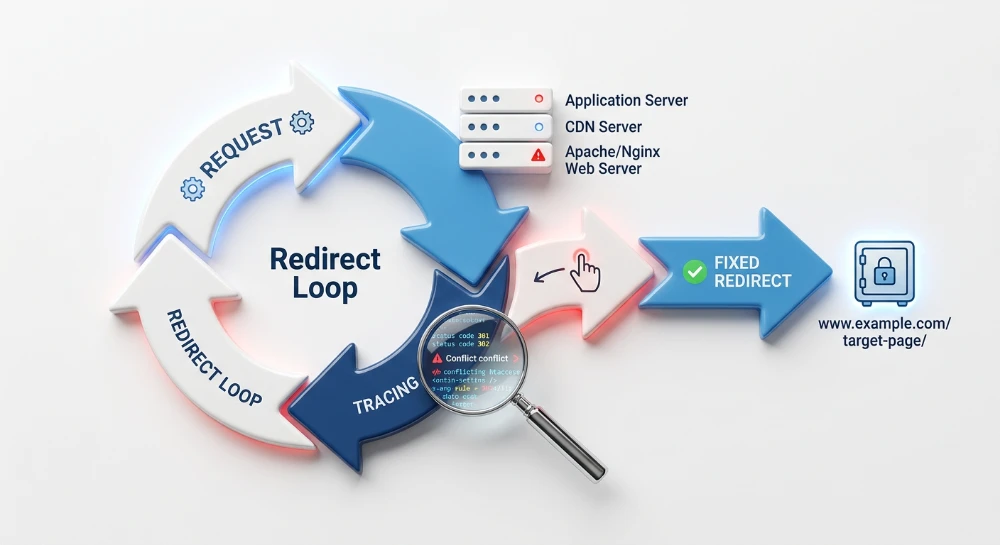
In web architecture, a URL ending with a trailing slash and one without it are technically two distinct endpoints. While modern browsers may seamlessly display the same content for both a trailing slash and a non-trailing slash URL, search engines view them as entirely separate paths. If a web server allows both variations to resolve concurrently with a 200 OK status code, the site is effectively serving two duplicate versions of the same page.
Leaving both URL variants accessible creates a structural duplicate content risk. Search engine crawlers must expend resources fetching both versions, which can contribute to crawl inefficiency across larger websites. Although search algorithms generally attempt to consolidate these duplicates by automatically selecting a preferred canonical version, relying on algorithmic consolidation can lead to unpredictable indexing behavior and fragmented analytics reporting.
Handling trailing slash redirects correctly focuses on enforcing a single, consistent URL structure across the entire site. Resolving concurrent variants requires implementing permanent server-side redirects that route users and bots from the non-preferred version to the chosen format. Establishing this strict URL resolution ensures that external links, internal routing, and search engine indexing all align on one authoritative endpoint per page.
The root domain exception and file vs. directory semantics
Historically, web servers relied on a rigid file system structure to serve content. A URL ending with a trailing slash indicated a directory. When a client requested a directory, the server would look for a default document, such as an index.html or index.php file, to serve from that folder. Conversely, a URL without a trailing slash pointed to a specific, discrete file.
While modern content management systems and web frameworks use virtual routing rather than mapping URLs to physical server directories, this legacy distinction still governs how search engines parse URL paths. A trailing slash and a non-trailing slash on a subdirectory or page slug continue to represent two entirely different server requests, requiring deliberate management to avoid duplication.
The root domain protocol exception
A critical exception to this directory and file distinction exists at the root domain level. According to HTTP protocol standards, a request to a root hostname without a slash and a request with a slash are treated as the exact same endpoint.
When a user or crawler requests a bare domain, the client automatically appends the trailing slash to the root path before sending the HTTP GET request to the server. Search engines recognize this protocol constraint and do not view the root domain and its trailing slash counterpart as duplicate content. The network request is fundamentally identical in both scenarios.
Scope of consistency enforcement
Because root domains resolve identically by default, URL consistency rules and trailing slash redirects apply strictly to subdirectories, parameters, and URL paths appended after the hostname. The risk of concurrent variants exists entirely within the site architecture, not at the domain root.
Attempting to force a redirect on the root domain itself to strip the trailing slash from the initial network request is unnecessary. Such configurations often result in infinite redirect loops or invalid server responses. Site administrators must restrict trailing slash enforcement logic to the application routing and subdirectory paths, where the semantic distinction between a file and a directory remains technically valid.
Run a deep technical crawl to identify 4xx errors, missing meta tags, and indexation blockers.
The impact of concurrent 200 OK variants
When a web server is configured to serve the exact same page content on both the trailing slash and non-trailing slash URLs without issuing a redirect, both endpoints return a 200 OK HTTP status code. Because search engines treat these two paths as entirely separate URLs, serving identical content on both creates a duplicate content condition.
If both variants are discoverable through internal links, XML sitemaps, or external backlinks, search engine indexers evaluate them as competing pages. This duplication splits indexing signals, as external links or site metrics may point to different versions of the exact same document.
Algorithmic canonicalization vs. explicit control
Modern search engines are designed to identify duplicate content automatically. When they encounter concurrent 200 OK variants, algorithms attempt to cluster the duplicates and select one version as the canonical URL for indexing. This process typically relies on evaluating available cues, such as the rel="canonical" link element or the dominant internal linking pattern.
While algorithmic consolidation often prevents severe indexation errors, relying on it introduces unpredictability. Search engines may select a different variant than the site administrator intends, or they may periodically switch the chosen canonical URL if mixed linking signals persist across the site architecture. Explicitly resolving the duplication provides predictable control and ensures only the preferred URL variant enters the index.
Crawl efficiency dilution
Beyond indexation concerns, unresolved concurrent variants alter how search engine crawlers interact with a website infrastructure. When both URL paths return a valid 200 OK status, bots often crawl both endpoints to process the content and evaluate the canonicalization cues. For small websites, these additional HTTP requests rarely cause noticeable operational issues.
At scale, however, this duplication contributes directly to crawl efficiency dilution. If thousands or millions of pages are accessible via two distinct endpoints, crawlers expend request capacity fetching redundant HTML documents. This unnecessary server overhead delays the algorithmic consolidation process and can extend the time it takes for search engines to discover newly published pages or process updates to existing content.
Enforcing consistency with 301 redirects
To eliminate the ambiguity of concurrent variants, a website must enforce a single, consistent URL structure. The decision to standardize on either a trailing slash or a non-trailing slash typically aligns with the default permalink routing of the content management system or the historical architecture of the site. Neither variant provides an inherent advantage for search engine optimization; the requirement is strictly that one version is chosen and uniformly enforced across all subdirectories and paths.
The standard procedure for establishing this consistency is routing all requests for the non-preferred URL to the chosen variant using an HTTP 301 permanent redirect. A 301 status code explicitly instructs browsers and search engine crawlers that the requested endpoint has permanently moved to a new destination, forcing the client to request the correct URL.
Redirects versus canonical tags
While the rel="canonical" link element is a valuable tool for managing duplicate content, relying on it as the sole mechanism for handling slash variants leaves structural inefficiencies intact. A canonical tag serves as an indexing hint to search engines, but it does not alter the underlying server response. If a site relies only on canonical tags, both the slash and non-slash variants remain accessible and continue to return 200 OK status codes.
Under this configuration, human visitors can still navigate to, bookmark, and share different versions of the exact same page. Simultaneously, search engine crawlers must continue to fetch the redundant HTML documents, expending request capacity to read the canonical instruction on the duplicate page before they can consolidate the signals.
Server-side 301 redirects offer a more structurally robust solution because they intercept the request before the server processes the application logic or renders the page content. By enforcing a redirect, the server actively routes all user and bot traffic to a single destination. This completely eliminates the secondary 200 OK response, prevents external links from accumulating on the wrong variant, and forces crawlers to interact only with the preferred URL.
Bulk Google and Yandex index checker
Verify agency reports and track live SERP status in Google and Yandex to protect your SEO ROI.
Configuring Server-Side rewrite rules
Implementing global redirects at the server level ensures that URL normalization applies universally before application logic executes. The two most common web server environments for handling these redirects are Apache and Nginx. Configuring these rules requires capturing the incoming request URI, evaluating the presence or absence of a trailing slash, and issuing a 301 redirect if the URI does not match the chosen structure.
Excluding physical files
A necessary requirement when writing slash redirect rules is explicitly excluding physical files from the evaluation. A blanket rule that appends a trailing slash to every URL will inadvertently redirect requests for static assets, such as images, CSS stylesheets, and JavaScript files.
Appending a slash to an image path alters the request from a valid file endpoint to a nonexistent directory path, which breaks page rendering and returns a 404 Not Found error. Rewrite conditions must verify that the requested path is not an existing file before executing the redirect command.
Apache configuration patterns
On Apache servers, URL redirection is typically handled using the mod_rewrite module within an .htaccess file or the main server configuration block. To enforce a trailing slash on all request paths while ignoring physical files, the configuration uses a RewriteCond directive to check the file status, followed by a RewriteRule.
RewriteEngine On
RewriteCond %{REQUEST_FILENAME} !-f
RewriteRule ^(.*[^/])$ /$1/ [L,R=301]
In this pattern, the !-f condition prevents the rule from applying to existing files. The rewrite rule captures any URI that does not end in a slash and appends it, issuing a permanent 301 redirect.
To globally remove trailing slashes instead, the configuration requires a similar condition. However, when stripping slashes, it is standard practice to also exclude existing physical directories using the !-d condition. This prevents conflicts with Apache's default DirectorySlash behavior, which often attempts to re-append slashes to real directories.
RewriteEngine On
RewriteCond %{REQUEST_FILENAME} !-d
RewriteRule ^(.*)/$ /$1 [L,R=301]
Nginx configuration patterns
Nginx processes redirects within server block configuration files and evaluates the URI string directly. Because Nginx rewrite directives evaluate regular expressions without a built-in file condition flag, administrators commonly construct the regex to ignore any URI containing a period. This effectively bypasses standard static assets featuring file extensions.
To append a trailing slash in Nginx, a rewrite directive captures paths lacking both a period and a terminal slash:
rewrite ^([^.]*[^/])$ $1/ permanent;To remove a trailing slash, the regex matches the final character and replaces the URI with the captured group preceding it:
rewrite ^/(.*)/$ /$1 permanent;Preventing redirect chains
Server-side rewrite rules execute sequentially based on their order in the configuration file. If multiple normalization rules operate independently, an improperly ordered configuration can trigger a redirect chain. Common conflicting rules include HTTP to HTTPS protocol enforcement and WWW to non-WWW hostname resolution.
A redirect chain forces the client to make multiple consecutive round trips to the server before receiving the final 200 OK status. For example, if a user requests an insecure, non-slashed URL, the server might first redirect the request to the secure HTTPS variant, and then issue a second redirect to the slashed variant.
To prevent these chains, order the configuration logic to consolidate protocol, hostname, and trailing slash checks. Complex setups often benefit from explicitly defining the final destination URL in a single comprehensive rewrite block or ensuring the trailing slash logic is evaluated concurrently with HTTPS redirects, resulting in a single server hop.
Relative paths and internal link consistency
Beyond indexation and server responses, trailing slash inconsistencies can directly break page rendering due to how browsers calculate relative paths. When an HTML document requests an asset like a stylesheet, script, or image using a relative URL, the browser constructs the absolute URL based on the current page path.
The presence or absence of a terminal slash alters this base path calculation. If a browser loads a URI path with a trailing slash, such as /category/, it treats the final segment as a directory. A relative asset linked simply as style.css resolves to /category/style.css. If the browser loads the non-slashed variant, /category, it treats the final segment as a file within the parent directory. In this scenario, the relative link to style.css resolves to /style.css.
If a website permits both variants to return a 200 OK status code, but the server directory structure is only configured to support one base path, visitors accessing the alternate variant will experience broken CSS, failing JavaScript, and missing images. While developers can use root-relative paths or an explicit base element in the document head to standardize asset resolution, enforcing a strict server-side redirect to a single slash variant eliminates the ambiguity entirely.
Internal architecture alignment
After configuring server rules to enforce the preferred URL format, the internal linking structure must be updated to match the final destination URLs. A common implementation failure occurs when global redirects are activated, but site-wide templates continue generating links to the obsolete variant.
Every internal link should point directly to the post-redirect, 200 OK URL. This requirement applies to:
- Primary navigation and footer menus
- Breadcrumb trails and pagination elements
- Contextual in-content links
- XML sitemaps and custom data feeds
- Canonical tags and hreflang annotations
Relying on server redirects to handle outdated internal links introduces unnecessary latency for users and requires the server to process avoidable redirect operations. For search engine crawlers, internal links pointing to redirected variants force an additional HTTP request to reach the destination document. Updating all site-wide navigation and sitemaps to reflect the enforced URL format removes these intermediate server hops and allows crawlers to evaluate the site structure without redirection overhead.
SEO structure and reciprocal link analyzer
Detect orphan pages, deep click depths, and toxic reciprocal links built by careless agencies.
Validating slash resolution and indexation
Verifying a trailing slash configuration requires a multi-step approach that checks the direct server response, the internal link architecture, and the search engine's processing of the updated URLs.
HTTP status code verification
The first diagnostic step is confirming the server responds correctly to direct requests. Using command-line tools like cURL, specialized HTTP header checkers, or browser developer network panels, test both variants of a specific URL path.
A correct implementation will display the following behavior:
- The non-preferred URL variant returns a single 301 permanent redirect status code.
- The preferred URL variant returns a 200 OK status code.
- The 301 redirect points directly to the final 200 OK destination without passing through intermediate hops.
During this test, monitor for redirect chains. A common configuration failure occurs when trailing slash rules conflict with protocol or WWW rules, causing a browser to first redirect the slash, and then redirect HTTP to HTTPS in a separate request. The server rules should be consolidated so that any incorrect URL resolves to the final preferred destination in a single step.
Site crawler diagnostics
Once server behavior is validated, the internal linking structure must be audited. While the server now forces the correct URL, lingering internal links to the old variant will generate unnecessary 301 redirects, adding latency for users and forcing crawlers to execute additional requests.
Deploy a site crawler to scan the entire domain and filter the output for URLs returning a 3XX status code. Cross-reference these redirects against the internal link source report to identify navigation menus, body content, breadcrumbs, or sitemaps that still output the non-preferred slash variant. Updating these localized templates and internal links ensures crawlers can traverse the site structure encountering only 200 OK responses.
Search console index verification
Confirming that search engines have processed the redirection requires evaluating index status. In Google Search Console, the Page Indexing report provides visibility into how Google is handling the conflicting variants.
Over time, the non-preferred URL variant should transition into the "Page with redirect" status category. When using the URL Inspection tool on the preferred 200 OK variant, the report should identify it as the "Google-selected canonical". If both the trailing and non-trailing slash versions remain indexed as active URLs long after implementation, it often indicates that the server redirect is failing specifically for crawler user-agents, or that a caching layer (like a CDN) is improperly serving stale 200 OK responses to bots.
Server log crawl pattern analysis
Because indexation reports can lag weeks behind actual crawler activity, analyzing server logs provides immediate, empirical data on search engine behavior. By filtering server log files for Googlebot and other primary crawler user-agents, administrators can track the transition process.
Following a successful implementation, log analysis should reveal a distinct pattern shift. Initially, logs will record crawlers requesting the non-preferred variants and receiving 301 redirect responses. As the search engine updates its internal crawl schedule and index, requests for the 301 variant should steadily decline, while direct requests for the 200 OK variant stabilize. If server logs show a sustained, high volume of crawler requests for the redirected URL variant over several months, it generally indicates that external backlinks or undiscovered internal links are still actively feeding the obsolete URL into the crawl queue.