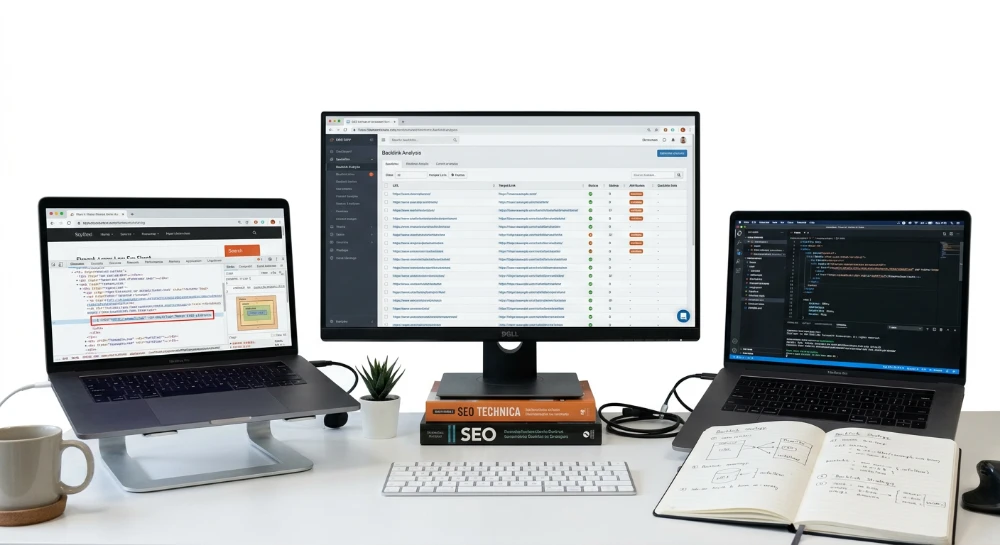
Sneaky nofollow attributes on donor sites describe a specific fraud pattern in guest posting and paid link placements: a webmaster invoices a client for a dofollow link, then quietly applies rel="nofollow", rel="sponsored", or rel="ugc" to block PageRank transfer while leaving the anchor text and placement visually untouched. The buyer sees a normal link on the page. Google sees a directive telling it to ignore that link as a ranking signal entirely.
The motive is straightforward. A donor site that sells hundreds of placements per month leaks outbound authority with every dofollow link it grants, diluting its own link equity across external domains. Marking the link nofollow, sponsored, or ugc lets the site keep charging placement fees without giving up any PageRank in return. This practice shows up heavily on PBNs and low-oversight guest-post networks, where volume selling makes preserving internal link equity a direct revenue concern for the seller.
Detection is hard because the directive rarely lives in one obvious place. It can sit inside the anchor's own rel attribute, inside a page-level meta robots tag in the head section, inside an X-Robots-Tag HTTP response header invisible in the page source, or injected into the DOM by JavaScript after the page has already loaded. Four separate layers, four separate failure points. A buyer who only right-clicks and selects "inspect" on the visible anchor will catch, at best, one of these four.
Visual checks fail here by design. A rendered page looks identical whether the link is dofollow or nofollow; the rel attribute carries no visual styling and no user-facing indicator. Only a technical inspection of source code, rendered DOM, and response headers exposes the actual directive being sent to crawlers.
What follows works through where these directives get concealed, how to verify a single donor link manually using browser DevTools and header inspection, how to run bulk audits across an entire donor portfolio with crawling tools, how to monitor placements on an ongoing basis for post-publication tag injection, and what remediation steps - dispute, refund, or disavow - apply once a hidden nofollow has been confirmed.
Where nofollow tags hide: Attributes, meta directives, and CMS-Level injection
A dofollow anchor carries no rel attribute at all, or one that omits any blocking value; the crawler treats the outbound link as a normal editorial vote and passes a share of the page's link equity to the target URL. A nofollow anchor carries rel="nofollow", and Google's crawler reads that as an instruction not to pass PageRank through that specific link, regardless of how prominent the anchor text looks or how contextually relevant the surrounding paragraph is. The mechanism is binary at the anchor level: either the crawler counts the link as a ranking signal or it discounts it entirely. Nothing about the placement's visual position, font weight, or surrounding content changes that outcome once the rel value is set.
Three separate technical layers can each independently override what looks like a clean dofollow placement, and a hidden directive at any one of them is enough to zero out the value of a paid link.
Layer one: The anchor's own rel attribute
The most direct concealment method sits inside the anchor tag itself. Beyond the standard rel="nofollow" value, Google recognizes two additional disclosure attributes: rel="sponsored", meant for paid or advertising links, and rel="ugc", meant for user-generated content such as forum posts or comments. Both are legitimate signals when used honestly. The problem is that some donors apply rel="sponsored" to a placement that was sold and invoiced as a standard dofollow guest post, quietly demoting the link's crawl value while still delivering something that renders as a normal blue-underlined link to anyone glancing at the page. A buyer who never opens the source code has no way to know the difference.
Layer two: Page-level directives that override every link on the page
Even a perfectly clean anchor with no rel attribute at all can be neutralized at the page level. A meta name="robots" tag with content="nofollow" placed in the head section instructs the crawler to treat every outbound link on that page as nofollow, no matter what the individual anchor's own rel value says. This directive is visible in page source if the buyer knows to check the head section, but it's easy to miss because it has nothing to do with the anchor being audited.
The X-Robots-Tag HTTP response header does the same job but lives one layer deeper. It's sent as part of the server's response headers, not as part of the HTML body, which means it never appears in page source no matter how carefully that source is read. Only a response-header inspection catches it. This is the layer most casual buyers never think to check, precisely because it isn't rendered anywhere in the document.
Layer three: Client-side JavaScript and DOM injection
The third layer is the hardest to catch with a quick look, because the raw HTML delivered by the server can show a completely clean dofollow anchor with no rel attribute and no page-level nofollow directive anywhere. A script that runs after the page loads then rewrites that anchor's rel attribute directly in the rendered DOM, adding nofollow, sponsored, or ugc after the fact. Anyone viewing source with Ctrl+U sees the original clean markup; anyone inspecting the live, rendered page sees the modified version. The mismatch between the two is the entire point of this technique.
The following comparison summarizes where each directive type lives and why it's missed.
| Layer | Where it lives | Why it's missed |
|---|---|---|
| Anchor rel attribute | Inside the a tag itself, values nofollow, sponsored, ugc | Looks identical to a normal link visually |
| Meta robots tag | Head section of the HTML document | Buyer checks the anchor, not the head |
| X-Robots-Tag header | HTTP response headers, not the HTML body | Never appears in page source at all |
| JavaScript DOM injection | Rendered DOM, added after page load by a script | Raw source and rendered output differ |
Where donors configure this on the CMS side
On WordPress, the most common implementation point is a dedicated NoFollow plugin that lets a site owner apply rel values to outbound links in bulk, by domain, by post category, or by individual URL, without touching the theme's template code. The block editor also carries its own native control: the link settings popover in Gutenberg includes a checkbox to mark any individual link as nofollow, which a donor can toggle on a per-link basis after a guest post has already been published and accepted.
Hosted platforms carry equivalent controls built into their own link and attribute settings. Shopify, Wix, and Squarespace each expose an option, inside their respective link or button configuration panels, to set a link's rel attribute without ever touching raw HTML. None of this requires developer access; a store owner or site editor can flip these settings from the standard content dashboard in a few clicks.
Sites built on headless architectures or heavy client-side rendering frameworks raise the stakes on the third layer specifically. When a page's initial HTML payload is thin and most of the content, including links, gets assembled and altered by JavaScript after the browser loads it, the gap between what the server sends and what the browser eventually displays widens considerably. That gap is exactly where a raw-HTML-versus-rendered-DOM mismatch hides, and it's harder to catch on these architectures than on a conventional server-rendered page where the HTML delivered to the crawler and the HTML seen by a human are the same document.
The motive behind all three layers is consistent and financial. A donor site selling placements wants to keep charging dofollow rates while retaining its own outbound PageRank rather than distributing it to paying clients. Applying a hidden nofollow, sponsored, or ugc directive, at whichever layer is least likely to be checked, lets the site collect the placement fee without giving up the link equity that fee is supposed to buy. This pattern is especially common across PBNs and volume guest-post networks, where a single donor page might sell the same slot to multiple buyers over time and has a direct incentive to protect its own authority score from erosion.
Manual verification workflow: Inspecting rendered DOM and HTTP headers for nofollow
Confirming the status of a single paid placement requires four checks, run in sequence, on the live donor page. Each check targets one of the concealment layers described earlier. Skipping any one of them leaves a blind spot a donor can exploit.
Step 1: Read the raw source, not the rendered page
Open the donor URL and press Ctrl+U to pull the raw page source, exactly as the server delivered it before any script touches it. Search the document (Ctrl+F) for the domain or anchor text of the placed link, then inspect the surrounding anchor tag character by character. A clean placement shows an anchor with no rel attribute at all, or one that only carries rel values unrelated to crawl directives. If rel="nofollow", rel="sponsored", or rel="ugc" is already sitting there in the raw markup, the case is closed: the donor baked the directive directly into the HTML attribute and there is no need to go further for that particular link.
Step 2: Compare against the rendered DOM in DevTools
Open browser DevTools (F12 or right-click, Inspect) and switch to the Elements panel. This panel does not show what the server sent; it shows the DOM after every script on the page has finished executing. Locate the same anchor here and read its rel attribute again. If Step 1 showed a clean anchor but the Elements panel now shows rel="nofollow" attached to it, that gap is the signature of client-side rel injection: a script fired after load and rewrote the attribute in the browser, while the raw HTML stayed clean enough to pass a casual glance. This is precisely the mismatch flagged in the previous layer discussion, and DevTools is the only place a manual reviewer can actually see it happen.
Step 3: Pull the response headers and look for X-Robots-Tag
Neither the raw source nor the rendered DOM will show a header-level directive, because X-Robots-Tag lives outside the HTML body entirely. In DevTools, open the Network tab, reload the page, click the main document request, and read the Response Headers section. A response-header viewer browser extension works the same way if the Network tab feels cumbersome. Look specifically for an X-Robots-Tag entry with a value of nofollow or noindex, nofollow. If present, this header applies at the server level and overrides any dofollow appearance in the visible markup, regardless of what the anchor tag itself says.
Step 4: Check the head section for a page-level meta robots tag
Back in the raw source or the Elements panel, scroll to the head section and search for a meta tag with name="robots". A content value of nofollow here applies to every outbound link on that page, including a paid placement whose own anchor tag looks perfectly clean with no rel attribute at all. This is the directive most likely to be missed by a reviewer who checks only the anchor itself, since the anchor gives no visual clue that a page-wide rule is suppressing it.
A short table summarizes where each concealment method surfaces and which check catches it.
| Concealment method | Where it hides | Which step exposes it |
|---|---|---|
| Direct rel attribute | Anchor tag in raw HTML | Step 1, raw source search |
| JavaScript rel injection | Rendered DOM only | Step 2, DevTools Elements panel |
| X-Robots-Tag header | HTTP response headers | Step 3, Network tab |
| Meta robots directive | Head section of the document | Step 4, head inspection |
Browser extensions can shortcut some of this. SEOquake and the Ahrefs toolbar both overlay dofollow and nofollow status directly on a rendered page, coloring or labeling outbound links so a reviewer does not have to open DevTools for a quick visual read. They are useful as a first-pass filter, but they read the rendered state of the page, so they should be treated as a supplement to the four-step workflow above, not a replacement for checking raw source and response headers directly.
This entire sequence is built for spot-checking one donor URL at a time. Running four manual checks per link is realistic for verifying a handful of high-value placements before wiring payment, or for investigating a link that already looks suspicious. It does not scale. A portfolio of fifty, two hundred, or a thousand donor pages acquired across an ongoing guest-posting campaign turns this same workflow into a full-time job, and a job that still only captures the state of each link at the exact moment it was checked.
Scaling detection: Bulk nofollow auditing tools for donor link portfolios
Three tools handle bulk nofollow auditing at meaningful scale: Screaming Frog SEO Spider, Netpeak Checker paired with Netpeak Spider, and Dr. Link Check. Each takes a different technical route to the same output - a follow-status report across an entire list of donor URLs in a single run, instead of one URL at a time.
Screaming frog SEO spider in list mode
List Mode accepts an uploaded file of donor URLs rather than crawling a site by following links outward. The crawl needs JavaScript rendering switched on before it runs. Skip that setting and the crawler reads static HTML only, which means any rel attribute rewritten by a client-side script after page load simply will not show up in the report. Once the crawl finishes, the External tab, filtered to outbound links, lists every anchor on each donor page along with its follow or nofollow status.
Custom extraction adds another layer of value here. It can be configured to pull the raw HTML version of a target anchor alongside the rendered DOM version, placing both side by side in the export. A mismatch between the two columns is the same signal described in the manual DOM-inspection workflow - except now it surfaces automatically across hundreds of rows instead of requiring a DevTools check on each one.
Netpeak checker and netpeak spider
Netpeak's route runs through a Bulk Analysis pass using the Dofollow/Nofollow Checker report. The filter bar needs two settings applied before the output is usable: Direction set to Outbound, and Link type set to
<a href>
. Without those filters, the report mixes inbound and outbound anchors together and buries the donor links inside irrelevant data. With them applied, the report isolates exactly the outbound anchors that matter for a paid-placement audit.
Dr. link check
Dr. Link Check (drlinkcheck.com) works on a batch-submission model: a list of donor URLs goes in along with the specific target link being tracked on each one, and the output is a link follow status report covering the whole batch. It is a narrower tool than the two crawlers above, but it removes the setup overhead of configuring a crawl entirely - useful when the only question that matters is follow status, not a full technical audit of each donor page.
Rendering support is the detail that separates a usable bulk audit from a false-negative-generating one. A static crawl of raw HTML will report a clean dofollow anchor even when a script injects
rel="nofollow"
after the page renders - the exact concealment technique covered earlier. Any bulk tool run without JavaScript rendering enabled inherits that blind spot at scale, which is worse than missing it on one page, because it now produces a false clearance across the entire donor portfolio.
The practical workflow ties these tools to the actual budget being protected:
- Compile the full list of paid donor URLs from invoices and outreach records, not from memory.
- Run the bulk check with rendering enabled in Screaming Frog or Netpeak, or submit the batch to Dr. Link Check.
- Export the resulting report - External tab export from Screaming Frog, or the Bulk Analysis export from Netpeak.
- Cross-reference every link flagged nofollow, sponsored, or ugc against the contract or invoice that specified a dofollow placement.
That final cross-reference step is the one that converts a technical report into evidence. A flagged link only matters commercially if it was paid for as dofollow. A crawl report on its own tells a webmaster what the current state of a link is; matching it against the invoice tells them whether they got what they paid for.
Bulk tools answer the question for a fixed list at a fixed moment. Rendering settings catch client-side injection that exists at crawl time, and the External tab or Bulk Analysis export shows exactly what was true when the crawl ran - not what happens to that same link three weeks later. A donor page that passes today can have its rel attribute changed after invoicing closes, and a one-time bulk audit has no way to catch that.
Continuous backlink monitoring: Catching nofollow tags injected after publication
A donor page that passes every check on delivery day is not a settled matter. It is a snapshot. Nothing stops a webmaster from waiting until the invoice clears, then quietly appending rel="nofollow", switching to rel="sponsored", or tagging the anchor rel="ugc" once the buyer has stopped watching. The link looks identical in a browser. The rendered DOM shows the change instantly, but only to someone who happens to open DevTools on that exact URL at that exact moment.
This is the core weakness of every method covered so far. Manual inspection and bulk audits both answer a question for a single point in time. Neither one is watching the page next Tuesday, or next month, when the donor's incentive to strip outbound equity resurfaces. A vendor selling hundreds of placements a month has no reason to keep every one dofollow forever - reclaiming PageRank from old sold links is a common maintenance habit on donor networks, and it costs the buyer nothing to detect until someone actually checks again.
SeLinkPro's Automated Backlink Monitor Tool addresses that gap by treating each donor page as a standing object to poll, not a one-time transaction to verify. Instead of a single crawl, it runs as a tracking engine that keeps returning to the same vendor page on an ongoing basis, comparing what it finds against what was recorded at the time of placement.
The tool is built to catch several distinct failure patterns that show up only after the fact:
- Stealthy injections of rel="nofollow", rel="sponsored", or rel="ugc" applied after the link was originally delivered clean.
- Cases where the exact-match anchor text itself has been altered or hijacked, changing what the link is actually telling search engines about the target page.
- Sudden spikes in the donor page's total outbound link count - a signal that the page has been repurposed as a link farm, diluting the equity every existing link on it was supposed to pass.
- Stealthy crawler blocks, including an injected noindex directive, a new robots.txt exclusion, or a hidden canonical tag pointing the page away from itself.
- Malicious 301 redirect chains or 404 dead ends along the full HTTP path, either of which quietly kills the link without touching the visible rel attribute at all.
That last point matters because it closes a blind spot none of the earlier detection layers cover. A rel attribute can stay perfectly clean while the page it sits on gets redirected somewhere else entirely, or dropped from the index through a robots.txt change. Checking the anchor tag alone would report a false pass.
Every poll gets written into an audit ledger, with historical snapshots of each donor page stored over time. That ledger is what turns a suspicion into evidence. A single screenshot claiming "this link changed" is easy for a vendor to dispute or dismiss. A dated snapshot sequence showing the anchor dofollow at delivery, then nofollow four weeks later, then reverted after a complaint, is documented proof of vendor fraud - not a one-off claim that depends on the buyer's word against the seller's.
The billing model behind this fits the nature of the task. SeLinkPro runs on a strict pay-as-you-go basis, with no monthly subscription and a minimum deposit of $5.00. Ongoing polling of a donor portfolio is billed per check rather than as a flat recurring fee, which matters for anyone monitoring a mix of high-value and low-value placements - the cost scales with how many pages actually need watching, not with a subscription tier that charges the same whether ten donor pages are tracked or ten thousand.
Confirmed hidden nofollow: Dispute, remediation, and disavow decisions
Detection is only half the job. Once a nofollow, rel="sponsored", or rel="ugc" injection is confirmed, the buyer has to decide what to do with that evidence - and that decision has to be made on facts, not frustration. Three pieces of documentation carry weight in a dispute: a before/after snapshot showing the anchor's rel attribute at delivery versus its current state, a raw-HTML-vs-rendered-DOM comparison proving a script rewrote the attribute after page load, or a logged HTTP header change showing an X-Robots-Tag that appeared after invoicing. Any one of these turns a complaint into a case.
Vendors dispute vague accusations. They rarely dispute dated screenshots.
Send the evidence directly, not a summary of it. A vendor told "your link went nofollow" can stall for weeks. A vendor shown a snapshot timeline - dofollow on delivery date, nofollow four weeks later, timestamped both times - has nothing left to argue. This is the point where a formal dispute gets opened, and the request is specific: fix the attribute and confirm the correction, or refund the placement fee. There is no third option at this stage. Asking for "an explanation" wastes the leverage the documentation already built.
Vendor dispute versus Google disavow - different tools, different problems
Confusing these two actions costs money. Disavowing a link tells Google's algorithm to discount that specific link when calculating ranking signals for the buyer's own site. That is all it does. It does not restore the link equity that was supposed to be passing through the placement, and it does not touch the invoice already paid to the donor. A disavowed link is simply a link Google is told to ignore - the budget spent acquiring it is gone either way.
Disavow has one legitimate use case in this workflow: when the donor site itself shows a link profile that raises manual-action risk for the buyer - unnatural outbound patterns, participation in a link scheme, or the kind of neighborhood a PBN footprint check would flag. In that scenario, disavowing protects the buyer's own site from being associated with a risky domain, regardless of what happens with the vendor dispute running in parallel. It is a defensive move for the buyer's link profile, not a remedy for the broken placement.
A reconsideration request is a separate process entirely, and it only becomes relevant after Google has already issued a manual action against the buyer's own site. Filing one preemptively, or treating it as a response to a vendor's hidden nofollow tag, misunderstands what the tool is for. Routine vendor disputes over a mislabeled or injected rel attribute never require a reconsideration request - that process exists for cleanup after a penalty has already landed, not as a general-purpose complaint mechanism.
Decision framework
Once an injection is confirmed and evidence is in hand, the choice narrows to three paths, and the right one depends on what the evidence shows about the donor's intent and the donor site's broader link profile.
- Request a fix and re-verify: appropriate when the injection looks like a plugin misconfiguration or a one-off error rather than deliberate PageRank hoarding. After the donor corrects the attribute, re-run the verification - raw source, rendered DOM, and header check - before closing the case. A verbal confirmation from the vendor is not verification.
- Request a refund and remove the vendor from future outreach: appropriate when the pattern looks intentional - nofollow applied shortly after invoicing, or reverted only after a complaint was raised. This is the outcome the audit ledger snapshot sequence is built to support, since a dated history of the switch is far harder for a vendor to dismiss than a single claim.
- Disavow the link: appropriate only when the donor site's own link profile shows unnatural patterns that create penalty exposure for the buyer, independent of the refund conversation. This runs alongside a refund request, not instead of one.
Every one of these three decisions rests on the same foundation: documented evidence, not suspicion. Treating detection output as the basis for dispute, refund, or disavow decisions is what keeps a guest-posting and link-acquisition budget from bleeding out on placements that were never actually passing equity in the first place. Without that evidence trail, every dispute becomes a negotiation the vendor can simply outlast.