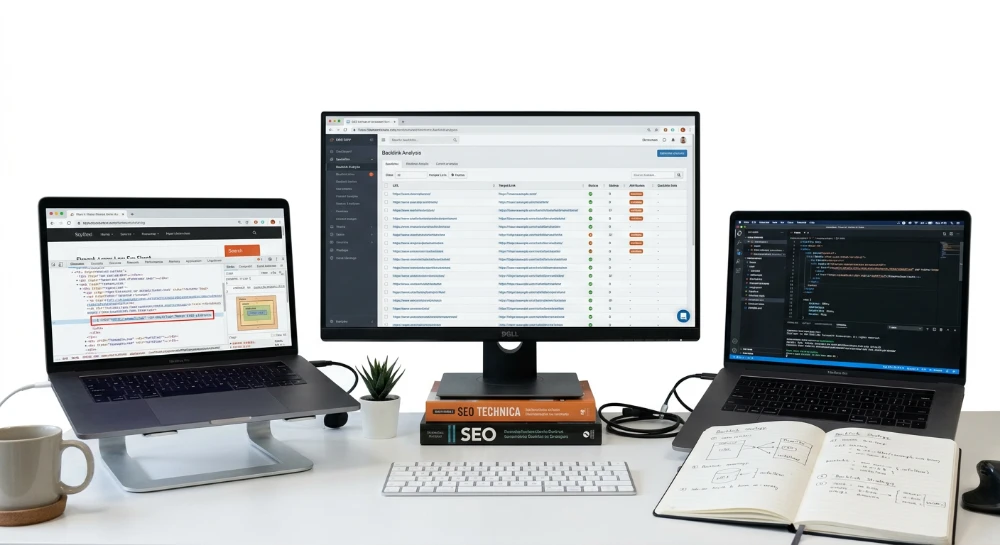
Methods to evaluate risky backlinks bought via Upwork and Fiverr start with one uncomfortable fact: a completed order rarely proves anything. Most gig-based link sellers close a contract with a screenshot or a delivery URL pasted into the chat window. Neither format confirms that the link is live, that the donor page is indexed, that the anchor carries a dofollow attribute, or that the placement is free of a hidden redirect chain. A screenshot is a static image; it cannot show HTTP status codes, canonical tags, or robots directives active on the server at the moment of review.
A "delivered" order can fail in several ways simultaneously. The link can sit behind a sneaky redirect that sends real visitors and crawlers to an unrelated domain. The donor page can carry a meta robots NOINDEX tag, keeping it out of Google's index entirely. The anchor itself can quietly hold a rel=nofollow or rel=sponsored attribute that blocks link equity transfer. Some vendors remove the placement three to seven days after leaving positive feedback, once the buyer has stopped checking.
Distinguishing a genuine link from a fabricated delivery requires a technical separation buyers rarely make: visibility to a human eye versus visibility to a search engine crawler. A link can render perfectly in a browser tab while a crawler-facing version of the same URL returns a 404 or a 301 redirect to a parked domain. That gap between rendered output and indexed reality is where most Fiverr and Upwork link fraud hides.
A sequential audit framework closes that gap. It starts by confirming the link is physically live on the delivered URL, then moves to detecting redirect tricks and cloaked placements, then verifies indexability and link attributes through source code and Search Console data. From there, cross-referencing the vendor's claim against independent backlink indexes such as Ahrefs, Semrush, or Moz adds a second data point. Screening the donor domain for PBN footprints, expired-domain reuse, or automated publishing patterns comes next, followed by recurring monitoring designed to catch post-delivery removal weeks after the order closes. The final decision point covers when a disavow file or a formal vendor dispute is the correct response, and when it is not.
Confirming live backlink placement: The Pre-Index and Post-Index audit workflow
Every audit has to start with sequence discipline. Check indexation before confirming the link physically exists on the page, and the entire audit collapses on a false premise. The correct order runs in two stages: a Pre-Index Backlink Audit that verifies the link is actually sitting on the live URL, followed by a Post-Index Backlink Audit that confirms Google has actually crawled and stored that URL in its index. Skip stage one and stage two becomes meaningless data pulled from a page that might not even carry the link anymore.
Stage one: The Pre-Index backlink audit
Open the exact delivered URL, not the homepage, not a category page, the precise address the vendor sent as proof. Then run an HTML Source Code Viewer, meaning the browser's native view source function, and search the Raw HTML for the anchor text and the href attribute tied to the target domain. This is a blunt but reliable first check: if the anchor and href are not present in the raw markup, the link either does not exist yet or was injected through a method that raw source will not reveal.
That second possibility is common enough to require a follow-up step. Some vendors, particularly ones running cheap Fiverr gigs at volume, insert links through JavaScript Modules or Lazy-Loaded Sections that only populate after the browser executes scripts. Raw source will show nothing. A Rendered-Page Review closes that gap: open browser developer tools, inspect the fully rendered DOM after the page finishes executing its scripts, and search there for the anchor and href. The reverse scenario happens too. A link visible in raw HTML can vanish from the rendered DOM if a script strips it out post-load, which is its own red flag worth logging separately.
The two checks answer different questions. Raw source answers what static crawlers see immediately. Rendered DOM answers what a browser, and increasingly what a JavaScript-capable crawler, sees after execution. A link buyer who only checks one of the two is working with half the picture.
Rendering consistency and the Crawler-User mismatch
Confirming the link exists in a browser is not the same as confirming it exists for a search engine. This is the Crawler-User Mismatch problem, and it is where a lot of Fiverr and Upwork link fraud gets built. A vendor can configure a server to detect the requesting agent and serve a version of the page with the link fully visible to a human browser session, while a crawler-identified request receives a stripped version, a redirect, or a blocked response. The visible copy and the crawled copy diverge, and the buyer never notices because they only ever check the human-facing render.
Rendering Consistency is the practice of confirming those two versions actually match. That means comparing what a standard browser renders against what a crawler-based renderer processes for the same URL. A mismatch here is not a minor technical curiosity, it is functionally a fake link: something that looks delivered but was never actually accessible to the entity that assigns ranking value.
Before repeating any of these checks on a second pass, clear the browser's cache and cookies first. A stale cached version of the donor page can show a link that was already removed, or hide one that was recently added, producing a false read in either direction. This single step gets skipped constantly and it quietly invalidates a lot of buyer verification attempts.
A fast First-Pass flag
Before diving into full source and DOM comparison, a browser extension or SEO Toolbar for Chrome or Firefox gives a quick visual signal directly on the page, flagging whether a link carries a follow or nofollow attribute at a glance. That is not a substitute for the raw source and rendered DOM checks described above, since a toolbar reads whatever version of the page the browser happened to load. Treat it as a triage step: a fast way to decide which delivered links deserve the slower manual pass and which can be set aside as clearly fine.
| Check | What it confirms | Tool |
|---|---|---|
| Raw HTML view | Anchor and href present in static source | Browser view source |
| Rendered DOM review | Link survives or appears after script execution | Developer tools |
| Rendering consistency check | Human-rendered version matches crawler-facing version | Crawler-based renderer comparison |
| Cache-cleared re-check | Current live state, not a stale snapshot | Cleared browser cache/cookies |
| Toolbar flag | Quick follow/nofollow read on the loaded page | SEO Toolbar extension |
Stage two: The Post-Index backlink audit
Passing the Pre-Index stage only proves the link physically exists somewhere on a live page. It says nothing about whether Google has crawled that page and folded it into its index. A link sitting on a URL Google has never indexed, or has since dropped from its index, carries no ranking value regardless of how correctly it is coded. The Post-Index Backlink Audit is the check that confirms the donor URL itself has actually entered Google's index, separate from whether the link inside it renders correctly.
This distinction matters because vendors selling volume link packages routinely publish donor pages on domains that crawl slowly, get indexed inconsistently, or never get indexed at all. A link can be technically perfect, correct anchor, correct href, dofollow, present in both raw source and rendered DOM, and still deliver zero value if the page hosting it is invisible to Google. Running the Pre-Index checks without following through on indexation status leaves the audit incomplete.
Detecting hidden links, sneaky redirects, and cloaked placements
A link screenshot proves nothing about how that link actually behaves once a crawler touches it. Low-cost vendors on Fiverr and Upwork have learned to game the one thing buyers check: the visual confirmation. A link can sit exactly where promised, styled correctly, anchor text intact, and still be functionally worthless because of what happens underneath the surface. This is the layer most buyers never inspect, and it is exactly where cheap gigs cut corners.
Injected links and CSS-Hidden placements
Injected links are backlinks stuffed into a page's markup without any intent for a human visitor to see or click them. The most common delivery method is a CSS overlay trick. The anchor exists in the raw HTML, satisfying a lazy audit that only checks source code, but it is rendered invisible through one of three techniques.
- Off-screen positioning, where the link is pushed to coordinates far outside the visible viewport using absolute positioning.
- Zero opacity, where the link technically renders but is set fully transparent, making it invisible to a human eye while still parseable by a crawler.
- Z-index tricks, where the link sits underneath another visible element, stacked out of view but still present in the DOM.
None of these tricks are new, and Google's spam systems have targeted hidden text and hidden links for years as a manipulative practice. A donor page using any of these methods is not delivering an editorial mention. It is delivering a footprint that, if caught during a manual review or algorithmic sweep, can devalue the link or drag the entire domain into a spam classification.
Back button hijacking, UX spam, and ad traps
Beyond CSS tricks, some vendors rely on broader technical deception to obscure where a link actually points. Back button hijacking traps a visitor's browser history so clicking back does not return to the previous page, instead looping the user through vendor-controlled redirects or ad pages. UX spam covers a wider category: deceptive pop-unders, fake close buttons, or interstitials designed to manipulate clicks rather than inform. Ad traps are placements where what looks like an editorial outbound link is actually wrapped inside an ad script or click-tracking layer that reroutes the destination entirely.
All three techniques share a common goal: obscure the real destination of a link long enough to collect a payment or a positive review before the buyer notices something is wrong. A page can pass a casual glance and still contain any of these mechanisms.
Sneaky redirects: When the screenshot lies
A sneaky redirect is the single most damaging deception in this category because it defeats verification methods that only check the delivered URL once. The vendor sends a page that renders correctly for a human visitor checking it manually. But a 301 redirect, a 302 redirect, or a script-based redirect (JavaScript-triggered, meta-refresh, or server-side) can send a crawler, or a visitor arriving through a different path, to an entirely different destination. The buyer sees the correct page during a quick check. Googlebot, arriving separately, gets forwarded somewhere else.
Testing for this requires a redirect checker or redirect path analyzer, sometimes bundled as a Link Redirect Trace tool inside a browser SEO Toolbar. Running the delivered URL through one of these tools captures the full redirect path rather than just the final landing page, which matters because a single link can pass through several hops before resolving.
- WWW redirects, where the non-www and www versions of the domain resolve differently, sometimes to unrelated content.
- URL variant changes, where trailing slashes, HTTP versus HTTPS, or parameter differences trigger separate redirect logic.
- Domain redirect hops, where the entire donor domain forwards to a different domain altogether, often one unrelated to the original niche.
At each hop, the protocol header and HTTP status code returned tell the real story. A 301 signals a permanent redirect, meaning search engines will eventually consolidate signals to the new destination rather than the one shown in the delivery. A 302 signals a temporary redirect, which is more often abused for cloaking because it can be swapped or removed without leaving an obvious permanent trail. A 404 at any point in the chain means the path is broken outright.
| Status code | What it signals | Risk to the buyer |
|---|---|---|
| 301 | Permanent redirect to a new destination | Link equity moves away from the promised URL |
| 302 | Temporary redirect, often reversible or swappable | Used to cloak destinations that change after delivery |
| 404 | Page not found | Backlink is dead, delivering zero value |
Catching broken backlinks before they cost more budget
A link can be perfectly legitimate at the moment of delivery and still fail weeks later. Donor pages on low-authority or unmaintained sites get deleted, restructured, or migrated without redirects, leaving a 404 response where the backlink used to live. Since the buyer already paid and likely left a review, there is rarely any prompt to re-check.
A broken link checker scanning the vendor's site is the practical way to catch this. Running the scan against the specific donor URL, rather than the whole domain, keeps the check fast and directly answers one question: does this exact page still return a 200 response, or has it failed since delivery? Any 404 not found response at this stage confirms the backlink is broken, not deceptive by design, but dead in practice, which still means it delivers no ranking value.
The point of this entire layer of checking is simple: a screenshot only proves a link existed at one moment for one viewer. It says nothing about whether that link is hidden from human eyes through CSS manipulation, wrapped in a redirect that quietly moves the destination, or has since collapsed into a 404. Confirming the absence of injected placements, sneaky redirects, and broken paths is what separates a verified backlink from a deceptive placement drop dressed up to pass a quick glance.
Verifying indexability, nofollow attributes, and canonical signals
A link can be physically present, correctly rendered, and free of redirects, and still pass zero value. Attribute checks and indexability checks are the layer that catches this. Skipping this step is how buyers end up defending a "live" backlink that Google has never once counted.
Reading the link attribute tags correctly
Open the page source or use an SEO Toolbar extension and locate the exact anchor tag delivered. The rel attribute determines whether the link is even eligible to pass ranking signal. A plain anchor with no rel attribute is treated as a Follow link. Anything carrying rel=nofollow tells search engines to disregard it as an endorsement.
Two other attribute values matter just as much, and vendors rarely disclose them upfront. Sites frequently apply these tags site-wide to every outbound link, including the one just sold as a premium placement.
- rel=sponsored - Google's required tag for paid or advertising-related links, explicitly signaling a commercial relationship
- rel=ugc - applied to user-generated content such as blog comments or forum posts, again limiting the link's weight
- rel=nofollow - the standard directive blocking value transfer entirely
- No rel attribute present - the default Follow state, the only version that passes full link equity
A vendor advertising a "dofollow guest post" who quietly ships rel=sponsored is not technically lying, since the link is still visible and clickable. It is simply not the product that was paid for.
Checking whether the donor page can even be crawled
Attribute status is irrelevant if the donor page itself is blocked from indexing. Three separate mechanisms can shut a page out, and each has to be checked independently:
| Mechanism | Where to check | Effect on the backlink |
|---|---|---|
| X-Robots-Tag | HTTP response header, visible via developer tools network tab | Can set noindex at the server level, invisible in page source |
| robots.txt exclusion | domain.com/robots.txt | Blocks crawling of the donor URL or its directory entirely |
| Meta robots NOINDEX | HTML head section, page source | Explicitly tells Google not to index the page, link included |
A donor page flagged with any of these three is functionally worthless as a link source. It does not matter how authoritative the domain looks or how well the anchor text was written. If the page cannot be crawled or indexed, the link sitting on it never enters Google's link graph.
Confirming canonical consolidation has not erased the link
Check the rel=canonical tag in the donor page's head section. If the donor page canonicalizes to a different URL than the one the vendor delivered, search engines treat the canonical target as the authoritative version and consolidate signals there, not on the page actually holding the link. This is easy to miss because the delivered page still displays the link visually, and a screenshot will look completely legitimate. The canonical tag operates silently in the background, redirecting indexing credit away from the page a buyer is paying for.
Cross-check the canonical URL against the delivered URL character for character, including trailing slashes and protocol (http versus https). A mismatched canonical is one of the more common reasons a visually confirmed link never shows up as contributing to rankings.
Confirming actual indexing status
Attribute and canonical checks establish whether a link is eligible to count. Indexing status confirms whether Google has actually processed it. Two direct methods handle this:
- Google Search Console's URL Inspection tool, run against the exact donor URL, reports whether the page is indexed and flags any indexing issue Google detected on its own crawl
- A site-restricted search query directly against Google's index (site:domain.com/exact-path) provides a fast manual cross-check outside of Search Console
Inside GSC's Links section, the Recently discovered and lost linking domain reports serve a second purpose beyond simple confirmation. These reports catch Lost Link Recovery cases, where a donor page was indexed and counted at one point, then later dropped out of the index entirely, silently zeroing out a link that passed a check weeks earlier. Reviewing these lists periodically is the only way to catch this decay without manually re-inspecting every donor URL on a recurring basis.
Running this check at scale
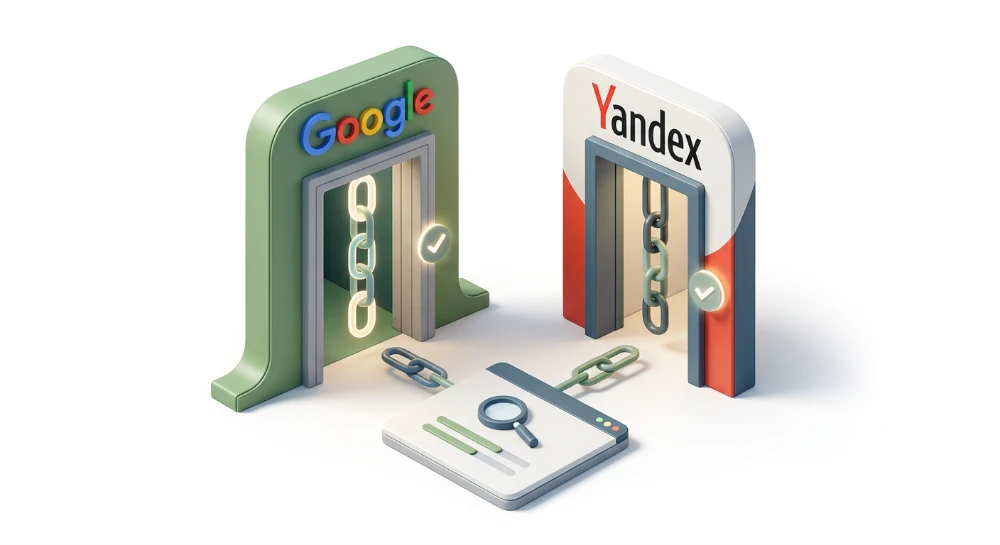
Manually inspecting attribute tags, robots directives, canonicals, and index status one URL at a time is workable for a handful of links. It breaks down fast once a buyer has accumulated dozens of vendor deliveries across multiple Fiverr and Upwork gigs. SeLinkPro's Bulk Google and Yandex backlink index checker module addresses the indexation half of this problem directly: it runs live SERP interrogations across a batch of vendor-delivered URLs simultaneously, confirming indexation status against the search engines themselves rather than pulling from a third-party backlinks database that may be stale or incomplete. Any URL that fails the check gets isolated and exported to CSV, giving a buyer a concrete, timestamped list to attach to a vendor dispute rather than a subjective claim that "the link isn't working".
Cross-Checking Vendor-Delivered links with Ahrefs, Semrush, and Moz
Confirming that a backlink is live and indexable answers half the verification question. The other half is whether independent, third-party authority engines actually recognize the link as part of the donor domain's outbound profile. Ahrefs Site Explorer, Semrush Backlink Analytics, and Moz Link Explorer each maintain their own crawled index of the web's link graph, separate from Google's index and separate from the vendor's own claims. Running the delivered URL through all three provides a second opinion that a vendor cannot fake with a screenshot.
Checking referring domains and linking root domains
The first pass is straightforward: enter the client's target domain into each platform and search its Referring Domains list (called Linking Root Domains in some interfaces) for the exact donor domain the vendor claims to have used. If the domain shows up, drill into the specific backlink record and confirm the source URL matches the exact page delivered, not just the root domain. A vendor padding a report with a legitimate-looking domain but linking from an unrelated, low-value subpage is a common shortcut.
Referring IPs deserve a look at this stage too. A batch of donor domains sharing the same IP block, when checked across a dozen deliveries from a single gig, is an early flag for a link farm structure rather than independently sourced placements. Diversity across Referring IPs is a rough proxy for how organically distributed a link portfolio actually is.
Reading the authority metrics
Each platform reports its own proprietary scoring system for the donor domain and the specific page, and none of these numbers are interchangeable or directly comparable across tools.
- Ahrefs reports Domain Rating for the whole domain and URL Rating for the specific page carrying the link
- Semrush reports Authority Score at the domain level inside Backlink Analytics
- Moz reports Domain Authority for the domain and Page Authority for the specific linking page inside Link Explorer
A donor domain with a healthy Domain Rating in Ahrefs but a near-zero URL Rating on the specific linking page is not necessarily a red flag on its own. It usually means the domain has accumulated authority elsewhere on the site, but the particular page hosting the client's link is thin, deep, or newly published and hasn't accrued page-level equity yet. Cross-referencing all three platforms rather than trusting a single score gives a more complete authority picture, since each tool crawls and weights the web differently and none of them see the exact same slice of the link graph.
Handling a link that does not show up
It is tempting to treat a missing link as proof of fraud the moment a search in Ahrefs or Semrush comes back empty. That reaction is premature. Backlink indexes recrawl the web on their own schedules, and a page published or edited recently may simply not have been picked up yet by that specific platform's crawler.
Before escalating a dispute, check each tool's "recently discovered" filter, which surfaces links found in the latest crawl cycles before they populate the main backlink report. Ahrefs, Semrush, and Moz all expose some version of this filter inside their respective link reports. A link sitting in the recently discovered bucket of one tool while showing fully indexed in another is normal, not suspicious, and reflects nothing more than differing crawl frequency between platforms.
Anchor text analysis
Once the link's presence is confirmed, compare the anchor text recorded by each tool against what was actually ordered from the vendor. A mismatch here, where the delivered anchor is generic, branded, or subtly reworded from the exact-match phrase paid for, is a common substitution tactic among low-cost gig sellers looking to avoid triggering manual anchor-spam review on their donor sites.
Beyond a single-link check, pull the full anchor text distribution for the account across all backlinks recorded in Ahrefs, Semrush, and Moz. Anchor Diversity across the profile matters more than any single anchor in isolation. A profile dominated by identical exact-match anchors signals Exact Match Spam, a pattern search engines have historically penalized as manipulative. Irrelevant Anchors or Non-Contextual Anchors, where the anchor text has no topical connection to either the donor page's content or the target page it links to, point to bulk-placed links dropped without regard for context, a hallmark of cheap gig-sourced backlinks rather than editorially earned ones.
When the tools disagree
Ahrefs, Semrush, and Moz will not always agree with each other, and they will not always agree with what a manual inspection of the live page shows. That disagreement is a trigger, not a verdict. Any discrepancy between what these platforms report and what the vendor claims should send the audit back to a manual Live URL Check on the actual donor page rather than settling the dispute purely on backlink-index data. Third-party indexes are a strong second opinion; they are not a substitute for looking at the raw page itself when the numbers do not line up.
Spotting PBNs, vendor footprints, and Low-Quality placement patterns
Once anchor and index checks are clean, the real question is where the link actually sits. Fiverr and Upwork gig sellers rarely disclose their sourcing, but the donor page itself gives up the pattern fast. Private Blog Networks remain the most common structure behind bulk-delivered links: a cluster of domains, often built on expired or scraped inventory, cross-linking to pass authority to paying clients while hiding the network's shared ownership. Spammed Directories, Web 2.0 Backlinks, Blog-Comment Links, Forum Backlinks, Social Bookmarks, Profile Backlinks, and Directory Backlinks all show up regularly in cheap gig packages because they are trivial to automate and cost the vendor almost nothing to produce.
Each of these sources leaves a distinct trace on the donor page.
- Web 2.0 Backlinks: a free-platform blog (built on a generic template) with a single thin post wrapping the client's link, no history of prior unrelated content, and no organic engagement.
- Blog-Comment Links: the anchor sits inside a comment field on someone else's article, contextually detached from the post's topic and often accompanied by dozens of other unrelated comment links on the same thread.
- Forum Backlinks: the link appears in a forum signature or a single low-effort reply on a thread with no relationship to the target niche.
- Social Bookmarks and Profile Backlinks: the link lives inside a bio field or bookmark submission with zero surrounding content, offering no editorial context at all.
- Directory Listings: a submission-based directory with no editorial review process, often listing thousands of unrelated businesses on the same domain.
The common denominator across all of them is Thin Content sitting on a Low-Authority Domain. A donor page with a few hundred words of filler text, no internal links to other pages on the same site, and a domain that shows no independent traffic is a Manipulative Placement. An editorially earned link, by contrast, sits inside a substantive article on a domain that publishes regularly for its own audience, not for outside buyers.
Reading vendor footprints across a batch
A single donor page rarely tells the whole story. Pull every URL delivered under one order, or across several orders from the same seller, and look for repetition. Identical site templates across supposedly unrelated domains, identical hosting fingerprints, and sequential publishing timestamps (posts going live minutes apart across different sites) are Vendor Footprints, sometimes called Manipulation Footprints. These patterns point directly to Scraped Domains or Expired Domains that a vendor bought in bulk and repurposed purely for link selling, rather than a genuine collection of independent blogs that happen to accept guest content.
A quick footprint checklist for a batch of delivered links:
- Do multiple donor domains share the same theme, plugin set, or page layout down to the pixel?
- Do several donor pages publish content within minutes or hours of each other?
- Does a Whois Checker show the same registrant, registrar, or registration date clustered across the batch?
- Do the domains sit on the same hosting provider or IP block despite claiming to be independent sites?
Any two or more of those signals appearing together should push the domain into a rejected pile rather than an accepted one.
Manually verifying domain history
Before trusting any donor domain's apparent authority, confirm it has a real, continuous history rather than a resurrected shell. A Domain Age Checker gives the registration date, but age alone means nothing if the domain sat dormant for years. Run a Whois Checker to see registrant details, registration clustering, and renewal patterns. Check SimilarWeb for traffic authenticity: a domain claiming strong metrics but showing negligible or bot-pattern traffic is a red flag. Finally, run the domain through the Wayback Machine to review its content history. A domain that published pharmaceutical spam, gambling content, or nothing at all for several years before suddenly relaunching as a clean-looking niche blog is almost certainly an Expired Domain bought specifically to sell links, not a legitimate site with organic editorial history.
Spam score and toxicity as a screening layer
Spam Score, Toxicity score, and other Toxic Backlink Signals reported by standard checker tools are useful as a first screening pass, not as a final verdict. A high toxicity reading on a donor domain should trigger the manual checks above rather than an automatic rejection, since scoring models flag correlation with spam patterns, not certainty. Where Spam Score is consistently high across an entire batch of donor domains from the same vendor, though, that consistency itself is informative: it suggests systemic sourcing from the same low-quality domain pool rather than isolated bad luck on one page.
One further tell worth checking directly on the donor page: links produced by Automated Software such as GSA Search Engine Ranker, SEnuke, or RankerX tend to show identical anchor structures repeated across many unrelated domains, combined with a publishing velocity no human editorial team could sustain. A vendor delivering fifty links in a single day, all carrying the same exact-match anchor, on domains with no independent content history, is very likely running paid bot output rather than manual placement.
SeLinkPro's Bulk domain metrics and PBN checker module speeds up this screening layer for anyone auditing donor domains at volume. It aggregates DR, DA, Spam Score, TF, and CF for an entire delivered domain list into a single dashboard rather than requiring a domain-by-domain lookup across separate tools, and it cross-references the IP addresses of those domains to flag sets sharing subnets consistent with a PBN or link farm structure. The output is an approved and rejected domain list exported to CSV, giving a documented basis for deciding which donor domains in a batch are safe to keep and which should be flagged back to the vendor.
Setting up continuous monitoring to catch Post-Delivery link removal
A verification pass completed on delivery day only proves the link existed on that day. Nothing about that snapshot guarantees the link still exists a month later. Fiverr and Upwork vendors know their gigs get reviewed almost immediately after delivery, and a common tactic is to keep the link fully live and dofollow just long enough to collect a five-star rating, then quietly strip it or downgrade it once the feedback is locked in.
Three post-review manipulations show up repeatedly in audits of cheap link gigs. First, outright removal: the paragraph or the entire donor page simply disappears within days or weeks. Second, silent attribute injection: the href stays in place, but rel=nofollow, rel=sponsored, or rel=ugc gets added to the anchor tag after the fact, so the link is visually present but passes no equity. Third, content resale: the donor page stays online and keeps the client's link, but the webmaster starts selling additional placements on the same page to other buyers, turning what was sold as a clean editorial mention into a page stuffed with unrelated commercial anchors.
None of these three outcomes are detectable from a one-time check. Catching them requires repeating the same audit steps already covered for live URL checks, redirect path checks, and attribute checks, but running them on a recurring schedule rather than once. A weekly or monthly re-check cadence is enough to catch removal or attribute tampering before it has sat unnoticed for a full quarter, quietly deflating a link profile that reporting still assumes is intact.
Why a recurring schedule beats a one-time audit
Manual re-checking at scale breaks down fast. An agency running twenty or thirty active link orders across multiple vendors cannot realistically reopen every delivered URL every week, re-view the source, re-trace redirects, and re-check rel attributes by hand. The audit steps do not change. What changes is the frequency, and frequency is exactly where manual review collapses under its own workload.
SeLinkPro's Automated backlink monitor tool is built specifically for this recurring workflow rather than for the initial one-time check. It continuously polls the vendor's donor pages after delivery and flags stealthy later injections of rel=nofollow, rel=sponsored, or rel=ugc the moment they appear, rather than waiting for a manual spot check to stumble across the change. It also logs altered or hijacked anchor text, so a vendor who swaps the agreed anchor for something unrelated after the review period leaves a documented trail rather than an invisible edit.
The module tracks the donor page's total Outbound Links for sudden spikes. A jump in OBL count on a page that previously carried a handful of contextual links is a strong signal the page has been resold into a link farm, with dozens of new paid placements crammed onto the same URL. It also follows the full HTTP path on each recurring pass, catching newly introduced 301 chains or 404 dead ends that were not present at delivery time but appeared later, whether from domain migration, expired hosting, or deliberate redirect swaps.
Every polling pass gets written into an audit ledger of historical snapshots. That ledger matters beyond simple detection: it becomes the timestamped evidence needed later when disputing a vendor delivery that degraded after the review was left.
Detecting content hijacking, not just link removal
Attribute tampering and OBL spikes cover the structural side of link decay. A separate risk sits in the content itself: the donor page can keep the client's link exactly as delivered, fully dofollow, no redirect, no new attribute, and still become worthless because the surrounding content has been hijacked.
SeLinkPro's Semantic backlink analyzer and content hijack radar module addresses this by taking a digital fingerprint of the donor article's text at the point of acquisition. That fingerprint gets re-scanned at 7, 14, or 30-day intervals, comparing the current state of the page against the original. The intent is to catch bait-and-switch tactics where a webmaster leaves the client's link untouched but appends unrelated casino or pharma links, or rewrites large sections of the surrounding article, turning a page that was clean at the time of purchase into one sitting in a toxic neighborhood weeks later.
The two monitoring layers answer different questions and are worth treating as complementary rather than redundant.
- Attribute and path monitoring answers whether the link itself is still live, still dofollow, and still resolving without a redirect or dead end.
- Content fingerprint monitoring answers whether the page around the link has been altered into something the client never agreed to be associated with.
A link can pass every attribute check and still sit on a page that has quietly turned into a spam magnet. Catching that requires the content-level re-scan, not just the HTTP-level one. Running both checks on the same recurring schedule closes the gap that a delivery-day-only audit always leaves open.
Disavowing fraudulent links and disputing fiverr or upwork vendor deliveries
Once the audit trail confirms a link is fake, redirected, deindexed, or sitting on a toxic domain, the first move is not the Google Disavow Tool. It is the vendor dispute. Fiverr and Upwork both run buyer protection and revision policies, and a documented failure gives far more leverage than a vague complaint about ranking results.
The dispute claim should lean entirely on evidence already produced during the earlier audit stages, not on fresh screenshots taken in a hurry.
- Exportable CSV or PDF reports showing the delivered URL as unindexed or absent from the promised link placement.
- Historical snapshots that prove the link existed at delivery time and was later removed, altered, or buried under a rel=nofollow tag.
- Screenshots of the full redirect path, including the HTTP status codes at each hop, or a captured 404 response where the donor page used to sit.
A dispute built on this kind of paper trail is hard for a vendor to argue against. A dispute built on "my rankings dropped" is not.
Deciding whether disavowing is warranted at all
Disavowing every low-quality link picked up from a cheap Fiverr gig is not standard practice, and doing so by default can strip out link equity that was doing no harm. The Google Disavow Tool exists to disavow link spam in response to an identifiable penalty risk, not as a routine cleanup habit. Three scenarios justify compiling a disavow file:
- A confirmed manual penalty applied directly to the site.
- A pattern consistent with an algorithmic penalty of the Penguin type, where a sudden ranking drop coincides with a spike in unnatural anchor text or PBN-sourced links.
- A confirmed negative SEO attack, where a competitor or malicious third party has built spammy links pointing at the domain without the site owner's involvement.
Outside those three cases, the safer path is simply removing the link commercially through the vendor dispute, or letting the link expire on its own if the donor domain has no real authority to pass in the first place.
Confirming a manual action actually exists
Before touching the disavow file, check the Security and Manual Actions report inside Google Search Console. This report states plainly whether a manual spam action has been applied to the property. No listed action means there is no manual penalty to clean up, and any disavow submission should then be justified purely by algorithmic ranking evidence rather than assumption.
If a manual action is listed, or the ranking pattern strongly matches an algorithmic signature tied to unnatural link schemes, compile the disavow file. This is a plain text list of the specific domains or URLs identified during the earlier verification stages as PBN sources, spammed directories, or link-scheme placements. Domain-level entries are generally used when the entire donor site is compromised; URL-level entries when only a specific page is the problem. Submit the file through the Google Disavow Tool for the affected property.
Filing the reconsideration request after cleanup
If a manual action was confirmed, disavowing the flagged links is only half the process. A reconsideration request needs to be filed afterward, referencing Google's quality guidelines and webmaster guidelines directly, and explaining what was cleaned up and why. Vague requests get rejected. Requests that reference specific removed or disavowed domains, backed by the same CSV and PDF evidence gathered during the audit stages, give the reviewing team something concrete to check against.
The documentation produced throughout the earlier verification work is what makes both processes possible. The same CSV exports and historical snapshots used to argue a vendor refund claim on Fiverr or Upwork are the exact files worth attaching, in summary form, to a reconsideration request. Building that evidence once and reusing it across both disputes saves time and keeps the argument consistent.