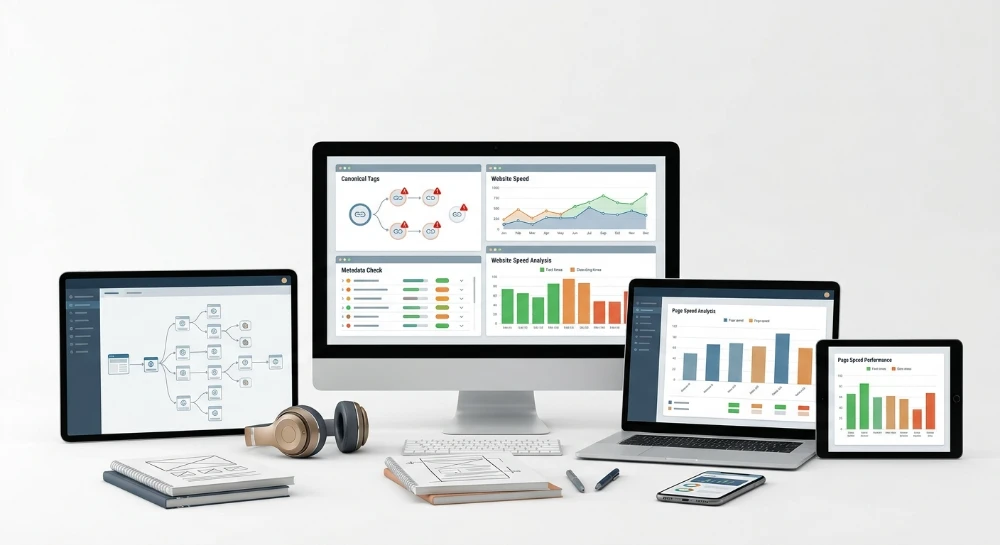
Optimizing an ecommerce platform using specialized tools for SEO starts with a structural mismatch that most store owners discover too late: the software built for blogs and service sites breaks down against catalogs with 5,000, 50,000, or 500,000 SKUs. A blog audit tool checks a few hundred URLs and flags thin content on a handful of pages. An ecommerce catalog generates thousands of near-identical PDP templates, faceted navigation URLs with dozens of parameter combinations, and seasonal SKU churn that can retire or relaunch thousands of product pages in a single quarter. Crawlers designed for content sites either time out on this scale or return so much noise that the report becomes unusable.
The core decision facing ecommerce site owners and SEO specialists is not which single platform to buy. It is which combination of tool categories actually maps to catalog size, template complexity, and crawl behavior. A 2,000-SKU Shopify store on a shared theme has different technical exposure than a 200,000-SKU Magento catalog running faceted search across twelve attribute filters. One needs a plugin inside the admin panel. The other needs a dedicated crawler capable of parsing JavaScript-rendered category pages and mapping redirect chains across a million-URL sitemap.
Distinct tool categories exist because they solve distinct technical problems. All-in-one platforms bundle keyword research, rank tracking, and backlink data into one dashboard, useful for teams that want a single login rather than five. CMS-native plugins handle meta tags and sitemaps directly inside WooCommerce or Shopify admin panels, sufficient until catalog size outpaces what a plugin can crawl. Technical crawlers exist specifically to catch crawl traps, orphaned SKUs, and duplicate PDP content at scale, before any content or link-building spend gets committed. Keyword and rank tracking tools built for bulk operation solve the cannibalization risk created by dozens of near-duplicate product variants competing for the same query. Content optimization tools address templated copy that fails duplicate-content checks page after page. Backlink monitoring tools, including usage-based platforms like SeLinkPro, track whether vendor-placed links stay live and unaltered over time. AI search visibility tools measure a newer variable entirely: whether products get cited inside AI-generated answers, independent of classic organic rankings.
No single tool covers all eight categories with equal depth. The evaluation that follows treats each category on its own technical merits, then aligns tool choice with three concrete variables: catalog size, technical complexity of the platform, and whether a subscription or usage-based pricing model fits the actual audit and monitoring volume a given store generates.
Why large product catalogs require a different SEO tooling approach
A content site with five hundred blog posts and an ecommerce catalog with five hundred thousand SKUs are not the same crawl problem. They just look similar on a sitemap. Generic SEO software was built around the first case: a manageable URL count, stable content, infrequent structural change. Ecommerce breaks every one of those assumptions at once.
Catalog scale is the first fracture point. A mid-size retailer with 50,000 products, three size variants, and four color options per SKU can generate well over a million indexable URLs once faceted navigation and pagination are counted. Search engines do not crawl every URL on a domain with equal frequency. They allocate a crawl budget, and that budget gets consumed by whatever the crawler encounters first, regardless of whether that URL sells anything.
Crawl traps are where budget gets wasted fastest. Faceted navigation, meant to help shoppers filter by size, color, price, or brand, produces near-infinite parameter combinations: ?color=red&size=m&sort=price_asc and its thousands of siblings. Each combination is technically a unique URL. None of them deserve independent indexing. A crawler without catalog-aware logic will happily follow every filter combination it finds, burning crawl budget on pages that add zero unique value while orphaned product pages, ones with no internal links pointing to them, sit undiscovered in the same crawl session.
Duplicate content compounds the problem structurally, not accidentally. A shirt available in seven colors and five sizes often ends up as 35 separate PDP URLs sharing near-identical copy, differing only in a swatch image and a size chart. Templated PLP and PDP pages make this worse: when the underlying template supplies 90 percent of the page and only a short paragraph changes per SKU, standard duplicate-content checks built for editorial content flag pages that a human would call distinct products and a crawler sees as copies of each other.
SKU churn adds a time dimension that content sites rarely deal with. Seasonal inventory, discontinued variants, and supplier-driven stock changes mean the catalog is not static; it is constantly generating new orphaned pages, expiring old ones into 404 or redirect chains, and shifting internal link paths, sometimes weekly, sometimes daily on high-turnover categories.
Structured data is not optional at catalog scale
Product schema, Merchant Listing schema, and review schema are not cosmetic additions on ecommerce pages. They are the mechanism search engines use to parse price, availability, and rating data directly out of templated HTML across thousands of near-identical pages. A validation gap in one template field does not produce one broken page; it produces the same broken field across every SKU built on that template. That is a different failure mode than a single missing meta tag on a blog post, and it requires validation logic built to check schema at template level, not page by page.
Core web vitals multiply across the template
The same logic applies to page experience metrics. LCP, INP, CLS, and TTFB are measured per page, but on an ecommerce site built from a handful of PDP and PLP templates, a render-blocking script or an unoptimized hero image in the template layer does not degrade one URL. It degrades every product page built from that template, simultaneously, across the entire catalog. A slow TTFB caused by a bloated product template can suppress crawl efficiency and user experience scores across tens of thousands of pages at once, which is precisely the kind of systemic risk that generic, single-page-focused audit tools were never designed to surface at scale.
What this means for tool selection
These structural characteristics, scale, crawl traps, duplication by design, template-level risk, and constant SKU churn, define the criteria that matter when evaluating any SEO tool against an ecommerce catalog. The categories reviewed in the rest of this guide get measured against the same five points:
- Crawl capacity sufficient to process large URL sets without truncating the audit before it reaches deep catalog levels or paginated category pages.
- Catalog-aware duplicate and thin-content detection that distinguishes legitimate product variants from templated filler, rather than flagging every color variant as a duplicate.
- Schema validation built for product, Merchant Listing, and review markup, checked at template level so one fix propagates across every page sharing that template.
- CMS or PIM integration that reflects real-time inventory and SKU changes, instead of auditing against a catalog snapshot that is already stale by the time the report is read.
- Reporting granularity fine enough to segment findings by product line or category, since a catalog-wide average score hides which specific segment is actually losing crawl budget or rankings.
A tool that performs well against small, static sites can still fail all five criteria the moment it faces a six-figure URL count with active inventory turnover. That mismatch is the reason the tool categories that follow need to be evaluated separately rather than assumed interchangeable.
All-in-One SEO platforms for managing ecommerce visibility at scale
An all-in-one platform puts keyword research, rank tracking, site audit, and backlink analysis inside one dashboard, under one login, billed as one line item. For an ecommerce team running a catalog of any real size, that consolidation cuts vendor management overhead: one export format, one set of API credentials, one data model to reconcile against Google Search Console instead of three or four. The category includes Semrush (and its Semrush One bundle), Ahrefs, Moz Pro, SE Ranking, seoClarity, BrightEdge, Conductor, Sistrix, SearchMetrics, Serpstat, Authoritas, Advanced Web Ranking, Raven Tools, WebCEO, SEO PowerSuite, Morningscore, and Mangools. Not every platform on that list targets the same buyer, and the split matters more for a product catalog than it does for a blog or a brochure site.
Enterprise-Oriented platforms built for Cross-Team reporting
seoClarity, BrightEdge, and Conductor sit at the enterprise end of the category. These platforms are built around API access as a first-class feature rather than an add-on, which matters once an organization needs to pull rank and visibility data into an internal business intelligence stack instead of reading it off a vendor dashboard. Cross-team reporting is the other defining trait: content, engineering, and paid media teams inside a large retailer often need the same underlying crawl and keyword data sliced into different views, and this tier of platform is positioned to serve all of them from one data source rather than forcing each department to run its own point tool.
That positioning has a direct consequence for catalog work. A retailer running several hundred thousand SKUs across multiple regional storefronts typically has separate stakeholders for merchandising, technical SEO, and brand reporting, and reconciling three disconnected tools across those groups becomes its own project. Platforms in this tier are built with that reconciliation problem already in mind.
Mid-Market platforms for Small-to-Mid catalog stores
Semrush, Ahrefs, Moz Pro, SE Ranking, Serpstat, and Mangools occupy the mid-market tier. These are the platforms a small-to-mid catalog store is more likely to license first, since the module bundle covers keyword research, rank tracking, a general site audit crawler, and backlink analysis without requiring a separate enterprise sales process. Semrush One extends the standard Semrush bundle further into a broader marketing toolkit rather than a narrower SEO-only product. Sistrix, SearchMetrics, Authoritas, Advanced Web Ranking, Raven Tools, WebCEO, SEO PowerSuite, and Morningscore fill adjacent slots in the same mid-market bracket, each combining the same core module set at a scope generally aimed at agencies or single-storefront retailers rather than multi-brand enterprise accounts.
The module bundle looks similar across the tier on paper. Where the platforms start to diverge is in how well the site audit module holds up once it is pointed at a catalog rather than a content site.
| Tier | Representative platforms | Primary organizational fit |
|---|---|---|
| Enterprise | seoClarity, BrightEdge, Conductor | Large organizations needing API-driven data pipelines and cross-team reporting across multiple departments |
| Mid-market | Semrush, Ahrefs, Moz Pro, SE Ranking, Serpstat, Mangools | Small-to-mid catalog stores licensing a single bundled subscription for core SEO functions |
| Mid-market adjacent | Sistrix, SearchMetrics, Authoritas, Advanced Web Ranking, Raven Tools, WebCEO, SEO PowerSuite, Morningscore | Agencies and single-storefront retailers using a comparable bundled module set |
Where the bundled site audit module runs into the catalog problem
Measured against the five criteria that define ecommerce-ready tooling, all-in-one platforms score unevenly. Their audit modules were built to serve every website type licensing the platform, from a five-page local business site to a marketplace catalog, and that generality shows up in three places specifically.
- Crawl capacity: the bundled site audit crawler inside a general-purpose platform is designed to cover the average subscriber's site, not to guarantee full depth on a catalog with paginated category pages running dozens of levels deep.
- Catalog-aware duplicate detection: a general audit module flags similarity between pages without necessarily distinguishing a color variant with a legitimate independent URL from templated filler text that repeats across thousands of PDPs.
- Product-specific schema validation: standard structured data checks in a bundled audit module tend to confirm that markup is present and syntactically valid, which is a different check from confirming that Product, Merchant Listing, and review schema are populated correctly at template scale.
Backlink analysis and rank tracking modules generalize better across site types than the audit module does, since a backlink profile or a tracked keyword list behaves the same whether the site is a blog or a storefront. Site auditing is the module most exposed to catalog-specific complications, which is why large retailers running one of these platforms frequently pair it with a dedicated crawler once the URL count and SKU churn outgrow what the bundled audit was built to handle.
CMS-Native and Plugin-Based SEO tools for Shopify, WooCommerce, Magento, and other platforms
Before licensing an external platform or a dedicated crawler, most ecommerce stores already have SEO controls sitting inside the admin panel they use every day. Shopify, WooCommerce, Magento, BigCommerce, PrestaShop, OpenCart, Weebly, X-Cart, Shift4Shop, Volusion, Ecwid, CS-Cart, and AmeriCommerce all ship with some level of native or plugin-based control over title tags, meta descriptions, XML sitemaps, canonical tags, and structured data. None of this requires a separate SEO suite to operate. The store owner edits a field in the product or category screen, the platform writes the corresponding tag into the page template, and the change goes live without a crawl, an export, or a third-party dashboard in between.
Shopify handles this through its app ecosystem rather than a single built-in module. SEO apps installed from the Shopify App Store typically expose title tag and meta description fields per product and collection, generate and submit XML sitemaps, and inject basic Product schema into the storefront theme. Some apps also flag missing alt text on product images or broken links within the catalog, but the scope is bounded by what the app was built to check inside a single Shopify store, not across an external index of the web.
WooCommerce sits on top of WordPress, so its SEO layer comes from WordPress plugins rather than a WooCommerce-specific tool. Yoast SEO, Rank Math SEO, and All In One SEO each add a metabox to the product edit screen for title tag, meta description, and focus keyword input, plus automated XML sitemap generation and canonical tag output. Rank Math and AIOSEO both extend into WooCommerce-specific schema markup for Product and review data, and Yoast SEO offers a WooCommerce add-on that covers the same ground: breadcrumb output, Product schema, and social preview snippets pulled directly from the product data already stored in WordPress.
Magento and Adobe Commerce approach this at the platform layer instead of through a plugin marketplace. Native admin controls cover URL rewrites, meta tag templates that can be applied across product attribute sets, and layered navigation settings that affect how faceted category filters generate crawlable URLs. Adobe Commerce Optimizer extends this with catalog-level tools aimed at improving how product data feeds into search and merchandising logic, which matters for stores running attribute-heavy catalogs where meta tags need to inherit from a template rather than be entered product by product.
BigCommerce, PrestaShop, and OpenCart follow a comparable pattern to Magento, with native fields for meta titles, meta descriptions, and URL structure sitting inside the storefront settings, along with automatic sitemap generation. Weebly, X-Cart, Shift4Shop, Volusion, Ecwid, CS-Cart, and AmeriCommerce each provide their own version of the same baseline: admin-level fields for page titles and descriptions, sitemap submission, and canonical tag handling, scoped to the pages and products that exist inside that platform's own database.
The common thread across every platform on this list is architectural, not cosmetic. Each tool writes directly into the page the merchant is already editing, using the data already stored in the product or category record. There is no separate crawl step, no external database sync, and no dashboard outside the admin panel itself. That is precisely why this category works well at small scale and starts to strain at large scale.
A few structural limits show up consistently once a catalog grows past a few thousand product URLs.
- Bulk visibility: native tools generally show one product or one category at a time; there is no built-in way to view meta tag completeness or duplicate title tags across ten thousand SKUs in a single report.
- Cross-catalog auditing: platform-native SEO fields do not crawl the live site the way an external crawler does, so they cannot detect issues that only appear in the rendered output, such as a canonical tag that gets overwritten by a theme template.
- Faceted navigation and parameter URLs: admin-level settings can restrict which filter combinations generate indexable pages, but they are not built to audit the resulting URL count once faceted filters multiply category pages into the thousands.
- Schema validation at scale: a plugin or app can insert Product schema into every page template, but confirming that the schema is populated correctly across every attribute variation still requires checking pages individually or exporting data for review outside the admin panel.
None of this makes the category obsolete for its intended use case. A five-page local storefront or a catalog running a few hundred SKUs rarely needs more than what Yoast SEO, Rank Math, an AIOSEO install, or a Shopify SEO app can deliver, and the lower cost relative to a licensed platform makes this the natural entry point for smaller budgets. The friction starts precisely at the point where SKU count, category depth, and parameter-driven URLs outgrow what a single admin panel was designed to check in one pass. That gap is exactly where dedicated crawling and site audit tools take over, since they are built to traverse and report on catalog-scale URL sets rather than manage tags one page at a time.
Technical SEO crawlers and site audit tools for large product catalogs
Dedicated crawlers exist to answer one question that no admin panel can answer on its own: what does the catalog actually look like once a bot hits it at scale? Screaming Frog SEO Spider, Sitebulb, Netpeak Spider, Oncrawl, Deepcrawl, and Botify are built around that single job. They send a crawler through every internal link, parameter combination, and redirect the same way Googlebot does, then hand back a structured map of what got found, what got skipped, and what is quietly wasting crawl budget.
Crawl budget is not an abstract concept once a catalog passes a few thousand SKUs. Search engines allocate a finite number of requests per crawl session, and every low-value URL that gets fetched is one fewer request spent on a page that could actually rank. Faceted navigation is the usual offender here. A filter combination of size, color, price range, and brand can generate thousands of parameter URLs from a category that only has a few hundred real products behind it. Screaming Frog, Sitebulb, and Netpeak Spider will list every one of those generated URLs during a crawl, which lets a specialist see the multiplication happening before it turns into a full-blown crawl trap.
Orphan pages sit on the opposite end of the same problem. A product can be technically live, fully indexable, and still invisible to a crawler if no internal link points to it. Sitebulb in particular is used to cross-reference crawled URLs against XML sitemap entries, surfacing products that exist in the feed but never get linked from a category or collection page. Oncrawl and Botify extend this further by working at a scale where an internal-linking gap across tens of thousands of PDPs would be impossible to catch through manual spot-checks.
The rest of the diagnostic checklist covered by this tool category maps directly onto issues that generic platform settings cannot audit in bulk:
- Duplicate content detection across color and size variants that share near-identical templates.
- Redirect chain mapping, including multi-hop 301 sequences left behind after catalog migrations or SKU renumbering.
- Broken redirect and 404 detection at the scale of a full product feed rather than a handful of manually tested URLs.
- Canonical tag validation, confirming that the tag rendered in the live HTML matches what the platform's admin field claims it set.
- Robots.txt and XML sitemap auditing, checking for accidental disallow rules or sitemap entries pointing to noindexed or removed pages.
- JavaScript rendering and crawling, since many storefronts load price, stock status, or even core product copy client-side, and a crawler that does not render JavaScript will misreport what is actually indexable.
Log file analysis is the piece that separates this category from a standard site audit. A crawl report shows what a tool found when it looked. A log file shows what Googlebot and Bingbot actually requested, how often, and which sections of the catalog they ignored. Oncrawl and Botify are built around this kind of log analysis, correlating crawl frequency against page groups so a specialist can see, for example, that a bot is repeatedly hitting filtered URLs while barely touching new product pages. That comparison is the clearest evidence available that crawl budget is being spent in the wrong place.
Site speed and rendering performance round out the technical picture. Core Web Vitals, meaning LCP, INP, and CLS, along with TTFB, are measured through Google PageSpeed Insights and its underlying Lighthouse engine, with GTmetrix used as a supplementary testing tool. On a catalog where thousands of PDPs share the same template, a single render-blocking script or an oversized hero image can depress Core Web Vitals scores across the entire product line at once, not just on one page.
Structured data validation closes the loop between the technical crawl and how listings appear in search results. Product schema, FAQ schema, review schema, and breadcrumb schema all need to be checked for correct markup, and Google's Rich Results Test remains the standard way to confirm that a given URL's structured data is eligible for rich result treatment. Google Search Console and Bing Webmaster Tools then provide the ongoing monitoring layer, flagging indexing errors, manual actions, and structured data warnings after the initial audit is complete, so issues caught during a crawl do not resurface unnoticed weeks later.
None of this work is content work or link work. It is the diagnostic pass that has to happen first. Publishing new category copy or building links into a section of the catalog that is choking on redirect chains, duplicate templates, or a crawl trap in the faceted navigation wastes the effort behind both. The crawl and audit layer exists to confirm the catalog is structurally sound before anyone spends budget trying to rank it.
Keyword research and rank tracking tools for High-SKU product catalogs
A single-keyword lookup tool breaks down fast once a catalog runs into the thousands. A store selling running shoes in twelve colorways and five widths does not need one keyword idea per shoe model; it needs a systematic way to generate, cluster, and prioritize hundreds of variant-level queries without a human typing each one into a search box. That is the dividing line between generic keyword tools and the ones built for catalog-scale discovery.
Finding Long-Tail terms at the variant level
Moz's Keyword Explorer and Semrush's Keyword Magic Tool both work from a seed term and expand it into large keyword lists grouped by topic, which matters when the seed is a product category rather than a single item. Feed in "men's trail running shoes" and the output should surface modifiers tied to size, color, material, and use case, the exact long-tail combinations that map to individual PDPs instead of the category page. KWFinder and KeywordTool.io serve a similar function with an emphasis on lower-competition, longer-tail suggestions, which tend to be the terms with realistic ranking odds for a mid-authority product page competing against marketplace listings.
Keywords Everywhere adds a lighter-weight, browser-based layer, surfacing search volume and related terms directly inside the search results a researcher is already looking at, which speeds up manual spot-checks on individual SKUs without switching tools. Google Keyword Planner and Google Trends remain useful for volume validation and seasonality, since a variant keyword that looks promising in a third-party tool still needs a sanity check against Google's own volume data and against trend direction before budget goes into optimizing a page around it. Exploding Topics fills a different gap: spotting emerging product categories or materials before competitor volume catches up, which is more relevant to merchandising and new-category planning than to day-to-day PDP optimization.
Clustering and the cannibalization problem
Catalogs with near-duplicate PDPs, same product, different color or pack size, are exposed to keyword cannibalization risk in a way single-product sites are not. Two variant pages can end up competing for the same query, splitting ranking signals instead of consolidating them. Keyword clustering, grouping the long-tail output from Keyword Magic Tool, KWFinder, or KeywordTool.io by shared intent and shared head term, is how that risk gets identified before it shows up as two pages both stuck on page two of the SERP. A cluster map should flag which variant pages are competing for identical or near-identical terms, so a team can decide which page is the canonical target and which gets a supporting internal link instead of its own optimization push.
Search intent classification sits on top of the clustering work. Splitting keywords into TOFU, MOFU, and BOFU buckets, top-of-funnel informational terms, mid-funnel comparison and research terms, bottom-of-funnel buyer-intent terms like "buy" or "price", determines what kind of page should target each cluster. Comparison keywords such as "brand A vs brand B" or "best [category] for [use case]" carry strong buyer intent but usually need a comparison or guide page rather than a single PDP, since forcing that intent onto a product page tends to produce thin, unconvincing copy. AnswerThePublic and the AlsoAsked interface both pull People Also Asked-style question data, which is the raw material for informational commerce content sitting above the PDP layer, buying guides, sizing guides, material comparisons, that capture TOFU and MOFU searches without diluting the product page itself.
- Head term and category-level keywords typically map to PLP or category pages.
- Long-tail, variant-specific keywords map to individual PDPs.
- Comparison and "best of" keywords map to dedicated guide or comparison content rather than a single product page.
- Question-based, informational keywords from AnswerThePublic or AlsoAsked map to supporting blog or guide content that links back into the relevant PLP cluster.
Rank tracking once the keyword set reaches the thousands
Tracking rank position for a few dozen head terms is a manageable manual task. Tracking rank position for the thousands of long-tail, variant-level terms a full catalog generates is not, which is the reason a distinct category of bulk rank trackers exists: AccuRanker, Nightwatch, STAT Search Analytics, SERPROBOT, and SERPWatcher paired with SERPChecker. These tools are built around bulk import of keyword lists and scheduled tracking runs across large term sets, rather than one-off position checks.
Pixel-level rank tracking is one of the differentiators in this category, measuring where a listing sits not just by ordinal position but by actual pixel depth on the rendered page, which matters because SERP features, shopping carousels, image packs, AI Overviews, push organic listings down the page even when the ordinal rank stays the same. Share-of-voice and visibility index reporting aggregate performance across an entire tracked keyword set into a single trend line, which is far more useful for a catalog with thousands of tracked terms than scanning individual rank changes term by term. SERP feature monitoring tracks which queries trigger shopping results, featured snippets, or People Also Asked boxes, information that feeds directly back into the intent classification work described above. For multi-location retailers, Google Business Profile tracking adds local rank visibility on top of organic tracking, which matters for stores with physical showrooms or regional fulfillment centers competing in local pack results alongside national organic rankings.
| Tool | Primary strength for large keyword sets |
|---|---|
| AccuRanker | Bulk keyword tracking with share-of-voice reporting |
| Nightwatch | Scheduled tracking across large tracked term lists |
| STAT Search Analytics | SERP feature monitoring at scale |
| SERPROBOT | Bulk rank checking for large keyword volumes |
| SERPWatcher / SERPChecker | Visibility index tracking paired with keyword-level SERP checks |
The common thread across every tool named in this section is bulk operation. A keyword tool that only handles single-term lookups cannot build the variant-level clusters a catalog needs, and a rank tracker that only checks a handful of terms cannot surface a visibility index trend across thousands of SKUs. Matching keyword research and rank tracking tools to catalog scale is what turns cannibalization risk and funnel-stage targeting from a guessing game into a measurable, repeatable process.
Content optimization tools for product and category page copy at scale
Thin-content flags surfaced during a technical crawl do not fix themselves. Once Screaming Frog or Sitebulb has flagged a batch of near-duplicate PDP templates, someone still has to decide what unique copy actually needs to go on each page, and in what structure. That is the job of content optimization tools: Surfer SEO, Clearscope, and MarketMuse. They do not crawl for broken links or redirect chains. They analyze what top-ranking pages say, how they say it, and how deep the coverage goes, then hand back a content score and a template a writer or a PIM export process can follow across thousands of SKUs.
Surfer SEO builds content briefs and SEO content templates by pulling structural and lexical patterns from pages currently ranking for a target term: word count ranges, heading counts, term frequency for related phrases, and a content score that updates as a draft is edited. For a category page selling hiking boots, that means a brief specifying which supporting terms (waterproofing, ankle support, lug pattern) should appear, and how many H2s the page is missing relative to competing listings. Clearscope works on a similar grading logic, scoring drafts against a target keyword and returning a letter-grade-style content score along with a list of terms pulled from top results, which is useful for briefing freelance writers who need a checklist rather than a raw data dump. MarketMuse extends the same scoring approach into topical authority mapping, evaluating a site's existing content inventory to flag topic gaps and cluster opportunities before a single brief is written.
None of these tools writes unique product copy automatically. What they do is quantify the gap between a thin template and what a ranking competitor page contains, then convert that gap into an actionable brief. That distinction matters for teams trying to avoid the trap of running templated PDP copy through a content grader and expecting a passing score without adding genuinely new information.
Applying content scoring to PDP and PLP templates
Product detail pages built off a shared template inherit the same weakness everywhere: identical boilerplate description, a swapped-out color or size attribute, and little else. A content score run against that template will read as thin no matter how many keywords are stuffed into the first paragraph, because the underlying grading logic rewards depth and term coverage relative to ranking pages, not keyword density. Category pages have a related but distinct problem: they often carry zero body copy at all, just a grid of products, which gives a content optimization tool nothing to score.
Fixing this at scale usually means separating the two page types and treating them differently:
- PDP templates get a content brief built around the attributes that actually differentiate one SKU from a near-duplicate variant, so the unique portion of the copy addresses material, fit, use case, or compatibility rather than restating the shared template text.
- PLP and category pages get buyer-journey content, typically an intro block and an FAQ or comparison section, briefed through the same tools to target TOFU and MOFU terms that would otherwise have no page to rank for.
- Title tags, meta descriptions, and H1 structures are checked against the brief's recommended terms so the on-page signals are not misaligned with the actual body copy underneath them.
Running a content score check on title tags and H1s matters more on catalog sites than on typical content sites, because a templated title-tag pattern applied across 10,000 SKUs either reinforces relevance signal consistently or repeats the same weak pattern 10,000 times. A brief that recommends a specific H1 structure for a PDP template propagates that fix across every product using the template, which is a far more efficient path than rewriting each page's heading individually.
Internal linking and topic cluster mapping for category architecture
Category pages function as the hub in a topic cluster model: a buyer researching "waterproof hiking boots" moves from an informational query to a comparison query to a transactional one, and the site architecture needs pages mapped to each stage with links connecting them. MarketMuse's topical authority analysis is built specifically to identify where those cluster gaps exist, flagging subtopics a site has not covered and suggesting where internal links between a buying guide, a comparison page, and the category page itself would reinforce topical relevance. Surfer SEO's briefs also surface internal linking suggestions tied to the target keyword being optimized, which helps connect a new buyer-journey page back into the existing catalog structure rather than leaving it orphaned.
The practical output for a large catalog is a repeatable pattern: category page acts as the cluster hub, supporting content (buying guides, comparison articles, size guides) links into it, and PDPs link back up into the category and across to comparable products. Content optimization tools do not build that link graph automatically, but the brief and cluster-gap output gives an SEO specialist the map needed to place links deliberately instead of relying on default "related products" widgets to carry all the internal linking weight.
| Tool | Primary use for catalog content |
|---|---|
| Surfer SEO | Content briefs and content score grading tied to term frequency and structure |
| Clearscope | Content grading against ranking pages with a term checklist for writers |
| MarketMuse | Topical authority mapping and topic cluster gap analysis across the site |
The value of this category is speed, not automation of judgment. A content brief tells a writer or a template designer exactly what depth and structure a ranking page requires; it does not decide whether the underlying product actually merits a unique paragraph or a shared one. Used correctly, these tools let a store raise dozens of templates past a thin-content threshold without manually rewriting every one of the thousands of pages built from them.
SeLinkPro: A Pay-As-You-Go alternative for backlink monitoring, technical audits, and internal link architecture
Every all-in-one platform covered so far bills the same way: a flat monthly fee, regardless of whether a store crawls 500 pages or 50,000 that month. SeLinkPro breaks from that model entirely. There is no subscription tier to pick, no annual contract, no seat license. A store deposits a minimum of $5.00 and spends against that balance per unit of work performed - per page crawled, per domain checked, per URL indexed, per SERP query pulled. For a catalog that runs audits in bursts (a big push before a seasonal sale, then silence for two months) or a store actively managing a rotating set of link-building vendors, that billing shape matters more than any single feature.
The pricing breaks down by module, and each rate maps to a specific unit of work rather than a bundled quota.
| Module | Unit priced | Rate |
|---|---|---|
| Technical SEO Audit | Per page crawled | $0.005 |
| Bulk Domain Metrics | Per domain check | $0.04 |
| Bulk Indexation Check | Per URL | $0.004 |
| Competitor Analysis | Per SERP query + per page parse + per domain metrics check | $0.004 + $0.01 + $0.08 |
| Semantic Relevance Tracker | Per content parse | $0.04 |
A store with 8,000 SKUs and a matching number of thin, template-driven PLPs can run a full crawl of the catalog for roughly $40 at the $0.005 per-page audit rate, spend nothing on the modules it does not need that cycle, and top up the balance only when the next crawl is due. Compare that to a fixed subscription that charges the same amount whether the crawl ran once or ten times. For catalogs with irregular audit cadence, the usage-based structure is the more predictable cost, not the riskier one.
Technical SEO audit: Catching indexing blockers before they compound across templates
The audit module runs a crawling and rendering pass built to surface the exact failure classes that hit large product catalogs hardest. It flags server 5xx errors, broken 4xx internal and external links, and redirect chains that quietly burn crawl budget across thousands of near-identical PDP URLs. It validates robots.txt directives, XML sitemap integrity, SSL configuration, canonical tags, and noindex placement - the kind of directive-level mistakes that, on a template shared by ten thousand pages, turn into a site-wide problem rather than a one-page typo.
Heading structure gets checked too. H1 through H6 hierarchy validation catches missing H1s, duplicate H1s, headings that match the title tag verbatim, and skipped heading levels, all common outcomes of a PDP template built once and reused without review. On the performance side, the audit flags TTFB delays and render-blocking JavaScript, both of which erode Core Web Vitals scores across every page built from the same slow template.
Two detections matter specifically for catalog duplication risk:
- Near-duplicate content detection via text embeddings, which flags PDPs and PLPs that differ only in a swapped size or color variant but carry no meaningfully unique copy
- Thin and orphan page detection, which isolates pages with too little content to rank and pages that have fallen outside the crawlable link structure entirely
Schema, Open Graph, and hreflang validation round out the module, confirming that product markup, social preview tags, and language/region targeting are actually present and correctly formed rather than assumed to be working. Results export as prioritized HTML and PDF reports, letting a specialist triage critical issues first instead of scrolling a flat list of every flaw the crawl found.
Internal PageRank analyzer: Seeing where link equity actually goes
Section 7 covered how content briefs identify where internal links should be placed. The Internal PageRank analyzer answers a different question: where does link equity currently flow, and what happens if that link graph changes. It crawls the site to build an adjacency matrix, then runs an iterative algorithm with a 0.85 damping factor to assign each URL a relative PageRank score on a 0-100 scale. That score gives category pages, PDPs, and orphaned SKUs a comparable, numeric read on internal authority rather than a guess based on click position.
A Breadth-First Search pass maps click-depth, showing exactly how many clicks separate any product page from the homepage. On a catalog with deep pagination or heavy faceted navigation, this is often where a store discovers that its best-margin products sit six or seven clicks deep, buried under filter combinations that a crawler barely bothers to follow.
The before/after simulation is the part that turns diagnosis into a decision. Before adding a new internal link block to a category or buying guide page, the specialist can simulate how PageRank would redistribute across the linked product and category pages - checking whether the new links actually lift the target pages or simply dilute equity that was already flowing correctly. Results export to CSV or HTML for review outside the platform.
Automated backlink monitor: Policing vendor placements after the invoice is paid
Stores running active link-building campaigns face a recurring problem: a vendor delivers a placement, it looks correct on delivery day, and it degrades silently over the following weeks. The automated backlink monitor addresses that gap by continuously polling vendor-placed pages rather than checking once at delivery.
It watches for a specific set of degradation patterns:
- Injection of nofollow, sponsored, or ugc attributes added after the link went live
- Anchor text altered from what was originally agreed with the vendor
- Sudden spikes in outbound links on the donor page, a common sign the page has turned into a link farm
- Stealth noindex tags, robots.txt exclusions, or hidden canonical redirects that quietly remove the page from indexing
- Semantic decay around the anchor, where the surrounding text drifts away from the original topical context
Every check gets written into an audit ledger with historical snapshots of the donor page, giving a store dated, verifiable evidence to bring into a vendor dispute rather than a screenshot taken after the fact with no history behind it.
Two supporting modules feed that vendor-vetting workflow at both ends of the relationship. Bulk domain metrics with PBN checking lets a store screen a vendor's domain before paying for a placement, and the bulk Google and Yandex indexation checker confirms after placement whether the delivered URL is actually indexed rather than sitting unseen. For a catalog running dozens of concurrent vendor placements, checking each one manually does not scale; running the check in bulk, priced per domain or per URL, does.
The contrast with subscription-based backlink database platforms is structural, not just financial. A flat-fee backlink tool bills the same fee whether a store checks ten vendor placements that month or two hundred. A usage-based audit ledger, billed per domain check and per URL, scales cost directly with the volume of vendor relationships actually being managed - which is closer to how link-building spend itself behaves for a store running an active, variable-volume vendor pipeline.
AI search visibility and generative engine optimization tools for product discovery
A shopper typing "best waterproof hiking boots under $150" into Google no longer just sees ten blue links. Increasingly, that query returns an AI Overview synthesizing a short list of specific products, brands, and price points before any traditional listing loads below the fold. If a store's SKU is not among the products cited in that generated summary, the store loses the click regardless of where its category page ranks in the standard organic results. That gap is the reason AI search visibility tools exist as a category distinct from conventional rank tracking.
Rank trackers answer one question: where does a URL sit in the SERP for a given keyword. AI visibility tools answer a different question: does a large language model mention the brand, the product, or the store at all when generating a comparison, a recommendation, or a direct answer. A product can hold position one organically and still be absent from the AI Overview shown above it, or from an answer generated by ChatGPT when a user asks for a purchase recommendation. Those are two separate visibility surfaces now, and a catalog that only tracks the first one is measuring half the picture.
What this category actually monitors
Google AI Overviews monitoring tracks whether and how often a store's product pages get pulled into the generated summary blocks that now appear above standard results for many commercial and comparison queries. AI visibility index tracking extends that idea into a measurable score, aggregating citation frequency across a set of tracked prompts rather than a single spot-check. AI Share of Voice tracking, such as the Brand Radar feature inside Ahrefs, reports how often a brand's name or product gets referenced by AI systems relative to competing brands answering the same category of question - a share-of-voice concept borrowed directly from traditional visibility-index reporting, but applied to generated answers instead of ranked snippets.
Prompt tracking and LLM citation frequency monitoring push this further by running a fixed set of representative buyer queries against multiple AI systems on a recurring basis - ChatGPT, Perplexity, Gemini, Claude, and Grok - and logging which brands or product listings each one surfaces. A single product query rarely gets the same answer from every model. A store might be cited consistently by Perplexity, which tends to lean on live web sources, while remaining invisible in Gemini's response to the identical prompt. Tracking across all five is the only way to know where the visibility gap actually sits.
GEO and AEO as distinct optimization practices
Generative Engine Optimization and Answer Engine Optimization describe the practices built around what these monitoring tools measure. Neither is a replacement for standard technical or content SEO; both are additive disciplines aimed at making product and comparison content easier for a language model to extract, summarize, and cite correctly. GEO practices generally focus on structuring comparison content, specification tables, and clear factual statements about a product in a form that survives being paraphrased or summarized by a generative system. AEO practices lean toward answer-formatted content - direct, self-contained responses to a specific buyer question - since that format matches how AI systems tend to construct their generated replies.
For a product catalog, that means the difference between a PDP that only lists specs in a scattered layout and one that states a clear, extractable fact such as material composition, weight, or compatible use case in plain sentence form. It does not mean writing content differently for humans versus machines. It means writing product facts unambiguously enough that a summarization system extracts them correctly instead of omitting the product or misattributing a spec to a competitor.
Why this matters specifically for ecommerce
Comparison and recommendation queries are exactly the query type most likely to trigger an AI-generated answer, and they are also the query type most directly tied to purchase intent. A generated response that names three products and skips a fourth is not a ranking demotion in the traditional sense - the omitted product's category page may not have moved in the SERP at all. It is a citation failure, invisible to a rank tracker, visible only to a tool built to query the AI system directly and log the result.
Three practical risks follow from that:
- A brand can be misrepresented or omitted in an AI Overview even while its organic rankings remain stable, with no alert from standard rank-tracking software
- Citation behavior varies by model, so a product visible in one AI system's answers may be entirely absent from another, requiring monitoring across ChatGPT, Perplexity, Gemini, Claude, and Grok rather than a single check
- Because this is a newer, less standardized measurement category, visibility index scores and share-of-voice figures from different tools are not always built on identical methodology, so comparing a score from one platform against a score from another is not a reliable like-for-like comparison
None of this replaces the technical audit, schema validation, or keyword and rank tracking layers covered earlier. It sits on top of them as a newer, separate signal - one that measures whether the catalog's products get named inside a generated answer, not just whether the underlying page is crawlable, schema-valid, or well-ranked.
Matching SEO tool budgets and reporting workflows to ecommerce business goals
A tool stack is only justified if its cost tracks the work it actually performs. Subscription pricing, the model behind most all-in-one platforms discussed earlier, charges a flat monthly fee regardless of whether a catalog runs 5,000 crawled pages or 500,000 in a given cycle. That works fine when audit and monitoring volume stays flat month over month. It becomes wasteful the moment volume swings - a seasonal SKU expansion, a one-off migration audit, a sudden spike in vendor link placements to check. Paying the same subscription fee in a slow month and a heavy month means the flat fee is either overpriced or underpowered depending on which side of the swing the store lands on.
Usage-based pricing inverts that logic. Cost scales directly with volume processed, not with calendar time. SeLinkPro is structured this way: a Technical SEO Audit runs $0.005 per page crawled, Bulk Domain Metrics $0.04 per domain check, Bulk Indexation Check $0.004 per URL, Competitor Analysis $0.004 per SERP query plus $0.01 per page parse plus $0.08 per domain metrics check, and the Semantic Relevance Tracker $0.04 per parse - funded from a minimum deposit of $5.00 with no monthly subscription attached. For a store auditing 50,000 product pages once a quarter but doing near nothing in the intervening months, this model avoids paying for three idle months of subscription access. For a store crawling constantly at high volume, a flat subscription may still win on raw cost. The decision hinges on one question: is audit and monitoring demand steady or lumpy? Steady, predictable, high-frequency usage tends to favor subscription economics. Irregular, campaign-driven, or seasonally spiking usage tends to favor pay-as-you-go, because the bill shrinks in the quiet months instead of staying fixed.
Budget models cannot be evaluated in isolation from catalog complexity, either. A single-vendor link-building relationship with a handful of monthly placements does not need continuous polling infrastructure running at subscription cost. A store managing dozens of concurrent vendor placements, where nofollow injection, altered anchor text, or stealth noindex tags could appear on any one of them at any time, benefits from a monitoring tool billed per check rather than per seat - the audit ledger and historical snapshots produced by that kind of continuous polling only need to run against the URLs actually under contract, not against a fixed quota bundled into a subscription tier.
Connecting tool output to GA4 and search console data
None of the tools covered so far report on revenue. They report on rankings, crawl health, schema validity, and citation frequency. Tying that output to business outcomes requires pulling it into GA4 and Google Search Console, where organic traffic, impressions, clicks, CTR, and conversion rate live natively.
A rank tracker showing a keyword cluster climbing from position 14 to position 6 is a leading indicator. It is not proof of revenue impact until Search Console confirms impressions and clicks rose for that query set, and GA4 confirms the landing pages receiving that traffic converted at a rate consistent with - or better than - the site average. The same logic applies to technical fixes: closing a batch of 5xx errors or resolving a redirect chain identified in a crawl is a hypothesis about future crawl efficiency until Search Console's indexing reports show the affected URLs actually got recrawled and indexed, and GA4 shows session volume to those templates move afterward.
This cross-referencing matters most when several changes land close together - a schema fix, a content rewrite, and a new batch of internal links, all in the same sprint. Isolating which change drove which movement is difficult without a shared timeline. Practically, that means:
- Logging the date of every technical fix, content update, and internal linking change against the keyword and traffic data pulled from Search Console and GA4, so movement can be attributed to a specific action rather than guessed at
- Segmenting GA4 conversion data by landing page template (PDP versus PLP versus blog/guide content) to see whether a content optimization pass actually lifted conversion rate on the pages it touched, not just traffic volume
- Cross-checking Search Console's query-level impression and CTR data against rank tracker output, since a position gain that does not move impressions or clicks is a signal the SERP feature layout or title/meta copy needs a second look, not that the ranking win is meaningless
Reporting automation and stakeholder communication
Manually assembling a report from four or five different tool dashboards every reporting cycle is a recurring cost most teams underestimate. Looker Studio, connected to GA4, Search Console, and exportable data from crawl, rank-tracking, and competitor-analysis tools, replaces that manual assembly with a dashboard that pulls live or scheduled data automatically. For agencies managing multiple ecommerce clients, this doubles as white-label reporting - the same underlying data pipeline feeding a branded report per client without rebuilding the structure each time. For in-house teams, a custom dashboard serves the same function internally: a stakeholder does not need tool-by-tool access to see whether organic traffic, rankings, and conversion rate are trending in the direction budget approval assumed they would.
Competitor analysis and share-of-voice reporting play a specific role here beyond curiosity about rival brands. They are the justification layer for tool spend. A KPI framed only as "rankings improved" is weak in front of a budget owner. A KPI framed as "share of voice against the three named competitors rose from X to Y over the reporting period, correlating with a measurable lift in organic sessions and conversion rate" is a defensible ROI argument. Competitor Analysis modules that pull SERP-level comparisons and content gap data - the kind covered in SeLinkPro's per-query and per-parse pricing structure, for instance - feed directly into that argument by quantifying position relative to named competitors rather than in isolation.
Decision matrix by catalog size and team structure
Assembling the right stack is less about picking the single best tool in each category and more about matching category depth to catalog scale and who is actually running the work day to day.
| Catalog size and team structure | Priority tool categories | Budget model fit |
|---|---|---|
| Small catalog, in-house owner, limited budget | CMS-native plugins, one keyword research tool, GA4/Search Console reporting | Flat low-cost subscription or free-tier native tools |
| Mid-size catalog, in-house SEO specialist | Mid-market all-in-one platform, dedicated crawler for periodic audits, content optimization tool | Subscription for steady rank tracking; usage-based for irregular deep-crawl or vendor-link-monitoring needs |
| Large catalog, agency-managed | Enterprise all-in-one platform or dedicated crawler, rank tracker built for bulk keyword sets, Looker Studio white-label reporting, competitor/share-of-voice reporting | Subscription for continuous monitoring across clients; usage-based tools layered in for one-off audits, migrations, or vendor link disputes |
| Very large catalog, high vendor link-building volume, any team structure | Technical audit and backlink monitoring at page/URL-level granularity, internal PageRank analysis, AI visibility tracking | Usage-based pricing tends to be more cost-predictable when audit and monitoring volume is high but irregular, since cost scales with pages crawled or checks run rather than a fixed monthly ceiling |
The underlying principle stays consistent across every row of that matrix: catalog size determines the volume of pages, keywords, and links that need auditing; team structure determines who needs to see the reporting output and in what format; and budget model - flat subscription versus per-unit billing - should be chosen based on whether that volume is steady or variable, not based on which pricing structure looks cheaper on a monthly average.