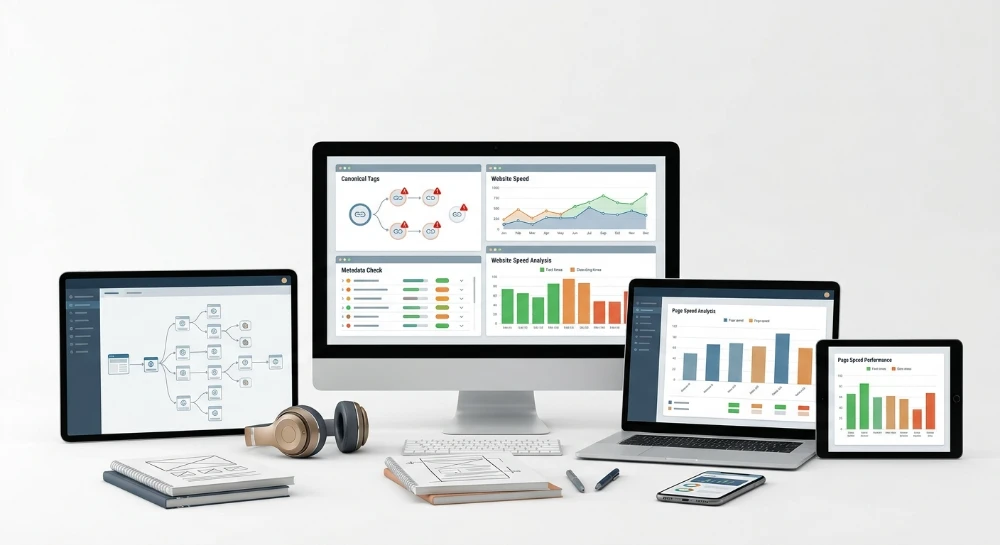
Technical SEO alternatives to Ahrefs exist because the Site Audit module inside Ahrefs was built as one component of a broader backlink and rank-tracking platform, not as a dedicated crawling engine. That distinction matters once a site grows past a few thousand URLs or changes templates weekly. Canonical tag conflicts, duplicate metadata, and slow-loading pages surface differently depending on crawl depth and rendering method, and a subscription tool tied to a fixed crawl allowance handles that unevenly. Teams running frequent audits on large catalogs or JavaScript-heavy sites often hit a ceiling where the reporting granularity does not match the scale of the problem.
The friction shows up in three specific places. Canonical tag tracking inside Ahrefs reports whether a canonical exists, but does not always expose chains, loops, or conflicts between an HTML link tag and an HTTP header directive with the level of detail a migration audit requires. Metadata validation flags duplicates and missing tags, yet teams managing thousands of product pages need pattern-based rules, not a flat list. Page-speed diagnostics inside Ahrefs give a general signal, while Core Web Vitals troubleshooting on a render-heavy site demands request-level detail that a general-purpose SEO suite was never designed to isolate.
None of this makes Ahrefs a weak product. It makes it one tool among several, each built around a different crawling philosophy, rendering engine, and billing structure.
What follows is a decision-support breakdown for SEO specialists, webmasters, and business owners comparing technical audit tools against Ahrefs Site Audit specifically, leaving backlink analysis and rank tracking outside the scope. The evaluation starts with a checklist of what a credible audit tool must detect, covering canonical validation, metadata hierarchy, status codes, indexability signals, and rendering support. From there, five categories get examined in turn: desktop crawlers built for on-demand audits, cloud-based platforms designed for recurring scheduled checks, enterprise log-file crawlers built for large-scale crawl-budget analysis, continuous monitoring tools that catch regressions between audits, and pay-as-you-go crawling platforms that charge by page rather than by subscription tier. The closing section turns those comparisons into a selection framework based on three variables: site size, how often the audit needs to run, and whether budget predictability or usage-based pricing fits the operation better.
What a technical SEO audit tool must detect: Evaluation criteria before choosing an Ahrefs alternative
Before comparing any tool against Ahrefs Site Audit, the evaluation needs a fixed baseline. Without one, every comparison turns into a features list with no way to judge what actually matters for a working site. The checklist below covers six technical zones: canonical validation, metadata hierarchy, status code and redirect auditing, indexability signals, crawlability constraints, and page-speed diagnostics. Every tool reviewed later in this article gets measured against these same six zones.
Canonical tag validation
Canonical errors are among the quietest traffic killers in SEO, because a page can rank, get indexed correctly, then silently lose equity to the wrong URL without throwing a visible error anywhere in a dashboard. A credible audit tool has to go past confirming that a canonical tag exists and check whether it points where it should.
- Self-referencing canonicals: verifying that a page's canonical tag points to itself when no duplication exists, which is the default healthy state.
- Non-indexable canonicals: flagging cases where a canonical points to a URL that is blocked by robots.txt, tagged noindex, or returns a non-200 status, effectively telling search engines to consolidate signals into a dead end.
- Canonical chains and loops: detecting when Page A canonicalizes to Page B, which canonicalizes back to Page A or forward to Page C, creating a circular or unresolved reference that confuses crawl consolidation.
- Cross-domain canonical detection: identifying canonicals pointing outside the audited domain, which can be intentional (syndicated content) or accidental (leftover staging references).
- HTML link rel=canonical versus HTTP Link header conflicts: catching situations where the canonical declared in the page's HTML disagrees with the canonical sent in the HTTP response header, a conflict that forces search engines to pick a winner arbitrarily.
Metadata analysis
Title tags and meta descriptions influence click-through behavior directly, and heading structure influences how a crawler parses topical hierarchy on the page. A tool that only reports "missing title" without surfacing duplication patterns across templates is giving a shallow read on a systemic problem.
The core checks here include title tag length and presence, meta description presence and duplication, and detection of duplicate or missing metadata across groups of URLs rather than isolated pages. H1 through H3 hierarchy issues matter just as much: missing H1 tags, multiple H1 tags on one page, heading levels that skip (an H1 followed directly by an H3 with no H2), and headings that are simply duplicated copies of the title tag. These are template-level defects on most sites, meaning one flawed component can quietly break metadata across thousands of URLs at once.
Status code and redirect auditing
Every crawl needs to classify response codes accurately and trace the full path a request takes, not just the final destination. A 4XX error tells a different story than a 5XX, and a redirect chain that resolves in two hops behaves very differently from one that resolves in six or loops indefinitely.
Practical redirect auditing means capturing 3XX, 4XX, and 5XX errors at scale, then mapping redirect chains to show every intermediate hop rather than collapsing straight to the final URL. Redirect loops, where a chain never terminates, need explicit flagging because they burn crawl budget and can cause a page to drop from the index entirely.
Indexability signals
A page can be perfectly optimized on-page and still never appear in search results because of a conflicting indexability signal buried in the response. This is where audits often fail silently, since indexability directives come from multiple sources that don't always agree with each other.
- Meta robots and noindex tags embedded in the page HTML.
- X-robots-tag directives sent at the HTTP header level, which override or duplicate the HTML-level signal.
- Robots.txt directives that block crawling at the directory or pattern level, sometimes unintentionally catching URLs that should be crawlable.
- Sitemap coverage, meaning whether indexable pages are actually listed in the XML sitemap and whether non-indexable pages have been mistakenly included.
Crawlability constraints
Large or frequently updated sites run into a different category of problem: not whether a page has an error, but whether the crawler can even reach it in a reasonable number of hops. Crawl depth measures how many clicks a page sits from the homepage; pages buried too deep often get crawled less frequently by search engines. Crawl budget and page crawl limits determine how much of a site a tool can process in a given pass, which becomes a real constraint on sites with hundreds of thousands of URLs. Orphan pages, meaning pages with no internal links pointing to them, are invisible to a standard crawl unless the tool cross-references them against server logs or sitemap data. JavaScript rendering support is non-negotiable for any site built on a client-side framework, since a crawler that only reads raw HTML will miss content, links, and metadata injected after page load.
Page-Speed and core web vitals diagnostics
Speed diagnostics need to go beyond a single composite score. LCP measures how quickly the largest visible element renders, FCP measures how quickly any content appears at all, and both are affected by render-blocking scripts that delay the browser's ability to paint the page. Server response time sits underneath all of it, since a slow backend adds latency before the browser even starts rendering. A tool that reports Core Web Vitals without isolating which specific script or server delay caused the slowdown gives a diagnosis without a treatment path.
Where a General-Purpose suite runs into friction
Ahrefs Site Audit performs well as a general health check, but certain workflows expose the edges of that design. Crawl scheduling flexibility is one example: a tool built around subscription tiers tends to structure crawl frequency and volume around the plan a user is paying for, rather than around the actual size or update cadence of the site being audited. Granularity is another friction point. A flat list of canonical errors is useful for a small site, but a large e-commerce catalog with pattern-based canonical rules across category and product templates needs reporting that groups issues by template, not just by URL. Page-speed data inside a broader SEO suite also tends to stay at a general diagnostic level, while isolating a specific render-blocking script or a slow backend endpoint on a JavaScript-heavy site requires request-level detail that a multi-purpose platform wasn't built to isolate.
None of this is a flaw unique to Ahrefs. It reflects how any subscription-tier, general-purpose audit tool has to balance breadth against depth. The sections that follow evaluate each alternative against this exact checklist: canonical validation, metadata hierarchy, status codes and redirects, indexability signals, crawlability constraints, and page-speed diagnostics, so the comparison stays grounded in what each tool actually detects rather than how it markets itself.
Screaming frog SEO spider: Desktop crawling for canonical, metadata, and redirect audits
Screaming Frog SEO Spider runs locally on a machine rather than in a browser tab. That distinction matters more than it sounds. A desktop crawler pulls compute power from the local CPU and memory instead of a shared cloud queue, which means crawl speed and concurrency depend on the hardware running it, not on a subscription tier's throttling rules. For an SEO specialist auditing a client site during a live call, or a webmaster who wants to point a crawler at staging before a launch, that local control is the entire appeal.
Canonical tag reporting is one of its core strengths. The Spider crawls and reports on canonical tags across a site, flags cross-domain canonical references, and surfaces canonical chains where one URL points to a canonical that itself points elsewhere. That chain detection is exactly the kind of granular signal the evaluation checklist calls for, and it's presented as raw, filterable data rather than a summarized health score. An analyst can sort by canonical status, isolate every URL with a non-self-referencing canonical, and export the list for a developer ticket without wading through a dashboard built for broader audiences.
Metadata and heading audits
Title tags, meta descriptions, and heading tags get the same treatment. The crawl reports duplicate titles, missing descriptions, over-length metadata, and heading tag usage down to the H1 level, giving a technical auditor the raw material to fix template-level metadata problems rather than one-off page issues. This is where desktop crawling earns its reputation: nothing here is estimated or sampled. Every URL crawled gets checked.
Status codes, redirects, and robots directives
Broken links surface through direct HTTP status code reporting, and the Spider traces redirect chains and loops so a 301-to-301-to-404 sequence doesn't hide inside a single "redirected" label. Robots.txt and meta robots directives get checked as part of the same crawl, alongside XML sitemap validation, so indexability blockers and sitemap coverage gaps show up in the same session as canonical and metadata errors. That consolidation into one crawl pass is a practical advantage for anyone running audits under time pressure.
- Canonical tag crawling, including cross-domain and canonical chain detection
- Title tag, meta description, and heading tag auditing across all crawled URLs
- Broken link identification and redirect chain and loop tracing via HTTP status codes
- Robots.txt and meta robots directive checks
- XML sitemap validation
JavaScript rendering and custom extraction
Client-side rendered pages built on frameworks that inject content after initial load can hide from a crawler that only reads raw HTML. Screaming Frog addresses this with a JavaScript rendering mode that executes scripts before evaluating the page, so canonical tags, metadata, and links injected by JavaScript still get picked up. This matters directly for the crawlability criteria discussed earlier in this guide, since a site built on a JavaScript framework needs a crawler that renders before it audits.
Custom extraction adds another layer of precision. Using XPath or CSS selectors, an auditor can pull specific on-page elements that fall outside the standard report fields, structured data values, specific div content, or any element tied to a template bug someone is trying to isolate. This turns the crawl into a targeted diagnostic tool rather than a fixed checklist.
Page speed data and what falls outside the tool
Page-speed diagnostics come through integration with the Google PageSpeed Insights API, pulling speed data into the same crawl session as the technical checks above. That's useful for correlating a slow page with a broken canonical or a missing meta description on the same URL, without switching tools mid-audit.
Log file analysis is not part of the Spider itself. Screaming Frog handles that through a separate companion product, the Log File Analyser, built specifically for parsing server logs and evaluating actual crawler behavior against the crawl data the Spider produces. Anyone expecting log-based crawl budget analysis inside the Spider's own interface will need that second tool.
Licensing model
Access follows a license-based desktop model. A free mode exists but caps the number of URLs crawled per session, which is enough for a quick spot-check on a small site but not for a full audit of a larger property. A paid license removes that crawl limit and unlocks the full feature set, including scheduling and the JavaScript rendering mode at scale. There's no recurring cloud subscription tied to crawl volume the way a SaaS platform structures its tiers; the cost model is a license, not a usage meter. That makes it a natural fit for agencies and in-house teams running audits on demand, rather than teams needing a continuously running, centrally hosted crawl.
Sitebulb: Visualized technical audits for canonical and indexability issues
Sitebulb takes a different approach to the same crawling problem Screaming Frog solves. Rather than dumping every URL into a raw data table and expecting the auditor to filter, sort, and cross-reference manually, Sitebulb surfaces findings as prioritized hints. Each hint flags a specific technical issue, explains why it matters, and ranks it by severity, so the auditor spends time fixing problems instead of hunting for them inside a spreadsheet-style export.
Canonical tag issues fall under this hint system. Sitebulb identifies problems like conflicting canonical signals and non-indexable canonical targets, then groups them with an explanation of the downstream indexing risk. Indexability status gets the same treatment: pages blocked by noindex, robots.txt, or meta robots directives show up as flagged issues rather than a column of true/false values buried in a larger table. Duplicate content, broken links, and redirect chains follow the same hint-driven pattern, each one presented as a discrete finding with context attached, not just a status code and a URL.
Crawl visualizations for structure and depth
Where Sitebulb separates itself further is in how it renders the crawl itself. Instead of only listing pages, it generates visual diagrams of site structure and internal linking. These diagrams make crawl depth problems visible at a glance, pages buried five or six clicks from the homepage stand out in the diagram rather than requiring a manual depth-column sort. Orphan pages, ones with no internal links pointing to them despite existing on the site, become easier to spot through the same visual mapping.
That matters for a specific reason. A raw crawl report can tell an auditor that a page exists and returns a 200 status. It won't necessarily show how disconnected that page is from the rest of the site's architecture. A link diagram does.
Rendering and page speed coverage
Sitebulb supports auditing JavaScript-rendered pages, which matters for sites built on frameworks that construct content client-side rather than serving it fully formed in the initial HTML response. Without rendering support, a crawler risks reporting missing content or broken elements that only fail to appear because the crawler never executed the scripts building them.
Page-speed related data gets incorporated into the audit reports as well, letting a technical review of canonical tags and indexability sit alongside performance findings in the same output rather than requiring a separate tool pass.
Positioning against a standard dashboard
Compared to Ahrefs' Site Audit dashboard, which presents findings in a more conventional list-and-filter format, Sitebulb's hint-based, visually mapped interface suits auditors who want the tool to do more of the interpretive work up front. For a business owner without a dedicated technical SEO specialist on staff, that distinction carries real weight: a prioritized hint explaining why a canonical conflict is risky reads very differently than a row in a table labeled "canonical mismatch" with no further context. For an agency running audits across multiple client sites, the visual crawl diagrams can speed up the process of explaining a crawl depth or orphan page problem to a client who doesn't work with raw crawl data day to day.
Semrush site audit: Cloud-Based recurring technical audits at scale
Semrush Site Audit runs as a module inside the broader Semrush platform rather than as a standalone crawler. Every audit produces a Site Health score, a single number meant to summarize the overall technical condition of a domain and give teams a quick benchmark to track against future crawls. That score alone won't tell an SEO specialist what's broken, but it gives a business owner a fast read on whether things are trending up or down without opening a single report table.
Underneath that score sits the standard set of checks a technical audit needs to surface. The module flags HTTP status code errors across the 4XX and 5XX range, so broken pages and server-side failures show up without manual status-code sampling. Canonical tags get audited as part of the same crawl, catching cases where a page's canonical points somewhere it shouldn't or fails to resolve at all. Duplicate and thin content detection is built into the audit pass too, which matters for larger sites where near-identical category or product pages quietly cannibalize crawl budget and dilute relevance signals across the domain.
Robots.txt and sitemap issues fall inside the same checklist. A misconfigured robots.txt file or a sitemap referencing dead URLs is exactly the kind of quiet, architectural flaw that doesn't trigger a visible traffic drop overnight, but compounds over months into indexing gaps a business owner won't notice until organic visibility has already eroded.
Recurring crawls instead of One-Off snapshots
The functional difference that separates Semrush Site Audit from a single-purpose desktop crawler is scheduling. Audits can be set to run on a recurring basis, which means a team isn't stuck manually re-triggering a crawl every time they want to know if last week's deployment introduced a new batch of 404s or a stray noindex tag. For a site that pushes frequent content or template changes, that recurring cadence turns the audit from a periodic check into an ongoing log of technical health over time, letting a specialist compare this month's crawl against last month's rather than starting from a blank slate each time.
Core web vitals and page speed reporting
Page-speed related metrics and Core Web Vitals reporting are included in the audit output as well, giving teams a way to correlate slow-loading pages or poor rendering performance with the same crawl that flagged canonical and status code issues. That pairing matters because a page can pass every indexability check and still lose rankings or conversions if load time is dragging down user experience - having both data sets in one audit pass saves a specialist from stitching together findings from two separate tools.
Packaging inside a broader toolkit
Site Audit doesn't exist as a single-purpose product. It sits inside the same platform as Semrush's keyword research, rank tracking, and backlink analysis tools, meaning a team already using Semrush for those functions gets the technical audit module as part of the same account rather than adopting a separate crawler. That bundling is the core distinction from a tool built exclusively around crawling: the trade-off is that teams whose only need is deep technical auditing are paying for access to a wider suite, whereas teams already relying on Semrush for keyword and backlink work get the audit layered on with no additional tool to manage or separate login to maintain.
Enterprise Log-File crawlers: OnCrawl, lumar, and botify for Large-Scale technical audits
OnCrawl, Lumar (rebranded from Deepcrawl), and Botify occupy a different tier of the technical audit market entirely. None of them are built for a five-hundred-page marketing site. They exist because a certain class of website - usually running into the hundreds of thousands or millions of URLs - breaks the assumptions baked into standard crawl-and-report tools, Ahrefs Site Audit included. Once a site architecture grows past a certain point, the question stops being "what errors exist on this page" and becomes "which pages does Googlebot even bother visiting, and why is it ignoring the rest".
That shift in question is the whole reason this category exists.
Why crawl data alone stops being enough
A standard crawler, whatever its sophistication, simulates a bot walking through the site and reports what it finds along the way: broken canonicals, redirect loops, missing metadata, orphaned pages. That's valuable, but it only tells a specialist what a hypothetical crawler could find. It says nothing about what real search engine crawlers actually did. On a site with millions of URLs, those two things diverge sharply - a page can be perfectly optimized, internally linked, and canonically clean, yet still sit outside the actual crawl footprint of Googlebot simply because crawl budget got spent elsewhere.
This is the gap OnCrawl, Lumar, and Botify are built to close. Each platform's documented positioning centers on merging crawl data with server log file analysis, cross-referencing the architectural map of the site against the raw record of which URLs search engine bots requested, how often, and with what response codes. Log files don't lie about crawler behavior - they're the actual server-side transcript of every bot visit, independent of what a simulated crawl assumes should happen.
Crawl budget as the central metric
Crawl budget allocation sits at the core of what this category evaluates. On a small site, crawl budget is a non-issue; Googlebot has more than enough capacity to reach every page regularly. On an enterprise site with deep faceted navigation, massive product catalogs, or sprawling content archives, budget becomes a finite resource that gets spent unevenly. A log-file crawler platform can surface patterns a standard audit tool structurally cannot:
- Pages that exist in the site architecture and pass every technical check, yet receive no crawler visits over a given period.
- Sections of the site absorbing a disproportionate share of crawl activity relative to their actual business value.
- Discrepancies between how deep a page sits in the internal link structure and how frequently bots actually reach it.
- Newly published or newly redirected URLs that haven't been picked up by crawlers despite being technically indexable.
None of that analysis is possible from crawl simulation alone. It requires the log file half of the equation.
Built for JavaScript-Heavy, Large-Scale architecture
These platforms are documented as designed for JavaScript-heavy, large-scale site structures - the kind of architecture where client-side rendering, dynamic URL parameters, and deep pagination make it genuinely hard to separate "pages that exist" from "pages that matter". That combination - heavy JavaScript rendering plus enterprise scale - is precisely where lighter desktop or single-crawl tools start to strain, and where crawl-versus-log discrepancies become both harder to spot manually and more damaging when left unresolved.
The organizations adopting this category tend to share a profile: enterprise websites undergoing platform migrations, large publishers managing constantly shifting content inventories, or e-commerce operations with catalogs large enough that crawl budget genuinely limits how much of the site search engines can process in a given cycle. A migration in particular is a scenario where log-file-informed auditing earns its place - comparing pre- and post-migration crawler behavior against the new architecture is the kind of diagnostic that a one-off crawl report simply isn't built to answer.
Where this category fits against Ahrefs site audit
The practical distinction from Ahrefs' Site Audit isn't about which tool catches more canonical errors or metadata issues on a page-by-page basis. It's about scale and data source. Ahrefs Site Audit, like most standard crawlers, works from simulated crawl behavior. OnCrawl, Lumar, and Botify layer real server log data on top of that simulation, which matters enormously once a site's page count and crawl frequency needs outgrow what a scheduled or on-demand crawl can meaningfully represent.
For a business owner or specialist managing a site with a few thousand pages, this category is almost certainly overkill - the crawl-budget question barely applies at that scale. For a team responsible for an enterprise property where crawl inefficiency translates directly into lost organic visibility on high-value pages, log-file-informed auditing isn't an optional upgrade; it's the only way to actually see what's happening between the site architecture and the search engine's real behavior.
ContentKing (conductor website monitoring): Continuous monitoring instead of scheduled crawls
Every tool covered so far, from desktop crawlers to enterprise log-file platforms, operates on a start-and-stop model. Someone triggers a crawl, waits for it to finish, then reviews the output. ContentKing, now sold under the Conductor Website Monitoring name, breaks that pattern entirely. Instead of a crawl you schedule or launch manually, it runs as an always-on watcher, tracking technical SEO elements as they change rather than waiting for the next audit cycle to notice them.
That distinction matters more than it sounds. A canonical tag pointing to the wrong URL, a meta robots tag flipping to noindex, a status code silently shifting from 200 to 500 - these are the kinds of changes that a monthly or weekly crawl might catch days after the damage starts. ContentKing's positioning is built specifically around closing that gap.
What gets tracked in real time
The documented focus of the platform is change detection across the core technical elements that determine whether a page can be crawled and indexed correctly. This includes:
- Canonical tags, flagged when a page's canonical target shifts unexpectedly.
- Meta tags, including title and description changes that alter how a page presents itself to search engines.
- Status codes, so a page returning an unexpected 4XX or 5XX gets surfaced as soon as it happens rather than at the next scheduled check.
- Robots directives, covering changes to robots.txt rules and meta robots tags that affect crawlability.
When any of these shift, the platform alerts the team responsible for the site. That's the operative difference from a scheduled audit tool: the notification arrives tied to the event, not tied to a calendar.
Monitoring versus auditing: Two different jobs
Desktop crawlers and standard cloud audit platforms answer the question "what's wrong with this site right now, at the moment I ran the crawl". That's a valid and necessary question, but it leaves a blind spot: everything that broke and got fixed, or broke and is still broken, between one audit and the next. A site with a weekly crawl schedule can carry a de-indexing regression - a noindex tag pushed live by mistake, for instance - for up to seven days before anyone notices.
ContentKing's monitoring-first model exists to close exactly that window. It doesn't replace the comprehensive, single-pass audit that a desktop crawler or a cloud platform produces. It answers a different question: "did anything change on this site that could hurt indexability, and did it change since the last time someone looked".
For a team managing a site where developers push updates frequently, or where a content team edits metadata across hundreds of pages without central review, that gap between audit cycles is where real ranking damage tends to happen quietly.
Who actually needs this approach
A team running an annual or quarterly technical audit on a stable, rarely-updated site has little use for continuous monitoring - nothing changes often enough to justify it. The calculation flips for teams managing sites with constant deployment cycles: e-commerce platforms pushing daily catalog updates, publishers editing metadata at volume, or any organization where a single accidental noindex tag on a high-traffic template could silently strip visibility from thousands of pages before the next scheduled crawl even runs.
Measured against Ahrefs Site Audit, the difference isn't about which tool catches more issues in a single pass. It's about whether the detection model is built around a snapshot or around continuous change tracking. Ahrefs Site Audit, like the desktop and cloud tools discussed earlier, works on a crawl-then-review cycle. ContentKing's value proposition sits entirely in the space between those cycles - catching the regression before it compounds into a traffic drop that only shows up in analytics weeks later.
SeLinkPro technical SEO audit tool: Pay-As-You-Go crawling for canonical, metadata, and performance issues
SeLinkPro's Technical SEO Audit module runs as a deep crawling and rendering engine built specifically to expose indexing blockers and accumulated technical debt before they eat into organic visibility. Rather than treating a crawl as a generic link-check exercise, the engine is structured around finding the specific failures that stop pages from ranking or from being crawled efficiently in the first place - server errors, broken paths, redirect loops, and dead ends that quietly waste crawl budget on large sites.
On the error-detection side, the crawler flags server 5xx errors, broken 4xx links across both internal and external destinations, infinite 301 redirect chains, and dead-end pages that terminate a crawl path without delivering usable content. Indexability checks cover robots.txt validation, XML sitemap integrity, SSL status, canonical tag correctness, and noindex directive placement - the same layer of signals that, if misconfigured, can strip entire sections of a site from search results without anyone noticing until traffic drops.
Heading structure and content quality checks
Heading hierarchy gets a dedicated pass across H1 through H6. The audit flags missing headings, multiple H1 tags on a single page, headings duplicated with the title tag, and skipped heading levels that break the logical outline search engines use to parse page structure. This matters more than it looks: a broken heading hierarchy doesn't just confuse crawlers, it also weakens how snippet and featured-result extraction interprets page content.
Content-quality detection goes beyond simple string matching. The engine identifies exact duplicate content as well as semantic near-duplicate content using text embeddings, catching pages that are worded differently but say the same thing - a pattern that traditional duplicate-content checks tend to miss entirely. Thin content, empty pages, and orphan pages round out this layer, giving teams a way to spot pages that exist in the site architecture but carry no real indexing value.
Performance and rendering diagnostics
Performance checks target the factors that most directly affect crawl efficiency and user-facing load speed:
- Slow Time to First Byte (TTFB) flagged as a server-side bottleneck
- Total load times exceeding 3 seconds
- Heavy HTML payloads that slow down parsing
- Render-blocking JavaScript delaying content delivery
The rendering-type identification is where this becomes genuinely useful for modern site architectures. The engine classifies each page as server-side rendered (SSR), client-side rendered (CSR), or broken SSR - a distinction that matters because a page that looks fine in a browser can still be functionally invisible to a crawler if the rendering pipeline is misconfigured. Sites built on JavaScript frameworks that fail silently at the server-rendering stage often show no visible symptom until organic traffic quietly declines.
Markup, internal linking, and freshness signals
Beyond core crawlability, the audit validates schema microdata, Open Graph tags, Twitter Cards, hreflang attributes, breadcrumb markup, and lazy-loading implementation - all elements that influence how a page is represented in search results and how well it communicates structure to crawlers and social platforms alike. The module also calculates internal PageRank flow, giving a view of how link equity moves through the site architecture, and flags bad URL structures and affiliate links that can dilute topical relevance or trigger manual scrutiny. Last-Modified header freshness is tracked as well, which helps confirm whether pages claiming recent updates are actually being served with headers that reflect that change.
Every issue surfaced by the crawl is prioritized into one of three severity tiers - critical, warning, or notice - so teams triaging a large report can fix indexing blockers first and defer cosmetic issues. Results export as HTML or PDF reports, each carrying an overall SEO health score that gives a single-glance read on site condition without requiring someone to sift through every row of raw data.
Billing model: Cost tied directly to crawl volume
The pricing structure departs from the subscription model used by most audit platforms. SeLinkPro's Technical SEO Audit runs on strict pay-as-you-go pricing at $0.005 per page crawled, with no monthly subscription requirement at all. Access starts with a minimum deposit of $5.00, after which cost scales purely with how many pages actually get crawled.
For a team auditing a 2,000-page site, that model translates into a crawl cost tied directly to actual usage rather than a fixed tier that assumes a certain volume whether or not it gets consumed. Teams running occasional audits on smaller sites, or those managing multiple client sites of wildly different sizes, avoid paying a flat recurring fee sized for the largest site in the portfolio. It positions the tool as a cost-scalable option specifically for workflows where crawl frequency and site size vary enough that a fixed subscription would either overcharge for small jobs or under-provision for large ones.
Choosing the right Ahrefs alternative for your site size, budget, and audit frequency
Picking a tool out of the five categories above comes down to three variables: how many pages need crawling, how often the audit needs to run, and whether the budget model has to be predictable or usage-based. Get those three right, and the rest of the decision mostly makes itself.
Matching category to page count
Site size is the first filter, and it eliminates most of the mismatches before anything else matters. A 300-page brochure site and a 300,000-page marketplace have almost nothing in common technically, and the tool categories reflect that split cleanly.
- Small to mid-sized sites (roughly a few hundred to a few thousand pages) fit desktop tools like Screaming Frog and Sitebulb well, since a license-based crawl running locally handles that volume without straining machine resources.
- Mid-sized sites needing repeat visibility over time fit Semrush Site Audit, since its recurring scheduled audits are built into a subscription that also covers keyword and backlink data.
- Large, JavaScript-heavy, or enterprise-scale sites - the kind where crawl budget itself becomes a technical problem - fit OnCrawl, Lumar, or Botify, since log-file analysis at that scale requires infrastructure a desktop crawler was not built to carry.
- Sites of any size that need to catch a broken canonical or a stray noindex the moment it appears fit ContentKing/Conductor Website Monitoring, since its model is built around continuous checking rather than scheduled snapshots.
- Sites of varying or unpredictable size - agencies juggling client portfolios, or a single site that fluctuates between a few hundred and a few thousand pages - fit SeLinkPro's pay-as-you-go model, since cost tracks the page count crawled rather than a tier sized for the largest expected job.
One-Off, recurring, or continuous audit cadence
Cadence is the second filter, and it is often more decisive than page count alone. An audit that runs once, before a launch or a migration, has different tooling needs than one that has to run every week or every day.
Desktop tools are naturally suited to one-off or ad-hoc audits - an agency running a client's quarterly technical review, or a webmaster checking a site after a redesign, does not need a standing subscription for that. Semrush Site Audit's recurring scheduling makes more sense for a team that wants technical health tracked as a rolling metric alongside rank and backlink data. Enterprise log-file crawlers get used on a cadence tied to crawl-budget analysis for large architectures, where reviewing how search engine crawlers actually move through the site is an ongoing operational concern rather than a single checkpoint. Continuous monitoring platforms exist specifically to close the gap between audit cycles - a canonical tag that changes on a Tuesday and gets caught by a monthly crawl on the first of the month has already done damage for weeks. Pay-as-you-go crawling supports whatever cadence the team actually needs, since there is no subscription tier dictating how often a crawl should run to justify the cost; a team can crawl monthly, weekly, or only after a deploy, and pay only for the pages touched each time.
Budget predictability versus Usage-Based cost
The third factor is financial, and it is where the five categories diverge most sharply. A fixed monthly subscription - whether a desktop license renewal or a Semrush plan - gives finance teams a predictable line item, which matters for organizations that prefer stable recurring costs over variable ones tied to usage.
Usage-based pricing flips that logic. SeLinkPro's pay-as-you-go structure charges $0.005 per page crawled with a $5.00 minimum deposit and no subscription requirement, so the cost of an audit scales directly with the number of pages actually crawled rather than with a tier that assumes a fixed volume. That matters most for teams whose crawl needs are irregular: an agency running audits across a dozen client sites of wildly different sizes, or a webmaster who only needs a deep crawl a few times a year, avoids paying for capacity that goes unused in the months between audits.
The table below lines up the deciding factors against each pricing/delivery model discussed in the preceding sections.
| Category | Best Fit for Site Size | Audit Cadence | Budget Model |
|---|---|---|---|
| Desktop license tools (Screaming Frog, Sitebulb) | Small to mid-sized sites | One-off or ad-hoc, agency-style | Fixed license cost |
| Cloud subscription platform (Semrush Site Audit) | Mid-sized to larger sites | Recurring scheduled audits | Subscription, bundled toolkit |
| Enterprise log-file crawlers (OnCrawl, Lumar, Botify) | Large, high-page-count, JS-heavy sites | Ongoing, tied to crawl-budget monitoring | Enterprise-level commitment |
| Continuous monitoring (ContentKing/Conductor) | Any size, change-sensitive sites | Continuous, real-time alerts | Monitoring subscription |
| Pay-as-you-go crawling (SeLinkPro) | Variable or unpredictable size | Flexible, crawl-as-needed | Usage-based, $0.005 per page |
None of these models is universally superior; each solves a different combination of size, frequency, and cost preference. A team locked into a fixed monthly fee for infrequent crawls is overpaying relative to actual usage, just as a team paying per page for a site that needs daily checks would eventually find a monitoring subscription cheaper. Matching the model to the actual audit pattern, rather than defaulting to whichever tool is most familiar, is what keeps technical SEO spend proportional to the work it produces.