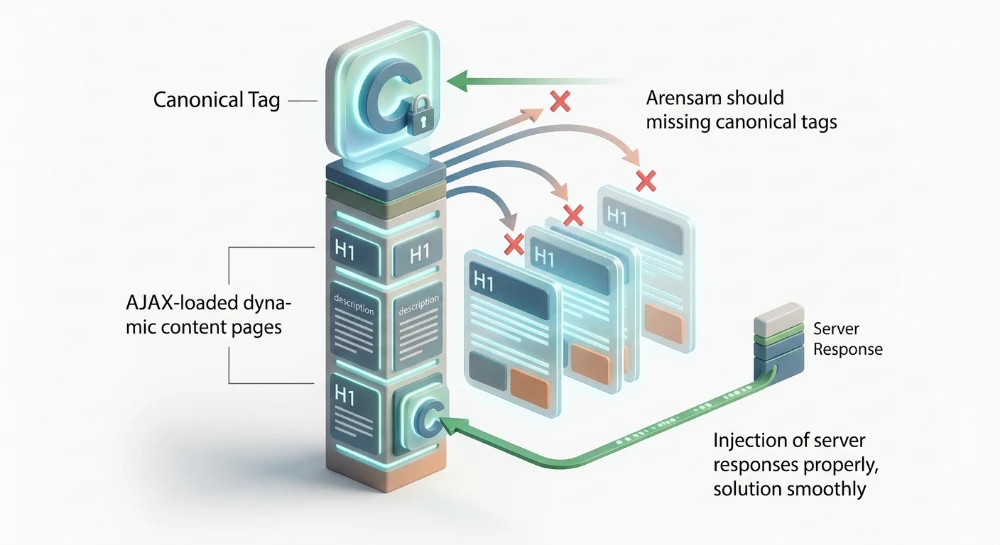
Understanding exactly how errors of AMP validation prevent accelerated pages serving in search requires examining the core rendering pipeline. Google enforces strict adherence to AMP HTML parsing specifications before caching a document. A single syntax violation halts this process. Pages failing this automated check immediately drop from the Top Stories carousel and Google Discover cards.
The Google AMP Cache operates on a binary validation model. The framework either compiles without faults or fails entirely. When Google Search Console parses a document and detects unallowed JavaScript or malformed inline CSS, the crawler flags the URL. The system then strips the page of its rich result eligibility. Traffic plummets because the mobile SERP algorithm defaults to indexing the standard HTML canonical version instead of serving the pre-rendered accelerated asset.
Validation failures directly cut off access to high-visibility placement areas. Any deviation from the required boilerplate injection blocks the pre-rendering API from fetching the asset.
Core architecture of the accelerated mobile pages validation pipeline
The rendering pipeline dictates how documents move from origin servers to Google infrastructure. This architecture relies on a sequence of strict parsing layers. When a crawler hits a designated URL, it triggers an evaluation of the underlying asset against the official specification. The framework divides into three interdependent systems: the markup subset, the caching delivery network, and the viewer.
The pipeline operates synchronously. An origin server responds to a crawl request. The parser intercepts the payload, scanning for deterministic resource loading patterns. The foundation relies on a highly restricted version of standard HTML designed explicitly for predictable rendering. Every external resource execution is subordinated to the core JS library to prevent arbitrary layout shifts during page load.
Deployment configurations: Dual vs. standalone architectures
Enterprise environments typically deploy one of two architectural models. A dual setup pairs a traditional HTML document with an accelerated counterpart. Traffic routes based on device capability and crawler configuration. This creates redundancy but doubles indexing overhead.
Standalone setups eliminate the dual routing complexity. The accelerated document functions as the sole entity on the origin server. It handles all traffic for desktop and mobile clients natively. This configuration reduces server load and streamlines CMS templating. The risk profile shifts entirely to the validation pipeline. A single syntax failure in a standalone architecture compromises the primary asset, leaving no unoptimized fallback for the indexer to parse.
Server-Side caching protocol for Cache-Served pages
Passing initial validation allows the document to enter the Google AMP Cache proxy network. This is a specialized CDN infrastructure that fetches, transforms, and serves the asset. The caching protocol executes a distinct server-side transformation sequence prior to public distribution.
The cache does not merely mirror the origin HTML. It rewrites the document structure for optimal delivery through the mobile SERP.
| Caching Protocol Phase | Server-Side Execution Function | Impact on Asset Delivery |
|---|---|---|
| Origin Fetch | Googlebot retrieves the validated document from the origin server via HTTP GET. | Initiates the proxy caching sequence and verifies syntax integrity. |
| Asset Rewriting | Relative paths convert to absolute paths. Image sources map to Google proxy domains. | Prevents cross-origin resource sharing latency and DNS lookup delays. |
| Payload Optimization | Images compress to next-gen formats. Unnecessary whitespace drops from the DOM. | Reduces total byte weight before final rendering to hit latency targets. |
| Viewer Injection | The document integrates with the iframe-based SERP viewer module. | Enables instant pre-rendering, lazy-loading synchronization, and swipe interactions. |
This protocol operates on a stale-while-revalidate mechanism. When a user requests a URL, the CDN serves the cached version immediately. Simultaneously, the system pings the origin server to check for document updates. If the origin version differs, the cache fetches the new asset, validates the markup, and updates the proxy node in the background. Content remains fresh without blocking the initial user request.
Structural rigidity in web story frameworks
The pipeline enforces distinct rules for immersive content formats. Web Story frameworks demand a highly specific architectural hierarchy. Standard templates utilize a fluid vertical layout system. Stories operate on a rigid, coordinate-based visual grid tailored for mobile portrait viewports.
A Web Story functions exclusively as a standalone setup. It requires a specialized node structure to compile successfully. The root container node must encapsulate discrete page nodes. Each page node acts as an independent viewport container. These viewports hold layer nodes, which dictate the exact z-index stacking of visual elements.
- The primary document must declare the story-specific framework type at the root HTML level.
- Sequential navigation relies on strict parent-child nesting of page containers.
- Interactive visual elements must map exactly to predefined grid layer coordinates.
- Metadata requirements force explicit JSON-LD implementation to trigger specific visual carousel rendering logic.
Parsing engines reject any document that attempts to mix standard article modules into the story framework. This strict compartmentalization ensures predictable memory usage on low-tier mobile devices during hardware-accelerated transitions.
Run a deep technical crawl to identify 4xx errors, missing meta tags, and indexation blockers.
Mandatory AMP markup and structural HTML parsing requirements
The validation engine operates on a strict pass/fail binary. Caching proxies reject malformed documents immediately. A single missing node drops the URL from specific mobile SERP features. Standard HTML5 allows rendering engines to infer missing structural elements. AMP parsing forbids inference.
The document architecture must follow an exact sequence.
Core document hierarchy
Every valid document requires a rigid skeletal structure. Parsing engines evaluate the document tree top-down, expecting specific nodes at exact positions. Deviating from this order triggers an immediate validation failure.
| Structural Element | Exact Syntax Required | Placement and Parsing Rule |
|---|---|---|
| Doctype HTML Tag |
<!doctype html>
|
Must be the absolute first line of the document. |
| Root HTML Tag |
<html amp>
|
Must immediately follow the doctype. The
<html ⚡>
variant is supported but discouraged due to potential encoding edge cases on older systems.
|
| Head and Body Tags |
<head>
and
<body>
|
Mandatory explicit declaration. Browsers cannot auto-generate these wrappers. |
| Meta Charset Tag |
<meta charset="utf-8">
|
Must be the first child node inside the
<head>
. Late declaration causes parser re-evaluations.
|
| Meta Viewport Tag |
<meta name="viewport" content="width=device-width,minimum-scale=1,initial-scale=1">
|
Must reside within the
<head>
to define logical pixel rendering boundaries on mobile hardware.
|
Placing the Meta Charset Tag anywhere other than the first child of the head forces the browser to discard previously processed DOM elements. This restarts the parsing thread. The validation engine flags this inefficiency as a critical failure.
DOM visibility control via AMP boilerplate
The framework architecture relies on asynchronous script execution. This design pattern creates a severe race condition between DOM parsing and style calculations. Elements will render unstyled for milliseconds before the core CSS applies. The AMP Boilerplate prevents this layout shift.
It injects a hardcoded CSS block that hides the
<body>
element completely. Visibility remains obscured until the core JS library fully initializes and takes control of the rendering pipeline.
<style amp-boilerplate>body{-webkit-animation:-amp-start 8s steps(1,end) 0s 1 normal both;-moz-animation:-amp-start 8s steps(1,end) 0s 1 normal both;-ms-animation:-amp-start 8s steps(1,end) 0s 1 normal both;animation:-amp-start 8s steps(1,end) 0s 1 normal both}&@-webkit-keyframes -amp-start{from{visibility:hidden}to{visibility:visible}}@-moz-keyframes -amp-start{from{visibility:hidden}to{visibility:visible}}@-ms-keyframes -amp-start{from{visibility:hidden}to{visibility:visible}}@-o-keyframes -amp-start{from{visibility:hidden}to{visibility:visible}}@keyframes -amp-start{from{visibility:hidden}to{visibility:visible}}</style><noscript><style amp-boilerplate>body{-webkit-animation:none;-moz-animation:none;-ms-animation:none;animation:none}</style></noscript>
Network latency can delay the main JS payload. The boilerplate includes a strict
<noscript>
fallback mechanism. If script execution fails or is disabled by the user agent, this fallback overrides the opacity rules, ensuring content remains accessible.
Core JS library declaration and script async requirements
The entire framework logic lives in an external JS library. This payload dictates component behavior, resource prioritization, and cache communications. Loading it synchronously would block the main thread, violating the core performance principles of the framework.
The core runtime script execution requires strict adherence to these placement rules:
-
The script must point exclusively to the official CDN endpoint at
https://cdn.ampproject.org/v0.js. -
The tag must include the
asyncdirective to detach it from the primary DOM parsing thread. -
The declaration must reside inside the
<head>element, ideally placed immediately before the boilerplate code. - Self-hosting the core library is strictly prohibited and results in immediate cache rejection.
Omitting the
async
attribute halts the validation process. The parser detects a potential render-blocking asset and marks the document as invalid. This strict enforcement guarantees that the page layout remains unblocked regardless of network conditions during the initial fetch phase.
Debugging JavaScript and CSS payload restrictions
The execution of user-authored JavaScript introduces unpredictable rendering latency. The framework strictly prohibits arbitrary script execution. Injecting standard script tags directly into the DOM triggers the 'Custom JavaScript is not allowed' validation flag.
This specific error halts the caching pipeline entirely.
When the validator detects unauthorized scripts, the document instantly drops from the processing queue. Search engine crawlers receive a fatal validation status. The cache requires absolute control over the DOM parsing sequence to guarantee pre-rendering capabilities and layout stability. All interactive functionality must be routed through predefined components or state-bound data variables rather than direct DOM manipulation.
Enforcing the inline CSS byte threshold
CSS architecture requires a departure from standard development practices. External stylesheets are explicitly forbidden. All layout rules must reside within a single
<style amp-custom>
block located in the document header.
This inline declaration carries a strict payload limit of 75 kilobytes.
Exceeding this byte threshold guarantees a validation failure. When the parser hits the size limit, it stops reading the stylesheet. The truncation leaves layout instructions incomplete and flags the URL as invalid. Pipeline automated deployments must include a build step that calculates the CSS payload size before outputting the final HTML document.
- Configure your CMS or build tool to strip unused CSS rules prior to compilation.
- Consolidate utility classes to reduce redundant declarations.
- Monitor the output size of automated CSS extractors to prevent silent bloat.
Resolving parse errors and restricted directives
Minification is a structural requirement, not an optional optimization. Pushing raw, unminified CSS frequently causes Parse Errors during validation. These errors trigger when the parser processes malformed syntax, excessive whitespace, or unsupported pseudo-classes that push the payload beyond the memory allocation limits of the validation script.
The framework also enforces strict specificity hierarchies to control element rendering. The use of the
!important
CSS directive is strictly prohibited.
Using this directive strips the runtime of its ability to dynamically resize components or enforce layout boundaries while assets load. When the validator detects this declaration inside the
<style amp-custom>
block, markup rejection is immediate.
| CSS Validation Error Type | Common Trigger | Resolution Path |
|---|---|---|
| Payload Size Exceeded | Inline CSS exceeds 75KB | Implement automated tree-shaking and minification in the build pipeline. |
| Parse Error | Unclosed brackets or invalid characters | Run a standard CSS linting pass prior to HTML injection. |
| Restricted Directive |
Presence of
!important
|
Refactor selector specificity using nested IDs or highly specific classes. |
| Disallowed Property | Behavior-modifying properties | Remove deprecated or non-standard CSS properties. |
Developers must rely on standard selector specificity to control styling hierarchies. Enforcing strict CSS linting rules within the deployment workflow prevents these payload restrictions from causing unexpected deindexing events.
SEO structure and reciprocal link analyzer
Detect orphan pages, deep click depths, and toxic reciprocal links built by careless agencies.
Resolving component layout attributes and disallowed HTML entities
The runtime engine demands absolute certainty regarding element geometry before asset loading begins. Standard DOM nodes block this static calculation. Developers must replace native elements with specific custom components like
<amp-img>
and
<amp-video>
.
Every custom component requires a strict geometric definition. Omission of these parameters triggers an Invalid layout property error. The parser cannot compute the target aspect ratio during the initial render pass, halting the entire validation sequence.
Layout rendering depends heavily on the
layout
attribute. When a developer declares
layout="responsive"
, the parser expects exact numerical integer values for both
width
and
height
. Passing percentage values or leaving the attributes blank instantly fails the rendering pipeline. The engine uses these numerical values to draw a strictly bounded bounding box before the image or video payload arrives from the server.
Disallowed HTML flags and syntax violations
Standard DOM manipulation introduces unpredictable latency. The architecture requires complete authority over asset fetching to maintain rendering speeds. Injecting native
<script>
,
<iframe>
, or
<img>
nodes throws a Disallowed HTML flag.
The Invalid HTML Tag syntax parameter frequently appears during CMS integration. Marketing teams often copy legacy embed codes directly into rich text editors. These embeds typically contain deprecated attributes, native form inputs, or forbidden frame structures. The validator scans the DOM tree against a rigid whitelist. Any deviation results in immediate markup rejection.
- Audit all legacy content templates to strip native media tags prior to deployment.
-
Replace generic iframe embeds with verified extensions like
<amp-iframe>or dedicated vendor components. - Ensure all custom component tag names are spelled correctly, properly namespaced, and strictly closed.
- Verify that custom elements do not nest inside natively forbidden parent nodes.
Methodologies for remediation
Syntax strictness extends beyond simple element swapping. The framework enforces rigid parent-child relationships and complex data binding rules.
| Validation Error Type | Root Cause Analysis | Remediation Protocol |
|---|---|---|
| Mandatory tag missing | Omission of required child elements or core attributes within a declared component constraint. |
Inject the required node, such as adding a
<noscript>
fallback inside a media container.
|
| Style errors |
Presence of the inline
style
attribute directly on an HTML element.
|
Migrate all element-level styling to specific classes defined within the designated custom CSS block. |
| Templating errors | Malformed mustache syntax or mismatched data bindings within dynamic list rendering components. | Validate JSON endpoints and ensure all template variables map explicitly to the response payload. |
| Missing embedded video | Structured data markup indicates video presence, but the DOM lacks a corresponding video component. |
Synchronize the schema payload with the page content by injecting the missing
<amp-video>
node.
|
Component layout boundaries must remain immutable. Dynamic injection of CSS that attempts to alter the dimensions of an
<amp-img>
post-render will trigger layout errors. Developers fixing these issues must audit their templating logic to ensure all media nodes inherit static, predefined dimensional attributes directly from the server response.
Canonicalization and indexing state discrepancies in AMP deployment
Dual-page architecture demands exact bidirectional routing between variants. The non-AMP HTML document must contain a
<link rel="amphtml" href="...">
directive pointing to its accelerated counterpart. The corresponding AMP payload must return this handshake via a
<link rel="canonical" href="...">
tag targeting the non-AMP source. Breaking this linkage leaves indexers incapable of consolidating the entity relationship. Standalone setups bypass this requirement by configuring the canonical directive to reference the URL of the AMP document itself.
Validation pipelines ruthlessly flag structural mismatches in these routing paths. When templating logic fails, specific anomaly parameters populate in GSC.
-
Canonical page mismatch: The indexer overrides the declared canonical URL. Trailing slash discrepancies, HTTP to HTTPS protocol drops, or multi-hop redirect chains force crawlers to select an alternate canonical target. -
AMP page domain mismatch: Theamphtmldirective references a completely distinct root domain or isolated subdomain. Caching infrastructure intercepts and blocks these cross-origin references to prevent payload hijacking. -
Referenced AMP URL is not an AMP: The target URL lacks the mandatory<html amp>attribute or fails core syntax validation. The crawler abandons the node immediately. -
Referenced AMP URL is self-canonical AMP: A fatal configuration error in dual-page environments. The AMP variant incorrectly points its canonical tag at itself rather than the primary desktop or mobile HTML counterpart, fracturing link equity.
Content parity and directive conflicts
Content parity dictates SERP visibility. Serving a stripped-down, text-only payload on the AMP route while delivering a comprehensive interface on the canonical URL triggers algorithmic demotion. Search algorithms actively compare DOM nodes across both variants. Severe discrepancies in text volume, missing schema markup, or absent UI components result in manual actions for content mismatch. The AMP URL gets purged from the index. Mobile traffic flatlines.
Directive conflicts frequently plague CMS migrations. Injecting a
noindex
meta tag on the canonical document automatically disqualifies the associated AMP page from indexing, regardless of the AMP page's internal directives. The inverse scenario destroys server efficiency. Placing a
noindex
directive exclusively on the AMP document while maintaining an active
amphtml
reference on the canonical page forces crawlers into a dead end, aggressively burning crawl budget.
Evaluating deferred indexing states
Diagnostic triage requires isolating exact crawler states. Dual-page architectures inherently split server logs into distinct behavioral patterns based on processing loads.
| Server Response State | Crawler Behavior | Architectural Implication |
|---|---|---|
| Discovered - currently not indexed |
The crawler successfully extracted the
amphtml
URL from the canonical DOM but deferred the HTTP GET request.
|
Server latency bottlenecks or low baseline crawl demand. The URL sits in the scheduling queue awaiting execution capacity. |
| Crawled - currently not indexed | The bot executed the fetch, downloaded the payload, and parsed the syntax tree. | Indexing rejected post-render. Indicates severe rendering blocks, canonicalization loops, or low-value content algorithms overriding index inclusion. |
Fixing deferred indexing requires analyzing server response times and checking the DOM for JavaScript hydration blockers. If a URL sits in the crawled state indefinitely, the codebase likely suffers from a canonical conflict preventing the final index commit.
Bulk Google and Yandex index checker
Verify agency reports and track live SERP status in Google and Yandex to protect your SEO ROI.
Execution protocols for AMP troubleshooting and GSC validation tools
Diagnosing markup flaws requires a multi-layered validation protocol. Relying on a single diagnostic interface creates blind spots. Engineering teams must cascade their testing from local environment checks up to production-level index evaluation. Attempting to debug cache-level rejections without isolating the local rendering pipeline inevitably leads to misdiagnosed canonical errors.
Chrome DevTools and local environment debugging
The fastest diagnostic loop executes directly in the browser. Appending
#development=1
to the URL parameter string triggers the core JS library to output syntax and structural faults directly to the Chrome DevTools console. This eliminates network latency from the debugging process.
The console logs exact line numbers where invalid attributes or disallowed HTML entities break the parsing logic. It flags byte-size limit breaches in inline stylesheets instantly. Interactive workflows benefit significantly from AMP Web Validator extensions. These browser-level plugins parse the DOM in real-time. They visually flag syntax violations during the development phase before any code ships to the production server.
Web-Based validation interfaces
Once code pushes to staging or production, validation shifts to external parsers. The official
validator.ampproject.org
interface remains the definitive source of truth for structural integrity. Submitting the source code or URL against this endpoint checks the payload against the absolute latest specification rules, bypassing any platform-specific caching quirks.
Google provides two distinct parsing engines for live environments. The AMP Test Tool isolates the specific framework components and validates strict eligibility for rich SERP features. The URL Inspection tool within GSC executes a much broader diagnostic. Hitting the Test Live URL button bypasses the existing index cache entirely. It fetches the current server payload, rendering the DOM exactly as the Googlebot mobile crawler constructs it.
Executing a repair cycle demands strict sequence adherence to prevent crawl budget waste.
- Inject the development parameter locally to resolve syntax blocking and CSS payload limits.
- Execute real-time DOM parsing via browser extensions to catch component hydration faults.
- Push to staging and query the external validator endpoint to confirm global specification compliance.
- Fetch the production payload via the GSC inspection interface to verify unblocked crawler access.
GSC AMP status report and triage workflow
The GSC AMP status report aggregates site-wide validation data. It categorizes URLs based on their baseline compliance and SERP eligibility. Fixing a template-level error triggers a highly specific lifecycle within this interface. You must not hit the revalidation trigger blindly. Submitting an unresolved error cluster resets the sampling queue and delays actual fixes from processing.
Monitoring the interface requires understanding the exact operational state of the crawler queue.
| GSC Status Transition | Technical Definition | Required Engineering Action |
|---|---|---|
| Validation Failed | Critical parsing error detected. The URL is entirely stripped from mobile SERP features and the cache. | Isolate the failing template. Fix the codebase, verify via Test Live URL, and trigger validation. |
| Validation Started | GSC received the fix request. Crawlers are actively sampling the affected URL clusters to verify compliance. | Monitor server logs for Googlebot-Smartphone activity on the specific parameterized URLs. Do not alter the markup. |
| Validation Passed | The sampled URLs cleared the strict validation checks. The fix is algorithmically accepted. | None. The infrastructure will gradually reinstate the URLs in the global cache. |
| Valid with warnings | Code meets baseline requirements for caching but contains deprecated tags or missing recommended attributes. | Schedule technical debt cleanup. These warnings often precede future deprecation failures that will cause cache drops. |
Status transitions operate on a sampling basis. Googlebot does not recrawl every affected URL immediately upon validation request. It tests a statistically significant batch. If the batch passes, the entire cluster transitions to the passed state. If a single URL in the sample fails due to lingering disallowed HTML or unminified CSS, the entire cluster reverts to the failed state, locking the workflow until the next manual submission.
Advanced AMP delivery: Signed exchanges (SXG) implementation
Standard cache delivery masks the origin domain behind a proxy prefix. This disrupts analytics attribution pipelines. Web Packaging introduces a cryptographic workaround. By implementing SXG, publishers serve cached content while preserving the exact origin domain in SERP displays.
The signed exchange protocol bundles an HTTP request, its response, and the specific response headers into a single, cryptographically signed file. When a user clicks a result, the client receives this package directly from the cache infrastructure. It verifies the signature against the origin server certificate. Upon successful verification, the browser trusts the payload. It renders the document and updates the address bar to reflect the native URL, eliminating the cache proxy visual footprint.
Protocol configuration and header directives
Server architectures require precise configuration to generate and output packages with the
application/signed-exchange
content type. Misconfigurations at the header level trigger immediate validation drops.
The browser engine executes the parsing of signed exchange payloads by evaluating specific network headers and extracting the inner certificate data. You must define specific configuration parameters within the header directives to ensure the browser processes the payload without generating security exceptions.
-
validity-url: Defines the exact endpoint providing the signature validity data. The browser queries this URL to confirm the active certificate remains unrevoked. This endpoint must operate strictly on the same origin as the payload. -
fallbackUrl: Dictates the routing destination if the client client lacks Web Packaging support or if the cryptographic signature fails parsing. This parameter must point directly to the standard HTML document. -
cert-url: Specifies the location of the certificate file utilized to verify the signature hash. It must reside on a domain matching the certificate issuer.
Canonically encoded URLs and payload architecture
The internal architecture of a valid SXG package relies entirely on canonically encoded URLs. The inner request URL embedded within the payload must perfectly match the external origin URL. Structural discrepancies between the encoded URL and the actual URL result in immediate rejection by the browser parsing engine.
When compiling the payload, the server constructs a strict header sequence. If the client detects an anomaly during the unpacking phase, it aborts the exchange rendering sequence and routes traffic directly to the fallback URL. This causes localized latency spikes.
| Header Directive | Value Structure | Execution Logic |
|---|---|---|
| Content-Type |
application/signed-exchange;v=b3
|
Instructs the rendering engine to initiate the cryptographic unpacking sequence rather than processing standard HTML output. |
| Cache-Control |
public, max-age=604800
|
Defines the strict caching duration for the package. Exceeding designated limits triggers silent validation failures. |
| Link |
<https://domain.com/cert.cbor>; rel="allowed-alt-sxg"
|
Preloads the necessary certificate components to reduce decryption latency during the initial page load execution. |
Monitoring delivery requires raw log analysis. Filter server logs for incoming requests containing
Accept: application/signed-exchange
. A functioning deployment shows consistent fetching of the validity URL and the certificate file. Sustained traffic spikes to the fallback URL indicate signature expiration or a failure in the certificate generation pipeline. Isolate the certificate renewal automation script to restore origin URL visibility in the SERP.