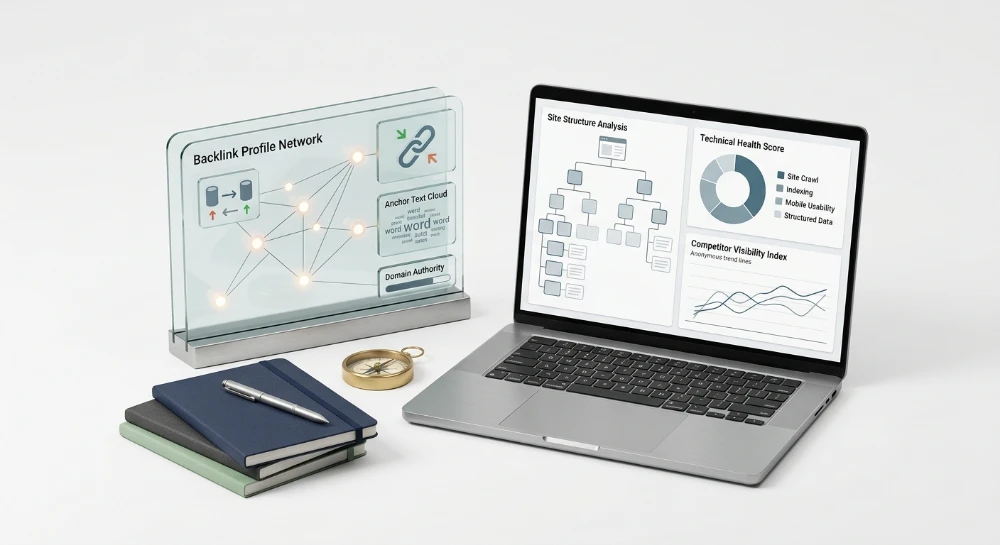
Semrush alternatives split into two distinct problem categories, and confusing them is where most tool selection goes wrong. The first category is technical SEO auditing: a crawler moves through a site's URL structure, checking HTTP status codes, mapping redirect chains, flagging indexability blocks from robots.txt or noindex tags, and measuring Core Web Vitals like Largest Contentful Paint and Cumulative Layout Shift. The second category is backlink analysis: a separate index of the web's link graph reports referring domains, link quality signals, and how a competitor's backlink profile compares to a target site's own. Semrush bundles both under one dashboard. Most alternatives do not.
That split matters because a crawler cannot see other sites' link data, and a backlink index cannot crawl your own server responses. Ahrefs pairs Site Audit with Site Explorer. Screaming Frog crawls but leans on API integrations for link metrics. Majestic only does link graphs. SeLinkPro charges per action across both functions instead of a flat monthly fee.
The evaluation ahead judges each alternative on one question: can it actually reproduce Semrush's crawl diagnostics and its backlink reporting, either inside one platform or through a deliberate pairing of two specialized tools. Later sections lay out the criteria for judging crawl depth and link index quality, walk through Ahrefs, Moz Pro, SEO PowerSuite, Screaming Frog, Majestic, and SeLinkPro individually, then close with a framework for matching each tool to a specific audit or link-analysis need.
Evaluation criteria for technical audit and backlink analysis tools
Before comparing any tool by name, a reader needs a fixed scorecard. Without one, every vendor comparison turns into a features list contest, and features lists are marketing copy, not evidence. Five criteria decide whether an alternative actually replaces Semrush's combined workflow or just covers half of it.
Crawl capability
A crawler is only as useful as what it can reach and correctly interpret. Depth matters first: does the crawler stop at a shallow subset of URLs, or does it follow internal links until it hits the real edge of the site's architecture? A crawler capped at a low page count will miss orphan pages buried five clicks deep, and those pages often carry the worst technical debt because nobody looks at them.
Rendering is the second filter, and it separates functional crawlers from cosmetic ones. Modern sites split into two rendering models: server-side rendering, where HTML arrives fully formed, and client-side rendering, where content only appears after JavaScript executes in the browser. A crawler that only reads raw HTML will report a CSR page as blank or thin, triggering false duplicate-content or empty-page flags. A crawler capable of executing JavaScript during the crawl sees the page the way a user, and increasingly the way an AI Overview system, actually sees it.
Beyond depth and rendering, the crawl needs to surface a specific set of technical signals. At minimum:
- HTTP status codes across the full crawl, not a sample, including 5xx server failures and 4xx broken links on both internal and external paths
- Redirect chains, especially loops or multi-hop 301 sequences that quietly bleed link equity and slow crawl budget
- Canonical tag validation, catching cases where a canonical points to a non-indexable or mismatched URL
- Duplicate and near-duplicate content detection, since exact-match string comparison misses paraphrased or templated duplication
- Core Web Vitals reporting, specifically Largest Contentful Paint and Cumulative Layout Shift, tied to individual URLs rather than a site-wide average
Indexability blockers deserve separate scrutiny. A tool that validates robots.txt syntax, checks sitemap integrity against actual crawlable URLs, and flags noindex directives sitting on pages that should be earning traffic closes a gap that generic crawlers frequently leave open.
Backlink index quality
A backlink index is a snapshot of a portion of the web's link graph, never the entire graph. The first question is scale: how many referring domains does the index track, and how does that number hold up against a site's actual link profile size. An index that misses a large share of real referring domains will understate a competitor's authority and overstate how achievable a gap actually is.
Quality metrics are the second layer. Every backlink tool builds its own proprietary scoring system, whether that is Domain Rating, Domain Authority, or the Trust Flow and Citation Flow pairing. None of these numbers are a direct Google ranking factor. They are comparative scales built by each vendor from its own index, which means a score from one tool cannot be dropped directly into a conversation about another tool's scale without context.
Freshness is where many comparisons quietly fail. A backlink index that recrawls slowly will keep reporting links that were removed weeks ago, or miss new links that just went live. For anyone monitoring a paid link placement or a recent outreach campaign, an index refreshed on a long cycle produces reporting that lags the reality on the donor page. Toxic and spam link detection closes the loop: the tool should flag link farm patterns, sudden spikes in outbound links from a donor page, or footprint signals tying multiple domains back to shared hosting infrastructure.
Competitor analysis capability
Auditing one domain in isolation only tells half the story. The real value shows up when a tool can pull two or more domains side by side and produce a backlink gap analysis: which referring domains link to a competitor but not to the target site. This turns a raw data dump into an actionable prospect list for outreach.
Benchmarking link profiles goes further than counting overlap. It compares the distribution of link quality across domains, not just the total count, since ten referring domains from established, relevant sites can outweigh a hundred from thin or unrelated ones.
Reporting
Data trapped inside a dashboard is hard to act on. Export flexibility, meaning clean CSV output for further filtering in a spreadsheet and PDF output for client-facing summaries, determines whether findings actually get used or just get looked at once and forgotten.
For agencies managing multiple client accounts, white-label reporting is a separate consideration entirely. A report that carries the agency's own branding rather than the tool vendor's logo changes how that report gets positioned in a client relationship, and its absence can force an agency into manual reformatting work for every deliverable.
Pricing model
The billing structure behind a tool shapes cost predictability as much as any feature does. Flat subscription tiers charge the same fee regardless of how many pages get crawled or how many domains get checked in a given month, which is simple to budget for but can waste money on quiet months and hit a wall on high-volume ones. Usage-based or pay-as-you-go billing charges per action, whether that action is a page crawl, a domain metrics check, or a SERP query, which means cost scales directly with actual work performed.
The practical difference shows up hardest at the extremes. A large site with hundreds of thousands of URLs can blow past a flat plan's crawl allowance and get throttled or forced into an upgrade mid-audit. A small site running one audit per quarter, on the other hand, pays for eleven months of an idle subscription just to get one active audit window. Neither model is inherently superior; the right choice depends on how consistent and how large the actual workload is, and that question needs answering before comparing any specific tool's price sheet.
Ahrefs: Site audit and site explorer as a combined alternative
Ahrefs approaches the replacement problem the same way Semrush does: bundle the crawler and the backlink index under one login so a specialist never has to leave the dashboard to cross-reference a technical fault against an incoming link. The two modules that matter here are Site Audit and Site Explorer, and each one maps almost directly onto a Semrush counterpart.
Site audit for crawl diagnostics
Site Audit crawls a domain and surfaces the standard technical fault list: broken links, redirect problems, and on-page SEO issues that would otherwise sit hidden until organic traffic starts dropping. Results land in an audit dashboard, which is where a webmaster would go to triage what's broken before a client call rather than digging through raw crawl logs. The dashboard format matters more than it sounds; a flat export of errors is far less useful than a prioritized view that groups redirect chains separately from broken internal links.
For a specialist replacing Semrush's Site Audit specifically, the question isn't whether Ahrefs can find a 404 or a redirect loop. Most crawlers can. The question is whether the dashboard presentation makes triage faster than manually parsing a CSV, and that's a workflow difference rather than a raw capability gap.
Site explorer for backlink profiling
Site Explorer covers the backlink side: profile data, referring domains, and the two proprietary metrics Ahrefs built its reputation on, Domain Rating and URL Rating. DR scores a domain's overall backlink strength on a comparative scale, while UR does the same at the page level, letting a specialist see whether authority is concentrated on a homepage or spread across deeper URLs. Ahrefs Rank sits alongside these as a comparative authority indicator, ranking domains against each other rather than assigning an absolute score.
This trio functions as Ahrefs' answer to Semrush's Backlink Analytics module. Where Semrush reports referring domains and its own authority score, Ahrefs reports the same referring-domain data through DR and UR instead. Neither metric is a Google ranking factor; both are vendor-specific scales built for comparison between domains or pages within the same tool.
Supporting modules for competitor benchmarking
Two additional modules extend the core pair without duplicating them. Content Explorer helps locate content and link-worthy pages, useful when a specialist wants to see what a competitor's most-linked assets look like before pitching similar content. Keyword Explorer handles keyword-level research, which feeds competitor benchmarking work when backlink data alone doesn't explain why a rival page outranks a client's page.
- Site Audit: crawl-based detection of broken links, redirects, and on-page issues through an audit dashboard.
- Site Explorer: backlink profiles, referring domains, DR, UR, and Ahrefs Rank.
- Content Explorer: discovery of link-worthy and high-performing content pages.
- Keyword Explorer: keyword-level research supporting competitor comparisons.
Ahrefs webmaster tools as a free entry point
Ahrefs Webmaster Tools offers a free option for anyone willing to verify domain ownership, giving limited Site Audit and backlink data access for a single site. It's a narrower slice of the full platform, scoped to one verified domain rather than the multi-domain competitor comparisons that a paid Site Explorer workflow requires. For a solo webmaster auditing one property, this free tier can cover the technical-audit and basic-backlink checks without touching a paid tier at all; for anyone running comparisons across multiple domains or client sites, it stops short of what the job needs.
Taken together, Site Audit and Site Explorer form a genuine one-login substitute for Semrush's Site Audit and Backlink Analytics pairing. The tradeoff a specialist inherits is the same tradeoff any all-in-one platform carries: the crawler and the backlink index are tuned by the vendor's own indexing methodology, so comparing DR or Ahrefs Rank against a different platform's authority metric later requires remembering that the numbers were never built to be interchangeable in the first place.
Moz pro: Site crawl and link explorer for Authority-Based analysis
Moz Pro splits its Semrush-replacement workload into the same two-module pattern as most competitors on this list: one tool for crawling, one for backlinks. Site Crawl handles the technical side, scanning a domain and reporting the issues that affect on-page quality and crawlability. Link Explorer, sometimes still referred to by its older name Site Explorer, handles backlink profiles, referring domains, and the authority scoring that Moz built its reputation on.
Site crawl for technical review
Site Crawl works through a domain and flags the on-page and crawlability problems a specialist needs to fix before backlink work even matters. A page nobody can crawl properly doesn't benefit from a strong link profile sitting on top of it. Site Crawl's job is to surface that class of technical issue so it gets fixed first, not buried under backlink reporting.
Link explorer and the DA/PA scoring system
Link Explorer reports the backlink side: referring domains, individual backlink profiles, and Moz's own authority metrics. Two scores anchor the system.
- Domain Authority (DA): a domain-level comparative score used to gauge overall link strength against competitors.
- Page Authority (PA): the same logic applied at the individual page level rather than the whole domain.
- Spam Score: a metric for flagging risky or low-quality links within a backlink profile, useful when auditing which referring domains might be dragging a profile down rather than lifting it.
DA and PA are not Google ranking factors. Moz built them as internal, comparative yardsticks, useful for benchmarking one domain against another inside Moz's own index, not as a direct stand-in for how Google actually weighs a link profile. Treating a DA increase as proof of ranking improvement is a common misread; the number moves based on Moz's own link-graph calculations, and a ranking change depends on far more than one vendor's authority score.
Moz free link explorer as a sampling option
Moz offers a Free Link Explorer tier for anyone who wants to see the metric set before paying for a full subscription. It's a limited, no-cost entry point into backlink data, useful for sampling DA, PA, and Spam Score on a handful of queries without a commitment. For a full competitor backlink audit across multiple domains, this free layer runs out fast, but for a first look at whether Moz's numbers align with a specialist's own read of a link profile, it does the job.
Moz Pro's overall pitch is an authority-scoring ecosystem distinct from Ahrefs' DR/UR pairing. Both systems try to answer the same question, how strong is a domain or page relative to others, but they run on separate indexes and separate calculation methods. Comparing a DA score against a DR score directly is a mismatch; they're not measuring on the same scale, and reporting one as a substitute for the other inside a client deck invites confusion later when the two numbers drift apart for the same domain.
SEO PowerSuite: Website auditor and SEO SpyGlass for Desktop-Based workflows
SEO PowerSuite breaks the mold set by the previous two entries in one obvious way: it isn't a browser tool at all. Where Ahrefs and Moz Pro run through a shared cloud dashboard accessible from any login, SEO PowerSuite ships as a set of desktop applications that install and run locally on a machine. That single architectural choice changes how a team actually works with the data, not just where the software lives.
Website Auditor covers the technical audit side. It crawls a site from the desktop client and runs on-page and technical SEO checks, the kind of diagnostic work a specialist would otherwise run through a browser-based crawler. SEO SpyGlass handles the backlink side, performing backlink analysis with a specific strength in link intersection, comparing which domains link to several competitors but not to the client's own site, and competitor backlink review more broadly. Two separate applications, two separate license installs, each doing one half of what a combined platform would normally deliver in a single interface.
Two licensed tools instead of one dashboard
This is the part worth sitting with. A cloud platform lets five team members log into the same account from five different browsers and see the same crawl, the same backlink table, updated live. SEO PowerSuite doesn't work that way. Website Auditor and SEO SpyGlass are licensed, installed programs. Data lives on whatever machine ran the crawl, and getting it in front of a colleague means exporting a report and sending it over, not pointing them to a URL.
For a solo consultant or a small in-house team, that's rarely a problem. For an agency managing several client accounts across several team members, it introduces a coordination question that cloud tools sidestep by default: who holds the license, whose machine runs the crawl, and how does the resulting report get distributed to the rest of the team or the client. None of this makes the suite unusable for agency work, but it does mean reporting and access planning have to be built around desktop file-sharing rather than shared logins.
LinkAssistant and SiteProfiler round out the suite
Beyond the two core tools, the suite includes LinkAssistant, which handles link-building and outreach management, tracking prospecting and outreach efforts rather than just measuring the link profile that already exists. SiteProfiler sits alongside these as a quick domain-overview tool, giving a fast read on a domain before committing to a full Website Auditor crawl or a full SEO SpyGlass backlink pull.
Put together, the four tools mirror the audit-plus-backlink split covered elsewhere in this evaluation, just delivered through separate licensed applications instead of separate modules inside one cloud account. Anyone weighing this against Ahrefs or Moz Pro should treat the desktop-versus-cloud distinction as the deciding factor, not a footnote: it determines how reporting gets shared, how many people can work the data at once, and how audit and backlink work fit into an existing team's file and access habits.
Screaming frog SEO spider: Crawler-Based audits with external backlink data
Screaming Frog SEO Spider takes a narrower approach than the platforms covered so far. It does not try to be a backlink index or an authority-scoring system. It is a crawler, full stop, and every core function reflects that: point it at a domain, let it walk the link structure, and it comes back with HTTP status codes, redirect chains, duplicate content flags, meta tag issues, and robots.txt or sitemap problems laid out in a spreadsheet-style report.
The crawl report is dense but readable. Status codes get bucketed by class, so a webmaster can isolate every 404, every 500, every soft-404 masquerading as a 200, without hunting through raw log files. Redirect chains show the full hop sequence, which matters when a technical error compounds itself: a page that 301s to a page that 301s again wastes crawl budget and dilutes signal, and that kind of chain is invisible until someone maps it hop by hop. Duplicate content detection works off page-level hashing, catching near-identical pages that would otherwise split ranking signals across near-duplicate URLs. Meta tag checks flag missing, duplicated, or oversized titles and descriptions across the crawled set, and robots.txt or sitemap validation confirms the crawler and the search engine are being told the same story about what should and should not get indexed.
Where backlink data enters the picture
None of that touches backlinks directly. Screaming Frog has no backlink index of its own, no equivalent to a proprietary authority score, and no referring-domain database to query. Its relevance to backlink analysis comes entirely through integration options built into the crawl workflow.
During a crawl, the tool can connect to external data sources and pull their metrics into the same report that already holds the technical findings. That list of connections includes:
- Google Analytics, for layering traffic data onto crawled URLs
- Google Search Console, for pulling indexing and query-level performance data alongside crawl results
- PageSpeed Insights, for attaching performance scoring to individual pages during the same crawl pass
- Third-party link-data APIs, including Majestic, Ahrefs, and Moz, for bringing backlink and authority metrics into the crawl output
That last category is the one that matters for backlink work. A crawl on its own tells a webmaster nothing about which pages attract external links or how strong those links are. Connect a link-data API during the crawl, though, and the report stops being purely technical: authority and backlink figures from whichever provider is connected now sit next to status codes and redirect data, page by page. It is worth being precise about what that means, though. Screaming Frog is not generating those numbers. It is requesting them from Majestic, Ahrefs, or Moz through their respective APIs and displaying them in its own interface. The depth, freshness, and accuracy of that backlink data depend entirely on whichever provider is doing the actual indexing.
Free version versus licensed version
Screaming Frog ships in two forms: a free version with a limited crawl allowance, and a paid licensed version aimed at larger or unrestricted crawls. The free tier suits a quick technical check on a small site or a spot-check on a handful of pages. Anyone auditing a site with a substantial page count, or running crawls on a recurring basis as part of ongoing technical maintenance, is the intended audience for the licensed version, since the restriction that matters most is crawl volume rather than feature access.
What does not change between versions is the fundamental shape of the tool: a technical crawler with API hooks, not a backlink index. That distinction should drive the decision to adopt it. A reader whose primary bottleneck is diagnosing crawlability, indexability, or on-page technical debt gets a purpose-built instrument here. A reader whose primary need is deep, independent backlink profile analysis will still need a separate account with Majestic, Ahrefs, or Moz to feed that data into the crawl, because Screaming Frog itself is not the source of those numbers, only the display layer that pulls them in.
Framed against the tools covered earlier in this evaluation, Screaming Frog occupies a specific niche: readers who want a dedicated, desktop-based technical crawler, and who are comfortable pairing it with a separate backlink data provider through its integration options rather than expecting one login to cover both workflows.
Majestic: Trust flow and citation flow for backlink profile depth
Majestic does not crawl a site for broken links, redirect chains, or Core Web Vitals. It has no on-page audit dashboard, no rendering engine comparison, no sitemap validator. What it does instead is map the link graph of the web with a level of granularity that most all-in-one platforms treat as a secondary feature rather than a core product. For a reader whose bottleneck is link quality assessment rather than crawl diagnostics, that narrow focus is the entire point.
Trust flow, citation flow, and the flow metric
Citation Flow measures link quantity: how many sites point to a given URL or domain, weighted by the link graph structure surrounding it. Trust Flow measures link quality: it weights those same links by proximity to a set of seed sites considered trustworthy. A domain with high Citation Flow but low Trust Flow signals a red flag immediately, it usually means volume without substance, the kind of profile built through directories, spun content, or bulk link placements rather than editorial mentions.
Majestic combines these two scores into what it calls the Flow Metric, a paired reading rather than a single number. Reading Trust Flow against Citation Flow side by side tells a different story than either figure alone. A tight ratio between the two, where Trust Flow sits close to Citation Flow, generally points toward a cleaner, more organically built profile. A wide gap, where Citation Flow runs far ahead of Trust Flow, is the pattern worth investigating before accepting a link source or before evaluating a competitor's backlink strategy.
Topical trust flow
Raw Trust Flow tells a webmaster how trusted a domain is in general. Topical Trust Flow tells a webmaster whether that trust sits in the right subject area. A backlink from a domain with strong overall Trust Flow but zero relevance to the linking niche carries a different weight than a backlink from a domain with moderate Trust Flow but strong topical alignment. Topical Trust Flow surfaces that distinction, which matters directly for anyone auditing whether a link acquisition campaign is building relevance or just building raw authority numbers that do not map to the target site's subject matter.
Link graph, clique hunter, and neighbourhood checker
Link Graph renders the relationships between a set of sites visually, showing how link paths connect one domain to another rather than presenting the data as flat rows in a spreadsheet. That visual layer matters when the question is not just how many links exist, but how those links cluster.
Clique Hunter and Neighbourhood Checker exist specifically to answer the clustering question. Both tools identify groups of sites that link to each other in interlinked patterns, the kind of footprint that shows up when a set of domains has been built or acquired to funnel authority toward a target rather than earned independently through separate editorial decisions. For anyone vetting a link profile, whether their own site's backlinks or a competitor's, this is the mechanism for spotting a manipulated or networked structure that a simple referring-domain count would never reveal on its own.
Majestic million and bulk backlink checking
Majestic Million is a published ranking of sites ordered by referring subnets, giving a reference point for where a domain sits relative to the broader web in terms of link diversity at the subnet level rather than raw domain count.
Bulk Backlink checking lets a reader pull backlink data across many URLs or domains at once rather than one at a time, which matters for anyone running comparative analysis across a client portfolio or a competitor set. Alongside bulk checking, Majestic reports on Referring IPs, Referring Subnets, and C-subnet data. These three figures together answer a question that a simple referring-domain count cannot: how diverse is the hosting infrastructure behind this link profile? A large number of referring domains sitting on a small handful of C-subnets suggests shared hosting infrastructure behind what looks, at first glance, like a diverse set of independent sites.
The following list summarizes what a reader gets from Majestic as a standalone tool.
- Trust Flow and Citation Flow, read together as the Flow Metric, for separating link quality from raw link volume.
- Topical Trust Flow, for confirming that link authority sits in a relevant subject area rather than just a general trust score.
- Link Graph, for visualizing how a set of domains connect to each other.
- Clique Hunter and Neighbourhood Checker, for detecting interlinked clusters that suggest a manipulated or networked link profile.
- Majestic Million, as a published reference ranking of sites by referring subnets.
- Bulk Backlink checking with Referring IPs, Referring Subnets, and C-subnet reporting, for assessing hosting-level link diversity.
None of this replaces a technical crawler. Majestic has nothing to say about status codes, canonical tags, duplicate content, or page speed, and it was not built to. The practical pairing is straightforward: a reader running Screaming Frog, or a comparable crawler, for technical diagnostics gets a genuine backlink-quality layer by feeding Majestic's Trust Flow, Citation Flow, and link-cluster data alongside that crawl, rather than expecting one login to cover both sides of the audit.
SeLinkPro: Pay-As-You-Go technical audits and continuous backlink monitoring
Every tool covered so far runs on a flat-rate license or a monthly seat fee, whether the account crawls 500 pages that month or 50,000. SeLinkPro breaks from that model entirely. There is no subscription tier, no annual contract, and no unused-seat waste. A reader funds an account with a minimum deposit of $5.00, and every module then bills per action performed, with no recurring fees attached to the account itself. For a webmaster or agency that audits a variable number of client sites month to month, this shifts cost from a fixed calendar expense to a direct function of actual crawl and check volume.
The Technical SEO Audit module bills at $0.005 per page crawled. That per-page rate covers a fairly dense diagnostic pass rather than a shallow status check. On the crawl side, it flags server 5xx errors, broken 4xx links, redirect chains, and dead-end pages, then validates robots.txt, sitemap integrity, SSL configuration, canonical tags, and noindex directives across the crawled set. Heading hierarchy gets checked page by page, alongside page performance signals such as TTFB, load time, and render-blocking JS. The same crawl identifies near-duplicate and thin content, which matters for sites where templated category or filter pages tend to cannibalize each other without anyone noticing until traffic slides. Everything compiles into a prioritized issue report, capped off with an overall SEO health score that gives a single reference point for tracking whether a fix cycle actually moved the needle.
Where the audit module stops at a point-in-time crawl, the Automated Backlink Monitor tool addresses a different, ongoing problem: link decay after a backlink has already been paid for or earned. It polls vendor and backlink pages to catch link rot, injected nofollow, sponsored, or ugc attributes that quietly strip link equity, altered anchor text, sudden outbound link spikes on the donor page, and hidden noindex or robots.txt blocks that can deindex a page without any visible change on the surface. Every check writes to a historical audit log of donor pages, which gives a reader a paper trail when a vendor swaps out a link's attributes or buries a placement behind a block six months after the invoice was paid.
Bulk Domain Metrics, priced at $0.04 per domain check, solves the reporting fragmentation problem that comes from juggling three separate metric ecosystems. Instead of pulling Ahrefs DR in one tab, Moz DA and Spam Score in another, and Majestic TF/CF in a third, this module aggregates all of it into one dashboard per domain. Built into the same check is a PBN and footprint detector that cross-references shared IP subnets, which is directly useful when vetting a list of prospective link vendors or auditing an existing backlink portfolio for hosting-level red flags rather than trusting authority scores at face value.
Competitor Analysis rounds out the workflow at $0.004 per SERP query, $0.01 per page parse, and $0.08 per domain metrics check. That three-part pricing structure reflects the three distinct actions bundled into a single benchmarking run: querying the SERP, parsing the competing pages, and pulling domain-level metrics for each competitor identified. A reader can scale the scope of a competitor pass up or down depending on how many keywords and rivals actually warrant scrutiny, rather than paying a flat module fee regardless of how narrow or broad the comparison is.
The following breakdown summarizes how the per-action pricing maps to each function.
- Technical SEO Audit: $0.005 per page crawled, covering error detection, directive validation, performance checks, and duplicate/thin content flags.
- Automated Backlink Monitor: polling-based tracking of donor pages, billed as part of the same usage account, with a historical audit log rather than a one-off snapshot.
- Bulk Domain Metrics: $0.04 per domain check, consolidating DR, organic traffic, DA, Spam Score, and TF/CF with a PBN/footprint detector.
- Competitor Analysis: $0.004 per SERP query, $0.01 per page parse, and $0.08 per domain metrics check, covering backlink and on-page benchmarking against ranking competitors.
None of this requires a monthly commitment to access. That is the core trade-off against every subscription-based alternative discussed earlier: a reader pays exactly for the pages crawled, the domains checked, and the queries run, and nothing more. For an agency managing a dozen client sites of wildly different sizes, that usage-tied billing tends to align cost far more closely with actual audit workload than a fixed per-seat license does.
Matching the right alternative to your audit and backlink workflow
Picking the wrong tool for a given workflow rarely shows up immediately. It shows up three months later, when a report format doesn't match a client deliverable, or when a crawl budget runs out mid-audit, or when a subscription renews for a feature set nobody used that month. The decision framework below matches each alternative to the operational context where it actually fits, based strictly on the capabilities already described.
Start with a single question: does the workflow need one dashboard, or is it acceptable to run two separate tools and merge the output manually?
When a single dashboard matters more than anything else
Ahrefs and Moz Pro both solve for this. If the priority is opening one interface, pulling a crawl report, then pivoting to referring domains and authority metrics without exporting and re-importing data between platforms, either fits. Ahrefs pairs Site Audit with Site Explorer's DR and UR metrics; Moz Pro pairs Site Crawl with Link Explorer's DA, PA, and Spam Score. The choice between the two comes down to which metric ecosystem a team has already built reporting habits around. An agency that has spent two years benchmarking client sites against DR targets has no real reason to switch that baseline to DA, and vice versa. Consistency of historical comparison outweighs any marginal feature difference here.
When local control beats a cloud subscription
SEO PowerSuite serves a different priority entirely: teams that would rather own a license and run tools on local machines than pay a recurring cloud fee. Website Auditor and SEO SpyGlass operate as separate desktop applications rather than a shared web dashboard, which matters for organizations with strict data-handling policies or infrastructure that keeps everything off third-party servers. The trade-off is coordination. Multi-user access and shared reporting take more manual setup when the tools live locally instead of behind a centralized login.
When crawling is the job and backlinks are secondary
Screaming Frog SEO Spider fits teams whose primary pain point is the crawl itself, not the link profile. If the recurring task is finding broken links, redirect chains, duplicate content, and robots.txt or sitemap errors across a large site, Screaming Frog handles that natively. Backlink data becomes a secondary layer, pulled in through its integration options with third-party link-data APIs such as Majestic, Ahrefs, or Moz during the same crawl. This setup works well for technical specialists who already have API access to one of those backlink sources and just need it stitched into a crawl report, rather than for someone starting from zero on link data.
When link quality and network detection are the real priority
Majestic earns its place when the question being asked isn't "what's broken on this site" but "how trustworthy and how networked is this link profile". Trust Flow and Citation Flow give a quantity-versus-quality read that generic referring-domain counts don't capture on their own. Clique Hunter and Neighbourhood Checker add a layer no crawler offers: detection of interlinked clusters that might signal a manipulated or networked link scheme. A reader chasing link quality audits, competitor link-network analysis, or PBN-style detection through interlinking patterns should treat Majestic as the primary tool, not a supplement.
When usage volume, not a flat fee, should drive the cost
SeLinkPro becomes the rational choice the moment audit volume stops being predictable month to month. An agency running twelve client accounts rarely audits the same number of pages or checks the same number of domains for each one. A five-page microsite and a forty-thousand-page catalog site do not belong on the same flat subscription tier, yet that is exactly what most subscription models force. Paying $0.005 per page crawled and $0.04 per domain check means the bill tracks the actual scope of work, not a seat license sized for the busiest client. This matters most for teams that scale audit frequency up during a migration or link-building push and back down during quieter months, since a flat monthly fee doesn't shrink to match reduced activity, but usage-based billing does.
The table below lines up each alternative against the single deciding factor that should drive the choice.
| Alternative | Primary Deciding Factor |
|---|---|
| Ahrefs or Moz Pro | Single dashboard covering both audit and backlink workflows |
| SEO PowerSuite | Locally run, license-based tools instead of cloud subscription |
| Screaming Frog plus backlink API | Crawling is primary, backlink data is a secondary integration |
| Majestic | Link quality metrics and link-network detection are the primary need |
| SeLinkPro | Cost tied to actual usage volume rather than a flat subscription |
None of these five paths is universally correct. Many teams, in practice, don't pick one tool to cover both functions at all. They run a dedicated technical crawler for the site-health side of the work and pair it with a separate backlink data source for the link-profile side, treating the two workflows as distinct problems with distinct tooling rather than forcing a single platform to do both jobs equally well.