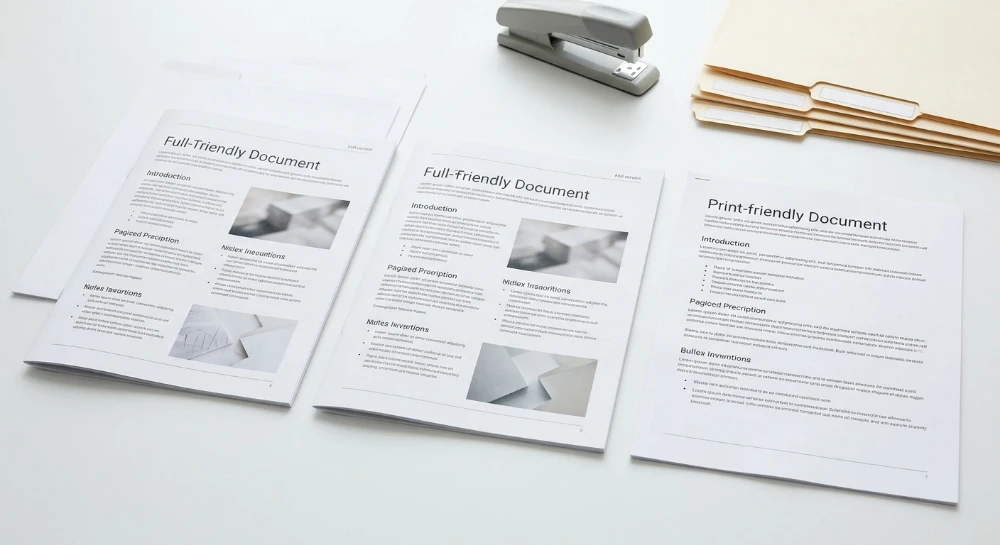
Understanding exactly how duplicate documents appear when a print-friendly page gets indexed exposes a fundamental flaw in default CMS routing. Systems often automatically generate a stripped-down secondary layout tailored strictly for paper output. This mechanism creates an identical parallel URL structure containing the exact same text.
Print-friendly URLs typically surface through appended URL parameters like ?print=true or distinct path modifications such as adding /print/ to the trailing slash. Search engine crawlers evaluate these variants as entirely separate entities rather than stylistic alternatives. A single piece of content suddenly exists across multiple accessible addresses.
The technical SEO scope of this internal duplication mechanics triggers three specific negative outcomes for domain architecture:
- Index bloat occurs when search engines cache hundreds of secondary formatting pages instead of core revenue-driving targets.
- Crawl budget waste restricts discovery frequencies because automated bots spend processing limits rendering print modifications rather than mapping new inventory.
- Conflicting indexing signals force algorithms to guess which version should appear in the SERP, often splitting ranking metrics between the primary content and the printer variation.
Resolving these duplicate URL structures demands precise directives. Without explicit technical boundaries, a site actively degrades its own authority.
Architectural mechanics of Print-Friendly URL duplication
Modern CMS platforms rely on dynamic routing controllers to serve content based on user requests. A standard page template loads the main database payload alongside heavy site navigation, sidebars, and footer modules. Requesting a printer-friendly layout triggers a distinct routing protocol. The system retrieves the identical core text payload but injects it into a minimal, unstyled template. This dual-template mechanism requires specific endpoint variations to function.
Routing architectures typically expose these endpoints through two distinct patterns. Query strings append key-value pairs to the root address. Examples include
?print=true
,
?format=print
, or
&view=paper
. Discrete paths construct virtual directories at the end of the slug, generating addresses ending in
/print/
or
/printer/
. Both methods force the server to generate a new HTML document for the exact same database entry.
The system creates an alternate reality. One database row feeds multiple live endpoints.
Crawler parsing and DOM rendering differences
Search engine bots do not view pages merely as raw text files. The crawler executes rendering protocols to build the DOM tree. It evaluates the structural hierarchy of HTML nodes. When analyzing the main variant, the bot processes hundreds of layout elements. The print variant strips away the navigation containers, interactive sidebars, and complex footer modules. The crawler detects massive shifts in the code structure.
The extraction phase focuses on text nodes inside the primary content wrappers. Algorithms compare the extracted text from the primary template against the print template. The matching text volume triggers a deduplication process. The engine must classify the relationship between the two distinct DOM trees.
Evaluating alternate pages and Near-Duplicates
System engineers differentiate between exact duplicates and near-duplicates based on code-level variance. Duplicate Content implies a near-identical byte-for-byte match of the entire HTML document. Print versions rarely meet this strict definition. They qualify as Near-duplicates. The main body text matches exactly, but the surrounding structural code differs significantly.
Search engines categorize these near-duplicate print layouts as Alternate pages. They recognize the content serves a specific functional purpose rather than a manipulative SEO tactic. The engine still faces the architectural problem of identical core text residing on disparate nodes.
| Structural Element | Primary Page Variant | Print Alternate Page | Crawler Interpretation |
|---|---|---|---|
| Navigation Nodes | Complex rendered DOM sub-trees | Omitted completely | Significant architectural variance |
| Main Content Block | Wrapped in nested layout containers | Isolated standalone text nodes | Exact string match triggered |
| Media Assets | High-resolution files with deferred loading | Stripped or strictly scaled down | Resource extraction shift |
| Internal Links | Full contextual and navigational architecture | Flattened to plain text or removed | Altered crawl path discovery |
The structural variance between a primary layout and its print-friendly counterpart forces search algorithms into a repetitive processing loop. The bot analyzes the unique DOM of the print URL. It extracts the text nodes. It matches those text nodes against the primary URL. The system logs a Near-duplicate instance. Every detected Alternate page adds processing overhead to the indexation queue.
Impact on crawl budget and link equity dilution
The proliferation of these functional layouts across a site architecture directly degrades core SEO performance. Every primary page duplicated as a print variant effectively doubles the physical footprint of the site. This unchecked expansion creates massive Index bloat. Search algorithms must parse, render, and store these redundant nodes in their databases. When the index swells with unoptimized structural variants, the overall domain quality assessment drops.
For enterprise domains housing millions of documents, this redundancy causes severe Crawl Budget depletion.
Search engine bots allocate a finite compute quota to parse any given site based on server capacity and historical crawl demand. As crawler spiders hit thousands of print URLs, they burn through this allocation processing exact-match text strings. The system prioritizes evaluating these known duplicates over discovering newly published product lines or updated informational clusters. Freshness metrics degrade. Critical structural updates remain stranded in the crawl queue while bots endlessly cycle through identical print layouts.
The existence of multiple duplicate URLs fundamentally breaks inbound signal consolidation. Users frequently share links based on the active browser state. A visitor might generate a print version of a technical guide, copy the active string from the address bar, and share it on an external forum or publication. This action misdirects Backlink Equity to a dead-end secondary node.
| Signal Destination | Mechanism of Dilution | SEO Impact |
|---|---|---|
| Primary Layout URL | Fails to capture incoming link references | Stagnant ranking velocity |
| Print Alternate URL | Accumulates isolated Link value | Wasted algorithmic trust |
| Aggregate Domain Profile | Link Metrics split between competing nodes | Sub-optimal SERP positioning |
The division of Authority directly cripples the primary page's ability to compete. Link Equity must pool onto a single authoritative node to maximize algorithmic ranking power. When Backlink Equity fragments, neither version possesses the raw Link value necessary to surpass well-consolidated competitor pages. The math of search algorithms demands concentrated trust signals.
This structural fragmentation generates Conflicting Indexing Signals. Search engines rely on unambiguous technical directives to assign query relevance. Multiple live versions of identical content force the engine to guess which node serves the user intent best. The algorithm often alternates its choice, swapping the primary page and the bare-bones print version in the SERP. This persistent algorithmic indecision results in heavy ranking dilution. The primary page loses its stable position. The print page, lacking proper navigation and structured markup, fails to satisfy modern rich snippet requirements, ultimately crushing the overall CTR.
Detection and diagnostics using Google search console
Locating fragmented print versions requires direct analysis of search engine crawler behavior. Access the Indexing > Pages report within Google Search Console. This interface, previously known as the Index Coverage Report, serves as the primary diagnostic dashboard for identifying structural anomalies in crawling patterns. Look for specific exclusion reasons that flag URL variations.
Search engines classify discovered URLs into distinct buckets based on their parsing logic. Print versions typically cluster into three specific status categories within the interface.
| Status Code | Diagnostic Meaning for Print URLs | Severity |
|---|---|---|
| Duplicate without user-selected canonical | The crawler found the print variant but received no technical directive indicating the primary version. The algorithm must guess the relationship. | High |
| Duplicate Google chose different canonical than user | A directive exists, but the algorithm rejected it. The crawler might have selected the print URL as the primary document due to faster load times or simplified DOM structure. | Critical |
| Alternate page with proper canonical tag | The CMS automatically tags print versions correctly. The crawler recognizes the print URL as a subordinate variant and consolidates signals. | Informational |
Mandatory URL inspection
Aggregate reports only show symptoms. You must isolate individual instances to verify crawler behavior. Extract a flagged print URL from the tables above and process it through the URL Inspection tool.
Review the Page Indexing section within the tool results. The interface displays two critical fields: the user-declared canonical and the Google-selected canonical. A mismatch here confirms algorithmic override. Check the View Crawled Page function to examine the raw HTML and HTTP response retrieved by the bot. This exposes exactly what the crawler encountered during the render phase, stripped of local browser variables. It highlights the exact DOM differences triggering the split indexing.
Proactive auditing with site crawlers
Google Search Console provides reactive data based on historical crawl schedules. Uncovering the full scope of internal duplication demands proactive extraction. Deploy localized site crawlers to map the complete domain architecture.
- Configure Screaming Frog to execute a full crawl of the site hierarchy, setting URL parameters to track query strings associated with print functions.
- Utilize Sitebulb to map rendering differences and generate visual node graphs of internal link structures pointing to print paths.
- Filter the final crawl logs by the specific print identifiers to quantify the exact volume of structural duplication.
These tools form the backbone of comprehensive Technical SEO audits. Running dedicated Indexability Audits through these local applications reveals every exposed print URL before search engine bots deplete the allocated crawl capacity. Combine the raw extraction data from local crawlers with the algorithmic feedback from the Indexing > Pages report to form a complete diagnostic baseline.
Executing URL canonicalization for duplicate consolidation
Consolidating index signals requires enforcing strict Resolution and Canonicalization protocols across the server architecture. When a CMS generates parallel paths for printing, the crawler divides link metrics between the entities. Canonicalization forces the algorithm to merge these properties into a single node.
Establishing the protocol demands a clear definition of the authoritative version versus the Canonical version. The authoritative version is the primary document intended for user consumption and SERP ranking. The Canonical version is the exact URL submitted to the search engine via directives. In a flawless technical setup, these two match perfectly. Divergence between them causes algorithmic confusion and forces search engines to guess the intended target.
Implementing the canonical link element
The standard resolution method relies on the Canonical link element. This is a declarative tag placed exclusively within the HTML <head> section. It explicitly maps the duplicate print instance back to the primary content path.
Insert the rel="canonical" attribute into the code of every print-friendly page variation.
<link rel="canonical" href="https://example.com/category/primary-article/" />This implementation serves as the User-declared canonical. It overrides the default behavior of web crawlers by explicitly stating which URL should retain the consolidated ranking signals. Placement outside the HTML <head> section renders the directive useless. Crawlers typically ignore rel="canonical" tags injected into the body of the DOM.
Enforcing Self-Canonicalization
Deploying canonical tags on duplicates solves only half the architectural problem. The primary, authoritative URL requires a self-referential canonical tag. Self-canonicalization acts as a baseline defensive mechanism against duplicate generation.
- Prevents dynamic tracking parameters from creating accidental indexing duplicates of the authoritative version.
- Solidifies the User-declared canonical signal against external scrapers appending arbitrary query strings.
- Accelerates the consolidation process during the crawling phase by confirming the target URL's status as the definitive entity.
A missing self-referential canonical tag forces the search engine to evaluate the target URL independently. This increases the risk of algorithmic override, where the engine ignores the canonical mapping and selects an entirely different path for the SERP.
HTTP header canonicalization for Non-HTML assets
Many server configurations render print-friendly versions as non-HTML assets, exporting data directly to separate document formats. The standard Canonical link element fails entirely here. These files lack an HTML document structure to house the tag. Resolution in this scenario requires server-level HTTP header canonicalization.
Configure the routing architecture to return a specific Link directive within the HTTP response when a crawler requests the non-HTML print asset.
HTTP/1.1 200 OK
Content-Type: application/pdf
Link: <https://example.com/category/primary-article/>; rel="canonical"
This method bridges the gap between disparate file formats. It binds the non-HTML print duplicate directly to the HTML authoritative version before the crawler even attempts to parse the document content.
| Asset Type | Canonicalization Protocol | Implementation Vector | Crawler Processing Stage |
|---|---|---|---|
| Static HTML Print Page | Canonical link element | HTML <head> section | DOM parsing |
| Dynamic Print Path (?print=1) | Canonical link element | HTML <head> section | DOM parsing |
| Non-HTML Print File | HTTP header canonicalization | Server Response Header | Network retrieval |
Aligning both HTML and HTTP header canonicalization ensures absolute coverage of the site architecture. Every exposed print node, regardless of its MIME type or generation method, points back to the designated authoritative version.
Alternative technical solutions: CSS, noindex, and robots.txt controls
Canonicalization merges ranking signals. It defines architectural preference. Sometimes technical constraints demand rigid exclusion or complete structural redesign rather than signal consolidation. You must deploy alternative controls when merging variables fails or when infrastructure limitations mandate blocking access entirely.
Architectural elimination via print style sheets
The most efficient engineering approach eradicates the duplicate node entirely. You eliminate physical print URLs by managing rendering states client-side. The Print style sheet utilizes the @media print CSS query to restructure the primary document format dynamically during the local system print action. No secondary URL generates on the server.
<style>
@media print {
  header, footer, nav, .sidebar { display: none; }
  body { font-size: 12pt; color: #000; background: #fff; }
  main { width: 100%; margin: 0; padding: 0; }
}
</style>
This removes the secondary asset from the server architecture. The CMS stops generating duplicate paths. Crawlers parse a single DOM structure. The SEO burden drops to zero. The duplicate ceases to exist.
Enforcing exclusion with the noindex directive
Legacy CMS environments often hardcode print parameters that cannot be refactored natively via CSS. Here you apply the Meta Robots Noindex Attribute. Injecting the Noindex Tag directly into the HTML header forces search engines to drop the specific URL from the index upon processing the markup.
<meta name="robots" content="noindex, follow">Deploying the robots meta tag requires strict implementation hygiene. If you apply a Noindex Tag alongside a canonical tag pointing elsewhere, search engines receive conflicting instructions. They must choose between dropping the page entirely or transferring its equity signals. Standardize on one protocol per URL type. Do not mix exclusion directives with consolidation signals.
Non-HTML print outputs demand server-level execution. The X-Robots-Tag HTTP header processes the Robots Noindex Directive during the network fetch phase, long before document rendering occurs.
HTTP/1.1 200 OK
Content-Type: application/pdf
X-Robots-Tag: noindex
This dictates immediate removal from the SERP. The crawler processes the header rule and discards the payload without executing further analysis on the file contents.
Limitations of the robots exclusion protocol
Network-level blocking via Robots.txt halts the crawl mechanism. It does not stop indexing. This is a critical architectural distinction that often triggers severe index bloat.
The robots exclusion protocol dictates crawling permissions exclusively. If you block a /print/ directory using a disallow rule, crawlers respect the block. They drop the fetch request. The server saves the bandwidth.
- Crawlers cannot process meta tags on a blocked URL.
- Crawlers cannot process canonical signals on a blocked URL.
- Crawlers cannot read X-Robots-Tag headers on a blocked URL.
The technical risk lies in external link equity. If external domains or unstructured internal links point directly to the robots.txt-blocked print URL, search engines can and will index that URL based solely on those external signals. The SERP will surface the blocked URL as a barren result, typically displaying a "No information is available for this page" warning in place of a standard meta description.
| Control Mechanism | Impact on Indexation | Impact on Crawl Budget | Implementation Complexity |
|---|---|---|---|
| CSS (@media print) | Prevents completely (no URL exists) | Highly optimized (single URL crawl) | Requires front-end redesign |
| Robots Noindex Directive | Removes URL from SERP | Consumes budget (requires crawling) | Low (HTML or Header injection) |
| Robots.txt Disallow | Allows indexation via external links | Conserves budget (stops crawling) | Low (Root text file edit) |
Understanding indexation versus crawling prevents catastrophic visibility errors. Relying solely on Robots.txt to clean up duplicate print pages ensures those pages remain locked in the index indefinitely, as crawlers are forbidden from accessing the very Noindex Tag or canonical directive needed to remove them.