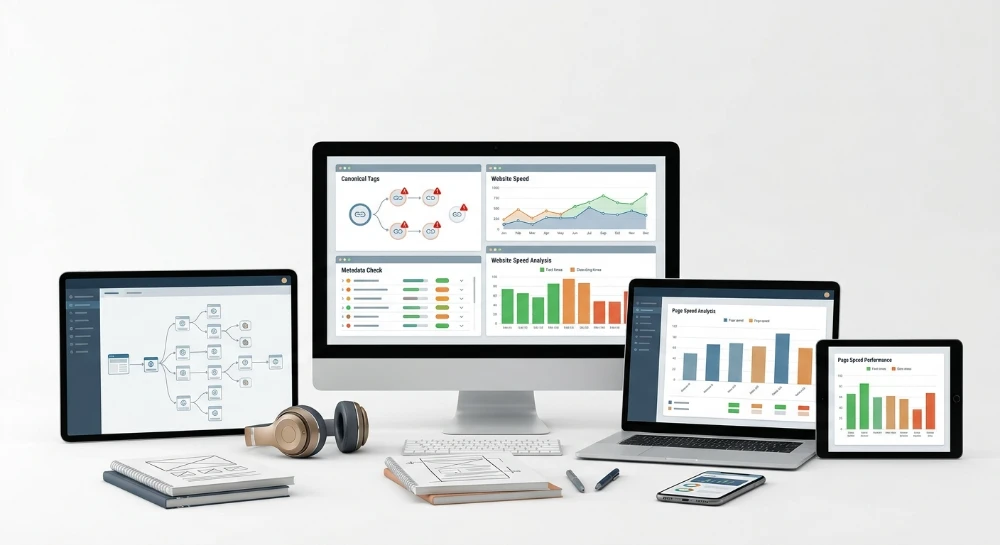
Ahrefs alternatives for internal linking and site architecture become a practical necessity once a site grows past a few hundred pages and link equity stops flowing where it matters. Ahrefs built its reputation on backlink indexing and Domain Rating calculations, and its Site Audit module covers technical checks like crawlability, HTML tag errors, and page speed flags. None of that toolset models how PageRank-style authority moves between internal URLs. None of it groups content into semantic clusters or inserts contextual links automatically. That gap is structural, not a missing checkbox in a settings menu.
Internal link equity is the share of a page's authority passed to other pages through the links placed on it. A product page with fifty external backlinks but zero internal links pointing to a related blog post sends that authority nowhere. Site owners running large content operations, migrations, or topic-cluster campaigns need to see this flow, simulate it before publishing changes, and fix architecture problems like orphan pages, excessive click depth, or broken silo structures. Ahrefs was not built to answer those questions.
SEO specialists managing WordPress blogs, enterprise catalogs, or multi-thousand-page publishers face three recurring architecture failures: pages buried five or six clicks from the homepage, content clusters that cannibalize each other on the same keyword, and orphan URLs with no internal links at all. Fixing these requires tools built around crawl-depth mapping, link-equity simulation, and NLP-based topic grouping, categories that sit outside Ahrefs' documented feature set.
The sections that follow map this territory in order: where Ahrefs' Site Audit and Site Explorer stop short on internal linking, the evaluation criteria that separate a real architecture tool from a basic crawler, desktop crawlers like Screaming Frog and Sitebulb, enterprise crawl-budget platforms OnCrawl and Lumar, WordPress-native plugins including Link Whisper, LinkStorm, Internal Link Juicer, and Linkilo, SeLinkPro's PageRank and semantic linking engine, and a closing framework for matching tool category to site type, CMS, and budget model.
Where Ahrefs falls short on internal linking and site architecture
Ahrefs' Site Audit tool produces an internal links report. It counts inlinks and outlinks per URL, flags orphan pages that no crawled page links to, and surfaces broken internal links when a target returns a 4xx or 5xx status. That is useful for spotting a dead link on a category page or noticing a blog post nobody else on the site references. It is a counting exercise, not a modeling one. The report tells a webmaster how many links point at a URL. It does not tell that webmaster how much ranking value those links actually pass, or what happens to that value if three of the links get removed next week.
Site Explorer runs on a different axis entirely. Its strength is external: backlink profile, Domain Rating, referring domains, and the historical growth or decline of both. That data answers questions about who links to a domain from the outside and how strong those referring domains are. It says nothing about how link equity moves once it enters the site through the homepage or a strong landing page and then gets redistributed, or bottlenecked, across internal URLs. Domain Rating is a domain-level signal built from external link data; it was never designed to simulate page-to-page equity flow inside a single site's architecture.
Put the two tools side by side and the gap becomes obvious.
| Ahrefs feature | What it documents | What it does not do |
|---|---|---|
| Site Audit internal links report | Inlink/outlink counts, orphan page flags, broken internal link detection | No simulation of how link equity redistributes when links are added or removed |
| Site Explorer | External backlink profile, Domain Rating, referring domains | No internal PageRank-style modeling of link flow between a site's own pages |
Site owners running architecture and topic-cluster work need capabilities that sit outside that documented scope. Four gaps show up repeatedly in practice.
- Internal PageRank or link-equity simulation, so a team can see how authority is currently distributed across pages and project how a batch of new internal links would change that distribution before publishing anything.
- Automated or AI-based contextual link insertion, rather than manually finding candidate anchor text and inserting links one post at a time across a catalog with thousands of URLs.
- Semantic topic-cluster mapping that groups pillar and cluster content by meaning, not just by folder structure, and flags when two pages are quietly competing for the same keyword.
- CMS-native bulk linking that works inside the publishing environment itself, instead of requiring an export, a manual review, and a separate round of edits.
None of these four are part of Ahrefs' documented Site Audit or Site Explorer functionality. The internal links report will flag an orphan page. It will not simulate what happens to that page's authority once three new internal links point to it, and it will not tell a content team which cluster page that new link should come from based on topical relevance. There is no NLP-based semantic clustering layer in Ahrefs' documented feature set, and there is no before-and-after equity redistribution model built into the audit.
That distinction is exactly why teams managing large content operations end up evaluating dedicated internal linking and architecture tools alongside Ahrefs rather than instead of it. Ahrefs remains a reference point for backlink profile and Domain Rating tracking. Fixing click depth, resolving keyword cannibalization across a cluster, or simulating link equity before a site migration requires a different category of tool, one built around crawl-depth mapping, PageRank-style flow modeling, and semantic grouping rather than backlink counting.
Core capabilities to evaluate in an internal linking and architecture tool
Before comparing named products, run every candidate through the same five-point framework. Vendors love to lead with dashboards and colorful graphs. What matters is whether the tool actually solves the architectural problem in front of you: a bloated silo, a cannibalized cluster, a page buried nine clicks deep that nobody will ever find through navigation alone.
Crawl-based architecture mapping
Any serious alternative starts with a crawler that can reconstruct the site's actual link graph, not the one shown in the sitemap. Two numbers matter here, and they are not the same thing. Crawl depth counts how many folder levels a URL sits at based on its path. Click depth counts how many clicks a user or bot needs from the homepage to reach that URL through actual hyperlinks. A page can live at a shallow crawl depth and still sit six clicks deep because nothing links to it from the main navigation or from a hub page.
Orphan pages are the extreme case: a URL with zero internal inlinks. Underlinked pages are the quieter problem: a handful of inlinks, none from anywhere with meaningful authority. A capable tool needs to detect both categories, not just flag the binary orphan/not-orphan state.
Structure classification matters just as much. Ask whether the tool can distinguish between three common shapes:
- Flat structure - most pages link directly from the homepage or a shallow hub, with little hierarchy. Common on small brochure sites, risky on large catalogs because it dilutes equity across too many peers.
- Deep structure - long chains of category to subcategory to product, often the result of unmanaged CMS defaults, where deep pages starve for internal links.
- Silo structure - intentional grouping where pillar and cluster pages interlink tightly within a topic and rarely cross into unrelated topics, which is the structure most topical-authority strategies aim for.
If a tool cannot visualize which of these three patterns a site actually follows, it cannot tell a team where the architectural bottleneck sits.
Link equity and PageRank flow modeling
Crawl maps show where links exist. They do not show how much authority flows through them. Link equity distribution is the concept that internal authority passes from page to page through hyperlinks, and that a page with many strong inlinks has more to pass on than a page buried at the end of a redirect chain with two internal links pointing at it.
A damping factor is the mathematical discount applied at each hop in a PageRank-style calculation, reflecting the idea that authority decays slightly as it passes further from the source. Tools that model link equity seriously will state which damping factor they use and run an iterative calculation across the site's adjacency matrix rather than approximating equity from raw inlink counts.
The single most useful capability in this category is before-and-after simulation. Instead of just reporting current PageRank distribution, a strong tool lets a team propose a batch of new internal links and see the projected redistribution before publishing anything. That turns internal linking from guesswork into a testable decision: does linking from the pillar page to this stalled cluster page actually move its relative authority score, or is the link too weak in context to matter?
Semantic clustering and topical mapping
Folder structure is a weak proxy for topical relationship. Two pages can sit in completely different subdirectories and still target the same search intent, or sit in the same category and cover entirely unrelated subtopics. Semantic clustering solves this by applying natural language processing and entity extraction directly to page content, grouping pillar pages and their supporting cluster content by meaning rather than by URL path.
This capability does two jobs at once. First, it tells a content team which cluster page should logically link into which pillar, based on topical overlap rather than a spreadsheet guess. Second, it flags keyword cannibalization: cases where two or more pages target overlapping entities and search intent, quietly splitting ranking signals that should be consolidated into one authoritative page. A tool that only counts keywords in a title tag will miss this. A tool that reads full body text through embeddings or entity extraction will catch it.
CMS integration and automation
There is a hard split between two categories of tool, and confusing them leads to wasted budget. Crawler-based audit tools analyze a site from the outside, generate a report, and hand it to a human for manual review and manual edits. They are excellent for diagnosis and one-off architecture cleanups but do not touch the CMS directly.
CMS-native plugins sit inside the publishing environment itself, whether that is WordPress, Shopify, or Webflow, and can auto-link, bulk-link, or surface AI-powered contextual suggestions directly in the editor while content is being written or updated. Ask which category a candidate tool falls into before evaluating it against the wrong benchmark. A plugin should never be graded on enterprise crawl depth. A crawler should never be graded on its ability to insert a link automatically inside a draft post.
Supporting diagnostics
Internal linking recommendations are only as good as the technical foundation underneath them. A page can have a perfect semantic match and a strong projected PageRank gain, and still fail to pass any equity because the link points into a redirect chain or a noindexed URL. Before trusting any equity or clustering output, confirm the tool also checks these supporting diagnostics:
- Broken internal link detection - dead 404 destinations inside the site's own link graph, which waste crawl budget and equity on nothing.
- Redirect chain detection - multiple 301 hops between the link and its final destination, each hop a potential leak point for equity.
- Canonical and noindex conflict checks - a page can receive strong internal links yet be excluded from indexing, making any linking effort toward it pointless.
- XML sitemap and breadcrumb validation - confirming that the pages the crawler considers important are also declared correctly in the sitemap and reflected in breadcrumb markup, which affects both crawl efficiency and how search engines interpret site hierarchy.
A tool that models PageRank flow or semantic clusters beautifully but skips these checks will eventually recommend a link into a dead end. Treat this diagnostic layer as a prerequisite, not an optional extra, when scoring any alternative against the checklist above.
Screaming frog SEO spider for internal link auditing and architecture mapping
Screaming Frog SEO Spider runs locally, not in a browser tab. That distinction matters more than it sounds. Every crawl executes on the machine running the software, which means the data never leaves the desktop unless the auditor exports it. For agencies handling client architecture audits under NDA, that local-execution model is often the deciding factor over a cloud SaaS platform.
The core function is crawling. Point it at a domain, and it walks the internal link graph, recording inlink and outlink counts for every URL it discovers. This produces a raw internal link report: which pages send the most links, which receive the fewest, and where the link distribution across the site looks structurally uneven. A page with dozens of outlinks but almost no inlinks is a red flag worth investigating before any equity modeling even starts.
Finding orphan pages requires a second data source
Screaming Frog's crawl on its own cannot see a page that has zero internal links pointing to it, because a pure crawler only follows links it finds. The workaround is documented and straightforward: import data from Google Search Console or Analytics alongside the crawl. Any URL that shows up in Search Console impressions or Analytics sessions but never surfaces during the crawl itself is, by definition, orphaned from the internal link structure. This cross-reference step is manual, but it is reliable.
Combining crawl data with external import sources is not automatic reconciliation. The auditor still has to line up the two datasets and interpret the gap.
Broken links and redirect chains
The crawler flags 4xx responses inside the internal link graph directly, which surfaces broken internal links without extra configuration. Redirect chains - a URL that bounces through multiple 301 hops before reaching its final destination - are also detected during the crawl, letting an auditor trace exactly how many hops sit between a link and its resolved target. Both issues matter for architecture work because a broken or multi-hop link represents equity that never reaches its intended page.
These two diagnostics form the backbone of most technical link audits run through the tool. They are not exotic features; they are the baseline reason most SEO specialists reach for a desktop crawler in the first place.
Visualizing structure
Beyond tabular reports, the tool generates crawl-path and site architecture diagrams. These visualizations map how pages connect to one another and how deep a given URL sits from the root, giving a visual read on whether the site behaves as a flat structure, a deep hierarchy, or something closer to a silo. For a stakeholder meeting, a diagram communicates a structural problem faster than a spreadsheet ever will.
Export-first, not insertion-first
Everything Screaming Frog produces - inlink counts, orphan candidates, broken link lists, redirect chain maps - lands in CSV or spreadsheet format for the auditor to sort, filter, and act on manually. The tool does not insert links into pages, and it does not generate AI-based contextual suggestions for where a new link should go. It identifies the problem; a human, or a separate system, has to fix it.
That gap is the reason many teams pair a crawler like this with a CMS-native linking tool downstream. Auditing and insertion are treated as two separate jobs here, not one workflow.
- Internal link auditing: inlink and outlink counts per URL, generated during the crawl itself.
- Orphan page detection: requires importing Google Search Console or Analytics data and cross-referencing against crawl results.
- Broken link and redirect chain detection: flagged natively as part of the standard crawl output.
- Structure visualization: crawl-path and site architecture diagrams for a visual read on hierarchy and depth.
- Output format: CSV and spreadsheet exports for manual analysis, with no automated link insertion or AI-driven suggestion layer.
Distribution runs on a desktop, license-based model rather than a cloud subscription. There is no browser dashboard to log into and no server-side account managing the crawl; the license activates the local application, and the crawl runs on whatever hardware it is installed on. For teams already comfortable running technical audits by hand, that local-first setup keeps full control over crawl configuration without depending on a vendor's cloud infrastructure.
Sitebulb for visual site architecture and internal link reporting
Sitebulb approaches the same problem as any crawler-based audit tool, but leads with visualization rather than raw spreadsheet output. Where a flat CSV export forces a technical SEO to reconstruct site hierarchy in their head, Sitebulb builds the crawl map as a visual diagram from the start. That distinction matters when the audience for a link-equity finding is not another crawler specialist but a marketing director or a client who needs to see the problem, not just read a row count.
The tool generates internal link hints during the crawl, flagging pages that show weak internal link signals. This is a documented, prioritized layer sitting on top of the raw crawl data, not a separate manual pass. Instead of exporting a full inlink/outlink table and asking a human to spot the outliers, Sitebulb surfaces the pages worth checking first.
What the visual layer actually shows
Site hierarchy and click depth get rendered as a diagram, not just a numeric column. That matters for spotting structural problems fast.
- Visual crawl maps: site hierarchy and click depth displayed as diagrams rather than tabular depth counts alone.
- Orphan page identification: pages with no internal links pointing to them get flagged as part of the standard audit.
- Prioritized audit hints: internal linking issues are surfaced with a priority indicator rather than left as an undifferentiated list of every page crawled.
- Weak internal link signal flags: pages that carry thin internal link support get called out specifically, distinct from general orphan status.
For a site with a few thousand URLs and a messy click-depth problem, a visual map answers a question a spreadsheet cannot answer quickly: where does the structure actually break down? A silo that looks fine in a link-count table can still show up visually as a page buried five clicks from the homepage, disconnected from its supposed cluster. That is the practical value of the diagram layer over a raw export.
Deployment: Desktop and cloud
Sitebulb ships in two forms. There's a desktop application, similar in distribution logic to other license-based crawlers, and a cloud-based version that runs the crawl on hosted infrastructure instead of local hardware. That split gives teams a choice: keep the crawl and its resource load on a local machine, or offload it to the cloud and access results from anywhere without managing local install versions across a team.
For an agency running audits across many client sites, the cloud option removes the friction of syncing desktop licenses across machines. For a single in-house specialist auditing one property at a time, the desktop version keeps things self-contained.
Sitebulb MCP and AI agent access
Sitebulb also documents an MCP integration, which allows AI assistants or agents to query crawl and audit data directly. This is positioned as a way to let an AI-driven workflow pull structured findings, such as flagged internal linking issues or orphan page lists, out of a completed audit without a human manually exporting and reformatting the report first.
What Sitebulb does not do, based on its documented functionality, is insert links or generate contextual link recommendations. The internal link hints and orphan flags identify where a structural weakness exists. Acting on that finding, whether that means adding a link from a hub page or restructuring a silo, remains a separate step handled outside the tool. That keeps Sitebulb in the same functional category as other crawler-based auditors: strong on diagnosis and visualization, silent on automated remediation.
OnCrawl and lumar for Enterprise-Scale crawl budget and architecture analysis
Once a site crosses into hundreds of thousands or millions of URLs, the questions change. It stops being "which pages are orphaned" and becomes "where is the crawl budget going, and why won't Googlebot touch the pages that matter". That is the gap OnCrawl and Lumar are built to close.
OnCrawl: Log files plus crawl data
OnCrawl combines log file analysis with crawl data to evaluate crawl budget allocation. That combination matters because a crawl on its own only shows what a bot could reach architecturally. Log files show what search engine bots actually requested. Pairing the two exposes the gap between the site as designed and the site as crawled, which is precisely where crawl budget gets wasted on low-value URLs while priority pages get skipped.
OnCrawl also evaluates internal link-based ranking metrics, giving architecture teams a way to judge how link structure correlates with crawl frequency and visibility. On top of that, it segments site structure by page groups, letting a technical SEO team analyze architecture not URL by URL but by category, template, or section. For a marketplace or publisher with tens of thousands of near-identical listing pages, that segmentation is what makes the analysis usable instead of overwhelming.
Lumar: Rendering, budget, and data warehouse integration
Lumar, the rebrand of DeepCrawl, supports JavaScript rendering, which matters for sites built on frameworks that inject content client-side rather than serving it in raw HTML. Crawl budget optimization sits alongside that rendering capability, aimed at the same core enterprise problem OnCrawl addresses: making sure bot resources land on pages that drive revenue rather than parameter-stuffed duplicates or infinite filter combinations.
Where Lumar separates itself is in its integrations with Google Search Console and BigQuery. Pulling Search Console data into the same environment as crawl and architecture data lets a team cross-reference what Google reports as indexed and clicked against what the crawler actually found structurally. Connecting into BigQuery pushes that analysis into a data warehouse workflow, which is a distinct requirement for organizations running SEO reporting alongside broader business intelligence pipelines rather than as a standalone tool.
Who these two are actually built for
Neither platform reads as a fit for a five-hundred-page SMB site. Both are positioned toward enterprise technical SEO teams working with the kind of scale where log file volume, rendering complexity, and crawl budget waste become measurable problems rather than theoretical ones. A checklist helps separate the signal these platforms are built to catch:
- Crawl budget being burned on faceted navigation, session parameters, or near-duplicate template pages across large catalogs.
- Bot activity diverging sharply from the architecture a team believes it has built, visible only through log file cross-reference.
- Architecture needing segmentation by page group or template rather than one flat report covering the entire domain.
- Rendering behavior on JavaScript-heavy sections needing verification before assuming crawlability.
- SEO data needing to live inside a warehouse pipeline (BigQuery) alongside other business reporting rather than as an isolated export.
Pricing for this tier is typically quote-based rather than published as a fixed per-seat or per-crawl rate. That reflects the buyer profile: enterprise procurement, custom crawl volume needs, and negotiated contracts rather than a self-serve checkout flow. A team evaluating either platform should expect a sales conversation and a scoping call before seeing a number, not a pricing page with tiers listed by page count.
What neither OnCrawl nor Lumar does, based on their documented positioning, is insert internal links or run PageRank-style equity simulations at the individual link level. Their strength is diagnostic: crawl budget waste, log-verified bot behavior, and architecture segmentation at a scale where manual crawler tools become impractical to run and interpret. Acting on those findings, deciding which pages get new internal links or which sections get restructured, remains a separate step performed by the team reading the reports.
WordPress Auto-Linking plugins: Link whisper, LinkStorm, internal link juicer, and linkilo
Crawler-based tools sit outside the CMS and look at a site from the outside in. WordPress plugins take the opposite approach: they live inside the editor, read the post database directly, and insert links while content is being written or updated. That structural difference matters more than it sounds. A crawler tells you a page is orphaned; a plugin can act on that finding without anyone opening a spreadsheet, exporting a CSV, or manually pasting an anchor into a paragraph.
Four plugins dominate this category, and each solves the linking problem with a different mechanism.
Link whisper
Link Whisper runs inside the WordPress editor and surfaces AI-based contextual internal link suggestions as a post is being written or edited. Instead of a writer stopping to search the site for a relevant page to link to, the plugin proposes candidate targets based on the content already published. Beyond suggestion at the point of writing, it reports on orphaned or underlinked posts, giving a site owner a list of pages that have accumulated little or no internal link equity, and it flags broken internal links so dead references get caught before they sit unnoticed for months.
LinkStorm
LinkStorm is positioned as an AI-powered internal link suggestion plugin built specifically for WordPress. The core mechanic mirrors the category's logic: content gets analyzed, and the plugin proposes internal links driven by AI rather than requiring a human to manually map every anchor-to-URL relationship. For sites publishing at volume, that AI layer replaces the tedious manual review of "what should this new post link to" with an automated suggestion step.
Internal link juicer
Internal Link Juicer takes a different, more deterministic route. Rather than AI-driven suggestions, it applies rule-based automated linking, inserting links according to a keyword-to-URL mapping the site owner defines in advance. Set a keyword once, map it to a target URL, and the plugin applies that rule across matching content automatically. That predictability is the trade-off against AI suggestion models: no contextual judgment call, but full control over exactly which keyword triggers which link, which matters for sites that want strict anchor consistency across hundreds of posts.
Linkilo
Linkilo focuses on internal link management with a visualization layer built around silo and cluster structure. Instead of only inserting links, it lets a site owner see how content groups relate to each other, which is useful for sites organized around topic silos where cross-linking needs to stay inside a cluster rather than leaking equity across unrelated categories. That visualization component sets it apart from a pure insertion tool, since it gives a structural view of how the WordPress content library is actually interlinked, not just a list of suggested anchors.
Where this category fits and where it stops
All four tools share a common audience: content-heavy WordPress sites publishing at a pace where manual internal linking, opening old posts one by one to add a link to new content, becomes a bottleneck. Bulk or automated insertion at that scale is the actual value proposition, not a nice-to-have convenience.
The limitation is equally consistent across all four. Their functionality is scoped to the WordPress or CMS environment. None of them run a cross-domain technical audit, crawl a non-WordPress site, or model architecture for a multi-CMS setup. A business running WordPress for its blog and a separate Shopify storefront cannot rely on any of these four to unify linking strategy across both. They solve the in-CMS insertion problem well; they are not substitutes for a crawler that maps an entire domain's technical structure.
A quick comparison of the mechanism each plugin relies on clarifies which one fits which workflow:
| Plugin | Linking Mechanism | Primary Documented Function |
|---|---|---|
| Link Whisper | AI-based contextual suggestion | Editor-integrated suggestions plus orphan/underlinked and broken link reporting |
| LinkStorm | AI-powered suggestion | Internal link suggestions generated for WordPress content |
| Internal Link Juicer | Rule-based automation | Keyword-to-URL mapping applied automatically across matching content |
| Linkilo | Managed linking with visualization | Silo and cluster visualization alongside link management |
Picking between them comes down to one question: does the site need judgment-based suggestions that adapt to context, or does it need strict, rule-driven consistency across a defined keyword set? Link Whisper and LinkStorm lean toward the former; Internal Link Juicer leans toward the latter; Linkilo adds a structural lens on top of link management for teams thinking in silos rather than individual posts.
SeLinkPro's PageRank flow modeling and semantic internal linking engine
None of the tools covered so far actually calculate a mathematical PageRank score for internal pages. Screaming Frog and Sitebulb report inlink and outlink counts. OnCrawl and Lumar analyze crawl budget and log data. The WordPress plugins insert links based on keyword rules or AI suggestion. Nothing so far simulates how link equity actually redistributes when a new internal link goes live. SeLinkPro's Internal PageRank analyzer is built specifically to close that gap.
The module works by crawling the target site's architecture and constructing an adjacency matrix - a full map of which pages link to which. That matrix feeds into an iterative link-analysis calculation using a 0.85 damping factor, the same coefficient that underlies classic link-analysis math. The output is a relative PR score on a 0-100 scale for every crawled URL, giving a concrete number instead of a vague "this page seems under-linked" observation.
Click depth gets calculated separately, using Breadth-First Search to determine exact navigational reachability from the homepage or any specified entry point. This matters because a page can carry a reasonable inlink count and still sit five or six clicks deep, which throttles both crawl frequency and equity flow. BFS traversal exposes that distance precisely, rather than estimating it from folder structure or sitemap position.
Beyond raw scores, the analyzer classifies PR transfer paths by strength - separating strong, good, neutral, and weak flow between pages. That classification is what turns the matrix from a spreadsheet of numbers into an actionable map: a specialist can see immediately which donor pages are wasting authority on weak paths and which acceptor pages are starved of any meaningful transfer at all.
Where this becomes genuinely useful for architecture planning is the before-and-after simulation. Before adding a batch of new internal links, a specialist can model the projected redistribution first - checking whether a planned link from a high-PR hub actually moves the needle on a target page, or whether the same effort would be better spent elsewhere. The full matrix, including the simulated projections, exports to CSV or HTML for further review or reporting.
The semantic internal linking layer
PageRank math answers where authority flows. It does not answer where a link belongs contextually. That's the job of SeLinkPro's Semantic internal linking tool, which maps the entire site as a semantic graph built from NLP and entity extraction run against full body text - not just titles or meta tags.
Because the tool reads actual page content, it can recommend contextual internal links based on topical relevance rather than exact-match keyword rules. This directly targets keyword cannibalization: when two or more pages compete for the same entity or topic cluster, the semantic graph flags the overlap so a specialist can consolidate linking signals toward the page meant to rank, instead of splitting equity across near-duplicate targets.
The tool also simulates projected internal link equity flow across the semantic graph to highlight which pages function as authority hubs - the pillar or pillar-adjacent content that should be receiving the bulk of contextual links from supporting articles. Pages that fall outside any cluster connection get caught by an anti-orphan protocol, which identifies orphan pages that the semantic mapping process surfaces as disconnected from the site's topical structure.
Output comes as a donor-to-acceptor mapping: which page should link to which, complete with suggested anchor context and a relevance score for each pairing. That level of detail is what separates a semantic recommendation engine from a generic "add more internal links" audit note - the specialist gets a specific source URL, a specific target URL, and a numeric justification for the pairing, exportable for implementation tracking.
Where the technical audit module overlaps
It's worth noting that PageRank flow calculation isn't isolated to the dedicated analyzer. SeLinkPro's broader Technical SEO audit module also calculates internal PageRank flow and flags orphan pages and dead-ends as part of its full crawl. That means a specialist running a general technical audit already gets a baseline read on link equity distribution and architectural dead zones, even before opening the dedicated PageRank or semantic modules for deeper simulation work.
Billing structure
SeLinkPro runs on a strict pay-as-you-go model. There is no monthly subscription tier - access starts with a $5.00 minimum deposit, and usage draws down against that balance per action performed. For the modules relevant to architecture and linking work, pricing breaks down as follows:
- Technical SEO Audit: $0.005 per page crawled
- Semantic Relevance Tracker, covering content parses: $0.04 per parse
This billing structure removes the fixed monthly cost that defines both the enterprise crawl-budget platforms and the recurring WordPress plugin licenses covered earlier. A team running a one-time architecture audit and semantic link mapping pass pays only for the pages and parses actually processed, with no ongoing commitment once the project closes.
Taken together, the Internal PageRank analyzer, the Semantic internal linking tool, and the PageRank/orphan detection built into the Technical SEO audit module give this platform a specific niche: simulating link equity mathematically, mapping content relevance semantically, and auditing technical health, all inside one pay-as-you-go system rather than three separate subscriptions.
Matching architecture tools to site type, CMS, and budget model
Picking the right tool starts with one question: what is actually broken, and how big is the site carrying the problem? A 500,000-URL retail catalog with server logs to analyze has nothing in common with a 40-post WordPress blog that just needs contextual links inserted faster. Matching the tool to the site type and budget model avoids two common mistakes: overpaying for enterprise crawl infrastructure on a site that doesn't need it, or trying to force a WordPress plugin to solve a cross-domain architecture problem it was never built to handle.
Enterprise-Scale sites without a single CMS dependency
Large sites built on custom stacks, headless architectures, or a mix of subdomains rarely fit inside one CMS ecosystem. For these, crawl budget waste and log file blind spots are the real bottleneck, not manual link auditing. OnCrawl and Lumar fit this bracket specifically because they combine log file analysis with crawl data at a scale desktop tools were not designed to handle.
Pricing at this tier is typically quote-based rather than published per-unit. That reflects the reality that enterprise crawl-budget analysis is sized to the site, not sold as a flat SKU. Teams evaluating this category should expect a sales conversation before a price, which is standard for platforms positioned toward enterprise technical SEO functions rather than SMB budgets.
Hands-On technical audits and manual architecture mapping
Specialists who want to run their own crawls, control the parameters, and manually inspect crawl-path diagrams sit in a different bracket entirely. Screaming Frog, under its annual license model, fits the specialist who needs full control over a desktop crawl and is comfortable exporting data to spreadsheets for further manual work. Sitebulb, available in either desktop or cloud subscription tiers, fits a similar profile but leans harder into visual crawl maps and prioritized audit hints for teams that want a visual read on hierarchy and click depth without building the diagrams by hand.
Neither tool automates link insertion. Both assume a human will look at the report and decide what to fix. That is the trade-off: manual audit control in exchange for manual execution afterward.
WordPress content sites needing bulk link insertion
Content-heavy WordPress sites rarely need a full architecture audit every week. What they need is a way to stop manually hunting for internal link opportunities across hundreds of posts. This is where Link Whisper, LinkStorm, Internal Link Juicer, and Linkilo apply, each running under recurring plugin licensing rather than a one-time crawl fee.
The decision inside this group comes down to how the links get chosen: AI-based contextual suggestion (Link Whisper, LinkStorm), rule-based keyword-to-URL mapping (Internal Link Juicer), or silo/cluster visualization layered on top of link management (Linkilo). None of these plugins cover non-WordPress architecture or cross-domain audits, so a site running partially outside WordPress will hit the edge of what this category can do.
Teams needing PageRank simulation and semantic mapping without a subscription
Some teams don't fit neatly into either the enterprise-crawl bracket or the WordPress-plugin bracket. A specialist running a one-time internal linking audit for a client, or a site owner who wants PageRank flow simulation and semantic cluster mapping combined with a technical crawl, but has no interest in a recurring monthly fee, needs a different billing structure entirely. SeLinkPro's pay-as-you-go model, with a $5.00 minimum deposit and no subscription tier, fits that specific gap: usage draws down per page crawled or per parse run, and the project can close without leaving an active billing commitment behind.
The following breakdown summarizes which category answers which primary need.
- Enterprise-scale, non-CMS-specific sites needing crawl budget and log file analysis at scale: OnCrawl or Lumar, quote-based pricing.
- SMB or specialist-run sites needing hands-on, manual technical audits and visual architecture mapping: Screaming Frog under an annual license, or Sitebulb under desktop or cloud subscription tiers.
- WordPress content sites needing automated or bulk contextual link insertion without a full architecture audit: Link Whisper, LinkStorm, Internal Link Juicer, or Linkilo, under recurring plugin licensing.
- Teams needing PageRank flow simulation, semantic clustering, and technical audit combined without a recurring subscription: SeLinkPro's pay-as-you-go model, $5.00 minimum deposit.
Strip away the branding and the decision reduces to four questions: is the primary need auditing, visual mapping, automated CMS-level insertion, or PageRank/semantic simulation? And is the site enterprise-scale, SMB, or WordPress-based? Answer those two questions honestly, and the tool category picks itself - the remaining choice inside each category comes down to billing preference: quote-based contracts, annual or subscription licenses, recurring plugin fees, or pay-as-you-go usage with no lock-in.