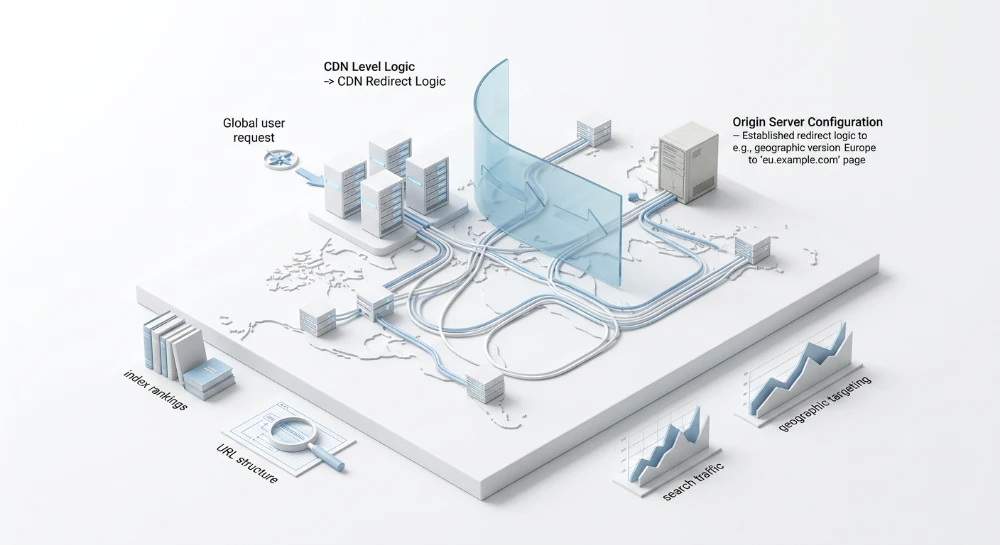
Handling trailing slash enterprise servers and redirection issues requires precise configuration of load balancers and reverse proxies to prevent split indexing. Search engine crawlers evaluate URL variations with and without a terminal slash as entirely distinct file endpoints versus directory paths. This algorithmic behavior forces bots to process redundant data. A failure to standardize these variations immediately consumes crawl budget and splits ranking signals across duplicate strings.
Enterprise infrastructure routes traffic through multiple layers before reaching the origin server. Inconsistencies in URL resolution logic between edge networks and the primary application create significant SEO risks. Soft 404 errors frequently trigger when reverse proxies fail to append or strip the slash consistently during internal routing.
Strict HTTP response header requirements dictate the deployment sequence.
Standardization must execute at the infrastructure edge. Routing algorithms evaluate the location header during HTTP 301 processing. Misconfigured redirect deployment sequences at the application level introduce latency and trigger chained loops. Enforcing a single routing rule across AWS ELB or Cloudflare Page Rules stops duplicate content parsing before upstream server processing begins. Optimizing crawl budget allocation depends entirely on this specific architectural pattern.
Architectural impact of URL resolution logic on duplicate content parsing
Search engine crawlers process URL strings strictly. They apply deterministic logic to evaluate endpoints. A string ending in a specific alphanumeric sequence signals a request for a file endpoint. A string ending with a trailing slash dictates a request for a directory path containing multiple assets. This distinction alters processing at the protocol level. Search bots view these variations as entirely separate entities requiring distinct HTTP requests.
When enterprise servers resolve both variations to identical HTML payloads without standardizing the string, duplicate content generation triggers immediately. The system forces the crawler to allocate resources to parse, render, and evaluate the exact same document object model twice.
Link equity consolidation failures and split indexing
This architectural flaw cascades directly into core indexing algorithms. Search engines must decide which URL version to retain in the main index. Split indexing occurs when external link signals point randomly to both the file endpoint and the directory path. This divides the ranking power. Link equity consolidation fails completely under these fragmented conditions.
Index pages and leaf pages suffer differently under split indexing scenarios. Index pages aggregate internal link velocity from global navigation structures. Leaf pages sit at the end of the site architecture and rely on highly specific inbound contextual links.
The exact SEO risks manifest predictably across different page archetypes.
| Page Archetype | Crawler Evaluation Logic | Primary SEO Risk Factor |
|---|---|---|
| Index Pages (Category/Hub) | Evaluates as a directory path requiring child node crawling. | Dilution of internal link graph signals across duplicate hubs. |
| Leaf Pages (Product/Article) | Evaluates as a terminal file endpoint. | Loss of inbound external link equity and split CTR data. |
| Paginated Archives | Evaluates parameter appended to directory versus file. | Deep crawl exhaustion and deindexing of paginated series. |
When link equity fails to consolidate on a single URL string, keyword rankings drop. The search engine algorithm detects two competing URLs from the same domain offering identical answers to a user query. It filters one out to prevent SERP monopolization. If inbound links are split evenly between the slash and non-slash versions, neither URL possesses the required authority to outrank competitors.
Systemic drain on crawl budget allocation
Enterprise domains rely heavily on efficient crawling operations. Crawl budget allocation breaks down when bots encounter hundreds of thousands of redundant trailing slash variations. A bot receives an allocated time and request limit for a domain based on historical server response times and site popularity. Rendering duplicate endpoints burns this quota rapidly.
Crawlers drop deep site architecture discovery to re-crawl known duplicate nodes.
Engineers must monitor specific indicators of crawl budget exhaustion caused by slash routing flaws.
- High frequency of crawler requests fetching identical byte sizes across slash and non-slash URL endpoints.
- Drop in crawl frequency for newly published leaf pages.
- Increased latency in indexation delays for time-sensitive HTML content.
- Spikes in automated bot traffic returning 200 OK statuses for both directory paths and file endpoints simultaneously.
Mechanics of soft 404 error generation
Trailing slash mismatch introduces severe HTTP status code anomalies. A Soft 404 error triggers when a URL returns a 200 OK status code but displays content suggesting the page does not exist or lacks core structural elements. This happens frequently due to edge-to-origin routing conflicts.
Assume a reverse proxy expects directory paths to resolve without a slash. The origin server requires the slash to load the specific CMS template. The client requests the non-slash URL. The proxy forwards it. The origin server fails to map the file endpoint to a valid database entry, returning an empty layout or a fallback page. The proxy configuration bypasses strict error handling for that route and passes a 200 OK back to the crawler.
The bot reads the 200 OK header. It parses the empty or broken HTML. The algorithm classifies the URL as a Soft 404. This damages domain quality scores. It trains the crawler to expect broken architecture, further reducing the overall crawl budget allocation. Fixing this requires exact alignment of URL parsing logic between the infrastructure edge and the application database.
Run a deep technical crawl to identify 4xx errors, missing meta tags, and indexation blockers.
Standardizing redirection logic at the load balancer and CDN layers
Executing URL standardization at the infrastructure edge stops request propagation instantly. Upstream servers waste compute cycles handling invalid path formats. Pushing redirect logic to the CDN or load balancer guarantees consistent enforcement before the request reaches the application logic. This intercepts the crawler at the network boundary. It returns the correct HTTP status code immediately.
Edge-level execution minimizes redirect latency. The origin database remains untouched. System resources are preserved for legitimate user queries and valid API calls.
Deploying CDN transform rules
Legacy architectures relied heavily on basic Cloudflare Page Rules. Modern infrastructure requires CDN Transform Rules for granular URI string manipulation. These rules execute earlier in the network lifecycle. They intercept the trailing slash anomaly, alter the path, and fire an HTTP 301 Redirect prior to upstream server routing.
A dynamic redirect rule evaluates the incoming request against a regex pattern. If the path terminates in a slash, the edge node strips the character and constructs the new Location header.
| Configuration Parameter | Required Value / Operator | Execution Logic |
|---|---|---|
| Field | URI Path | Targets the exact request path excluding the query string. |
| Operator | matches regex | Identifies the trailing slash condition. |
| Value | ^(.*)/$ | Captures the full string preceding the final slash. |
| Action | Dynamic Redirect | Forces an HTTP 301 Redirect to the standardized endpoint. |
| Target Expression | regex_replace(http.request.uri.path, "^(.*)/$", "${1}") | Outputs the sanitized URL without passing to the origin. |
AWS ELB routing and Protocol-Level handling
Application load balancers dictate origin request flow based on listener rules. AWS ELB listener configurations must explicitly handle path variants. You configure a rule evaluating the path pattern. If it detects the non-preferred slash format, the load balancer executes a redirect action directly, returning the HTTP 301.
Protocol-level handling demands strict attention. Load balancers handle TLS termination. They pass the request to the upstream origin over standard unencrypted protocols. If the redirection logic fails to account for this protocol shift, it generates a Location header pointing to a non-secure scheme. This forces a secondary redirect.
Redirect chains waste crawl budget. The crawler hits an unencrypted endpoint before reaching the final destination. To prevent this, read the X-Forwarded-Proto header. The configuration must map the exact protocol from the client request into the response header.
- Extract the client protocol from the X-Forwarded-Proto header.
- Inject the secure scheme into the Location header override.
- Set the status code to exactly 301 to ensure link equity transfers.
- Retain the original query parameters during path reconstruction.
Varnish cache tuning and SSLProxy handling
Redirect logic must be cached. Processing regex rules on every single crawler hit degrades edge performance. Varnish Cache Tuning allows the infrastructure to store the HTTP 301 response in memory. The next bot requesting that exact invalid URL receives the cached Location header instantly.
You write VCL logic to intercept the path mismatch in the vcl_recv subroutine. The system issues a synthetic response holding the 301 status. It bypasses the backend fetch completely.
SSLProxy Handling complicates this when a TLS proxy sits in front of Varnish. Varnish only sees unencrypted traffic. It lacks native awareness of the client TLS state. The TLS proxy must accurately pass the X-Forwarded-Proto flag. Varnish reads this flag within the VCL syntax to construct the absolute URL for the Location header. Misalignment here strips the secure protocol, triggering latency spikes and crawler drops.
Server block configuration: Apache HTTP server and nginx optimization
Traffic that bypasses the cache layer hits the origin server directly. When load balancers or edge nodes fail to standardize the request path, the origin web server becomes the final defense against duplicate content indexing. You must hardcode the URL standard directly into the virtual host configuration. Misconfigured regular expressions at this layer cause aggressive CPU spikes and generate fatal routing errors.
Nginx processes URI strings inside server blocks using Perl-compatible regular expressions. You need exact match locations to catch the path mismatch without interfering with valid directory structures.
Enforcing a clean structure requires a return directive within a location block. A global regex catches any request ending in a slash that is not explicitly defined as a directory.
server {
    listen 443 ssl;
    server_name example.com;

    location ~ ^/(.*)/$ {
        return 301 /$1;
    }
}
Enforcing a 308 Permanent Redirect preserves the original request method. This is critical for API endpoints receiving POST payloads. A standard 301 Moved Permanently forces clients to drop the data payload and switch to a GET method. Replace the status code in the return directive to lock the request state during the hop.
server {
    listen 443 ssl;
    server_name example.com;

    location ~ ^/(.*)/$ {
        return 308 /$1;
    }
}
Apache htaccess configuration and mod_rewrite
Apache relies on the mod_rewrite module to manipulate the request path before handing it to the content handler. Enable the engine explicitly at the top of the .htaccess file. Failing to initialize it renders all subsequent conditions inert.
RewriteEngine OnThe routing logic demands strict parameters to separate physical directories from virtual paths. Pass variables to RewriteCond to verify the request target is not an existing folder on the disk.
- Match the exact request string ending with a slash.
- Verify the path is not a physical directory using the -d condition.
- Execute the rewrite rule to capture the string without the trailing character.
- Apply termination flags to stop processing further rules.
RewriteCond %{REQUEST_FILENAME} !-d
RewriteRule ^(.*)/$ /$1 [L,R=301]
The RewriteRule directive relies heavily on bracketed parameters. The [L] flag instructs Apache to halt processing immediately. It prevents subsequent rules from altering the newly modified URL. Adding the [NC] flag makes the pattern matching case-insensitive. Mixed-case URI requests trigger the same standardization logic, keeping the SEO profile consolidated.
DirectorySlash directive and MultiViews conflicts
Server administrators frequently encounter infinite loops when combining routing modules. The mod_dir module controls how Apache serves physical directories. By default, the DirectorySlash directive is enabled. If a crawler requests a physical directory without a slash, Apache forces a redirect to append it. If your mod_rewrite logic strips slashes globally, the two modules fight. The server gets stuck in a REDIRECT_LOOP.
Turn off the default behavior for specific paths when virtual routing takes priority.
DirectorySlash OffContent negotiation triggers similar failures. The Options -MultiViews directive disables implicit file matching. If an endpoint is requested as /services/ and a file named services.php exists, MultiViews tries to serve the file directly. This bypasses the trailing slash logic entirely. Disable it at the root level of your configuration.
Options -MultiViewsMitigation of redirect loops
Infinite loops destroy the crawl budget. A REDIRECT_LOOP occurs when the server issues a 3xx response that points to a destination triggering the exact reverse rule. This happens when upstream load balancer forwarding rules conflict with the origin .htaccess configuration. Always isolate the standardization layer. If the CDN handles the slash removal, the origin server must accept the stripped URI without appending slashes back via mod_dir.
Testing logic requires verifying the exact HTTP response headers generated by specific configurations.
| Protocol | Nginx Syntax | Apache Syntax | Payload Handling |
|---|---|---|---|
| 301 Moved Permanently | return 301 /$1; | [L,R=301] | Drops POST data and switches to GET |
| 308 Permanent Redirect | return 308 /$1; | [L,R=308] | Preserves original POST payload |
Execute configuration tests before reloading the web server. Command-line validation prevents syntax errors from dropping active connections. Use nginx -t or apachectl configtest to verify the structural integrity of your routing blocks. Apply the changes only after confirming zero module conflicts exist within the virtual host.
SEO structure and reciprocal link analyzer
Detect orphan pages, deep click depths, and toxic reciprocal links built by careless agencies.
Resolving trailing slash conflicts in headless CMS and JavaScript frameworks
Modern frontend frameworks hijack traditional URL resolution. Server-side redirect rules frequently collide with client-side hydration logic. SSR and SSG deployment architectures introduce critical failure points when the framework internal routing schema diverges from the upstream standardization layer. You trigger an infinite loop when the infrastructure edge strips the slash, but the client-side router violently re-appends it upon rendering.
This conflict generates a client-side infinite loop. The browser receives a 301 from the reverse proxy, fetches the stripped URL, then framework hydration kicks in and executes a history state override to the slashed version. The cycle repeats until the browser throws an
ERR_TOO_MANY_REDIRECTS
exception. Crawlers drop the session entirely.
Next.js routing schema and configuration
Next.js standardizes endpoints natively, but default behaviors clash with strict enterprise infrastructure. The
trailingSlash
parameter in
next.config.js
acts as the master control switch for SSR path generation. Set it incorrectly, and you create a Serverless Architecture Redirection bottleneck. Every page load triggers an internal 308 redirect, consuming serverless function execution time and driving up compute costs.
module.exports = {
  trailingSlash: false,
}
Setting this directive to false forces Next.js to strip slashes during static export and dynamic routing. Setting it to true enforces directory-style paths. The critical engineering requirement is parity. Your upstream edge rules must match this exact parameter. If your CDN forces a stripped path but
next.config.js
demands true, the user gets trapped between conflicting directives.
SvelteKit configuration and SSR logic
SvelteKit handles URI schemas through page configuration modules rather than a global config file. The standard approach requires defining the routing behavior explicitly to override default adapter settings.
Export the
trailingSlash
option in the root
+layout.js
or specific
+page.js
files.
-
'never': Drops the trailing character entirely. Standardizes the route to match standard API file endpoints. -
'always': Appends the character. Treats the route as a rigid directory index. -
'ignore': Retains whatever raw input the user requests. This is a fatal architectural flaw. It guarantees split indexing and duplicate content generation.
Never deploy with the ignore setting in production. Enforce
'never'
to maintain strict alignment with modern REST architecture standards. The framework compiler then outputs the HTML files accordingly during the SSG build step.
Permalinks configuration in headless environments
Decoupled architectures separate the content database from the presentation layer. The CMS delivers a JSON payload via an API, and the frontend builds the URL route based on slug fields. This disconnect frequently breaks routing standardization.
Strict Permalinks Configuration inside the headless CMS must identically mirror the SPA logic. If a content editor inputs a trailing slash into a slug field inside a node.js headless environment, the API response transmits that exact string to the frontend framework. The SSG build process generates the static asset with the invalid path. If the SPA router strips it natively, you trigger a hard 404 or a redirection latency hit on every content fetch.
Sanitize routing data at the database input level. Implement pre-save hooks in your node.js backend models.
schema.pre('save', function(next) {
  if (this.slug) {
    this.slug = this.slug.replace(/\/+$/, '');
  }
  next();
});
Compare the directive syntax across SPA environments to identify potential bottleneck risks during deployment.
| Framework | Config File | Directive Syntax | Risk Bottleneck |
|---|---|---|---|
| Next.js | next.config.js | trailingSlash: false | Serverless execution bloat on hydration mismatch |
| SvelteKit | +layout.js | export const trailingSlash = 'never' | Pre-rendering output generates duplicate HTML files |
| Nuxt.js | nuxt.config.js | router.trailingSlash: false | Client-side routing history infinite loops |
Heavy redirection logic inside a serverless node.js environment limits scale. Edge functions incur millisecond billing delays. Forcing the SPA server to execute regex path matching wastes compute cycles. Push URL standardization upstream. The SPA must assume incoming requests are already sanitized. The framework parameter exists solely to instruct the internal router how to structure internal anchor tags in the DOM, preventing subsequent client-side navigation from requesting the wrong endpoint format.
Mitigating relative path breakage and asset resolution failures
Enforcing a redirect to append a trailing slash frequently strips the page of its styling upon rendering. Browsers resolve relative resource paths based on the current active directory level. If a URL resolves as example.com/services, the browser interprets the final segment as a file endpoint. A relative asset call like src="app.js" points directly to example.com/app.js. Append the slash to create example.com/services/ and the environment changes completely. The browser now treats the endpoint as a directory. That exact same relative call resolves to example.com/services/app.js. The server fails to locate the payload and returns an HTTP 404.
Base resolution behavior operates exactly as intended. URI-scheme standards established in RFC-1738 dictate strict hierarchical parsing rules. The client must assume the rightmost slash designates the base working directory. Relying on directory-relative asset paths introduces fragile dependencies during URL standardization rollouts. Hardcode all resource locators to bypass relative path assumptions entirely.
- Root-Relative Paths: Prefix all local asset calls with a forward slash. Change src="bundle.js" to src="/bundle.js" to force resolution from the root domain regardless of the current directory depth.
- Fully Qualified Paths: Deploy full protocol-level declarations for external payloads fetched via CDN endpoints.
- Base Element Injection: Legacy CMS environments lacking template-level path controls require a base element. Inject the base tag with an absolute href attribute immediately after opening the HTML document head to override default browser path resolution.
Path breakage introduces secondary rendering failures through MIME-type validation mismatches. When a broken relative path requests /services/app.js, the server does not find a JS payload. Routing engines typically catch this failure and serve a custom HTTP 404 HTML document. The browser receives an HTML payload while expecting application/javascript. Strict security policies enforce X-Content-Type-Options: nosniff headers. The browser instantly blocks execution. DOM event loading latency spikes as the render tree halts, waiting for critical CSS or JS payloads that will never arrive. The entire rendering sequence degrades.
Diagnostic testing requires isolating the HTTP Response Headers and timing events. Use Chrome Developer Tools to track exact resolution pathways post-redirect.
| Chrome Developer Tools Panel | Diagnostic Action | Target Metric or Signal |
|---|---|---|
| Network | Filter payload requests by CSS and JS file types | Identify HTTP 404 status codes masquerading as successful HTTP 200 HTML error pages |
| Network Headers | Inspect the Response Headers for broken asset paths | Look for Content-Type: text/html on expected application/javascript endpoints |
| Performance | Record a page load post-redirect sequence | Measure DOMContentLoaded delays and total DOM event loading latency spikes |
| Console | Review strict MIME-type rejections | Extract exact fractured URL paths causing CORB blocks |
Hanging requests for missing assets drastically increase First Contentful Paint. Search engine crawlers operate on strict timeouts. If relative path breakage delays the fetching of essential layout payloads, the crawler abandons the render. The indexed snapshot will reflect an unstyled HTML document, causing immediate mobile usability penalties. Validate all asset references using fully qualified or root-relative paths before pushing load balancer redirection rules into production.
Detect stealthy removals, nofollow tag injections, and altered anchors instantly.
Consolidating the internal link graph and canonical directives
Resolving asset delivery pathways handles the rendering layer, but the underlying structural integrity relies on strict URL uniformity. The internal link graph dictates crawling priorities. When trailing slash configurations vary across navigation elements, crawlers hit redirect chains that bleed crawling capacity and dilute Link Power Inheritance. Mismatched trailing slash rules fracture link equity.
Global navigation structures control the flow of domain equity. Hardcoding 302 Temporary redirects within mega menus, footer links, or facet filters is an architectural flaw. Search engines process 302 states as transient. They withhold equity consolidation. Replace 302 directives with permanent redirects or update the href attributes directly. Audit the CMS templates to ensure hardcoded internal links match the final destination state exactly.
Enforcing parity across directives
Conflicting metadata signals paralyze indexing algorithms. A load balancer might enforce a trailing slash via a permanent redirect. If the canonical tag on that final page points to the non-trailing slash version, the crawler receives opposing instructions. The system halts deterministic indexing.
- XML Sitemap Parity: Sitemaps must contain only the final HTTP 200 destination endpoints. Exclude all redirected variants.
- rel="canonical" Tags: The canonical URL string must exactly match the browser address bar string post-redirection.
- Hreflang Tags: Alternate language cluster URLs must point directly to the consolidated, standardized version. Pointing an hreflang attribute to a URL that immediately redirects invalidates the localization cluster.
Parity checks ensure algorithmic trust. Backlink Profile Consolidation depends on this trust. External domains linking to legacy or non-slashed variants rely on strict canonical mapping to transfer ranking signals to the active endpoint.
Resolving chained redirect loops
Enterprise environments accumulate legacy routing rules. A marketing campaign redirects an old landing page. The load balancer forces a trailing slash. A security proxy enforces secure protocols. The user experiences three separate server hops. Each hop degrades Link Power Inheritance.
Identify and collapse these sequences.
| Routing Condition | Architectural Flaw | Resolution Methodology |
|---|---|---|
| Protocol and Slash Stacking | Separate rules execute sequentially for secure protocol enforcement and trailing slash addition. | Combine conditions to evaluate protocol and slash presence simultaneously, issuing a single redirect. |
| Legacy URL Structures | Old campaign URLs redirect to deprecated category pages, which then redirect to the current URL. | Update the origin historical redirect rule to target the absolute final destination directly. |
| Hreflang Region Switching | Geolocation redirects trigger before the trailing slash rule evaluates. | Standardize the URL string format before evaluating geographic routing parameters. |
Internal Link Graph Optimization requires a zero-tolerance policy for unnecessary hops. Map the current backlink profile against the active routing table. Extract top-linked legacy URLs. Verify their specific redirect paths point directly to the consolidated version. Maintain direct, single-hop pathways to secure maximum algorithmic evaluation.
Technical SEO audit protocols and server log data mining
Surface-level crawls reflect only what the client browser renders. Server logs expose the raw computational truth. Extracting this data identifies exactly how search engine bots experience the infrastructure routing rules. Surface audits miss transient 5xx errors or infinite redirect loops that trigger only under specific user-agent conditions. Direct log parsing bypasses these blind spots.
Deploy extraction queries against the raw access logs to identify conflicting response headers. Isolate requests where search bots encounter duplicate 200 OK statuses for both URL variants.
awk -F\" '/Googlebot/ {print $2, $3}' /var/log/nginx/access.log | awk '{print $2, $3}' | grep -E "^/[^ ]*[^/] 200" > non_slash_200.txtExecute the inverse query to isolate trailing slash requests returning a 200 status.
awk -F\" '/Googlebot/ {print $2, $3}' /var/log/nginx/access.log | awk '{print $2, $3}' | grep -E "^/[^ ]*/ 200" > slash_200.txtCross-reference these output files. Any overlapping root paths indicate a failure in the standardization logic. The server is actively feeding duplicate content to the crawler.
Analyze HTTP Status Codes 3xx to detect chain sequences and loop triggers. Filter logs specifically for status 301 and 308 responses directed at bot user-agents. Map the origin request path against the destination location header. High volumes of 301 redirects on primary navigation paths signal broken internal routing.
Crawler configuration for diagnostic accuracy
Configure Screaming Frog SEO Spider and Sitebulb Enterprise to bypass default safety protocols. Standard execution environments automatically follow redirects, masking the underlying architectural flaws. Disable automatic redirect following. You must capture the exact initial HTTP status code returned by the server.
| Audit Parameter | Tool Configuration | Diagnostic Objective |
|---|---|---|
| Response Code Capture | Disable 'Follow Redirects' | Expose hidden HTTP Status Codes 3xx, 4xx, 5xx at the first interaction layer. |
| Indexability Metrics | Enable 'Check Canonical' | Identify contradictions between the rendered HTML rel="canonical" and the server response code. |
| Query String Preservation | Crawl URL parameters | Verify that tracking parameters survive the redirect hop without triggering a 404. |
| Directory Parsing | Enable 'Crawl Outside Start Folder' | Detect relative path asset breakage triggered by slash append configurations. |
Execute the crawl. Filter the resulting dataset strictly by Indexability Metrics. Isolate URL pairs where both the base string and the slash-appended string report as indexable. Flag these immediately. Review HTTP Status Codes 4xx and 5xx to locate Soft 404 anomalies generated when the server rejects a forced trailing slash on a valid file endpoint.
Validating crawler directives via the API
Bulk crawling relies on simulated parameters. The Google Search Console URL Inspection Tool delivers the exact algorithmic processing record. Input the deprecated URL variant directly into the interface. Review the Page Fetch data. The outcome dictates the next infrastructure adjustment.
Examine the 'Google-selected canonical' field. If the engine selects the non-slash version while the load balancer enforces the slash, the routing logic directly conflicts with the index directive. This contradiction wastes crawl capacity. The engine repeatedly crawls the non-slash variant, encounters a redirect, and attempts to reconcile the destination. Force absolute alignment between the server directive and the indexed canonical.
Data fragmentation and analytics degradation
Trailing Slash Mismatch silently corrupts performance data. GA4 Analytics Accuracy relies heavily on precise string matching. When standardization fails, the platform records `/category-name` and `/category-name/` as completely separate entities. Pageview volume splits across two distinct rows in the engagement reports. Content performance appears artificially depressed.
Session data fragmentation occurs during flawed redirection sequences. An incoming request hits a legacy non-slash URL containing tracking parameters. The server issues a redirect. The infrastructure fails to forward the query string. The parameter drops.
- The session identifier breaks.
- The source medium reverts to direct/none.
- The user lands on the target page as a new, untracked session.
Conversion Tracking Validation requires exact trigger conditions. Event listeners mapped to exact URL matches will fail to fire if the expected trailing slash is absent or improperly appended. Audit all conversion triggers against the final resolved path. Ensure tag manager configurations utilize 'contains' or regex matching methodologies to account for potential edge-case routing anomalies while the server logic is being standardized. Precise data integrity demands absolute uniformity at the server layer.
Visualize anchor distribution to prevent algorithmic penalties caused by agency over-optimization.
Edge computing SEO and LLM crawler adaptation parameters
Shift URL standardization away from the origin server. Deploying resolution logic at the network periphery using Serverless Architectures prevents flawed requests from consuming downstream infrastructure resources. AWS Lambda and Cloudflare Workers intercept incoming HTTP requests milliseconds after client dispatch. They evaluate the Request_URI string. If a trailing slash anomaly exists, the edge function executes a normalization protocol immediately. This bypasses the origin entirely. Traffic never reaches the core infrastructure.
High-frequency AI crawler queries expose origin vulnerabilities. Traditional bots parse XML sitemaps and respect crawl delays. LLM data ingestion systems operate differently. They scrape massive datasets concurrently to update training weights. A single unstandardized URL path multiplies the request load. If an AI crawler requests paths with and without trailing slashes simultaneously, an edge server lacking normalization forwards both to the origin. Origin load doubles. Compute cycles spike. Server responses degrade.
Manipulating the Request_URI prior to the cache lookup phase is mandatory for maintaining infrastructure stability.
| Serverless Environment | Execution Phase | Normalization Protocol | Edge Cache Impact |
|---|---|---|---|
| Cloudflare Workers | Viewer Request | String modification prior to routing | Single unified cache key generated |
| AWS Lambda | Origin Request | Edge-level HTTP 301 execution | Cache hit on subsequent canonical request |
| Fastly Compute | VCL Processing | Regex evaluation and path rewrite | Consolidated object delivery |
Caching logic parameters for AI search visibility
Unstandardized URLs fragment edge caching. The CDN treats variants of a path as isolated cache keys. Content duplicates across the edge nodes. Cache hit ratios plummet.
Standardization at the edge layer dictates strict caching logic parameters to support high-volume data extraction.
- Normalize the URI string before evaluating the cache key via edge compute rules.
- Strip non-essential tracking parameters appended by unauthorized AI scraping tools.
- Assign a unified cache control directive to the final normalized path.
- Force a raw HTTP 301 status code directly from the edge for any mismatched client request.
Crawl Efficiency degrades rapidly when edge functions fail to consolidate cache keys. LLM crawlers abandon requests experiencing high latency. Serving a redirect from a localized edge node takes milliseconds. Round-trip routing to an origin server for the identical redirect adds heavy latency overhead. AI indexing systems prioritize low-latency endpoints. Speed dictates ingestion volume. Dropped connections equate to lost AI Search Visibility.
Optimizing for MCP interactions and LLM indexing behavior
MCP standardizes how AI models interface with external data sources. It relies on absolute precision in resource locators. LLM indexing behavior through MCP interactions requires strict path definitions. A missing trailing slash in an MCP server endpoint causes a complete failure in context retrieval. The AI model drops the context. Your API fails to supply the necessary RAG payload.
Architectural requirements for MCP compatibility demand rigid route handling at the infrastructure edge.
- Configure edge workers to intercept MCP client requests targeting dynamic data routes.
- Enforce strict trailing slash inclusion for all directory-level API endpoints requested by language models.
- Return immediate HTTP 400 statuses for malformed resource paths instead of generic HTTP 404 responses.
- Write standardized log structures mapping exact Request_URI strings to monitor specific bot ingestion rates.
Edge computing acts as the absolute gatekeeper for crawler adaptation. The network edge sanitizes the request, normalizes the string, and serves the optimized payload. Downstream systems receive only pristine, canonicalized traffic. Analytics maintain integrity. Infrastructure costs remain predictable under heavy bot load.