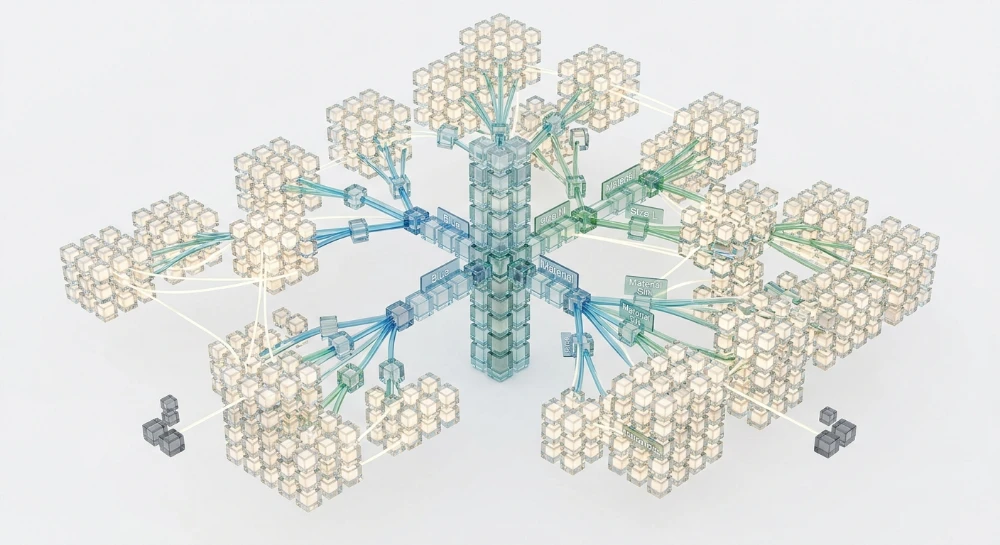
Checking dynamic crawl logs for massive parameter clutter issues requires extracting access data directly from Apache or Nginx server files. Faceted search architectures automatically generate infinite URL spaces through sorting filters, session identifiers, and tracking parameters. Search engine crawlers process these dynamically generated key-value pairs sequentially. Googlebot allocates a finite mathematical threshold of server requests per domain per day to determine the crawl budget limit. Processing thousands of duplicate parameter combinations consumes this allowance before the crawler requests priority category pages or new product inventory.
Parameter bloat directly degrades indexing efficiency. An eCommerce catalog with 5,000 core items instantly creates 5,000,000 distinct query strings when combining just four filtering facets like color, size, price, and brand.
Extracting specific variables from the combined log format isolates exactly which automated agents fetch these repetitive strings. Overcrawling happens when search engines spend disproportionate server bandwidth requesting non-canonical filter combinations containing ampersand syntax. Server telemetry provides the exact volume of HTTP 200 OK responses wasted on passive parameters. Cross-referencing this server-side data with the Page indexing report in Google Search Console exposes the specific percentage of the crawl queue exhausted by payload bloat.
Auditing this log telemetry dictates the explicit exclusion directives needed for the robots.txt file. Standardizing URL handling rules through specific Disallow paths stops crawler traversal at the query gateway. This technical intervention forces search engine bots to bypass infinite faceted navigation structures entirely.
Architectural diagnostics of dynamic parameter clutter (DPC)
Site architecture constraints in ecommerce catalogs
Ecommerce catalogs depend on Guided Navigation to filter massive product databases. This creates a severe Site Architecture constraint. Faceted Search interfaces natively conflict with clean hierarchy requirements. Every user click on a filter generates a distinct, indexable path. This architectural flaw instantly constructs Infinite URL spaces. Search engine bots lack the contextual logic to differentiate between a core category page and a deeply filtered subset. They treat every permutation as a unique entity demanding server bandwidth.
Anatomy of the dynamic URL structure
The technical failure begins at the query boundary. The Base address remains static while the CMS dynamically appends Query strings. These strings consist of specific URL parameters formatted as strict Key-value pairs.
The complexity multiplies exponentially due to Ampersand syntax. Each additional facet selection chains another parameter to the URL structure. A standard category URL quickly devolves into a dense string of passive variables.
| URL Structure Component | Technical Description | Architectural Impact |
|---|---|---|
| Base address | The static root pathway preceding the query boundary. | Defines the canonical entity location before dynamic modification. |
| Query strings | The complete alphanumeric string appended dynamically by the server. | Triggers index fragmentation when appended without strict handling rules. |
| URL parameters | Individual filtering or tracking variables within the string. | Generates duplicate pathways when representing sorting or passive actions. |
| Key-value pairs | The exact syntax defining the parameter assignment. | Multiplies crawl permutations when variations combine non-sequentially. |
| Ampersand syntax | The standard character chaining multiple query pairs. | Creates the combinatorial explosion leading to Infinite URL spaces. |
Quantifying crawl efficiency degradation
This structural clutter directly degrades Crawlability. Crawl Budget optimization requires eliminating non-essential server requests. When bots encounter deeply chained parameters, Overcrawling becomes an immediate systemic failure.
The mathematical permutations expose the severity of the bottleneck. Interlocking just four product attributes generates thousands of distinct query combinations from a single Base address. Search engines burn their daily request allowances fetching these identical layout variations instead of discovering new inventory.
Analyze these specific architectural failure points during initial diagnostics:
- Parameter reordering where the framework generates unique URLs for the exact same filters applied in a different sequence.
- Null-value strings appending empty parameters to the URL structure without altering the page payload.
- Mutually exclusive filters executing simultaneously due to logic failures in the Guided Navigation framework.
- Passive parameters attaching dynamic session identifiers to the query string instead of utilizing server-side cookies.
Crawl Waste manifests precisely here. The infrastructure serves successful HTTP responses to automated agents for completely useless permutations. Indexing Efficiency drops because the crawl queue fills with dynamic clutter rather than revenue-generating product pages. The technical mandate requires severing bot access to these generated combinations before the server processes the HTTP request. Optimizing Crawl Efficiency demands strict isolation of the clean Base address from the dynamic parameter logic.
Run a deep technical crawl to identify 4xx errors, missing meta tags, and indexation blockers.
Server log infrastructure and data extraction protocols
Raw telemetry resides on the host infrastructure. You must extract this data before applying analytical models. Most enterprise environments route traffic through Nginx, Apache, or Microsoft IIS. Edge networks passing requests through a Load balancer often alter the native .log file format. Linux environments typically output the Combined Log Format. Windows servers default to the W3C Extended Format. Both require strict structural normalization prior to analysis.
The extraction process mandates parsing specific log fields. Missing just one variable invalidates the entire parameter audit. Standardize the extraction pipeline around seven core variables.
| Extraction Variable | System Function |
|---|---|
| $remote_addr | Identifies the exact client network address executing the request. |
| $time_local | Timestamps the server event for sequential rate mapping. |
| $request | Contains the exact path, protocol, and all appended dynamic parameters. |
| $status | Returns the server response code for the specific hit. |
| $body_bytes_sent | Measures payload size to calculate bandwidth consumption. |
| $http_referer | Indicates the internal or external traffic source triggering the hit. |
| $http_user_agent | Captures the declared client string connecting to the server. |
Data normalization and querying structures
Flat text files collapse under the weight of enterprise traffic. Millions of request lines require structured ingestion. Moving the .log file format into centralized monitoring solutions provides the necessary querying power. Splunk and Datadog capture real-time pipelines. They parse native formats directly on ingestion. Elastic builds searchable indices for rapid string matching across massive data dumps.
Heavy historical audits demand dedicated warehouse capabilities. BigQuery handles massive log datasets with extreme efficiency. Engineers use standard SQL to isolate specific strings, grouping parameter permutations to calculate exact server load.
Data normalization pipelines must format the raw strings into a strict schema before executing SQL commands. The ingestion framework requires specific handling rules:
- Configure the Load balancer to forward the true client address to the $remote_addr field rather than internal proxy data.
- Strip extraneous whitespace from the $request field before schema mapping.
- Separate the base path from the query string into dedicated database columns.
- Convert the $time_local string into a standardized timestamp format for sequential sorting.
- Isolate the $http_user_agent string for isolated client analysis.
Executing accurate SQL queries depends entirely on this normalization. You cannot group identical requests if the query string remains bound to the root path in a single column. Separating these elements enables the database to aggregate identical base paths and expose the sheer volume of distinct parameter combinations trailing behind them.
Search engine crawler verification and capacity metrics
Relying strictly on the Bot user agent field corrupts diagnostic datasets. Malicious scrapers routinely spoof user agents to harvest pricing inventory heavily burdened by query parameters. You must execute strict User-agent string validation coupled with an IP-list Cross-check. This verifies whether the requests actually originate from Googlebot, Bingbot, or other legitimate Search Engine Crawlers.
Without reverse DNS verification, calculating true crawl demand against dynamic URL generation is mathematically impossible.
Once traffic is verified, parse the Request line to isolate crawler intent. The HTTP method dictates how the bot interacts with the server architecture. Filter the dataset to isolate the HTTP GET request. Bots executing POST methods are typically form-submission scrapers or API testing tools, not search indexers. Isolating GET requests exposes the exact parameter strings search engines continuously attempt to process.
Server load and capacity telemetry
Infinite faceted navigation structures exhaust infrastructure. Every unique URL combination processed requires database queries, draining Server bandwidth and artificially inflating the Crawl queue. Monitor your systems for a Hostload exceeded event.
When the queue backs up, you hit the Crawl-Capacity Limit.
This hard ceiling forces search engines to throttle discovery. Infrastructure strain directly degrades overall Response Health. Track Response times across different query string combinations to identify bottlenecks. As parameter complexity increases, the Time-to-First Byte often degrades logarithmically. Poor Server Response Speed signals to search engines that the Hostload is critical, prompting them to abandon the queue entirely and drop crawling efficiency.
HTTP status code diagnostics
Analyzing HTTP Status Codes reveals exactly how the server infrastructure handles parameter bloat under pressure. Segment the log data by response code to determine if bots are processing valid content, hitting dead ends, or crashing the database.
| Status Tier | Specific Response | Architectural Implication |
|---|---|---|
| 2xx | 200 OK | Successful resolution. High volumes on dynamic parameter paths indicate massive crawl budget waste on duplicate or near-duplicate inventory. |
| 3xx | 301 Redirect, 302 redirects | Crawlers trapped in recursive sorting loops or trailing-slash parameter stripping logic. High frequency signals structural failure. |
| 4xx errors | 404 Not Found, Soft 404, HTTP 429 | Dead ends in empty faceted filters. A Soft 404 occurs when empty parameter permutations return a 200 status code but lack content. An HTTP 429 signifies the server is actively rate-limiting the bot due to request exhaustion. |
| 5xx errors | 500, 503 Service Unavailable | The query string combinations crashed the database. Frequent 503 Service Unavailable drops signify the server cannot process the sheer mathematical volume of parameter permutations. |
Extracting these status distribution metrics requires precise SQL commands against the normalized log database.
SELECT
  request_path,
  status_code,
  COUNT(request_path) as request_volume
FROM server_logs
WHERE http_method = 'GET'
  AND verified_bot = 'true'
GROUP BY request_path, status_code
ORDER BY request_volume DESC;
This query configuration bypasses the noise. It isolates the exact status codes returned to verified crawlers. Analyzing the resulting matrix identifies the specific parameter structures responsible for triggering server exhaustion and capacity limits.
SEO structure and reciprocal link analyzer
Detect orphan pages, deep click depths, and toxic reciprocal links built by careless agencies.
Differential analytics for isolating URL parameter bloat
Once raw status code matrices reveal server exhaustion points, the next engineering requirement is isolating the specific parameter strings driving the overload. Differential analytics contrasts the volume of parameterized requests against a pristine, unparameterized domain architecture. This process begins by establishing a strict Crawl volume baseline calculation. Engineers measure the baseline request frequency strictly against the static File path directory. Any mathematical deviation from this control group exposes the sheer scale of the parameterized URL inventory.
Every appended query string acts as a Query gateway. It commands the server to execute database lookups, rearrange product grids, or inject session data into the HTML response. To Map URL Combinations effectively, telemetry must be parsed and categorized. Server Requests filtering separates requests that alter page rendering from those that merely pass data payloads.
Classification of parameter archetypes
Different parameter classes trigger entirely different failure states. Proper categorization dictates the diagnostic approach.
| Parameter Classification | Component Types | Architectural Impact |
|---|---|---|
| Passive parameters | Tracking parameters, Tracking codes, Session tracking, Session identifiers | These do not alter the core HTML output. They artificially multiply the URL inventory, leading directly to Content Duplication and heavy Payload Bloat. |
| Structural parameters | Pagination, Content sorting | These modify the item sequence or display depth. Improper implementation fragments page authority and generates massive Index bloat. |
| Refinement parameters | Filter URLs, Internal Search Pages | These narrow datasets based on user input. When bots traverse empty or overlapping filter nodes, they hit Thin content and infinite recursive loops. |
Isolating Passive parameters requires minimal algorithmic effort but yields massive bandwidth recovery. Session identifiers appended to every internal link create a mathematically infinite URL space for bots to process. Because the server returns identical HTML payloads for every session ID, the resulting Duplicate URLs trigger severe Cannibalisation across the SERP.
Diagnosing pathological crawl behaviors
Unrestricted dynamic parameters inevitably engineer Spider traps. A standard ecommerce taxonomy might contain fifty categories, each with ten filter attributes. If the system permits arbitrary combinations of these Filter URLs, the server dynamically generates millions of unique endpoints. Bots blindly follow these links.
These Crawler traps force automated systems to download identical or near-identical assets relentlessly. A multi-select faceted navigation panel without strict URL generation limits acts as a primary catalyst. When sorting directives combine with multiple filter selections, the resultant Crawl traps consume the allocated crawl budget entirely while contributing zero unique nodes to the actual index queue.
To execute differential analytics on these traps, log data must be grouped by the base File path, separating out the dynamic query string.
SELECT
  SPLIT(request_path, '?')[OFFSET(0)] AS base_file_path,
  SPLIT(request_path, '?')[SAFE_OFFSET(1)] AS query_gateway,
  COUNT(*) as parameter_request_volume
FROM normalized_logs
WHERE request_path LIKE '%?%'
  AND verified_bot = 'true'
GROUP BY base_file_path, query_gateway
ORDER BY parameter_request_volume DESC;
This query strips the noise. It calculates the parameter_request_volume against the base_file_path. If a single base product category registers tens of thousands of unique query gateway strings, the system has a severe parameter handling flaw.
Execution protocols for differential analysis
Deploying differential analytics against log telemetry requires strict procedural isolation. The goal is separating legitimate indexing demand from architectural waste.
- Calculate the baseline crawl volume targeting clean, absolute URLs devoid of query strings.
- Aggregate all log hits containing a question mark character to determine the total parameter request load.
- Subtract the baseline from the total load to quantify the absolute volume of Crawl Waste.
- Group the parameterized requests by parameter key (e.g., extracting 'sort=', 'color=', 'session_id=').
- Rank these extracted keys by request frequency and server latency to identify the heaviest drains on system resources.
This systematic isolation highlights the exact variables breaking the server architecture. Analytics output routinely proves that less than five specific Tracking parameters or Internal Search Pages configurations generate the vast majority of server strain. Fixing these specific bottlenecks requires precise technical directives and access control implementation.
Correlating log telemetry with search console diagnostics
Server log data dictates what bots request. Diagnostic consoles reveal processing intent. Cross-reference Server access logs with Google Search Console and Bing Webmaster Tools to bridge the gap between raw server strain and search engine evaluation metrics. Log files isolate architectural waste. Diagnostic platforms confirm whether algorithms penalize or ignore that waste.
Extracting API telemetry for Cross-Referencing
Manual interface checks fail at scale. Connect your data warehouse directly to search engine endpoints to extract API telemetry. Pulling bulk data from the Crawl Stats report provides a macroscopic view of bot behavior against your server architecture. Sync this telemetry with log output to identify massive discrepancies.
If log analysis shows bot IPs requesting 100,000 URLs containing a price-sorting parameter, but the Crawl Stats report indicates only 10,000 successful HTML fetches for that specific directory, a severe disconnect exists. The crawler hits a threshold and abandons the queue.
| Server Log Metric | Search Console Telemetry | Diagnostic Correlation |
|---|---|---|
| High request volume on ?sort= key | Spike in Crawl Stats report (HTML requests) | Crawler trap actively draining index capacity. |
| Consistent 404 responses in access logs | Spike in Page indexing report errors | Depleted parameter inventory triggering hard errors. |
| High log request volume, low bandwidth usage | Index Coverage Report shows excluded paths | Search engine recognizes bloat but wastes crawl capacity requesting headers. |
Diagnosing endpoint status categories
The Page indexing report classifies the exact failure states of bloated parameter structures. Filter this report specifically for parameterized strings identified during your log differential analysis. Evaluate the endpoint status to determine how the crawler handles structural bloat.
- Discovered - currently not indexed: Search engines found the URL parameter string through an internal link or sitemap, but system capacity limits prevented the fetch. The bot deferred the request. Rampant parameter bloat typically triggers this status en masse.
- Discovered-not-crawled: Algorithms detected the endpoint but skipped the crawl entirely. This indicates a severely degraded crawl priority. The search engine deems the parameterized path structurally redundant before requesting the payload.
- Active Pages: Clean, indexed states. Compare the volume of Active Pages against the total volume of parameterized requests in your log files. A healthy architecture maintains a high ratio of Active Pages to raw server requests.
Indexing anomaly validation protocols
Live testing isolates specific routing failures. Deploy the URL Inspection Tool against isolated parameter strings draining server resources. Analyze the referring page data within the tool interface. This reveals the exact internal link path injecting the parameter into the crawl queue.
Engineers must utilize the URL Parameter Tool for indexing anomaly validation. Input specific query keys like session identifiers or pricing filters to force behavioral rules on the crawler. The underlying architecture dictates log requests. Configuring strict processing rules within this tool forces search engines to bypass redundant key-value pairs. This aligns diagnostic preferences directly with the clean baseline crawl volume established during log analysis.
Comparing the exact timestamp of a parameter request in the server log against the last crawl date in the URL Inspection Tool provides absolute confirmation of bot behavior. Discrepancies between log timestamps and console timestamps point to edge network misconfigurations serving stale parameterized content to the crawler.
Bulk Google and Yandex index checker
Verify agency reports and track live SERP status in Google and Yandex to protect your SEO ROI.
Technical rectification and crawl control directives
Raw log telemetry demands immediate technical rectification. System administrators enforce crawl control by imposing strict parameter handling rules directly at the routing layer. Translating log anomalies into functional syntax eliminates the infrastructure strain caused by infinite filtering combinations. You lock down rogue query strings by deploying layered restriction mechanisms across the entire site architecture.
Applying the robots exclusion protocol
The Robots Exclusion Protocol governs initial access to your server. Modifying the robots.txt file halts bot requests before a connection consumes bandwidth. Precision defines effective robots.txt directives. Overly aggressive blocking hides core product pages from the SERP. Inadequate restrictions allow parameter bloat to drain system resources.
You map specific Disallow paths based directly on the crawl waste identified during differential log analytics. Isolating high-volume query keys stops bots from traversing structurally redundant URLs.
The following parameters define standard robots.txt logic for dynamic architectures:
| Syntax Element | Execution Logic | Architectural Application |
|---|---|---|
| Disallow Protocol | Instructs the bot to abandon the HTTP request for matching URL patterns. | Fencing off heavy faceted search directories or internal search query gateways. |
| Allow | Overrides a broader restriction to permit crawling of specific assets. | Carving out priority landing pages nested deep within an otherwise restricted path. |
| Disallow paths | Targets distinct directories or exact query strings appended to the base address. | Halting requests that contain specific sorting keys or session identifiers. |
| Wildcard | Utilizes universal match characters to apply rules regardless of sequence. | Blocking a parameter anywhere in the string without needing to define every possible combination. |
Tag governance and HTML directives
Server-level blocks fail when parameters modify the interface but must remain accessible to internal tracking systems. You deploy Exclusion directives directly within the document payload. Injecting a meta robots tag into the HTML head dictates SERP indexing logic without preventing the initial network request.
Strict Tag governance ensures clean index states. Engineers automate the output of Meta robots directives based on the active query string. A parameter designated for internal tracking triggers the immediate rendering of Noindex tags. This noindex directive forces the crawler to drop the URL from its database entirely. The bot fetches the HTML, reads the restriction, and discards the page. This eliminates index bloat. It does not reduce the immediate server load.
Structuring the canonicalization hierarchy
Duplicate content resolution requires a rigid Canonicalization hierarchy. You consolidate ranking signals by pointing heavily parameterized variants toward a single, pristine base address. Implementing Canonical tags prevents index dilution across faceted inventories.
Establishing a resilient hierarchy demands precise execution across the CMS output layer:
- Self-referencing canonicals: Every primary, indexable page must contain a directive pointing directly to itself. This anchors the definitive document state.
- Canonical version consolidation: When a user applies multiple pricing filters, the resulting HTML must generate a rel="canonical" referencing the unfiltered category URL.
- Canonical Tag synchronization: Conflicting signals destroy trust. If a document hosts a noindex directive alongside a canonical pointing to a different endpoint, search engines ignore the conflicting setup entirely.
Facet isolation via link attributes
Crawlers discover parameterized URLs by traversing internal links. You halt this discovery phase by modifying internal routing attributes. Applying rel="nofollow" to deep, multi-select facet combinations cuts off the crawl queue at the source.
Nofollow Links act as hard dead ends. A site architecture hosting thousands of sorting variations relies on this facet isolation. Modifying the anchor tags of your filtering interface prevents bots from enqueuing the dynamic paths in the first place. You pair link-level isolation with server-level directives to create an impenetrable crawl management system.
Automated monitoring and enterprise SEO log analysis
Manual audits lack the velocity required to maintain complex site architectures. You need continuous telemetry. Enterprise infrastructure generates gigabytes of access records daily, demanding automated pipelines for extraction and normalization.
Deploying specialized log ingestion platforms transforms raw text files into actionable diagnostic dashboards.
- Screaming Frog Log File Analyser: Process localized, segmented server files for rapid desktop-based forensics.
- Screaming Frog SEO Spider: Run this website crawler to map current site architecture and overlay log hits directly onto structural elements.
- Botify: Ingest continuous log streams to correlate bot behavior with real-time rendering performance.
- Oncrawl: Aggregate log data against structural segments to isolate exact directories consuming excessive bandwidth.
- JetOctopus: Process massive log datasets without structural limits to detect deep-level parameter anomalies.
Tracking crawl and indexing telemetry
Success depends on measuring how effectively bots respect your newly deployed architectural constraints. Establish tight monitoring across core performance indicators.
Track your Indexing metrics immediately after pushing parameter handling rules. You evaluate the Crawl ratio by comparing the total number of unique endpoints requested by bots against your total active URL inventory. A low ratio indicates bots are stuck in infinite parameterized loops rather than discovering core category pages. Monitor Crawl Demand to gauge crawler interest and evaluate overall infrastructure load.
Evaluate Time to Index. TTI measures the delay between publishing a fresh product and its appearance in the SERP. Optimizing internal paths and eliminating dead ends directly compresses TTI.
HTTP header validation and deployment
Relying solely on HTML markup leaves massive diagnostic blind spots. Server-level directives execute faster and prevent unnecessary rendering overhead.
You must validate HTTP response header configuration across all dynamic routes. Search engines process these headers before evaluating the document payload. Execute Custom HTTP headers to force specific network-edge behaviors for known crawler IPs. Regular auditing of the HTTP headers implementation confirms that X-Robots-Tag directives align perfectly with your existing canonical rules.
| Header Validation Target | Implementation Goal | Failure Consequence |
|---|---|---|
| X-Robots-Tag: noindex | Block indexation at the network edge before HTML rendering. | Crawlers consume processing resources rendering rejected documents. |
| Strict-Transport-Security | Enforce secure protocol connections across all parameter requests. | Protocol duplication and split crawl signals. |
| Cache-Control | Define expiration limits for dynamic query endpoints. | Frequent, unnecessary polling of static asset variants. |
Regression prevention and alerting
Deployment pipelines constantly overwrite established server rules. Undocumented developer commits routinely wipe out hard-fought optimization gains.
Establish automated alerts for Technical debt accumulation. Monitor for unexpected spikes in dynamic query generation or sudden drops in verification events. Deploy the robots.txt Tester directly into your continuous integration cycle for regression prevention. Running this validation tool on staging environments blocks the release of faulty syntax that might accidentally expose thousands of isolated facets back into the active crawl queue.